
Introdución
Thank you for choosing the DEPSTECH D04 1080P HD Webcámara. Este manual proporciona información esencial para configurar, operar e manter a súa webcam to ensure optimal performance. The D04 webcam is designed to deliver sharp, crystal-clear video and natural audio for various applications, including video conferencing, online teaching, streaming, and gaming.
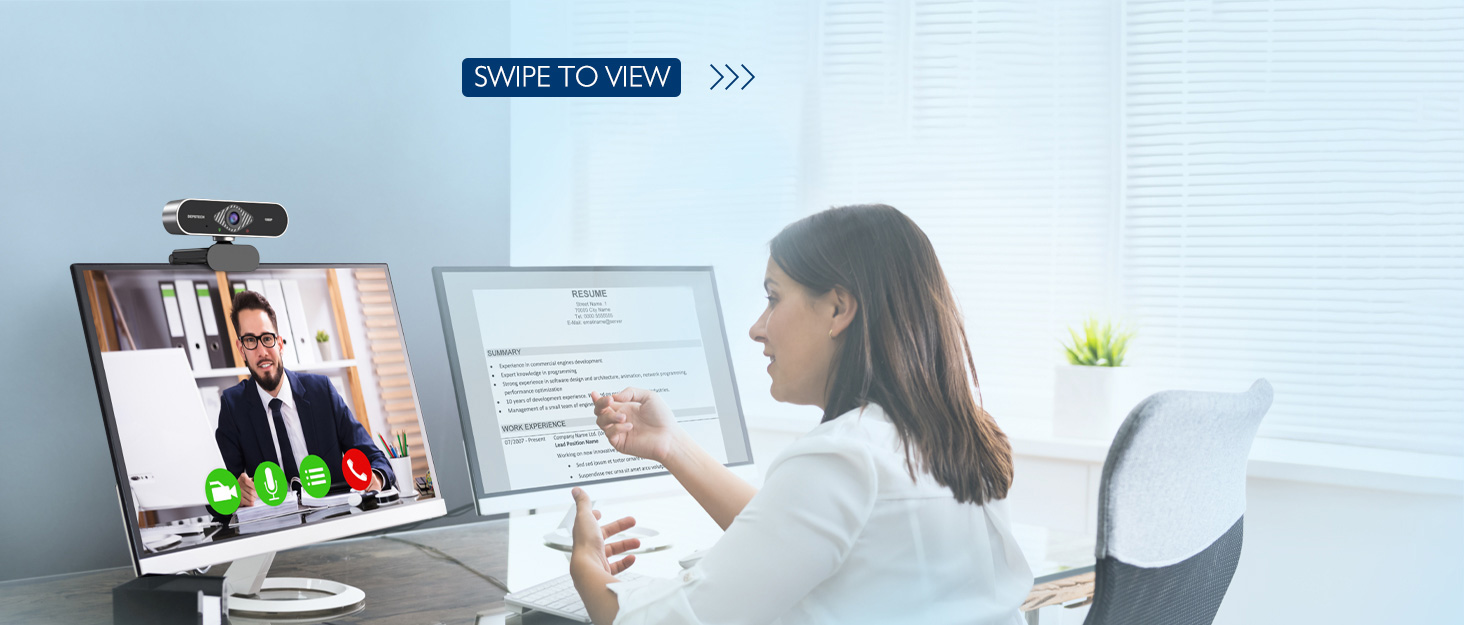
Image: DEPSTECH D04 Webcam in use for a video conference.
Características principais:
- Vídeo Full HD 1080p: Delivers sharp and crystal-clear video at 30 frames per second with a 6-layer glass HD lens and 1/2.9” CMOS image sensor.
- Stereo Microphone with Noise Reduction: Features an automatic noise reduction function for clearer and more natural sound, even in noisy environments.
- Automatic Light Correction & HDR: Ensures excellent video quality even in dimly lit conditions.
- Plug and Play: No additional drivers or software required for most operating systems.
- Compatibilidade ampla: Works with MAC OS, Windows XP/7/8/10, and popular applications like Skype, YouTube, Yahoo!, and Zoom.
Contido do paquete
- DEPSTECH D04 Webleva
- Mini trípode
- Protección de privacidade
- Manual de usuario
Instrucións de configuración
1. Placement of the Webleva
O DEPSTECH D04 webcam features a flexible mounting clip that allows it to be placed on various devices or surfaces.
- Nun monitor/pantalla de portátil: Abra o clip e coloque o webcam on top of your monitor or laptop screen. Adjust the angle so the camera is stable and facing you.
- Nun trípode: Adxunta o webcam to the included mini tripod using the universal screw mount at the bottom of the clip. Place the tripod on a flat surface.
- Nunha superficie plana: The clip can also be folded to create a stand, allowing the webcam to sit directly on your desk or shelf.

Imaxe: Webcam mounted on a laptop screen.

Imaxe: Webcam mounted on a tripod.
2. Connecting the Webleva
O DEPSTECH D04 webcam is a plug-and-play device, requiring no additional driver installation for most operating systems.
- Conecte o cable USB do webcam to an available USB port on your computer (desktop or laptop).
- Wait for your operating system to automatically detect and install the device. This usually takes a few seconds.
- Once detected, the webcam is ready for use with your preferred video communication or recording software.
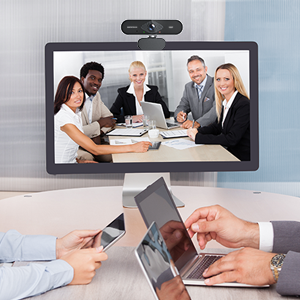
Image: USB connection for the webleva.
Instrucións de funcionamento
1. Usando o Webcam with Software
After connecting, your DEPSTECH D04 webcam will be recognized as a standard video and audio input device by most applications.
- Open your desired video conferencing, streaming, or recording application (e.g., Zoom, Skype, OBS, YouTube, Facetime).
- Navigate to the application's settings or preferences, usually under 'Audio' and 'Video' sections.
- Select "DEPSTECH D04 Webcam" or "USB 2.0 Camera" as your video input device.
- Select "USB 2.0 Camera Audio" as your microphone input device.
- Adjust video and audio settings as needed within the application.

Image: User engaged in a video call with the webleva.
2. Cuberta de privacidade
O webcam includes a privacy cover for enhanced security and peace of mind. Slide the cover over the lens when the webcam is not in use to prevent accidental recordings or unauthorized access.

Imaxe: Webcam with the privacy cover closed.
3. Luces indicadoras
O webcam features indicator lights to show its status:
- Luz verde: Indicates the camera is active and in use by an application.
- Luz vermella: Indica o webcam is powered on and connected.
Mantemento
To ensure the longevity and optimal performance of your DEPSTECH D04 webcámara, siga estas pautas de mantemento:
- Limpeza da lente: Gently wipe the lens with a soft, lint-free cloth. Avoid using harsh chemicals or abrasive materials that could scratch the lens.
- Limpeza do corpo: Use un pano suave e seco para limpar o exterior webleva.
- Almacenamento: Cando non o use, especialmente durante períodos prolongados, gárdeo webcam in a clean, dry place. Use the privacy cover to protect the lens.
- Evita condicións extremas: Non expoña o weba temperaturas extremas, humidade ou luz solar directa.
Resolución de problemas
If you encounter issues with your DEPSTECH D04 webcam, refer to the following common solutions:
- Webcámara non detectada:
- Tenta conectar o webcámara a un porto USB diferente do teu ordenador.
- Reinicia o teu ordenador.
- Asegúrese de que o cable USB estea conectado de forma segura.
- Check your operating system's device manager (Windows) or System Information (Mac) to see if the webA cámara está listada.
- Sen vídeo/Pantalla negra:
- Make sure the privacy cover is open.
- Verifique que o webA cámara está seleccionada como dispositivo de entrada de vídeo na configuración da aplicación.
- Pecha e volve abrir a aplicación.
- Sen audio/Mala calidade de audio:
- Ensure "USB 2.0 Camera Audio" is selected as the microphone input in your application's settings.
- Comproba a configuración de son do teu ordenador para asegurarte de que o micrófono estea activado e non silenciado.
- Adjust the microphone input volume in your application or system settings.
- Baixa calidade do vídeo:
- Ensure you have adequate lighting in your environment. The webcam has auto light correction, but good ambient light helps.
- Limpar o weblente de cámara.
- Check your internet connection speed if streaming or video conferencing.
Especificacións
| Marca | DEPSTECH |
| Número de modelo | D04 |
| Resolución de captura de vídeo | 1080 p |
| Velocidade de captura de imaxes | 30 fps |
| Tecnoloxía do sensor fotográfico | CMOS (1/2.9” CMOS image sensor) |
| Tipo de foco | Foco fixo |
| Tipo de lente | Gran Angular |
| Tecnoloxía de conectividade | USB |
| Formato de audio compatible | Estéreo |
| Características especiais | Auto Light Correction, Noise Canceling Microphone, Tripod and Privacy Cover Included |
| Compatibilidade do sistema operativo | Mac OS, Windows XP/7/8/10 |
| Cor | Negro |
Información da garantía
O DEPSTECH D04 Webcámara vén cunha 1 ano de garantía from the date of purchase. This warranty covers manufacturing defects and ensures the product is free from defects in material and workmanship under normal use. Please retain your proof of purchase for warranty claims. The warranty does not cover damage caused by misuse, accident, unauthorized modification, or external causes.
Apoio
For further assistance, technical support, or warranty inquiries, please contact DEPSTECH customer service. You can typically find contact information on the official DEPSTECH websitio web ou a través do vendedor onde adquiriu o produto.
Please have your model number (D04) and proof of purchase ready when contacting support.