
SENTRY KX200
Sentry Industries Inc. HPXKX200 Gaming Keyboard + Mouse 2 Pack
Model: KX200 User Manual
Introdución
Grazas pola compraasing the Sentry Industries Inc. HPXKX200 Gaming Keyboard and Mouse 2 Pack. This combo kit is designed to enhance your gaming and computing experience with its responsive keyboard and precise mouse. The keyboard features 104 keys with RGB backlighting, while the mouse offers 7200 DPI sensitivity and RGB lighting. Both devices connect via USB for reliable performance.
This manual provides detailed instructions for setup, operation, maintenance, and troubleshooting to ensure optimal use of your new gaming peripherals.
Contido do paquete
- 1 x Sentry HPXKX200 104-Key RGB USB Gaming Keyboard
- 1 x Sentry HPXKX200 7200 DPI RGB Gaming Mouse
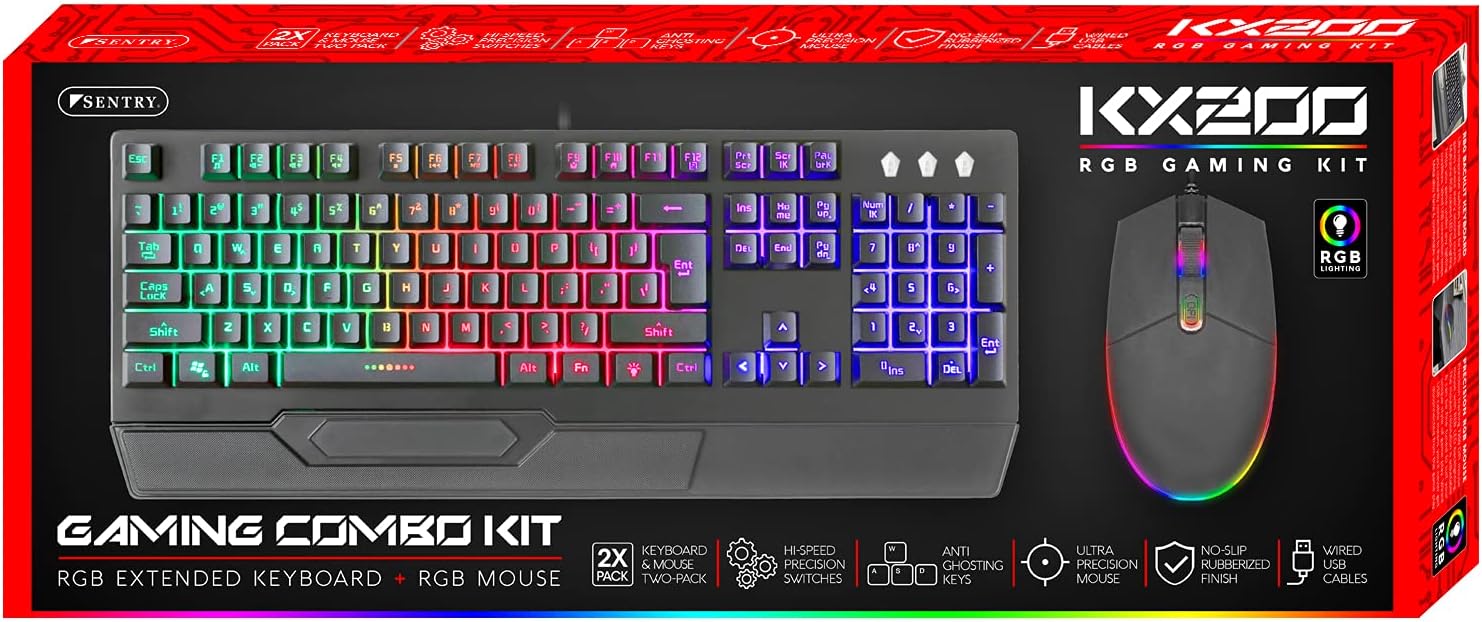
Image: The retail packaging for the Sentry HPXKX200 Gaming Keyboard and Mouse combo kit, showing both devices and key features.
Instrucións de configuración
Follow these steps to connect your Sentry HPXKX200 Gaming Keyboard and Mouse to your computer:
- Desembalar os dispositivos: Retire con coidado o teclado e o rato da súa embalaxe.
- Conecta o teclado: Localiza un porto USB dispoñible no teu ordenador. Insire firmemente o conector USB do teclado no porto USB.
- Conecta o rato: Locate another available USB port on your computer. Insert the USB connector of the mouse firmly into the USB port.
- Instalación de controladores: Your operating system (e.g., Windows) should automatically detect and install the necessary drivers. This process may take a few moments.
- Verificar a conexión: Once drivers are installed, the keyboard and mouse RGB lighting should illuminate, indicating they are ready for use.

Image: The Sentry HPXKX200 Gaming Keyboard, showcasing its full layout and attached USB cable for connection.

Image: The Sentry HPXKX200 Gaming Mouse, highlighting its ergonomic design and attached USB cable.

Imaxe: Primeiro plano view of a standard USB-A connector, which is used to connect both the keyboard and mouse to a computer.
Instrucións de funcionamento
Uso do teclado
The 104-key layout provides a full range of standard typing and function keys. The RGB backlighting enhances visibility and aesthetics.
- Escritura: Use the alphanumeric keys for standard text input.
- Teclas de función (F1-F12): These keys perform various functions, often in combination with the 'Fn' key, depending on your operating system and applications.
- Control de iluminación RGB: Specific key combinations (e.g., Fn + Scroll Lock, Fn + Home/End) may cycle through different RGB lighting modes or adjust brightness. Refer to the keyboard's specific key legends for lighting controls.
Uso do rato
The 7200 DPI RGB mouse offers precise tracking and comfortable use.
- Clic esquerdo: Acción primaria, selección.
- Clic dereito: Menú contextual.
- Roda de desprazamento: Desprácese polos documentos e web páxinas. A roda de desprazamento tamén funciona como un botón central para premer.
- Axuste de DPI: The DPI button (often located near the scroll wheel) allows you to cycle through different sensitivity settings (DPI levels) to match your preference for various tasks or games. The mouse supports up to 7200 DPI.
- Iluminación RGB: The mouse features integrated RGB lighting that typically changes based on DPI settings or cycles through colors automatically.

Image: The Sentry HPXKX200 Gaming Keyboard and Mouse side-by-side, illustrating their design and illuminated RGB features.
Mantemento
Proper care will extend the life of your gaming peripherals:
- Limpeza: Usa un pano suave e seco para limpar as superficies do teclado e do rato. Para a sucidade persistente, limpa lixeiramenteampEnxágüe o pano con auga ou un limpador suave e non abrasivo. Evite a humidade excesiva.
- Eliminación de po: Use compressed air to remove dust and debris from between the keyboard keys and from the mouse's optical sensor.
- Evitar líquidos: Do not immerse the devices in water or expose them to excessive liquids.
- Almacenamento: Store the keyboard and mouse in a cool, dry place when not in use.
Resolución de problemas
If you encounter issues with your Sentry HPXKX200 Gaming Keyboard and Mouse, try the following solutions:
| Problema | Posible Solución |
|---|---|
| O teclado/rato non responde |
|
| A iluminación RGB non funciona |
|
| O cursor do rato é errático ou non se move |
|
| Keys not registering on keyboard |
|
Especificacións
| Característica | Detalle |
|---|---|
| Marca | SENTIRÍA |
| Número de modelo | KX200 |
| Tecnoloxía de conectividade | USB (con cable) |
| Tipo de teclado | 104-Key RGB USB Keyboard |
| Rato DPI | 7200 DPI RGB Mouse |
| Cor | Negro |
| Compatibilidade do sistema operativo | Windows (and generally compatible with other OS supporting USB peripherals) |
| Dimensións do produto (teclado) | Aproximadamente 21.65 x 9.84 x 3.15 polgadas |
| Peso do elemento | Aproximadamente 2.2 libras (combinadas) |
Garantía e Soporte
Sentry Industries Inc. products are manufactured to high-quality standards. For information regarding warranty coverage, technical support, or service inquiries, please refer to the warranty card included with your product or visit the official Sentry Industries Inc. websitio. Garde o comprobante de compra para reclamacións de garantía.
Ask a question about this manual
Ask about setup, troubleshooting, compatibility, parts, safety, or missing instructions. Manuals+ will review the question and use this page’s manual context to help answer it.