
Introdución
Thank you for choosing the SXFJF L350 Bluetooth Over-Ear Wireless Headphones. This manual provides essential information for the safe and efficient use of your headphones. Please read it carefully before use and retain it for future reference.
Produto rematadoview
The SXFJF L350 headphones are designed for comfort and high-fidelity audio, featuring active noise cancellation, deep bass, and a built-in microphone for hands-free communication. Their foldable design enhances portability.
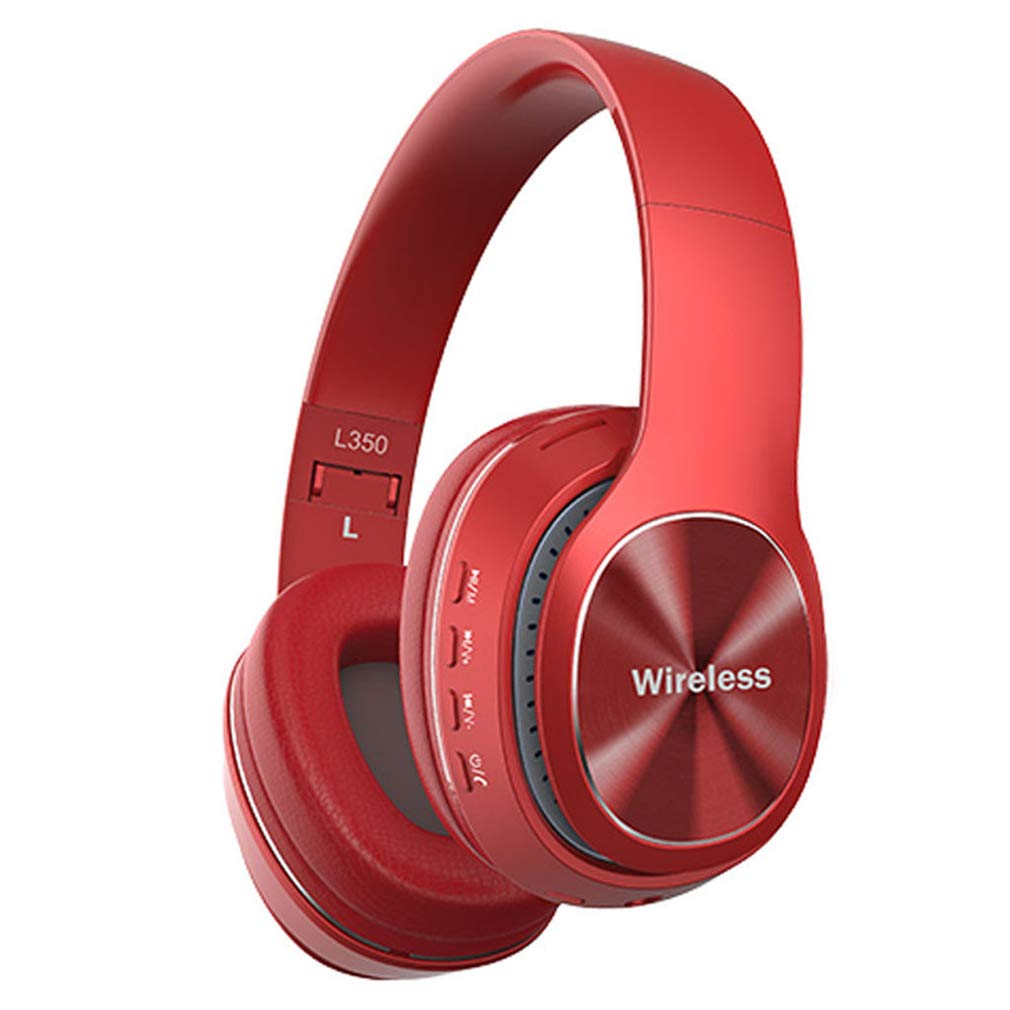
Image: SXFJF L350 Red Bluetooth Over-Ear Wireless Headphones. This image displays the red variant of the L350 headphones, highlighting the over-ear design, control buttons on the earcup, and the 'Wireless' branding.
Características principais:
- Active Noise Cancelling Function
- Premium Audio with Deep Bass
- 40mm Horn Drivers
- 105dB Sensitivity and 100dB Signal-to-Noise Ratio
- Foldable Structure for Portability
- Soft Memory-Protein Earmuffs for Comfort
- Axuste ergonómico
- Bluetooth 5.0 Connectivity with 15-meter working range
- 8-10 Hours Music Playback Time
- 1300 horas de tempo de espera
- Built-in Microphone for Hands-Free Calls
- 3.5mm Stereo Interface for Wired Connection
Configuración
1. Carga dos auriculares
Before first use, fully charge your headphones. Use the provided USB charging cable.
- Connect the Micro USB end of the charging cable to the charging port on the headphone earcup.
- Connect the USB-A end to a 5V USB power source (e.g., computer USB port, wall adapter).
- O indicador LED acenderase durante a carga e cambiará de cor ou apagarase cando estea completamente cargado.
2. Emparellamento Bluetooth
Sigue estes pasos para emparellar os teus auriculares cun dispositivo con Bluetooth:
- Asegúrese de que os auriculares estean apagados.
- Press and hold the Power button until the LED indicator flashes red and blue alternately, indicating pairing mode.
- No teu dispositivo (teléfono intelixente, tableta, ordenador), activa o Bluetooth e busca os dispositivos dispoñibles.
- Select "L350" or "SXFJF Headphones" from the list of found devices.
- Once paired, the LED indicator will typically show a solid blue light or flash blue slowly.
- Se se lle solicita un contrasinal, introduza "0000".
3. Conexión con cable (opcional)
For devices without Bluetooth or when the battery is depleted, you can use the 3.5mm audio cable:
- Conecta un extremo do cable de audio de 3.5 mm á toma de entrada de audio dos auriculares.
- Conecta o outro extremo á toma de saída de audio de 3.5 mm do teu dispositivo.
- The headphones will function as wired headphones, and Bluetooth features will be disabled.
Video: SXFJF Bluetooth Over-Ear Wireless Headphones. This video provides a visual overview of the headphones, demonstrating their design, features, and various color options. It highlights the active noise cancellation, deep bass, and comfortable fit.
Instrucións de funcionamento
Encendido/apagado
- Encendido: Manteña premido o botón de acendido durante aproximadamente 3 segundos ata que o indicador LED se acenda.
- Apagado: Manteña premido o botón de acendido durante aproximadamente 3 segundos ata que o indicador LED se apague.
Reprodución de música
- Reproducir/Pausa: Preme o botón Reproducir/Pausa unha vez.
- Próxima pista: Manteña premido o botón para subir o volume (+).
- Pista anterior: Manteña premido o botón para baixar o volume (-).
Xestión de chamadas
- Responder/Finalizar chamada: Preme o botón Reproducir/Pausa unha vez.
- Rexeitar a chamada: Manteña premido o botón Reproducir/Pausa durante 2 segundos.
- Volver a marcar o último número: Prema dúas veces o botón Reproducir/Pausa.
Control de volume
- Aumentar o volume: Prema o botón Subir volume (+).
- Diminuír o volume: Prema o botón para baixar o volume (-).
Mantemento
Proper maintenance ensures the longevity and performance of your headphones:
- Limpeza: Usa un pano suave e seco para limpar os auriculares. Non empregues produtos de limpeza abrasivos nin disolventes.
- Almacenamento: Cando non os use, garde os auriculares nun lugar fresco e seco, lonxe da luz solar directa e de temperaturas extremas. Utilice o deseño plegable para un almacenamento compacto.
- Evitar auga: Estes auriculares non son impermeables. Evite a exposición á auga ou á humidade excesiva.
- Manipular con coidado: Non deixe caer, desmonte nin modifique os auriculares.
Resolución de problemas
Se tes problemas cos teus auriculares, consulta os seguintes problemas e solucións comúns:
| Problema | Solución |
|---|---|
| Os auriculares non se acenden. | Asegúrate de que os auriculares estean completamente cargados. Conéctaos a unha fonte de alimentación e inténtao de novo. |
| Non se pode emparellar co dispositivo. | Ensure headphones are in pairing mode (LED flashing red/blue). Turn off and on Bluetooth on your device. Move closer to the device. |
| Sen son ou volume baixo. | Check volume levels on both headphones and your device. Ensure headphones are properly paired or connected via audio cable. |
| Mala calidade de son. | Ensure there are no obstructions between the headphones and your device. Avoid interference from other wireless devices. Try a wired connection. |
| O micrófono non funciona. | Ensure the headphones are properly connected and selected as the input device on your phone/computer. |
Especificacións
Technical specifications for the SXFJF L350 Bluetooth Over-Ear Wireless Headphones:
| Característica | Detalle |
|---|---|
| Versión Bluetooth | Bluetooth 5.0 |
| Rango de traballo | Ata 15 metros |
| Tempo de Música | 8-10 horas |
| Tempo de espera | 1300 horas |
| Capacidade da batería | 200 mAh |
| Vol. De cargatage | 5V |
| Corrente de carga | 5V500mA |
| Interfaz de carga | Micro USB |
| Tipo de enchufe | 3.5mm Stereo Interface |
| Especificación de trompa | 40 mm |
| Potencia de carga | 50 mW |
| Vol. Subministracióntage | 3.3-4.2 V |
| SNR (relación sinal a ruído) | 100 dB |
| Sensibilidade | 105 dB |
| Corrente de traballo | 30 mA |
| Rango de frecuencias | 24 GHz-2480 GHz |
Garantía e Soporte
For warranty information, product support, or any issues not covered in this manual, please refer to the product detail page on Amazon or contact SXFJF customer service directly. Contact details are typically available on the product packaging or the seller's Amazon storefront.