
CAT CJ10000DCP
Manual de instrucións da estación de enerxía profesional CAT 3 en 1
Model: CJ10000DCP
Marca: CAT
Introdución
This manual provides detailed instructions for the safe and effective operation, maintenance, and troubleshooting of your CAT 3-in-1 Professional Power Station. This versatile unit combines a jump starter, an air compressor, and a portable power source, designed to assist with various automotive and power needs.
The product features 500 instantaneous amps and 1000 peak amps of battery starting power, capable of jump-starting most 120V vehicles. It also includes a 120-volt AC outlet and 2-amp USB ports for charging and powering devices such as phones, tablets, and laptops. The integrated 120 psi air compressor, equipped with a heavy-duty bronze safety nipple, securely connects to tires, sports equipment, and more.
Información de seguridade
Lea e comprenda sempre todos os avisos e instrucións de seguridade antes de usar este produto. O incumprimento destas instrucións pode provocar descargas eléctricas, incendios e/ou lesións graves.
- Manter os nenos e as persoas non autorizadas lonxe da zona de traballo.
- Usar equipo de protección individual axeitado, incluída a protección ocular.
- Non utilice a unidade en atmosferas explosivas, como en presenza de líquidos, gases ou po inflamables.
- Ensure proper ventilation when operating the air compressor.
- Non expoña a unidade á choiva ou a condicións de humidade.
- Always disconnect the unit from the power source before performing any maintenance or cleaning.
- Do not use the unit if it has been dropped or damaged.
- Refer to your vehicle's owner's manual for specific jump-starting procedures and precautions.
Configuración
Before first use, fully charge the power station. It should be charged regularly when not in use to maintain battery health.
- Desembalaxe: Carefully remove the power station and all accessories from the packaging. Inspect for any damage.
- Carga inicial: Connect the power station to a standard AC wall outlet using the integrated AC charging adapter. Allow the unit to charge until the battery indicator shows a full charge. This may take several hours.
- Familiarización: Identify the main components: jump starter cables, air compressor hose, AC outlet, USB ports, control panel, and light.

Figura 1: Fronte view of the CAT 3-in-1 Professional Power Station, showing the control panel, USB ports, AC outlet, and jump starter clamps.

Figure 2: Packaging of the CAT 3-in-1 Professional Power Station, highlighting key features and components such as the jump starter switch, LCD display, USB ports, AC outlet, and air compressor hose storage.
Instrucións de funcionamento
Arrancar un vehículo
- Preparación: Ensure the vehicle's ignition is off and all accessories are turned off. Place the power station on a flat, stable surface near the vehicle's battery.
- Conectar en positivo: Conecta o cl vermello (positivo, +)amp of the power station to the positive (+) terminal of the vehicle's battery.
- Conectar negativo: Conecta o cl negro (negativo, -)amp to a non-moving metal part of the vehicle's engine block or chassis, away from the battery and fuel lines. Do not connect directly to the negative battery terminal.
- Activate Jump Start: Turn the jump starter switch on the power station to the "ON" position.
- Arrancar o vehículo: Attempt to start the vehicle. If it does not start within 5-8 seconds, wait at least 1 minute before trying again.
- Desconectar: Once the vehicle starts, immediately turn the jump starter switch to "OFF". Disconnect the black (negative) clamp primeiro, despois o cl vermello (positivo)amp.

Figure 3: The power station positioned next to a car engine, with jump starter clamps connected to the vehicle's battery terminals, ready for jump-starting.
Usando o compresor de aire
- Conecte a mangueira: Remove the air compressor hose from its storage compartment and securely attach the bronze safety nipple to the tire valve stem or sports equipment valve.
- Presión de configuración: Use the control panel to set the desired pressure (in PSI).
- Arrancar o compresor: Press the "AIR" button to start the compressor. The unit will automatically shut off once the set pressure is reached.
- Monitor: Observe the pressure gauge on the display during inflation.
- Desconectar: Once inflation is complete, disconnect the hose from the valve and return it to its storage.
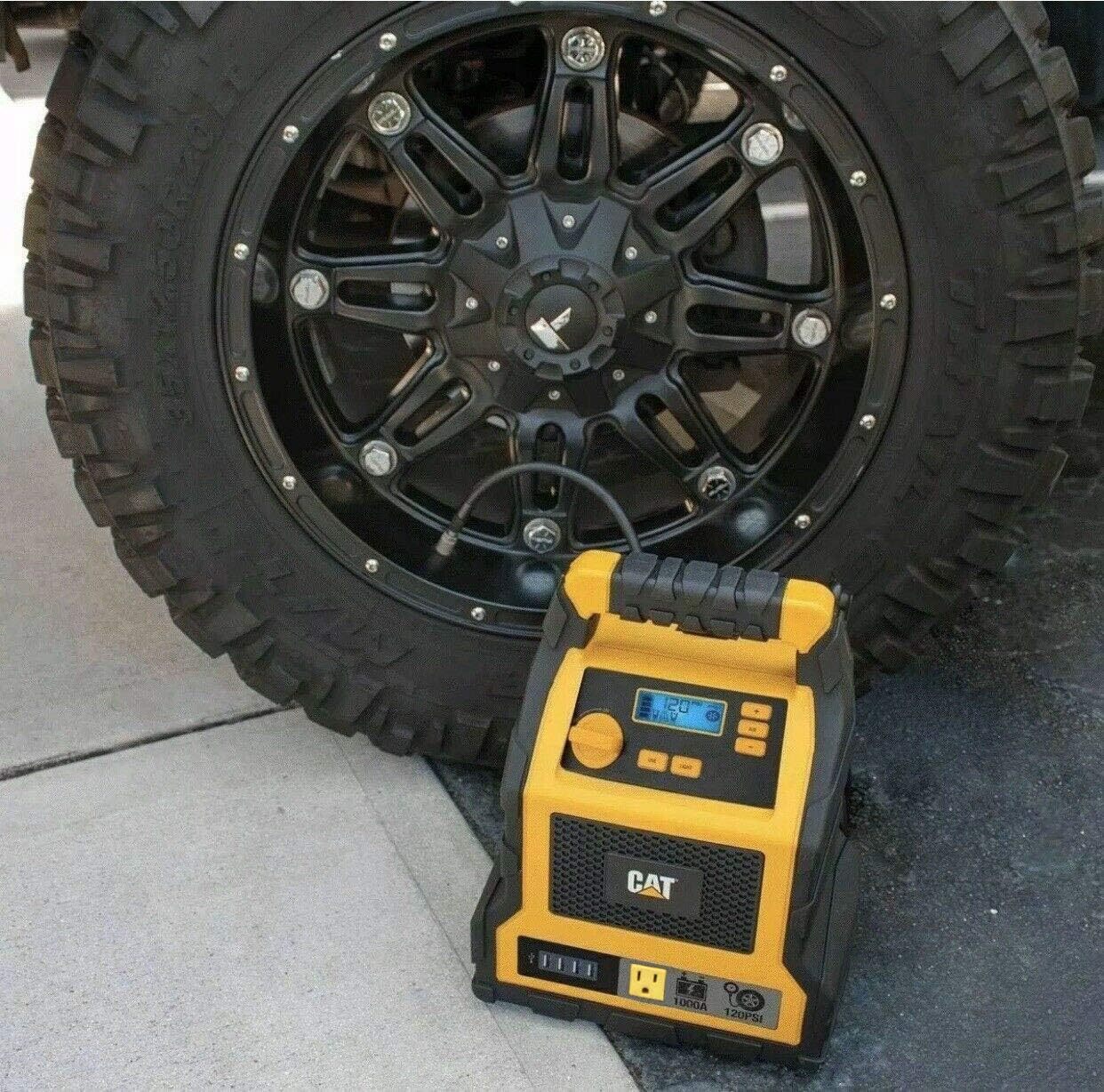
Figure 4: The power station placed next to a vehicle tire, with the air compressor hose connected to the tire valve for inflation.
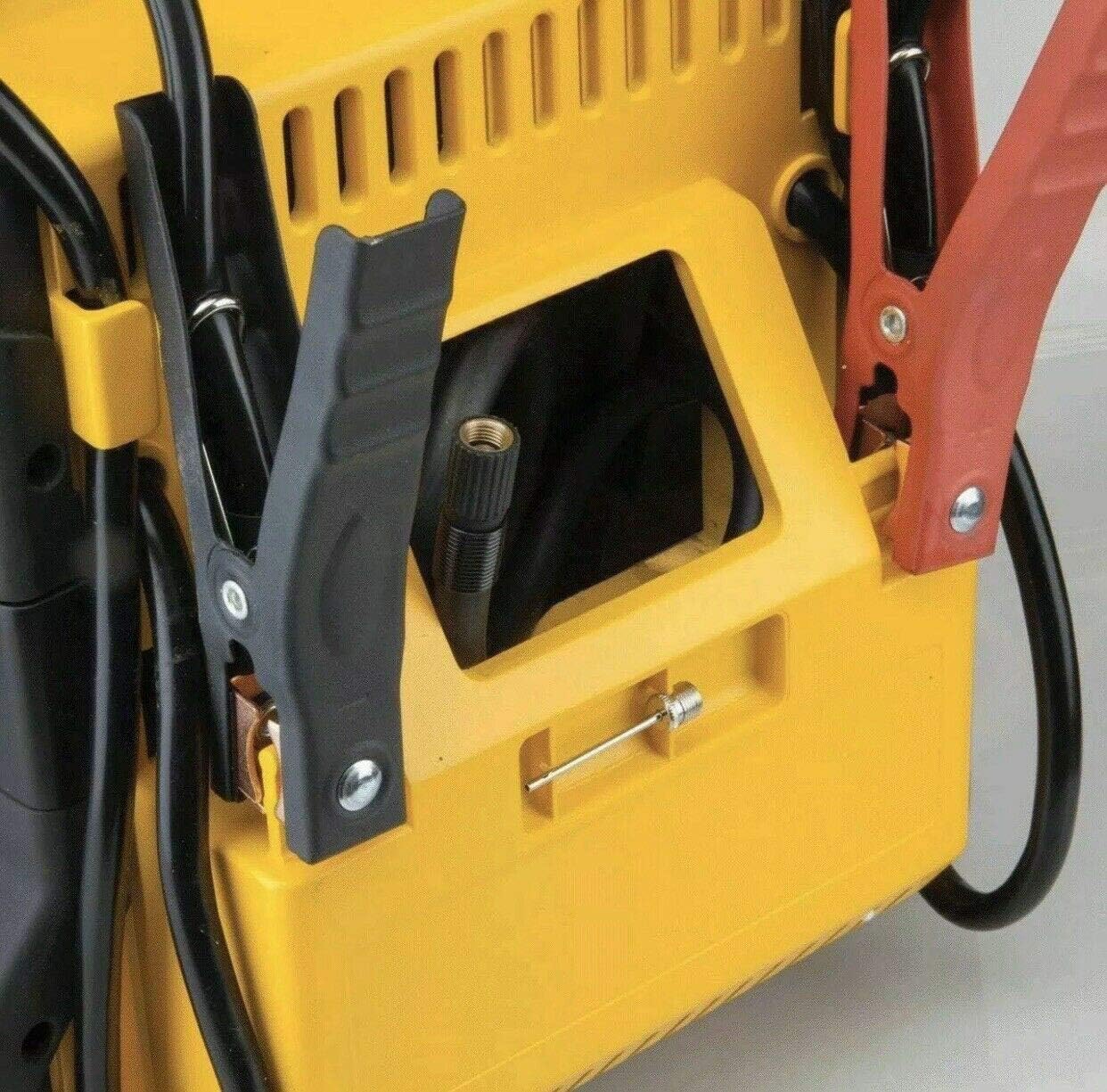
Figura 5: Detalle view of the side of the power station, showing the integrated storage for the air compressor hose and the nozzle adapter.
Using the AC Outlet and USB Ports
- Toma de CA: Plug your 120-volt AC device into the AC outlet. Press the "AC POWER" button to activate the outlet. Ensure the device's power consumption does not exceed the unit's maximum output (200W).
- Portos USB: Connect your USB-powered devices (e.g., phones, tablets) to any of the four USB ports. The USB ports provide 2-amp saída para unha carga eficiente.

Figure 6: A composite image showing various uses of the power station, including charging a smartphone via its USB ports.
Mantemento
Proper maintenance ensures the longevity and optimal performance of your CAT Professional Power Station.
- Carga regular: The internal battery should be charged regularly, especially when not in use. It is recommended to fully charge the unit every 3 months to maintain battery health and extend its lifespan.
- Limpeza: Use a dry, soft cloth to wipe down the unit. Do not use abrasive cleaners or solvents.
- Almacenamento: Store the unit in a cool, dry place, away from direct sunlight and extreme temperatures. Ensure all cables and accessories are neatly stored.
Resolución de problemas
Esta sección aborda problemas comúns cos que podes atoparte. Para problemas que non aparecen na lista, ponte en contacto co servizo de atención ao cliente.
| Problema | Causa posible | Solución |
|---|---|---|
| A unidade non se acende. | A batería está completamente descargada. | Cargue a unidade completamente. |
| O vehículo non arranca con axuda. | Cl incorrectoamp connection; Vehicle battery severely discharged; Power station battery low. | Check connections; Allow power station to charge vehicle battery for a few minutes before attempting to start; Recharge power station. |
| O compresor de aire non se infla. | Hose not securely attached; Desired pressure already reached; Compressor malfunction. | Ensure secure connection; Check current tire pressure; Contact customer support if malfunction is suspected. |
| AC outlet or USB ports not providing power. | AC/USB power not activated; Device draws too much power; Power station battery low. | Press the respective power button; Check device's power requirements; Recharge power station. |
Especificacións
| Característica | Detalle |
|---|---|
| Marca | CAT |
| Número de modelo | CJ10000DCP |
| Jump Start Peak Amps | 1000 Amps |
| Jump Start Instantaneous Amps | 500 Amps |
| Presión do compresor de aire | 120 PSI |
| Toma de CA | 120 voltios AC |
| Portos USB | 4 USB Ports, 2-amp saída |
| Peso do elemento | 19.1 libras |
| Dimensións do produto | 154" D x 12" W x 10" H |
| Data de primeira dispoñibilidade | 18 de maio de 2020 |
Garantía
The product packaging indicates a 1 ano de garantía. Please retain your proof of purchase for warranty claims. For specific warranty terms and conditions, refer to the documentation included with your product or contact the manufacturer directly.
Apoio
For technical assistance, replacement parts, or further inquiries, please contact CAT customer support. Visit the official CAT websitio web para obter a información de contacto máis actualizada.
Tamén podes visitar o CAT Store on Amazon para obter máis información sobre o produto.
Ask a question about this manual
Ask about setup, troubleshooting, compatibility, parts, safety, or missing instructions. Manuals+ will review the question and use this page’s manual context to help answer it.