
1. Instrucións de configuración
1.1 Contido do paquete
- Srihome SH004 USB Webleva
- Cable USB (integrado)
1.2 Conectando Webleva
The Srihome SH004 webcam is designed for plug-and-play operation, requiring no additional driver installation on most compatible systems.
- Conectar ao porto USB: Insira o webcam's USB cable into an available USB 2.0 or USB 3.0 port on your computer (PC, laptop, or desktop).
- Recoñecemento do sistema: Your operating system (Windows 7/8/10, LINUX, Mac OS, Android TV) should automatically detect and configure the webcam. A notification may appear indicating successful device installation.
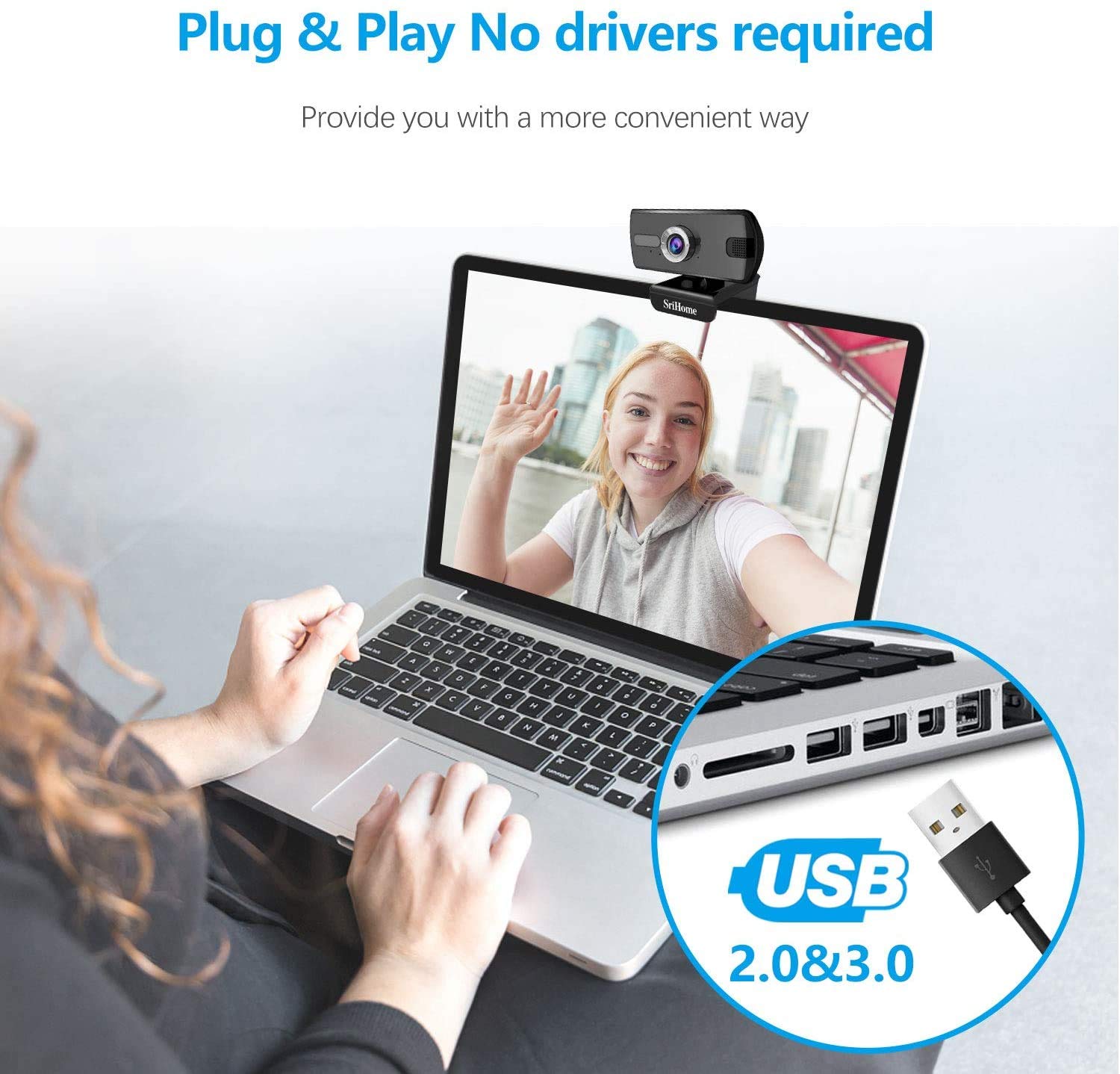
Figure 1: Connecting the webcam to a USB port. The device is plug-and-play, requiring no driver installation.
1.3 Montaxe do Webleva
O webcam features a versatile clip that allows it to be securely mounted on various devices, such as laptop screens, desktop monitors, or placed on a flat surface.
- Axustar o clip: Open the clip to fit over the top edge of your monitor or laptop screen.
- Coloca o Webleva: Asegurar o webcam is centered and stable.
- Rotate for Optimal Angle: O webcam's bracket allows for 360-degree rotation, enabling you to adjust the camera angle as needed.

Figura 2: O/A webcam features a 360-degree rotatable bracket for flexible positioning.
1.4 Axuste do foco
For optimal image clarity, the webcam features a manual focus adjustment. If the image appears blurred, gently rotate the silver-colored ring around the lens until the picture becomes sharp.
2. Instrucións de funcionamento
2.1 Video Calls and Conferencing
The Srihome SH004 webcam is suitable for various communication platforms and applications.
- Compatibilidade de aplicacións: Use with popular applications such as Skype, Yahoo, FaceTime, Hangouts, YouTube, Zoom, and other video conferencing software.
- Seleccionando o Webleva: In your chosen application's settings, ensure "Srihome SH004" is selected as the primary video and audio input device.

Figure 3: Key features of the Srihome SH004 webcam, including HD video, 3MP resolution, wide-angle lens, built-in microphone, and plug-and-play functionality.
2.2 Image and Audio Quality
- Vídeo de alta definición: O webcam provides a maximum resolution of 3 Megapixels (2048x1536) with H.264 video compression, ensuring clear and detailed images.
- Ampla Campo de View: A 110° wide-angle lens captures a broad perspective, ideal for group calls or presentations.
- Micrófono incorporado: The integrated stereo microphone features noise cancellation, designed to capture your voice clearly even in moderately noisy environments.

Figure 4: The 110-degree wide-angle field of view provides extensive coverage.

Figure 5: The built-in microphone with noise cancellation enhances audio clarity.
3. Mantemento
To ensure the longevity and optimal performance of your Srihome SH004 webcámara, siga estas sinxelas pautas de mantemento:
- Limpeza da lente: Gently wipe the camera lens with a soft, lint-free cloth. Avoid using harsh chemicals or abrasive materials that could scratch the lens.
- Limpeza do corpo: Use un seco ou lixeiramente damp soft cloth to clean the webcam's body. Do not immerse the device in water or any other liquid.
- Almacenamento: Cando non estea en uso, almacene o webgardar nun lugar limpo e seco, lonxe da luz solar directa e de temperaturas extremas.
- Coidado do cable: Evite dobrar ou retorcer o cable USB excesivamente para evitar danos internos.
4 Solución de problemas
If you encounter issues with your Srihome SH004 webcam, refer to the following common problems and solutions:
- Problem: The system does not detect the webleva.
Solución:
- Desconecte e volva conectar o cable USB.
- Tenta conectar o webcámara a un porto USB diferente do teu ordenador.
- Restart the application you are trying to use with the webcam (e.g., Skype, Zoom).
- Reinicia o teu ordenador.
- Asegúrate de que o teu sistema operativo estea actualizado.
- Problem: The image appears blurred or out of focus.
Solución:
- Gently rotate the silver-colored ring around the webcam lens to manually adjust the focus until the image is clear.
- Asegúrate de que a lente estea limpa e libre de manchas ou po.
- Problema: O webcam frequently disconnects during use.
Solución:
- Asegúrese de que o cable USB estea conectado correctamente a ambos os dous webcámara e o ordenador.
- Try a different USB port, preferably a USB 3.0 port if available, to ensure sufficient power and stable connection.
- Avoid using long USB extension cables, which can sometimes cause connectivity issues.
- Problem: The built-in microphone is not working or audio quality is poor.
Solución:
- Check your computer's sound settings to ensure the "Srihome SH004" is selected as the default recording device.
- Verify microphone settings within your video conferencing application (e.g., Zoom, Skype).
- Ensure there are no physical obstructions blocking the microphone on the webleva.
- Proba o micrófono nun ambiente máis silencioso para descartar un ruído de fondo excesivo.
5. Especificacións do produto
| Característica | Detalle |
|---|---|
| Marca | Srihome |
| Nome do modelo | SH004 |
| Resolución efectiva de fotografías | 3 MP |
| Resolución de captura de vídeo | 2048x1536 (3MP), also supports 1080p, 720p, 480p |
| Velocidade de captura de imaxes | 30 fps |
| Tecnoloxía do sensor fotográfico | CMOS |
| Tipo de lente | Wide Angle (3.6mm) |
| Campo de View | 110° |
| Tipo de foco | Enfoque manual |
| Tecnoloxía de conectividade | USB 2.0/3.0 |
| Micrófono incorporado | Yes, with Noise Cancellation |
| Dispositivos compatibles | PC, Laptop, Desktop, Android TV |
| Sistemas operativos | Windows 7 / Win8 / Win10 / LINUX / Mac OS / Android TV |
| Característica especial | Visión Nocturna |
| Cor | Negro |
| Peso do elemento | 250 gramos |
6. Garantía e soporte
6.1 Información da garantía
The Srihome SH004 webcam comes with a standard manufacturer's warranty. Please refer to the warranty card included with your purchase or contact your retailer for specific terms and conditions regarding warranty coverage and duration.
6.2 Atención ao cliente
For technical assistance, product inquiries, or support, please contact Srihome customer service through their official website or the contact information provided in your product packaging. When contacting support, please have your product model (SH004) and purchase details ready.