
Rocketek JS-CR7-EU
Rocketek USB 3.0 7-in-1 High-Speed Memory Card Reader
Model: JS-CR7-EU
Introdución
The Rocketek USB 3.0 7-in-1 Memory Card Reader is a versatile device designed for high-speed data transfer from various memory card formats to your computer. It supports simultaneous reading and writing of up to five different memory cards, enhancing your workflow efficiency. This manual provides detailed instructions for setup, operation, and maintenance of your card reader.
Características do produto
7-in-1 Card Compatibility
Supports a wide range of memory card types including CF, SD, TF (Micro SD), XD, and MS. This includes variants like SDXC, SDHC, Micro SDXC, Micro SDHC, and UDMA CF cards.

Image: Diagram illustrating the various card slots and compatible card types.
USB 3.0 Super Speed
Experience data transfer speeds up to 5Gbps, which is 10 times faster than USB 2.0 (480Mbps). Transfer high-resolution movies, images, and video recordings in seconds.

Image: The card reader connected to a laptop, highlighting the USB 3.0 interface and speed.
Simultaneous Read/Write
The card reader allows for simultaneous reading and writing on up to five memory cards, eliminating the need to plug and unplug cards repeatedly.

Image: The card reader with various memory cards inserted, showing its capability for simultaneous data access.
Plug & Play with LED Indicator
No driver installation is required. Simply plug the device into your computer's USB port. A separate LED indicator for each slot shows the working status: red when connected, blue when a card is inserted, and blinking blue during data transfer.

Image: The card reader shown with different computer setups (Windows, Mac, Linux), emphasizing its plug-and-play functionality.
Deseño compacto e portátil
The ultra-slim, compact, and lightweight design makes it easy to carry the multi-card reader with you anywhere. The removable 13cm USB cable reduces strain on your computer's USB port.
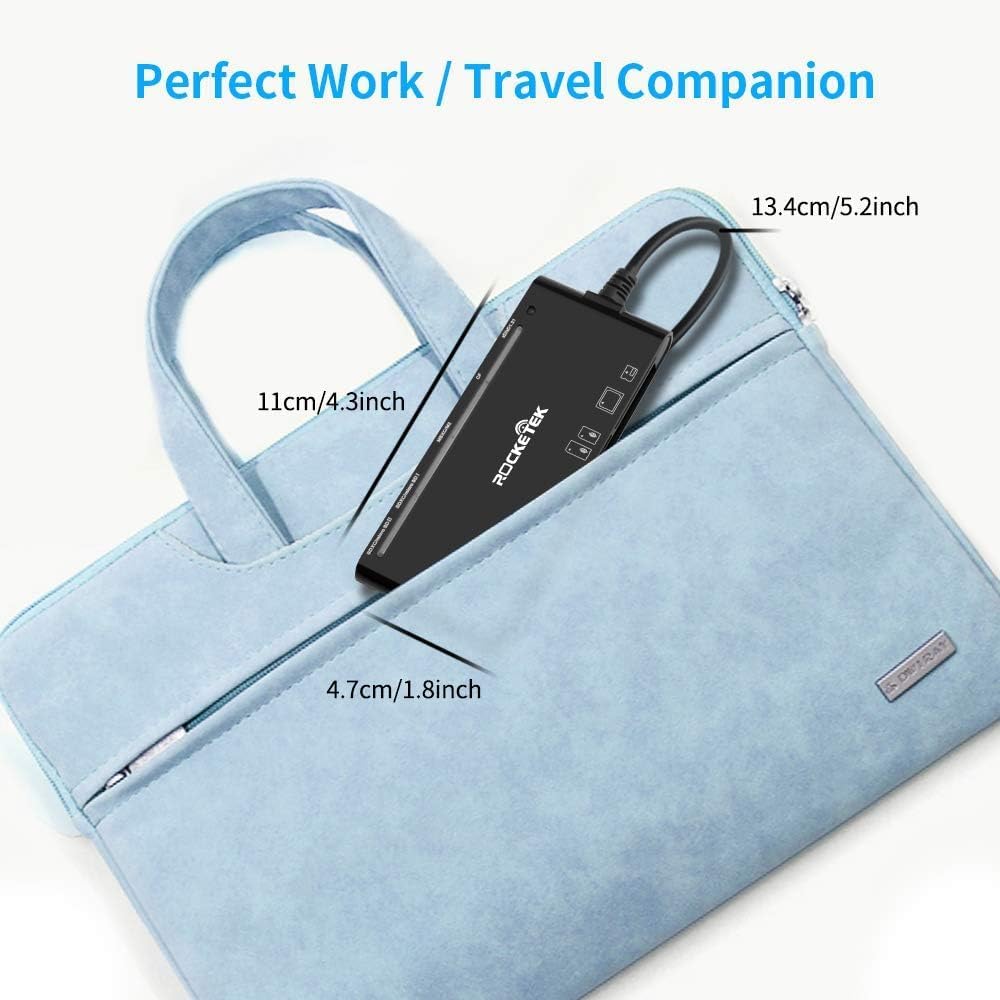
Image: The card reader displayed with its dimensions, illustrating its compact and portable nature.
Contido do paquete
- 1 x Rocketek USB 3.0 7-in-1 Memory Card Reader (Model: JS-CR7-EU)
Guía de configuración
- Conecta o lector de tarxetas: Insert the USB 3.0 connector of the Rocketek card reader into an available USB 3.0 port on your computer. For optimal performance, use a USB 3.0 port. The device is also backward compatible with USB 2.0/1.1 ports, but data transfer speeds will be limited to the lower standard.
- Recoñecemento do sistema: Your operating system (Windows, Mac OS, Linux, Chrome OS) will automatically detect and install the necessary drivers. No manual driver installation is required. The red LED indicator on the card reader will illuminate, indicating it is powered on.
- Listo para usar: Once the device is recognized, it is ready to accept memory cards.
Instrucións de funcionamento
- Inserir tarxeta de memoria: Carefully insert your memory card into the corresponding slot on the card reader. Ensure the card is inserted correctly according to its shape and the slot's orientation.
- Ranura SD: For SD, SDXC, SDHC, Extreme I III SD, Ultra II SD, MMC, UHS-I cards.
- Micro SD (TF) Slot: For Micro SD, TF, Micro SDXC, Micro SDHC, UHS-I cards.
- Ranura CF: For CF I 3.0/4.0, Extreme I III CF, Ultra II CF, HS CF, XS-XS CF, CF Elite Pro, CF Pro, CF Pro II cards.
- Ranura MS: For MS, MS PRO, MS PRO Duo, MS PRO-HG, MS XC DUO cards.
- XD Slot: For XD, XD1.21 cards.
When a card is correctly inserted, the corresponding blue LED indicator will light up.
- Datos de acceso: Open "My Computer" or "This PC" (Windows) or "Finder" (Mac OS). The inserted memory card will appear as a removable disk drive. Double-click to access its contents.
- Transferir datos: Agora podes arrastrar e soltar files between your computer and the memory card, or copy and paste them. During data transfer, the blue LED indicator for the active slot will blink.
- Eject Memory Card: Before removing the memory card, always safely eject it from your operating system to prevent data corruption.
- Windows: Right-click on the drive icon in "My Computer" and select "Eject" or use the "Safely Remove Hardware and Eject Media" icon in the system tray.
- MacOS: Drag the drive icon to the Trash or click the Eject button next to the drive name in Finder.
Compatibilidade
Compatibilidade do sistema operativo:
- Windows XP/Vista/7/8/8.1/10
- Mac OS
- Linux
- Chrome OS
- Android (with compatible devices/adapters)
- iOS (with compatible devices/adapters)
Compatibilidade do dispositivo:
- Personal Computers (Desktops, Laptops)
- Tablets (e.g., Surface, IdeaPad)
- Smartphones (with OTG support and appropriate adapters)
- Digital Cameras, Action Cameras, Drones, Security Cameras, etc.

Image: The card reader shown connected to different types of devices, illustrating its broad compatibility.
Resolución de problemas
| Problema | Causa posible | Solución |
|---|---|---|
| Card reader not recognized by computer. | Loose USB connection, faulty USB port, or system issue. |
|
| Tarxeta de memoria non detectada. | Card not fully inserted, incorrect card type for slot, or damaged card. |
|
| Velocidade lenta de transferencia de datos. | Connected to a USB 2.0 port, or large file tamaños. |
|
| O indicador LED non se acende. | No power, or faulty unit. |
|
Especificacións
| Marca | Rocketek |
| Modelo | JS-CR7-EU |
| Interface | USB 3.0 (Backward compatible with USB 2.0/1.1) |
| Taxa de transferencia de datos | Up to 5 Gbps (USB 3.0 Super Speed) |
| Tipos de tarxetas compatibles | CF (CompactFlash), SD (SDXC, SDHC, SD), TF (Micro SD, Micro SDXC, Micro SDHC), XD (xD-Picture Card), MS (Memory Stick, MS PRO, MS PRO Duo, MS PRO-HG, MS XC DUO) |
| Compatibilidade do sistema operativo | Windows XP/Vista/7/8/8.1/10, Mac OS, Linux, Chrome OS |
| Dimensións (L x W x H) | 11 cm x 4.7 cm x 1.2 cm (aprox. 4.3 polgadas x 1.8 polgadas x 0.5 polgadas) |
| Lonxitude do cable | Aprox. 13 cm (5.2 polgadas) |
| Características especiais | Plug & Play, LED Indicator for each slot, Simultaneous Read/Write of 5 cards |
Mantemento
- Limpeza: Use a soft, dry cloth to clean the exterior of the card reader. Do not use liquid cleaners or solvents.
- Almacenamento: Store the card reader in a cool, dry place away from direct sunlight and extreme temperatures. When not in use, it is recommended to keep the USB connector protected.
- Manexo: Avoid dropping the device or subjecting it to strong impacts. Do not force memory cards into slots.
Garantía e Soporte
Rocketek provides customer support for its products. If you encounter any issues or have questions regarding your Rocketek USB 3.0 7-in-1 Memory Card Reader, please contact our support team.
- Garantía: Please refer to your purchase documentation or the Rocketek official website for specific warranty period details. Rocketek aims to respond to inquiries within 24 hours.
- Contacte con Soporte: For assistance, please visit the Rocketek official websitio web ou consulte a información de contacto que se inclúe na embalaxe do produto.
Ask a question about this manual
Ask about setup, troubleshooting, compatibility, parts, safety, or missing instructions. Manuals+ will review the question and use this page’s manual context to help answer it.