
1. Rematadoview
The CHONCHOW T931 is a full-sized wired gaming keyboard designed for various computing and gaming platforms. It features LED rainbow backlighting, anti-ghosting capabilities, and an ergonomic design for comfortable use. This manual provides instructions for setup, operation, maintenance, and troubleshooting.
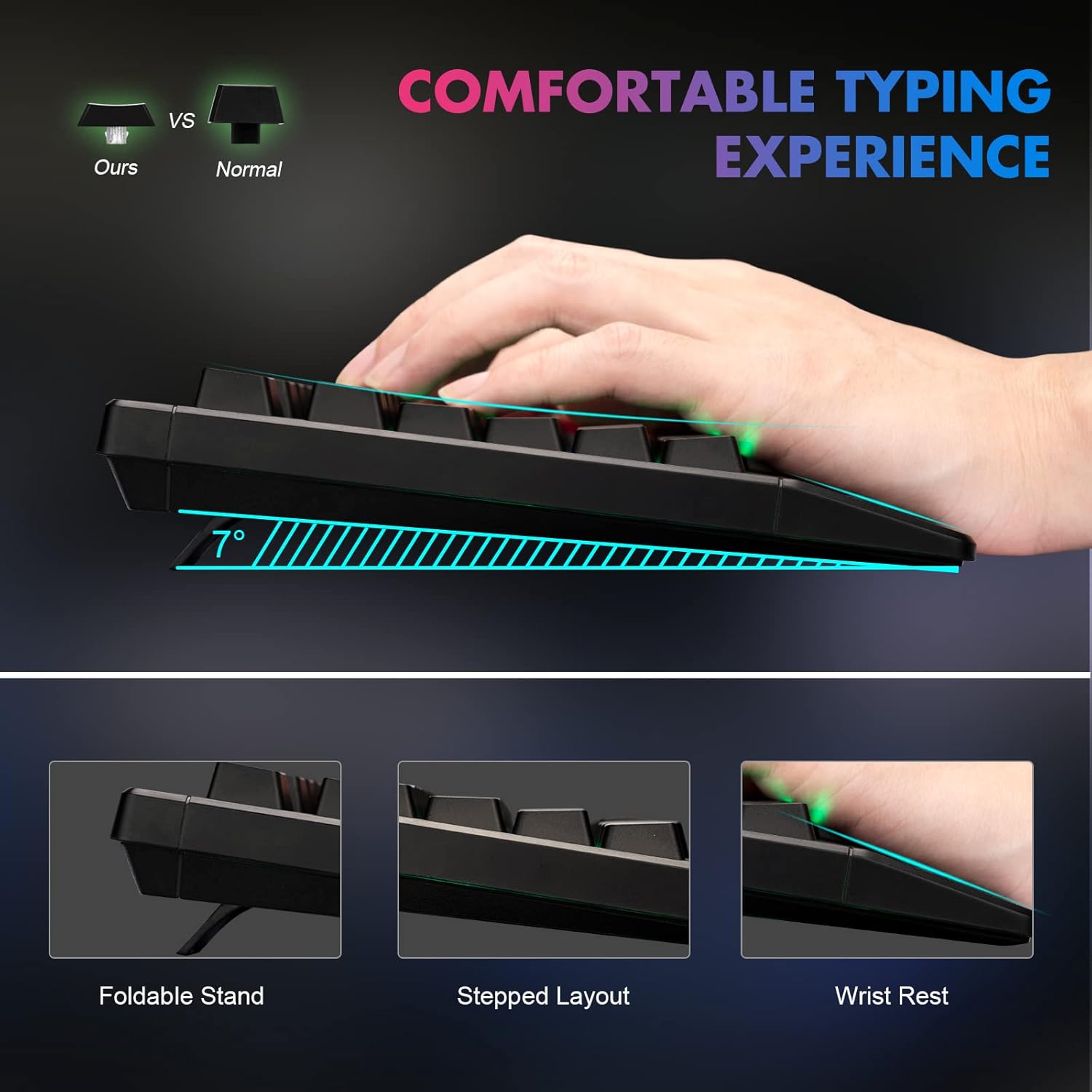
Figure 1: Ergonomic design of the CHONCHOW T931 keyboard, highlighting the integrated wrist rest, stepped key layout, and foldable feet for adjustable typing angle.
2. Configuración
The CHONCHOW T931 keyboard is a plug-and-play device, requiring no additional driver installation for basic functionality.
2.1 Conexión do teclado
- Locate an available USB port on your computer, laptop, or compatible gaming console (PS3, PS4, PS5, Xbox).
- Insira o conector USB do teclado no porto USB.
- The operating system will automatically detect and install the necessary drivers. The keyboard will be ready for use within a few seconds.
2.2 Compatibilidade
This keyboard is compatible with a wide range of operating systems and devices, including:
- Sistemas operativos: Windows 2000, 2003, XP, Vista, Win7, Win8, Win10, Win11, macOS, Linux.
- Dispositivos: PC, Laptops, Gaming Consoles (PS3, PS4, PS5, Xbox), and various tablet models.
3. Instrucións de funcionamento
Control de retroiluminación 3.1
The keyboard features LED rainbow backlighting with multiple modes and adjustable brightness.
- Activar/desactivar a retroiluminación: Preme FN + Light Bulb Key (located next to the right ALT key) to toggle the backlight on or off.
- Cambiar os modos de iluminación: Preme FN + PG UP / PG DN to cycle through available static and dynamic backlight modes.
- Axustar o brillo: Preme FN + Plus (+) / Minus (-) keys to adjust the backlight brightness (3 levels available).
- Adjust Dynamic Speed: For dynamic lighting modes, press FN + Left Arrow / Right Arrow to adjust the speed of the effect.
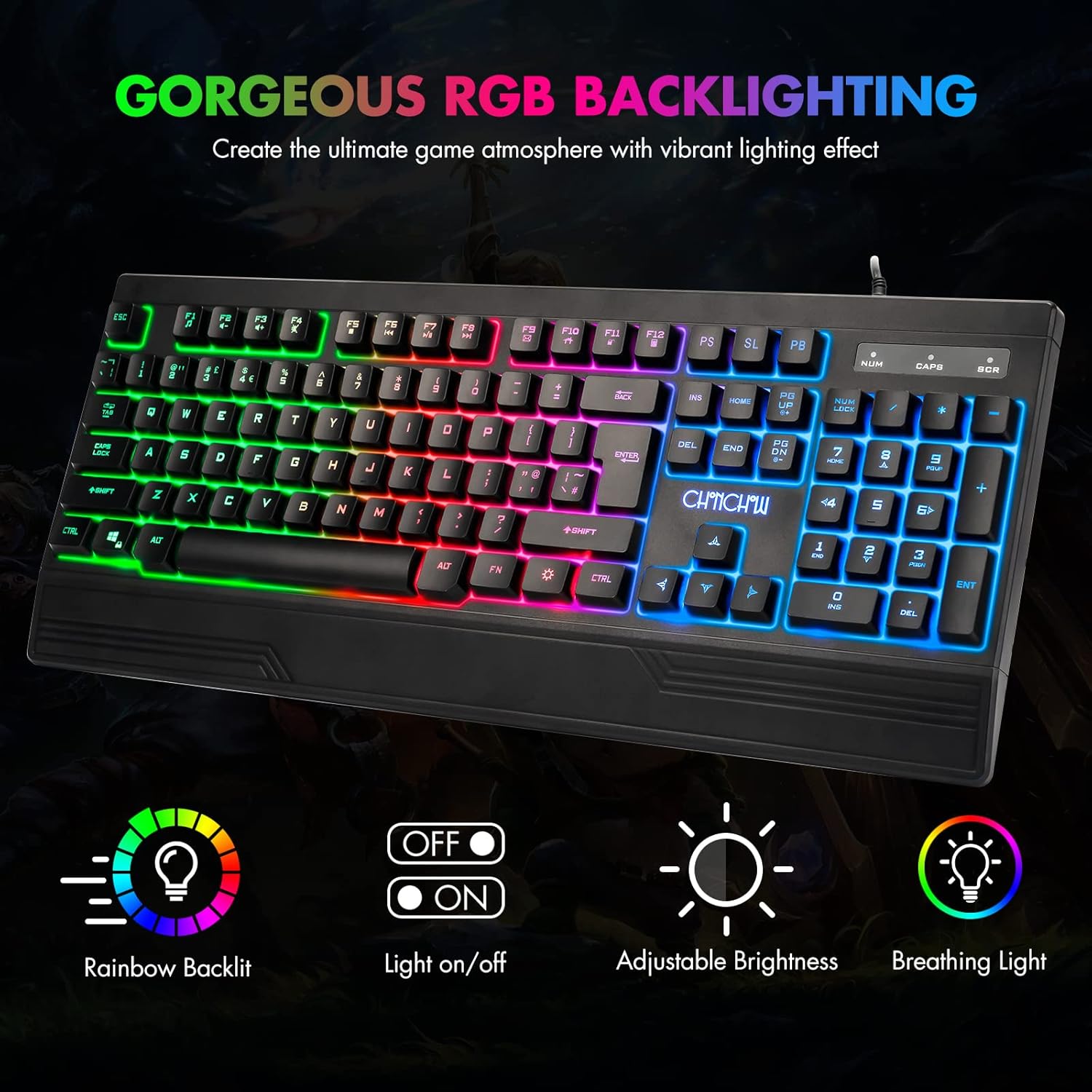
Figure 2: The CHONCHOW T931 keyboard showcasing its vibrant rainbow LED backlighting and indicators for various lighting controls.
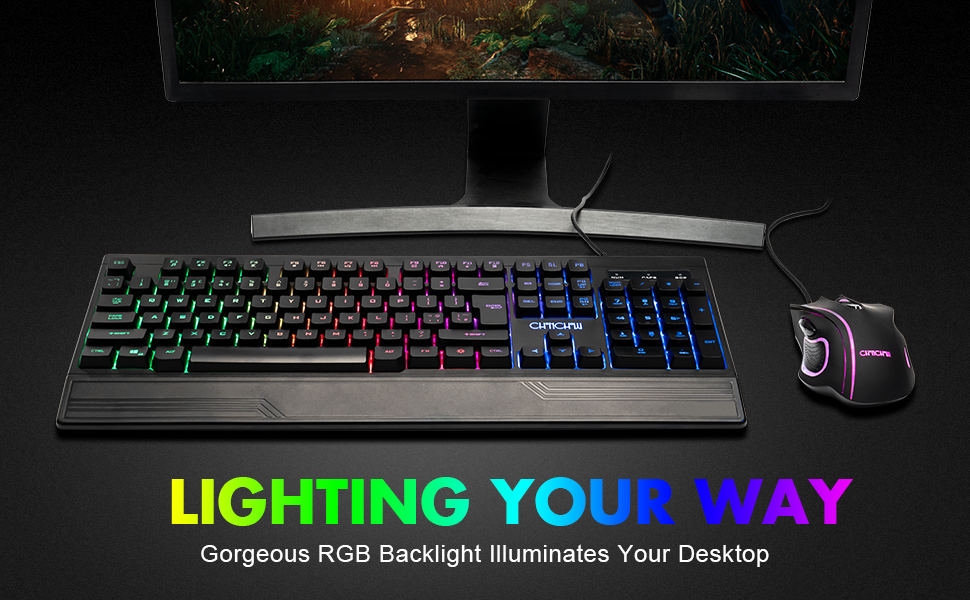
Figura 3: detallada view of the FN key combinations for managing the keyboard's LED backlight settings.
3.2 Funcións multimedia
Acceda aos controis multimedia premendo o botón FN key in combination with the designated function keys (F1-F12).
| Combinación de teclas | Función |
|---|---|
| FN + F1 | Reproductor de música |
| FN + F2 | Baixar o volume |
| FN + F3 | Subir volume |
| FN + F4 | Silenciar |
| FN + F5 | Deter a reprodución |
| FN + F6 | Pista anterior |
| FN + F7 | Reproducir/Pausa |
| FN + F8 | Próxima pista |
| FN + F9 | Correo electrónico |
| FN + F10 | Páxina de inicio |
| FN + F11 | Bloqueo do teclado |
| FN + F12 | Calculadora |

Figure 4: Illustration of multimedia function keys and the WASD interchange function.
3.3 Características dos xogos
- Antighosting de 26 teclas: This feature ensures that multiple key presses are registered simultaneously without conflict, which is crucial for fast-paced gaming.
- Interchangeable W/A/S/D Keys: Preme FN + W to swap the functionality of the W, A, S, D keys with the arrow keys (Up, Left, Down, Right). Press FN + W again to restore the original setting.
- Función de bloqueo WIN: The keyboard includes a WIN lock function to prevent accidental presses of the Windows key during gameplay, which can minimize interruptions.

Figure 5: The keyboard's anti-ghosting capability ensures accurate registration of multiple simultaneous key presses.
4. Mantemento
Proper maintenance can extend the lifespan and performance of your keyboard.
4.1 Spill-Resistant Design
The CHONCHOW T931 keyboard features a spill-resistant design to protect against minor liquid spills. In case of a spill, immediately disconnect the keyboard from your device and allow it to dry completely before reconnecting.

Figure 6: The keyboard's spill-resistant construction helps protect against accidental liquid exposure.
4.2 Cleaning and Detachable Keycaps
For thorough cleaning, the keycaps are detachable.
- Gently pull up on the keycaps to remove them. A keycap puller (not included) can assist in this process.
- Clean the keycaps with a soft, damp cloth. For the keyboard base, use a soft brush or compressed air to remove dust and debris.
- Ensure all components are completely dry before reattaching the keycaps.
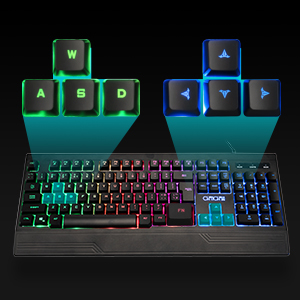
Figure 7: Detachable keycaps facilitate easy cleaning and maintenance of the keyboard.
5 Solución de problemas
If you encounter issues with your CHONCHOW T931 keyboard, please refer to the following common solutions:
- O teclado non responde:
- Ensure the USB cable is securely connected to both the keyboard and the device.
- Tenta conectar o teclado a un porto USB diferente.
- Test the keyboard on another computer or device to rule out a device-specific issue.
- Reinicia o teu ordenador ou dispositivo.
- A luz de fondo non funciona:
- Preme FN + Light Bulb Key to ensure the backlight is turned on.
- Axusta o brillo usando FN + Plus (+) / Minus (-) chaves.
- As chaves non se rexistran correctamente:
- Ensure no debris is lodged under the keycaps. Refer to the cleaning instructions in Section 4.2.
- If W/A/S/D keys are acting as arrow keys, press FN + W to revert to standard functionality.
Se estes pasos non resolven o problema, ponte en contacto co servizo de atención ao cliente para obter máis axuda.
6. Especificacións
| Característica | Detalle |
|---|---|
| Marca | CHONCHOW |
| Número de modelo | T931 |
| Tecnoloxía de conectividade | USB con cable |
| Disposición do teclado | QWERTY, 104 Keys |
| Tipo de cambio | Crater Switch Keys |
| Retroiluminación | LED Rainbow (RGB) |
| Características especiais | Backlit, Ergonomic, Wrist Rest, 26-Key Anti-Ghosting, Spill-Resistant |
| Dimensións do produto (L x W x H) | 17.4" x 6.4" x 1.2" (44.2 cm x 16.3 cm x 3.0 cm) |
| Material | Plástico |
| Sistemas operativos compatibles | Windows, macOS, Linux |
| Uso recomendado | Xogos |
7. Garantía e soporte
CHONCHOW offers a 30-day refund or replacement policy for quality issues and a 12-month warranty from the date of purchase.
For warranty claims, technical support, or any product-related inquiries, please contact CHONCHOW customer service through the retailer's platform or the official CHONCHOW websitio.