
SOMIC MS300
SOMIC MS300 Wireless Bluetooth Headphone User Manual
Modelo: MS300
Introdución
Thank you for choosing the SOMIC MS300 Wireless Bluetooth Headphones. This manual provides essential information for setting up, operating, and maintaining your headphones to ensure optimal performance and longevity. The MS300 headphones offer high-fidelity stereo sound, extended battery life, and versatile connectivity options for various devices.

Image: SOMIC MS300 Wireless Bluetooth Headphones in white, showcasino deseño elegante.
Contido do paquete
- SOMIC MS300 Wireless Bluetooth Headphones
- 3.5mm Audio Cable (with built-in line mic)
- Cable de carga (USB)
- Manual de usuario (este documento)
Configuración
Cargando os auriculares
Before first use, fully charge your SOMIC MS300 headphones.
- Connect the charging cable to the charging port on the headphone.
- Conecta o outro extremo do cable de carga a unha fonte de alimentación USB (por exemplo, un porto USB do ordenador ou un adaptador de parede USB).
- O indicador luminoso mostrará o estado de carga (consulta a sección de indicadores LED para obter máis detalles).
- A full charge provides up to 72 hours of playtime. For quick use, a 5-minute charge can provide approximately 2 hours of playtime.

Image: SOMIC MS300 headphones on a desk, demonstrating the fast charging capability with text overlays indicating "Charge for 5 minutes" and "Used for 2 hours".
Encendido/apagado
- To power on: Press and hold the Power Switch button until the indicator light illuminates.
- To power off: Press and hold the Power Switch button until the indicator light turns off.
Instrucións de funcionamento
Bluetooth Pairing (Wireless Mode)
The SOMIC MS300 headphones utilize advanced Qualcomm Bluetooth 5.0 for stable and fast connections. They can connect to two devices simultaneously.
- Asegúrese de que os auriculares estean apagados.
- Press and hold the Power Switch button for approximately 5-7 seconds until the indicator light flashes blue and red alternately, indicating pairing mode.
- On your device (smartphone, tablet, laptop), enable Bluetooth and search for "SOMIC MS300" in the list of available devices.
- Select "SOMIC MS300" to connect. Once connected, the indicator light will turn solid blue or flash blue slowly.
- To connect a second device: After connecting the first device, disable Bluetooth on the first device. Put the headphones back into pairing mode. Connect the second device. Then, re-enable Bluetooth on the first device; the headphones should automatically reconnect to both.

Image: A person wearing the SOMIC MS300 headphones, highlighting their comfortable and lightweight design for extended use.
Conexión en modo cableado
The headphones can be used in wired mode with the included 3.5mm audio cable, even when the battery is depleted.
- Insert one end of the 3.5mm audio cable into the 3.5mm jack on the headphone.
- Insert the other end into the 3.5mm audio output of your device (e.g., cellphone, PC, laptop).
- In wired mode, the headphones function as passive headphones, and the built-in line mic on the cable can be used for calls.
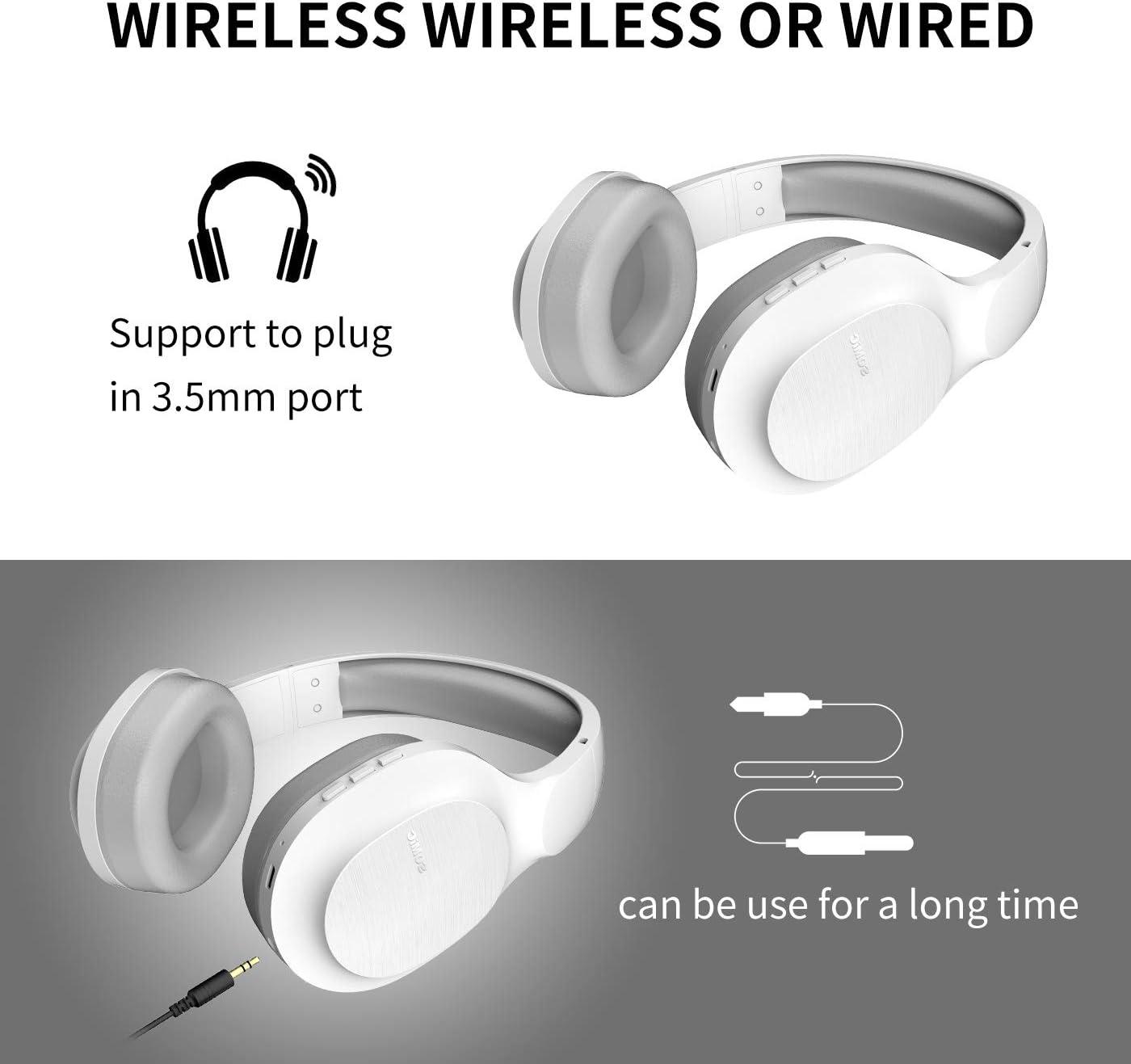
Image: SOMIC MS300 headphones demonstrating both wireless usage and the option to connect via a 3.5mm audio cable for wired listening.
Controis
The functional controls are conveniently located on the ear cup.
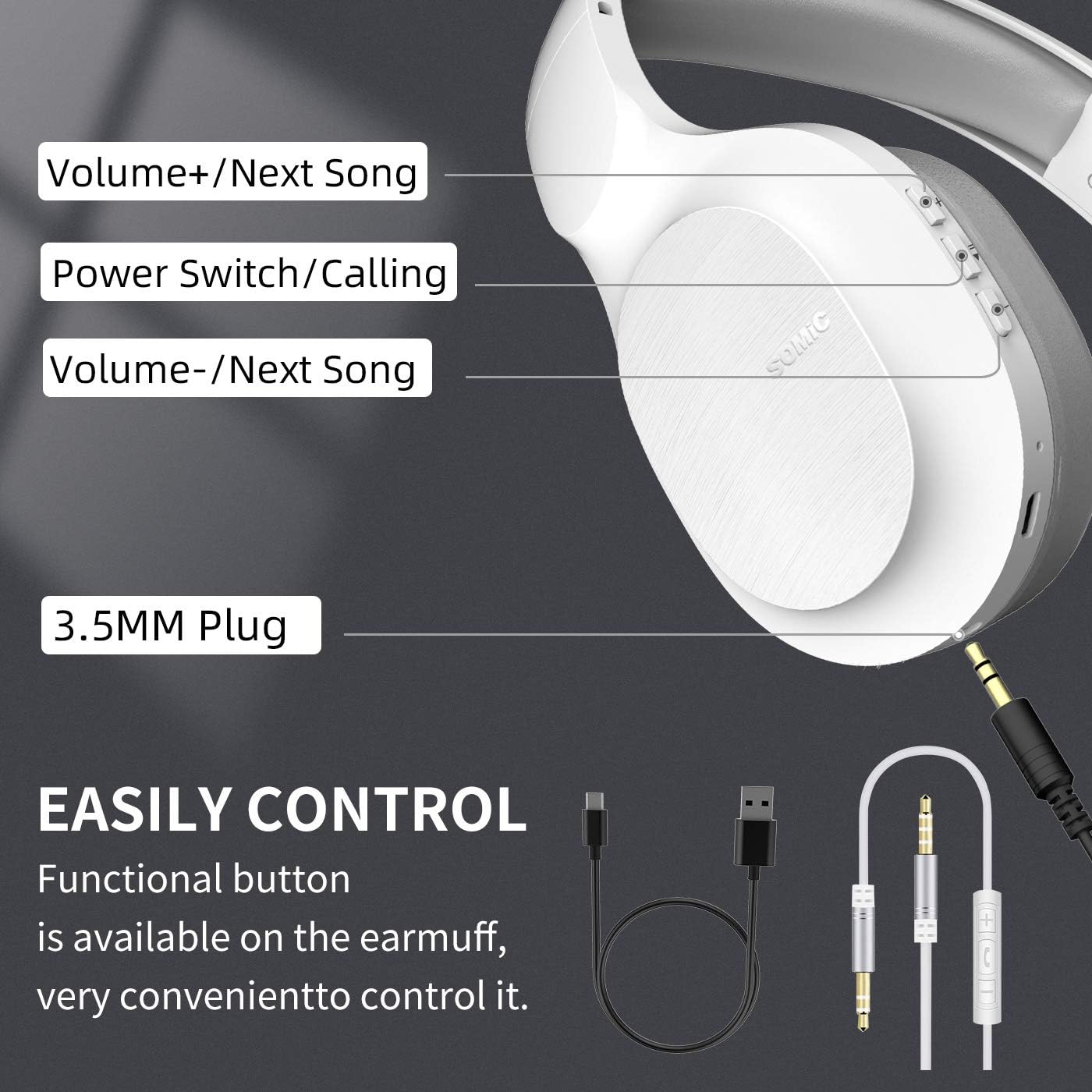
Image: A detailed diagram of the SOMIC MS300 headphone's right ear cup, labeling the Volume+/Next Song, Power Switch/Calling, Volume-/Previous Song buttons, and the 3.5mm plug.
- Volume + / Next Song:
- Presión curta: Aumentar o volume.
- Long press: Skip to the next song.
- Power Switch / Calling:
- Presión curta: Reproducir/Pausar música.
- Short press (during call): Answer/End call.
- Presión longa: Acender/Apagar.
- Dúas pulsacións: Volver a marcar o último número.
- Volume - / Previous Song:
- Presión curta: Diminuír o volume.
- Long press: Go to the previous song.
Mantemento
Proper maintenance ensures the longevity and optimal performance of your SOMIC MS300 headphones.
- Limpeza: Usa un pano suave e seco para limpar os auriculares. Non empregues produtos de limpeza abrasivos, alcol nin disolventes químicos.
- Almacenamento: Garde os auriculares nun lugar fresco e seco, lonxe da luz solar directa e de temperaturas extremas.
- Coidado da batería: Avoid fully discharging the battery frequently. If storing for a long period, charge the headphones to about 50% every few months.
- Evitar a humidade: Non expoñas os auriculares á auga nin a humidade excesiva.
- Manipular con coidado: Evite deixar caer os auriculares nin someterlos a impactos fortes.
Resolución de problemas
| Problema | Causa posible | Solución |
|---|---|---|
| Os auriculares non se acenden. | A batería está baixa ou esgotada. | Cargue os auriculares completamente. |
| Non se pode emparellar por Bluetooth. | Os auriculares non están en modo de emparellamento; o Bluetooth do dispositivo está desactivado; demasiado lonxe do dispositivo. | Asegúrate de que os auriculares estean en modo de emparellamento (vermello/azul intermitente). Activa o Bluetooth do dispositivo. Achega os auriculares ao dispositivo (a menos de 10 metros). |
| Sen son no modo sen fíos. | Volume demasiado baixo; auriculares non conectados; saída de audio incorrecta seleccionada no dispositivo. | Increase headphone and device volume. Re-pair headphones. Select "SOMIC MS300" as audio output on your device. |
| Sen son no modo con cable. | 3.5mm cable not fully inserted; cable damaged; device audio jack issue. | Ensure cable is fully inserted into both headphone and device. Try a different 3.5mm cable if available. Test with another device. |
| Mala calidade de son. | Batería baixa; interferencias; calidade do audio da fonte. | Charge headphones. Move away from other wireless devices. Try different audio source. |
Especificacións
| Característica | Detalle |
|---|---|
| Nome do modelo | MS300 |
| Tecnoloxía de conectividade | Sen fíos (Bluetooth 5.0), con cable (conector de 3.5 mm) |
| Versión Bluetooth | 5.0 (Qualcomm chip) |
| Tipo de controlador de audio | Controlador dinámico (40 mm) |
| Rango de frecuencias | 20 Hz - 20000 Hz (20 kHz) |
| Duración da batería | Up to 72 Hours (music/talking time) |
| Tempo de carga (carga rápida) | 5 minutes for 2 hours of use |
| Forma do auricular | Sobre orella |
| Material | Plastic, Memory-Protein Earmuffs |
| Tipo de control | Volume Control, Play/Pause, Call Answer/End, Track Skip |
| Dimensións do produto | 8.66 x 4.33 x 10.24 polgadas |
| Peso do elemento | 15.5 onzas |
| Fabricante | SOMIC |

Image: SOMIC MS300 headphones from behind, emphasizing their strong endurance with a "72" hours playtime graphic.
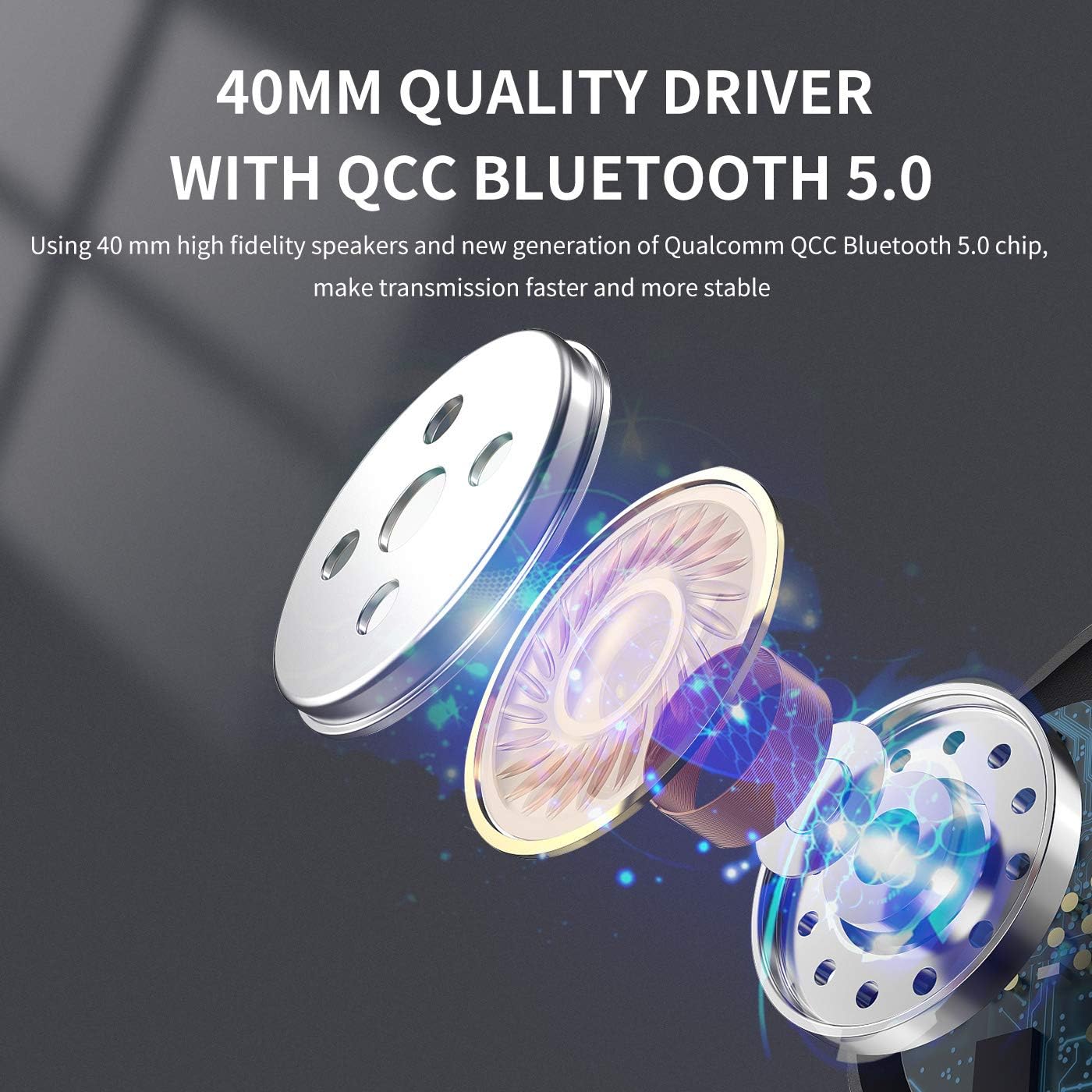
Imaxe: Unha explosión view diagram illustrating the 40mm high-fidelity speakers and Qualcomm QCC Bluetooth 5.0 chip inside the SOMIC MS300 headphones.
Garantía e Soporte
SOMIC provides a standard warranty for its products. Please refer to the warranty card included in your package for specific terms and conditions, or visit the official SOMIC websitio para obter a información máis actualizada sobre a garantía.
For technical support, troubleshooting assistance, or warranty claims, please contact SOMIC customer service through their official websitio web ou a información de contacto que figura na embalaxe do produto.
SOMIC Official Websitio: Visit SOMIC Store on Amazon
Ask a question about this manual
Ask about setup, troubleshooting, compatibility, parts, safety, or missing instructions. Manuals+ will review the question and use this page’s manual context to help answer it.