
CanMixs ZX08 Smartwatch
CanMixs Smartwatch User Manual
Model: ZX08 Smartwatch
1. Produto rematadoview
The CanMixs Smartwatch is a versatile fitness tracker designed for both men and women, featuring a 1.54-inch full touch screen. It offers comprehensive health and fitness monitoring capabilities, along with smart notifications and music control.

Image: CanMixs Smartwatch, showcasing its sleek design with a black metal mesh strap and an included black silicone strap for versatility.
Características principais:
- 1.54-inch Full Touch Screen: Provides excellent image quality and an intuitive user experience.
- Vixilancia da saúde: Real-time heart rate monitoring, sleep quality analysis, and sedentary reminders.
- Seguimento da actividade: Accurately records daily activities including steps, calories burned, distance covered, and active time.
- 9 modos deportivos: Includes walking, cycling, hiking, climbing, yoga, fitness, and more, with data viewable on the watch or app.
- Impermeable IP68: Suitable for daily use such as hand washing, bathing, and sweating, but not for diving or sea swimming.
- Notificacións intelixentes: Receives alerts for calls, SMS, emails, and social media apps (Facebook, Twitter, Instagram, WhatsApp, etc.).
- Control de música: Directly control music playback (play/pause) from the smartwatch.
- Batería de longa duración: Built-in 240mAh battery provides 7-10 days of use on a 2.5-hour charge.
- Ampla compatibilidade: Compatible with smartphones running iOS 8.0 or higher and Android 4.4 or higher, with Bluetooth 4.2/5.0.
2. Configuración e uso inicial
2.1 Cargar o reloxo intelixente
Before first use, fully charge your smartwatch. Connect the magnetic charging cable to the charging points on the back of the watch and plug the USB end into a power adapter (not included) or a computer USB port. A full charge takes approximately 2.5 hours.
2.2 Descarga da aplicación
To unlock all features and synchronize data, download the official "NFit" app from your smartphone's app store (Google Play Store for Android or Apple App Store for iOS). Ensure your smartphone meets the compatibility requirements: iOS 8.0 or higher, or Android 4.4 or higher, with Bluetooth 4.2 or 5.0.
2.3 Emparellamento co teu teléfono intelixente
- Asegúrate de que o Bluetooth estea activado no teu smartphone.
- Open the "NFit" app.
- Follow the in-app instructions to search for and connect to your CanMixs Smartwatch. The watch will vibrate upon successful connection.
- Allow necessary permissions for the app to function correctly (e.g., notifications, location, health data).

Image: The 1.54-inch full touch screen of the CanMixs Smartwatch, illustrating its vibrant display and intuitive interface for accessing various functions like sport, heart rate, and music control.
3. Funcionamento do reloxo intelixente
3.1 Navegando pola interface
The smartwatch features a full touch screen for easy navigation. Swipe left, right, up, or down to access different functions and menus. Tap to select an option.
3.2 Monitorización da saúde e da actividade
The smartwatch continuously monitors your health and activity data. You can view real-time data directly on the watch or access detailed reports in the "NFit" app.
- Frecuencia cardíaca: Access the heart rate function to measure your current heart rate. The watch provides real-time monitoring.
- Monitor de sono: Wear the watch during sleep to track your sleep patterns and quality. Detailed analysis is available in the app.
- Seguimento da actividade: The watch automatically tracks your steps, calories burned, and distance throughout the day.
- Recordatorio de sedentarismo: Set reminders in the app to encourage movement after periods of inactivity.

Image: The smartwatch's 24-hour activity tracking feature, displaying icons for calories, steps, and distance, with a visual of a person running to illustrate active use.

Image: Illustration of the smartwatch's health monitoring capabilities, including heart rate tracking during exercise (cycling) and comprehensive sleep quality analysis.
3.3 Modos deportivos
The smartwatch supports 9 different sport modes to track your workouts more accurately.
- To start a sport mode, navigate to the "Sport" section on your watch.
- Select your desired activity (e.g., Walking, Cycling, Hiking, Climbing, Yoga, Fitness, HIIT, Treadmill, Spinning).
- The watch will begin recording data specific to that activity.
- End the activity when finished to save the data.
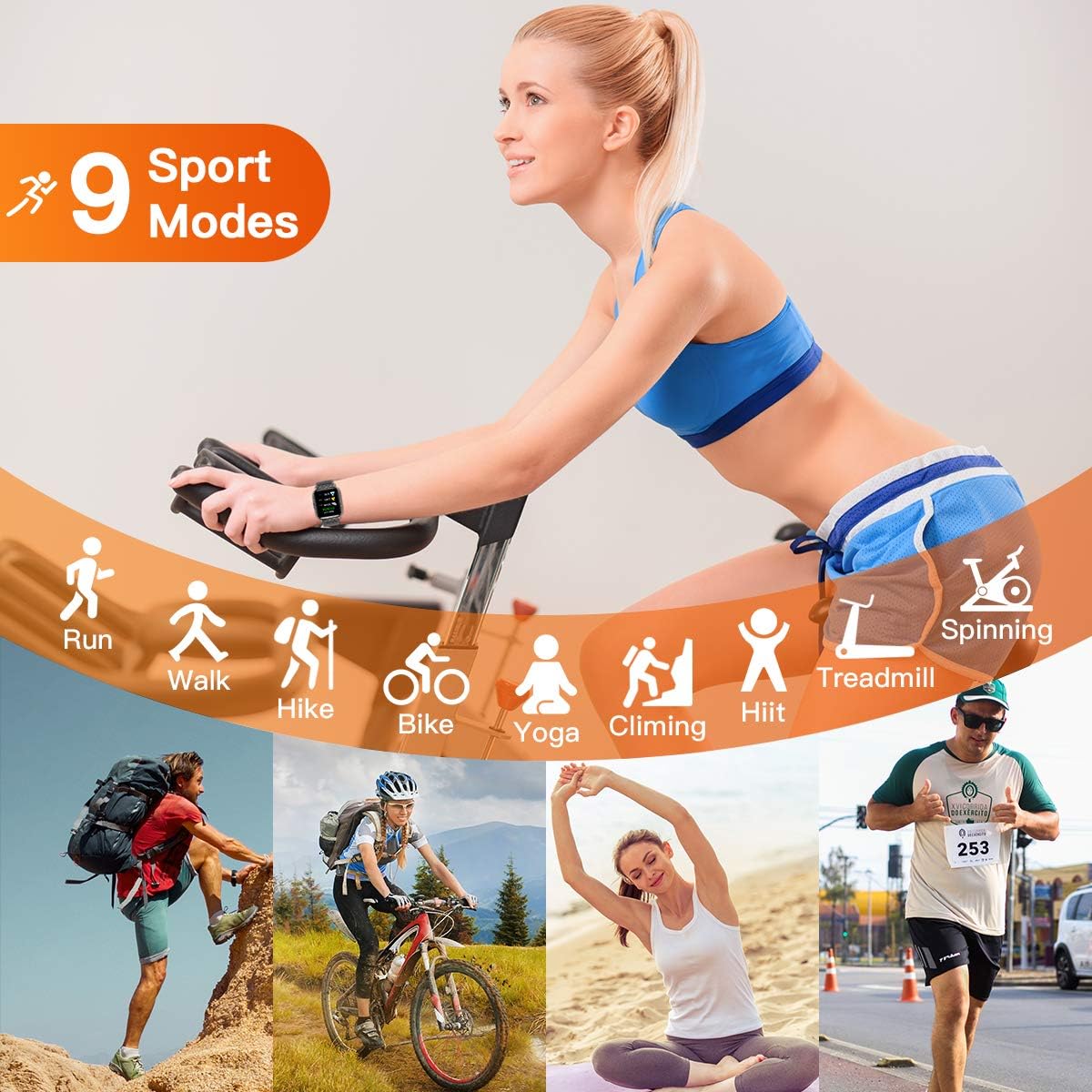
Image: The smartwatch's interface showing the 9 available sport modes, accompanied by images of individuals performing activities such as running, cycling, yoga, and climbing.
3.4 Smart Notifications and Music Control
Once paired with your smartphone, the smartwatch can receive notifications and control music.
- Notificacións: The watch will vibrate and display incoming calls, SMS messages, and alerts from social media applications. Ensure notification permissions are granted in the "NFit" app.
- Control de música: Navigate to the music control interface on your watch to play, pause, or skip tracks on your smartphone's music player.
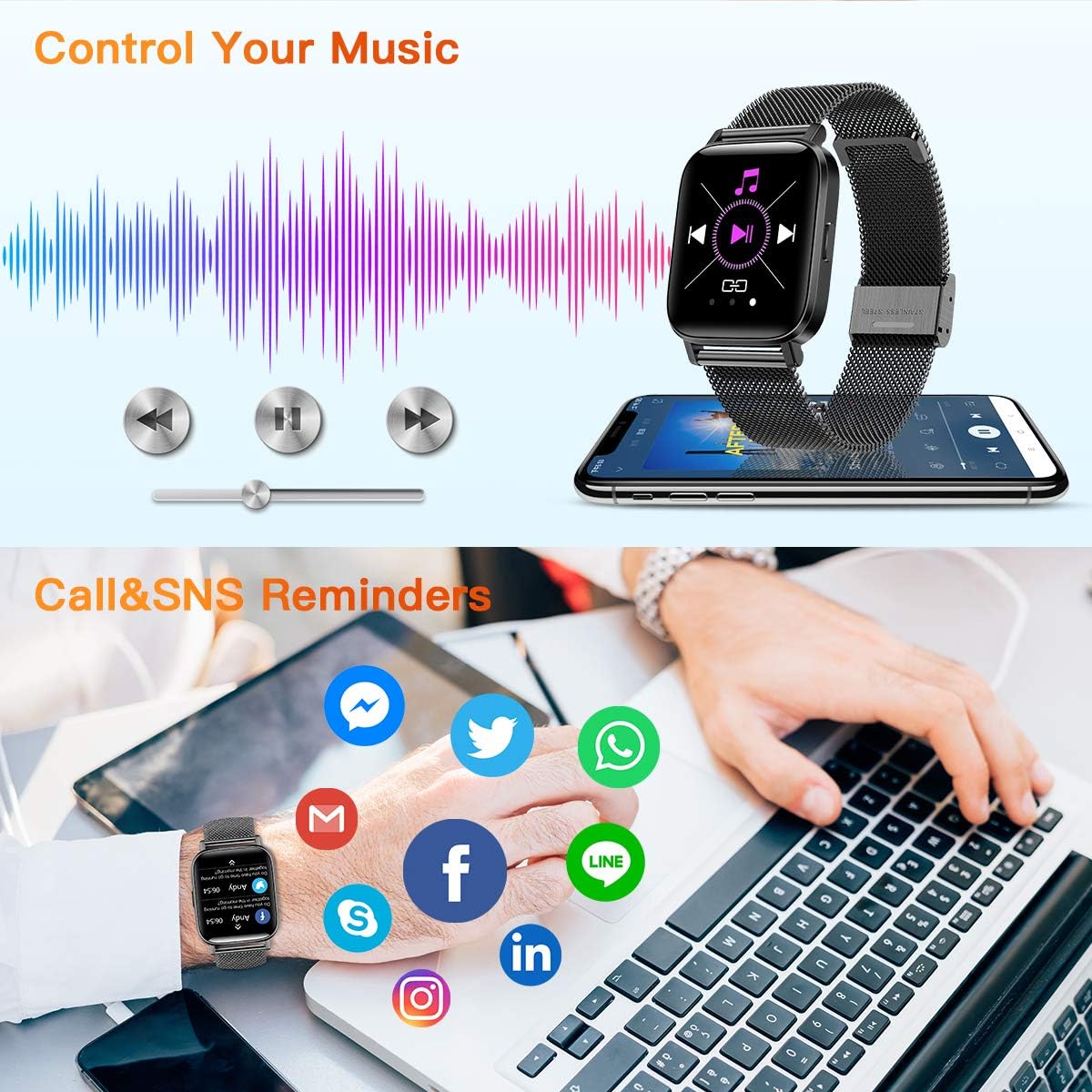
Image: The smartwatch's capabilities for music control and displaying smart notifications from popular messaging and social media applications, ensuring you stay connected.
4. Mantemento e coidados
Proper care ensures the longevity and optimal performance of your CanMixs Smartwatch.
4.1 Impermeabilización (IP68)
The smartwatch is IP68 waterproof, meaning it is resistant to dust and can withstand immersion in water up to 1.5 meters for 30 minutes. It is suitable for:
- Daily hand washing
- Ducharse (evitar a auga quente e o vapor)
- Sweating during exercise
- Light rain exposure
Importante: O reloxo é non suitable for diving, swimming in the sea, or prolonged immersion in hot water. Avoid exposing the watch to high-pressure water or chemical solvents.

Image: Demonstrating the IP68 waterproof rating of the CanMixs Smartwatch, suitable for activities like hand washing, showering, and light swimming, as shown by individuals in a pool.
4.2 Limpeza
Limpe o reloxo e a correa regularmente cun pano suave e seco. Se é necesario, use un pano lixeiramente seco.amp cloth and then dry thoroughly. Avoid using abrasive cleaners or solvents.
4.3 Coidado coa batería
To maximize battery life, avoid fully discharging the battery frequently. Charge the watch when the battery level is low.
5 Solución de problemas
If you encounter issues with your CanMixs Smartwatch, try the following steps:
- O reloxo non se acende: Ensure the watch is fully charged. Connect it to the charger and wait a few minutes before attempting to turn it on.
- Non se pode emparellar co teléfono intelixente:
- Asegúrate de que o Bluetooth estea activado no teu teléfono e de que o reloxo estea dentro do alcance.
- Reinicia tanto o teu teléfono intelixente como o reloxo intelixente.
- Check if the "NFit" app is updated to the latest version.
- Se xa o emparellaches, tenta desemparellar o dispositivo desde a configuración de Bluetooth do teléfono e, a seguir, volve emparellalo a través da aplicación.
- Notificacións non recibidas:
- Verify that notification permissions are enabled for the "NFit" app in your phone's settings.
- Ensure the watch is connected to the app via Bluetooth.
- Check the notification settings within the "NFit" app itself.
- Inaccurate data (heart rate, steps):
- Asegúrate de levar o reloxo ben axustado no pulso, aproximadamente a un dedo por riba do óso do pulso.
- Limpa o sensor que está na parte traseira do reloxo.
- For steps, ensure your arm movements are natural.
If problems persist, refer to the "NFit" app's help section or contact CanMixs customer support.
6. Especificacións
| Característica | Detalle |
|---|---|
| Número de modelo | ZX08 |
| Marca | CanMixs |
| Tamaño da pantalla | 1.54 polgadas |
| Dimensións | 4.1 x 4.1 x 1 cm |
| Peso | 45 gramos |
| Tipo de batería | 1 Lithium-Polymer (included) |
| Capacidade da batería | 240 mAh |
| Tempo de carga | Aprox. 2.5 horas |
| Duración da batería | 7-10 días (uso típico) |
| Clasificación impermeable | IP68 |
| Conectividade | Bluetooth 4.2/5.0 |
| Compatibilidade do sistema operativo | iOS 8.0+/Android 4.4+ |
| GPS | Non |
| Cor | Negro |
7. Garantía e soporte
For warranty information and customer support, please refer to the documentation included with your purchase or visit the official CanMixs website. You can also contact CanMixs customer service through the "NFit" app's support section.