
CanMixs B85
CanMixs Smartwatch User Manual
Modelo: B85
1. Produto rematadoview
The CanMixs Smartwatch is a versatile wearable device designed for daily activity tracking and health monitoring. It features a vibrant touch screen, multiple sport modes, and smart notifications to keep you connected and informed.
Características principais:
- 1.4-inch TFT-LCD Color Touch Screen: High sensitivity with 2.5D durable glass for a comfortable visual experience. Adjustable brightness and customizable watch faces.
- Clasificación de impermeabilidade IP67: Resistant to sweat and rain, suitable for handwashing and cold showers. Not recommended for hot water or prolonged submersion.
- All-Day Activity Tracking: Accurately records steps, distance, calories burned, active minutes, and sleep status.
- Múltiples modos deportivos: Supports 8 exercise modes including walking, running, cycling, skipping, badminton, basketball, football, and swimming.
- Heart Rate and Sleep Monitoring: Provides 24-hour heart rate monitoring and analyzes sleep patterns (deep sleep, light sleep, awake time) for health insights.
- Notificacións intelixentes: Vibrates for incoming calls, SMS, and messages from social media apps (Facebook, Twitter, WhatsApp, Instagcarneiro, etc.).
- Control de música: Play, pause, and skip tracks directly from the watch.
- Batería de longa duración: Built-in 180mAh battery provides 5-7 days of normal use on a 2-3 hour charge.
- Compatibilidade: Works with smartphones running iOS 9.0 and above, or Android 5.0 and above.

Image 1.1: CanMixs Smartwatch with its gold mesh band and an alternative pink silicone band.
2. Configuración
2.1 Contido do paquete
Antes de comezar, asegúrate de que todos os elementos estean presentes no teu paquete:
- 1 x CanMixs Smartwatch
- 1 x cable de carga USB magnético
- 1 x Manual de usuario
2.2 Cargar o reloxo intelixente
Before first use, fully charge the smartwatch. Connect the magnetic charging cable to the charging contacts on the back of the watch and plug the USB end into a standard USB power adapter (not included) or a computer's USB port.
A full charge typically takes 2-3 hours. The battery icon on the watch screen will indicate charging status.
2.3 Instalación da aplicación
To unlock the full functionality of your smartwatch, you need to install the companion application on your smartphone.
- Scan the QR code provided in the physical user manual or search for "HeroBandIII" in your smartphone's app store (App Store for iOS, Google Play Store for Android).
- Download and install the "HeroBandIII" application.
2.4 Initial Pairing with Your Phone
Follow these steps to pair your smartwatch with your smartphone:
- Asegúrate de que o Bluetooth estea activado no teu smartphone.
- Open the "HeroBandIII" app on your phone.
- Navigate to the "Settings" or "My Device" interface within the app.
- Tap on "Busca devices" or a similar option to find your smartwatch.
- Select your smartwatch (e.g., "B85" or a similar name) from the list of found devices to establish the connection.
- Once connected, the time and date on your smartwatch will automatically synchronize with your phone.
3. Instrucións de funcionamento
3.1 Navegación básica
- Pase o dedo cara arriba/abaixo: Desprácese polos menús e as notificacións.
- Pase o dedo cara á esquerda/dereita: Access quick functions like activity data, heart rate, and weather.
- Toca: Select an item or enter a function.
- Prema o botón lateral: Return to the previous screen or the main watch face.

Image 3.1: The smartwatch display showing activity data including steps, heart rate, and blood pressure measurements.
3.2 Seguimento de actividades
The smartwatch automatically tracks your daily activities. You can view your steps, distance, and calories burned directly on the watch or in the "HeroBandIII" app.
3.3 Modos deportivos
To activate a specific sport mode:
- Swipe on the watch face to find the "Sport" or "Exercise" icon.
- Tap to enter the sport mode selection.
- Choose your desired activity (e.g., Running, Cycling).
- The watch will begin recording data specific to that activity.
- To end the activity, swipe or press the side button and confirm to stop.
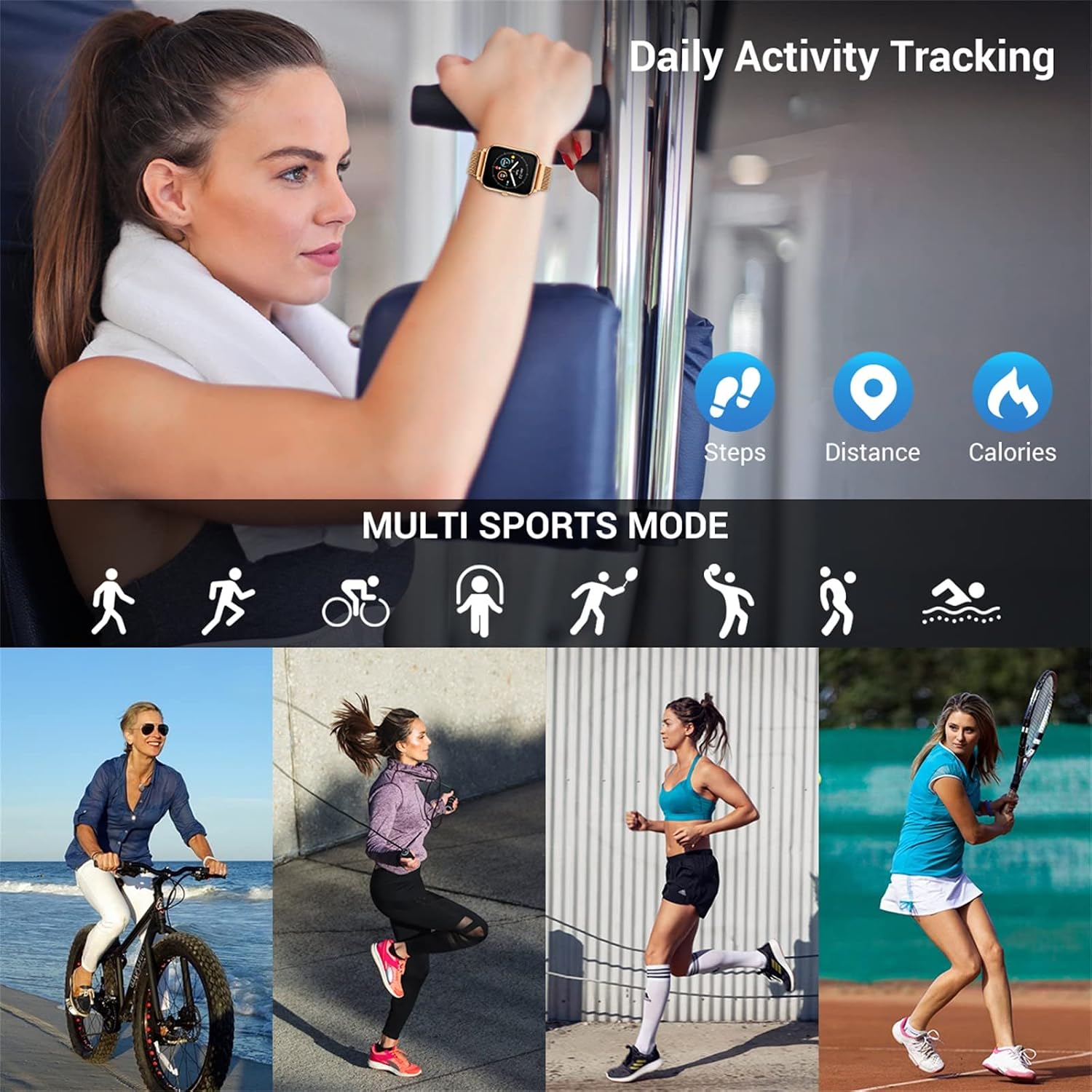
Image 3.2: The smartwatch supports multiple sport modes for tracking various physical activities.
3.4 Heart Rate and Sleep Monitoring
O reloxo intelixente monitoriza continuamente a túa frecuencia cardíaca. Para view detailed heart rate data and trends, open the "HeroBandIII" app.
The watch also automatically tracks your sleep patterns. Wear the watch to bed for accurate sleep data, which can be reviewed in the app to understand your sleep quality (deep sleep, light sleep, awake time).
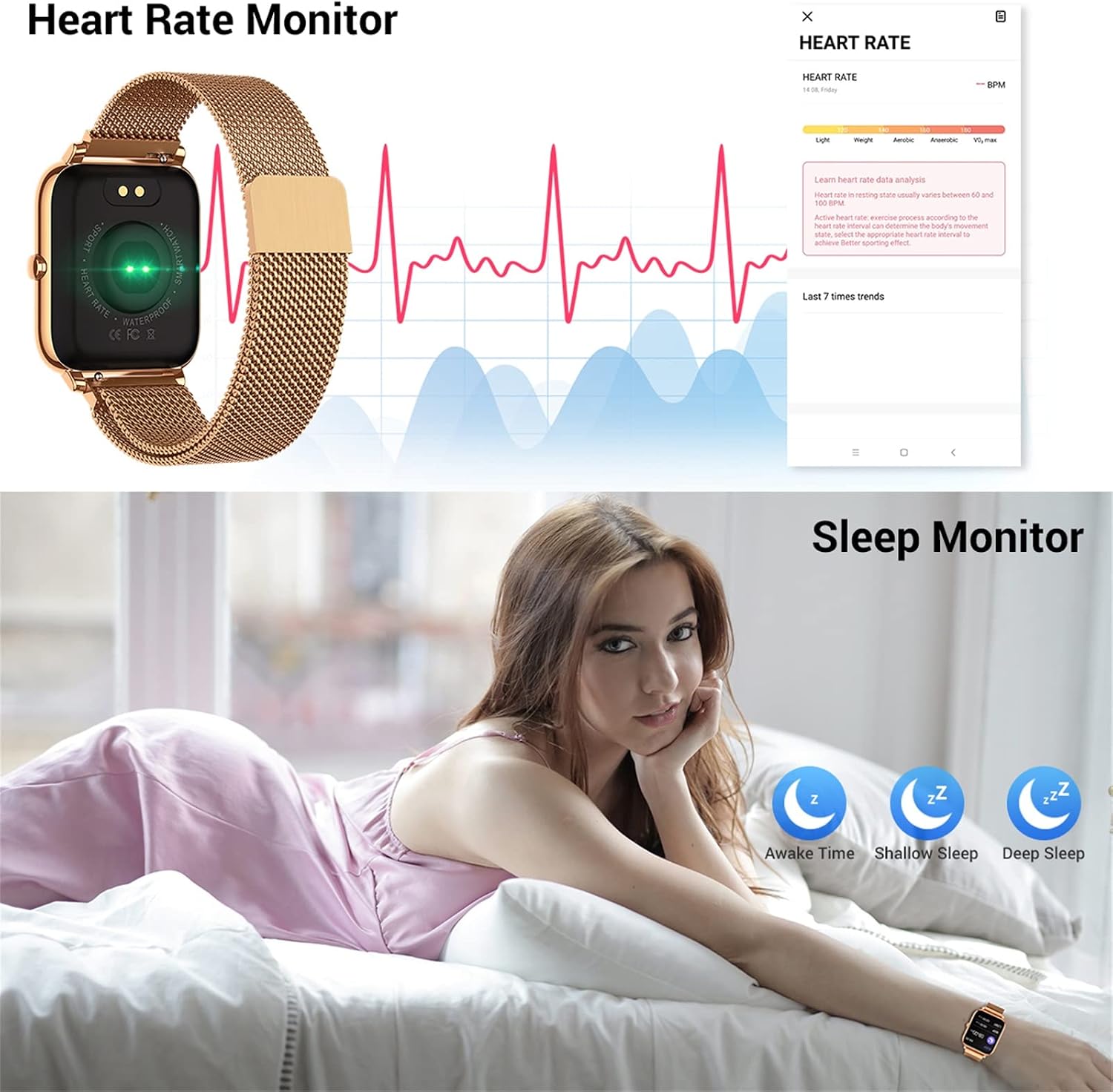
Image 3.3: The smartwatch features continuous heart rate monitoring and detailed sleep tracking capabilities.
3.5 Notificacións
Once paired with your phone and notification permissions are granted in the "HeroBandIII" app, your smartwatch will vibrate and display alerts for:
- Incoming Calls (with caller ID)
- Mensaxes SMS
- Messages from supported social media applications (e.g., Facebook, Twitter, WhatsApp)

Image 3.4: The smartwatch provides call and message notifications from various communication platforms.
3.6 Control de música
To control music playing on your smartphone:
- Ensure your phone's music player is active.
- On the smartwatch, navigate to the music control interface.
- You can then play/pause, skip to the next track, or go back to the previous track.

Image 3.5: The smartwatch allows for convenient music control and brightness adjustment directly from the wrist.
3.7 Outras funcións
- Cámara remota: Use the watch as a remote shutter for your phone's camera (activate in app).
- Espertador: Set alarms via the app, and the watch will vibrate to alert you.
- Recordatorio de sedentarismo: Get alerts when you've been inactive for too long (set in app).
- Pronóstico do tempo: View current weather conditions and forecasts (requires app connection and location permissions).
4. Mantemento
4.1 Limpeza
Regularly clean your smartwatch and strap to prevent skin irritation and maintain device longevity. Use a soft, dry cloth to wipe the watch face and body. For the strap, follow the manufacturer's recommendations for the specific material.
4.2 Resistencia á auga (IP67)
The smartwatch is IP67 waterproof, meaning it is resistant to splashes, rain, and brief immersion in shallow water. It is suitable for:
- Lavado de mans
- Condicións de chuvia
- Duchas frías
Important: Do NOT use the watch in hot water, saunas, or steam rooms. Do NOT press any buttons underwater. Avoid prolonged immersion or high-velocity water activities like diving.

Image 4.1: The smartwatch is IP67 waterproof, suitable for daily activities like handwashing and exposure to rain.
4.3 Coidado coa batería
- Evita temperaturas extremas, que poden prexudicar a duración da batería.
- Cargue o dispositivo completamente antes de longos períodos de inactividade.
- Use só o cable de carga magnético fornecido.
5 Solución de problemas
5.1 Smartwatch Not Turning On
- Asegúrate de que o reloxo estea completamente cargado. Conéctao ao cargador durante polo menos 10-15 minutos.
- Press and hold the side button for several seconds to attempt a power-on.
5.2 Non se pode emparellar co teléfono
- Asegúrate de que o Bluetooth estea activado no teu teléfono e de que o reloxo estea dentro do seu alcance.
- Ensure the "HeroBandIII" app is installed and open.
- Reinicia tanto o teléfono como o reloxo intelixente.
- If previously paired, try forgetting the device in your phone's Bluetooth settings and re-pairing through the app.
- Check if the app has necessary permissions (location, Bluetooth) enabled in your phone's settings.
5.3 Inaccurate Health Data (HR, Sleep, Steps)
- Asegúrate de levar o reloxo ben axustado no pulso, a aproximadamente un dedo do ancho do óso do pulso.
- Limpa o sensor que está na parte traseira do reloxo.
- Para controlar o sono, asegúrate de levar o reloxo posto durante toda a noite.
- Note that smartwatches are not medical devices; readings are for reference only.
5.4 Non aparecen as notificacións
- Verify the smartwatch is successfully paired and connected to the app.
- Check notification settings within the "HeroBandIII" app to ensure desired apps are enabled.
- Ensure your phone's notification settings allow the "HeroBandIII" app to display notifications.
- Keep the app running in the background on your phone.
6. Especificacións
| Característica | Especificación |
|---|---|
| Número de modelo | B85 |
| Procesador | 52832 nórdico |
| Peso | 43.9 g |
| Mostrar | 1.4-inch TFT-LCD Color Touch Screen |
| Resolución | 240 x 240 píxeles |
| Versión Bluetooth | 4.0 |
| Capacidade da batería | 180 mAh Polymer Battery |
| Clasificación impermeable | IP67 |
| Compatibilidade | iOS 9.0+/Android 5.0+ |
| Nome da aplicación | HeroBandIII |
7. Garantía e soporte
For warranty information, please refer to the documentation provided with your purchase or visit the official CanMixs website. If you encounter issues not covered in this manual, or require further assistance, please contact CanMixs customer support.