
Produto rematadoview
The XIAOMI Redmi 9I is a feature-rich smartphone designed for everyday use. This manual provides essential information for setting up, operating, maintaining, and troubleshooting your device.
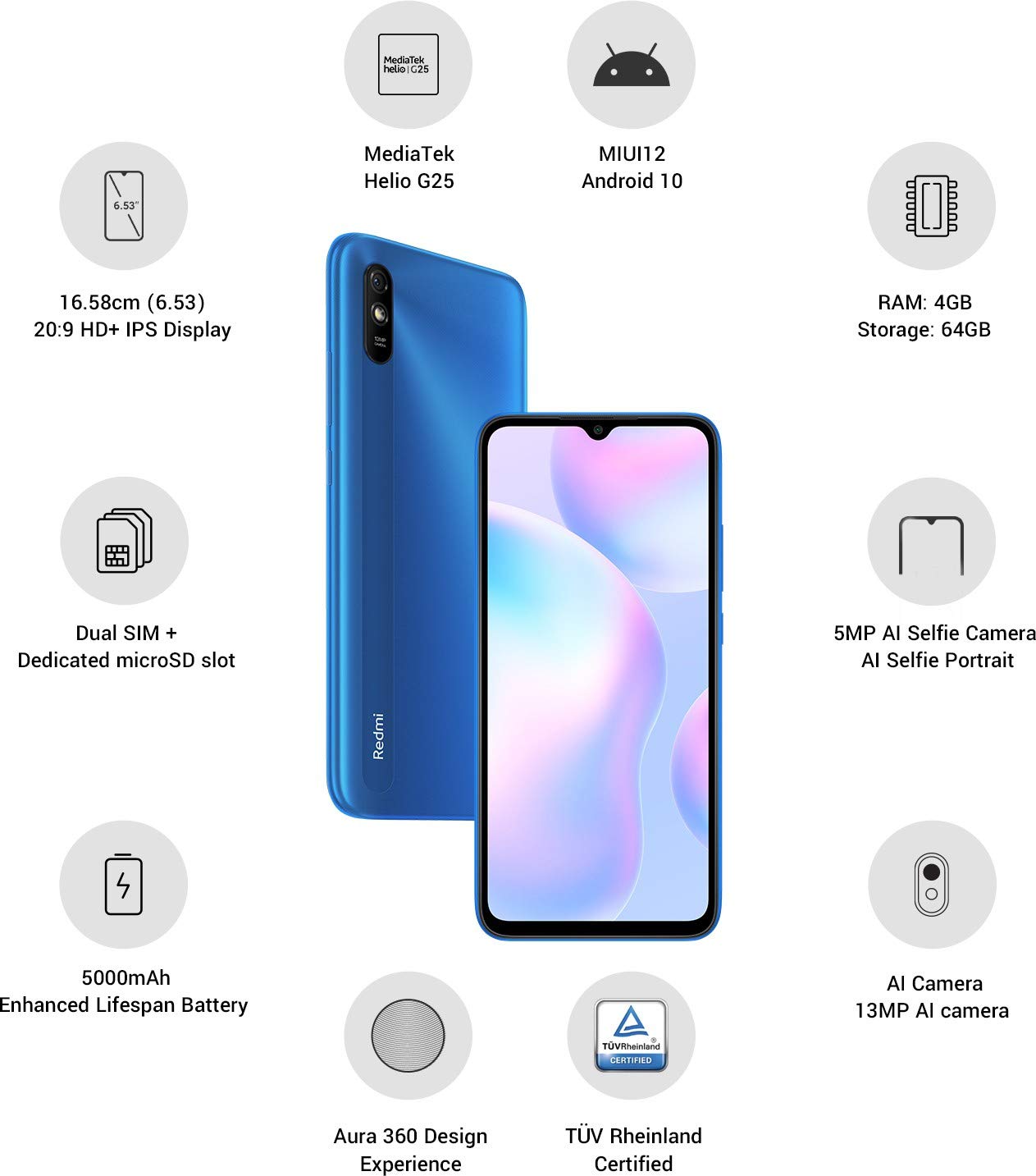
Imaxe: Máis deview of the Xiaomi Redmi 9I highlighting key features such as the 6.53-inch HD+ IPS Display, MediaTek Helio G25 processor, MIUI12 Android 10, 4GB RAM, 64GB Storage, Dual SIM + dedicated microSD slot, 5000mAh battery, 5MP AI Selfie Camera, 13MP AI Camera, Aura 360 Design Experience, and TÜV Rheinland Certification.
Guía de configuración
1. Desembalaxe e Inspección Inicial
Retire con coidado todos os elementos da embalaxe. Asegúrese de que estean presentes os seguintes compoñentes:
- XIAOMI Redmi 9I Smartphone
- Adaptador de alimentación
- Cable USB Tipo-C
- Ferramenta de expulsión de SIM
- Guía de inicio rápido (se se inclúe)
2. Inserción da(s) tarxeta(s) SIM e da tarxeta MicroSD
Locate the SIM card tray on the side of your device. Use the provided SIM ejector tool to open the tray. Insert your Nano SIM card(s) and/or a microSD card into the designated slots. Ensure the cards are correctly oriented as shown in the diagram below. Gently push the tray back into the phone until it clicks into place.

Imaxe: Lateral view of the Xiaomi Redmi 9I, illustrating the location of the SIM card tray. The tray is designed to hold dual Nano SIM cards and a dedicated microSD card.
3. Cargando o dispositivo
Before first use, fully charge your Redmi 9I. Connect the USB Type-C cable to the phone's charging port (located at the bottom) and the other end to the power adapter. Plug the adapter into a wall outlet. The charging indicator will appear on the screen.

Imaxe: Parte inferior view of the Xiaomi Redmi 9I, showing the USB Type-C charging port and speaker grille.
4. Acendido e configuración inicial
Press and hold the Power button (located on the right side of the device) until the XIAOMI logo appears. Follow the on-screen instructions to complete the initial setup, including language selection, Wi-Fi connection, Google account setup, and security settings.

Imaxe: Lateral view of the Xiaomi Redmi 9I, clearly showing the power button and volume rocker on the right edge of the device.
Instrucións de funcionamento
Navegación básica
- Toca: Tap icons to open apps, select items, or confirm actions.
- Pasar o dedo: Slide your finger across the screen to scroll, switch between home screens, or navigate within apps.
- Beliscar: Usa dous dedos para ampliar ou reducir as fotos e web páxinas.
- Prensa longa: Press and hold an item for additional options or to move icons.
Facer chamadas e enviar mensaxes
Tap the Phone icon to access the dialer. Enter a number or select a contact. Tap the Messages icon to compose and send text messages.
Conectando a Redes
- Wi-Fi: Ir a Configuración > Wi-Fi, turn Wi-Fi on, and select your desired network. Enter the password if prompted.
- Bluetooth: Ir a Configuración > Bluetooth, turn Bluetooth on, and pair with compatible devices.
- Datos móbiles (4G): Asegúrate de que a túa tarxeta SIM estea activa e que os datos móbiles estean activados en Configuración > Tarxetas SIM e redes móbiles.
Usando a Cámara
Tap the Camera icon to open the camera application. The Redmi 9I features a 13MP rear camera and a 5MP front camera. Switch between modes (Photo, Video, Portrait, etc.) by swiping across the screen. Tap the shutter button to capture photos or start/stop video recording.

Imaxe: Traseira view of the Xiaomi Redmi 9I, showcasing the 13MP AI camera module and the Redmi branding.
Mantemento
Limpeza do dispositivo
Usa un pano suave e sen pelusa para limpar a pantalla e a carcasa do teléfono. Evita o uso de produtos químicos agresivos ou materiais abrasivos, que poden danar a pantalla ou o acabado. Para manchas difíciles, limpa lixeiramenteampEnxágüe o pano con auga ou cun limpador de pantallas deseñado para dispositivos electrónicos.
Actualizacións de software
Comprobe e instale actualizacións de software regularmente para garantir un rendemento, unha seguridade e un acceso óptimos a novas funcións. Vaia a Configuración > Acerca do teléfono > Versión MIUI para comprobar as actualizacións.
Coidado da batería
The Redmi 9I is equipped with a 5000 mAh Lithium-Polymer battery. To prolong battery life:
- Evita temperaturas extremas.
- Non deixes que a batería se descargue completamente antes de recargala con frecuencia.
- Usa o cargador e o cable orixinais.
- Optimizar o uso da batería en Settings > Battery & performance.
Xestión do almacenamento
Your device comes with 64GB of internal storage. To manage storage effectively:
- Eliminar regularmente o innecesario files, fotos e vídeos.
- Desinstalar as aplicacións non utilizadas.
- Utilize cloud storage services.
- Mover grande files a unha tarxeta microSD inserida.
Resolución de problemas
This section addresses common issues you might encounter with your Redmi 9I.
O dispositivo non se acende
- Asegúrate de que a batería estea cargada. Conecta o teléfono ao cargador durante polo menos 30 minutos.
- Mantén premido o botón de acendido/apagado durante 10-15 segundos para forzar un reinicio.
Conectividade de rede deficiente
- Comprobe se a súa tarxeta SIM está inserida correctamente.
- Toggle Airplane Mode on and off (swipe down from the top for Quick Settings).
- Reinicia o teu dispositivo.
- Verify your mobile data plan is active and you are in an area with network coverage.
Applications Crashing or Freezing
- Pecha e volve abrir a aplicación problemática.
- Limpar a caché e os datos da aplicación (Configuración > Aplicacións > Xestionar aplicacións > [Nome da aplicación] > Borrar datos).
- Asegúrate de que a aplicación estea actualizada á súa última versión.
- Reinicia o teu teléfono.
A pantalla non responde
- Forza o reinicio do dispositivo mantendo premido o botón de acendido.
- Se o problema persiste, considere un restablecemento de fábrica (Warning: This will erase all data on your phone. Back up important data first. Ir a Configuración > Acerca do teléfono > Restablecemento de fábrica).
Especificacións
| Característica | Detalle |
|---|---|
| Marca | XIAOMI |
| Modelo | Redmi 9I |
| Sistema Operativo | Android 9.0 (MIUI12) |
| RAM | 4 GB |
| Almacenamento interno | 64 GB |
| Procesador | Snapdragon (velocidade da CPU de 2 GHz) |
| Tipo de visualización | LCD |
| Tamaño da pantalla | 6.53 polgadas |
| Cámara traseira | 13 MP |
| Cámara frontal | 5 MP |
| Capacidade da batería | 5000 millónsamp Hours (Lithium-Polymer) |
| Ranura para tarxeta SIM | Dual SIM (Nano) |
| Conectividade | 4G, Wi-Fi, Bluetooth, USB Type C |
| GPS | GLONASS |
| Material | Plástico |
| Nivel de resistencia á auga | Resistente á auga |
Información da garantía
The XIAOMI Redmi 9I comes with a 1 anos de garantía do fabricante from the date of purchase. This warranty covers manufacturing defects under normal use. For detailed terms and conditions, please refer to the warranty card included in your product packaging or visit the official XIAOMI support websitio.
Atención ao cliente
If you encounter issues not covered in this manual or require further assistance, please contact XIAOMI customer support. You can typically find contact information (phone numbers, email, chat support) on the official XIAOMI websitio web ou a través da sección de soporte dentro da configuración do teu dispositivo.
Before contacting support, please have your device's model number (Redmi 9I) and serial number ready. The serial number can usually be found in Configuración > Acerca do teléfono > Estado.