
PeakTech P 8005
PeakTech P 8005 Sound Level Meter User Manual
Model: P 8005 | Brand: PeakTech
1. Introdución
The PeakTech P 8005 is a high-precision Class 2 sound level meter designed for accurate noise measurement and data logging. It is suitable for a wide range of applications including noise projects, quality control, disease prevention, and environmental sound measurements in factories, schools, offices, traffic, and households. This device features a 4-digit 20mm LCD multi-function display with a bargraph and backlight, a USB interface for continuous measurements, and AC/DC outputs for connection to frequency analyzers or X-Y wave recorders. This manual provides detailed instructions for the proper use, maintenance, and troubleshooting of your PeakTech P 8005.
2. Información de seguridade
Please read all safety instructions carefully before operating the device. Failure to follow these instructions may result in damage to the device or personal injury.
- Non expoña o dispositivo a temperaturas extremas, humidade ou luz solar directa.
- Evitar vibracións ou impactos fortes.
- Non intente abrir nin modificar o dispositivo. As reparacións só deben ser realizadas por persoal cualificado.
- Manteña o dispositivo lonxe de campos electromagnéticos fortes.
- Ensure proper ventilation when using the AC adapter for extended periods.
- Elimina as baterías segundo a normativa local.
3. Contido do paquete
Verifique que todos os elementos que se indican a continuación estean incluídos no seu paquete:
- PeakTech P 8005 Sound Level Meter
- Maletín de transporte
- 3m Additional Microphone Cable
- Cable de interfaz USB
- Software for Windows (on CD-ROM)
- Mini trípode
- 9V AC Power Adapter
- Batería de 9 V
- Manual de usuario

4. Produto rematadoview
The PeakTech P 8005 is designed for user-friendly operation while providing professional-grade accuracy. Familiarize yourself with the main components and controls.
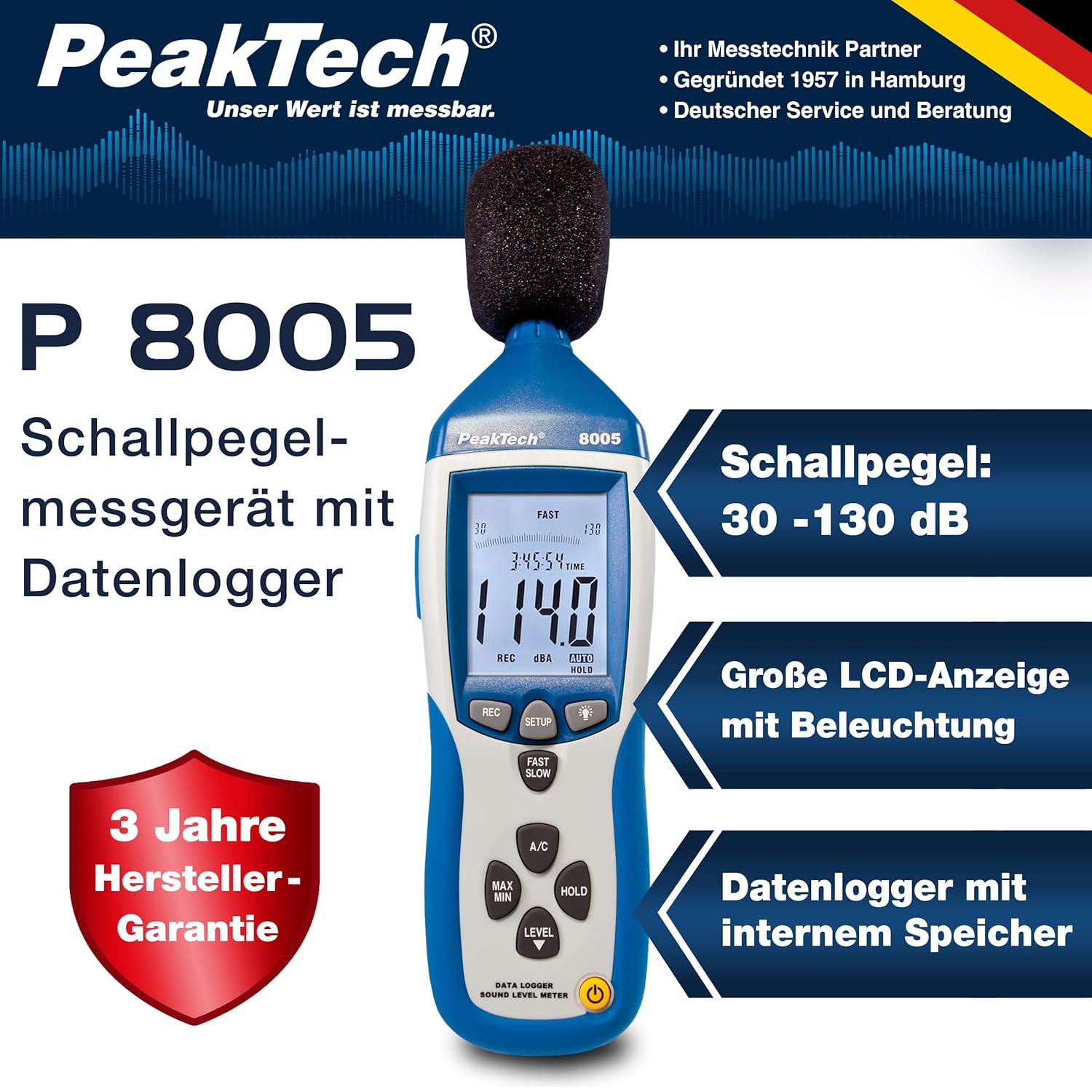
4.1. Características principais
- Medición de precisión: Class 2 sound level meter (IEC-61672-1 compliant) for accurate readings even in noisy environments.
- Amplio rango de medición: 30 to 130 dB across 4 ranges with 0.1 dB resolution.
- Rexistro de datos: Internal memory for up to 32,000 readings (1x/sec to 1x/min).
- Conectividade: USB 2.0 interface for PC connection and data transfer.
- Saídas analóxicas: AC/DC outputs for connecting to frequency analyzers or X-Y wave recorders.
- Visualización: 4-digit 20mm LCD with bargraph and backlight.
- Modos de medición: Fast (125 ms) and Slow (1 s) response times, A and C weighting.
- Funcións adicionais: MIN/MAX measurements, over-range/under-range indication.

5. Configuración
5.1. Instalación da batería
The PeakTech P 8005 operates on a 9V battery or via the included 9V AC power adapter.
- Localice o compartimento da batería na parte traseira do dispositivo.
- Abra a tapa da batería.
- Insert the 9V battery, ensuring correct polarity.
- Pecha a tapa da batería de forma segura.
5.2. Alimentando o dispositivo
- Para acender, prema POTENCIA botón.
- Para apagalo, manteña premido o botón POTENCIA botón ata que a pantalla se apague.
- For continuous operation, connect the 9V AC power adapter to the DC 9V input port on the side of the device.
5.3. Conexión do micrófono
The device comes with a built-in microphone. For remote measurements or specific setups, you can use the included 3m additional microphone cable.
- Unscrew the microphone cap from the top of the device.
- Connect the 3m microphone cable to the microphone input.
- Attach the external microphone to the other end of the cable.
- For stable measurements, attach the device to the mini tripod using the threaded mount at the bottom.

Vídeo 5.1: Un overview of the PeakTech 8005 Sound Level Meter, demonstrating its features and setup, including the use of the external microphone and power adapter.
6. Instrucións de funcionamento
6.1. Medición básica
After powering on, the device will immediately begin measuring sound levels.
- The current sound level in dB is displayed on the LCD.
- Usa o NIVEL button to cycle through the four measurement ranges (30-80 dB, 50-100 dB, 80-130 dB, Auto 30-130 dB).
- Preme RÁPIDO/LENTO to switch between fast (125 ms) and slow (1 s) response times. Fast is suitable for sudden noise changes, while slow is for average noise levels.
- Preme A/C to select A-weighting (dBA) or C-weighting (dBC). A-weighting mimics human ear response, C-weighting is for mechanical noise.

6.2. Data Logging and PC Connection
The P 8005 can record up to 32,000 measurement values internally. To access and analyze this data, use the included Windows software.
- Install the software from the provided CD-ROM onto a Windows PC (Windows 95/98/NT/2000/XP/VISTA/7/8/10 supported).
- Connect the sound level meter to your PC using the USB interface cable.
- Open the software. The software allows for real-time data display, data import from the device's internal memory, and export to formats like Excel for further analysis.
- Refer to the software's help documentation for detailed instructions on data logging setup and analysis.

7. Mantemento
7.1. Limpeza
Clean the device regularly to ensure optimal performance.
- Limpe o exterior cun pano suave e seco.
- Non use produtos de limpeza ou disolventes abrasivos.
- Keep the microphone free from dust and debris.
7.2. Almacenamento
Cando non o use, garde o dispositivo na súa funda nun lugar fresco e seco, lonxe da luz solar directa e de temperaturas extremas.
7.3. Calibración
The PeakTech P 8005 is a precision instrument. Regular calibration is recommended to maintain accuracy, especially for professional applications. Refer to the included test report for the last calibration date. Contact PeakTech support for calibration services.
8 Solución de problemas
| Problema | Causa posible | Solución |
|---|---|---|
| O dispositivo non se acende. | Low or dead battery; AC adapter not connected or faulty. | Replace the 9V battery or connect the AC adapter. Ensure the adapter is working. |
| Lecturas inexactas. | Incorrect measurement range; microphone obstructed; device needs calibration. | Adjust the measurement range using the NIVEL button. Clear any obstructions from the microphone. Consider professional calibration. |
| O software non recoñece o dispositivo. | USB cable faulty; driver issue; software compatibility. | Try a different USB port or cable. Reinstall the software and drivers. Check software compatibility settings (e.g., Windows 98 compatibility mode for older systems). |
| Data logging issues. | Memory full; incorrect logging settings. | Download and clear data from the device. Review data logging settings in the software. |
9. Especificacións
| Parámetro | Valor |
|---|---|
| Norma aplicada | IEC-61672-1 Type 2, ANSI S1.4 Type 2 |
| Accuracy (1 kHz Sine; A, C) | ± 1.4 dB |
| Precisión (rango de frecuencia) | According to EN-61672-1 Class 2, max. ± 5.6 dB |
| Rango de frecuencias | 31.5 Hz - 8 kHz |
| Rango dinámico | 50 dB |
| Rangos de niveis | Low: 30 dB ~ 80 dB, Med: 50 dB ~ 100 dB, High: 80 dB ~ 130 dB, Auto: 30 dB ~ 130 dB |
| Tempo de resposta | Fast: 125 ms / Slow: 1 s |
| Micrófono | ½-inch Electret Condenser Microphone |
| Resolución | 0.1 dB |
| Actualización de visualización | 2 veces / seg. |
| Saída analóxica | AC/DC Outputs, AC: 1 Veff = 10 mV/dB |
| Vol. Operativotage | 9V Battery or 9V AC Power Adapter |
| Dimensións (ancho x alto x prof.) | 80 x 280 x 50 mm |
| Peso | 350 g |
| Data Logger Memory | Ata 32,000 lecturas |
10. Garantía e soporte
PeakTech products are designed for reliability and performance. For warranty information and technical support, please refer to the documentation included with your product or visit the official PeakTech websitio. Garde o recibo da compra como xustificante de compra para reclamacións de garantía.
Fabricante: PeakTech
Websitio: PeakTech Official Store
Ask a question about this manual
Ask about setup, troubleshooting, compatibility, parts, safety, or missing instructions. Manuals+ will review the question and use this page’s manual context to help answer it.