
SEMIER SM-138
SEMIER Retro Cassette Player Recorder Boombox User Manual
Modelo: SM-138
Introdución
Grazas pola compraasing the SEMIER Retro Cassette Player Recorder Boombox. This versatile device allows you to enjoy your favorite cassette tapes, record audio, and listen to AM/FM radio. Designed for ease of use and portability, it offers both AC and battery power options, making it suitable for various environments. Please read this manual carefully to ensure proper operation and to maximize your enjoyment of this product.
Produto rematadoview
The SEMIER Retro Cassette Player Recorder Boombox combines classic audio functionality with modern convenience. Below are the main components and features of your device.
Características principais:
- Reprodución de audio versátil: Play your collected cassette tapes and record external voice or radio directly to cassette using the built-in microphone.
- Superior AM/FM Reception: Equipped with a long antenna and an upgraded DSP chip for clear and reliable reception across AM (520-1710 kHz) and FM (87-108 MHz) frequencies.
- Powerful Sound Quality: Features a robust 6W speaker for excellent sound, plus a 3.5mm headphone jack for private listening.
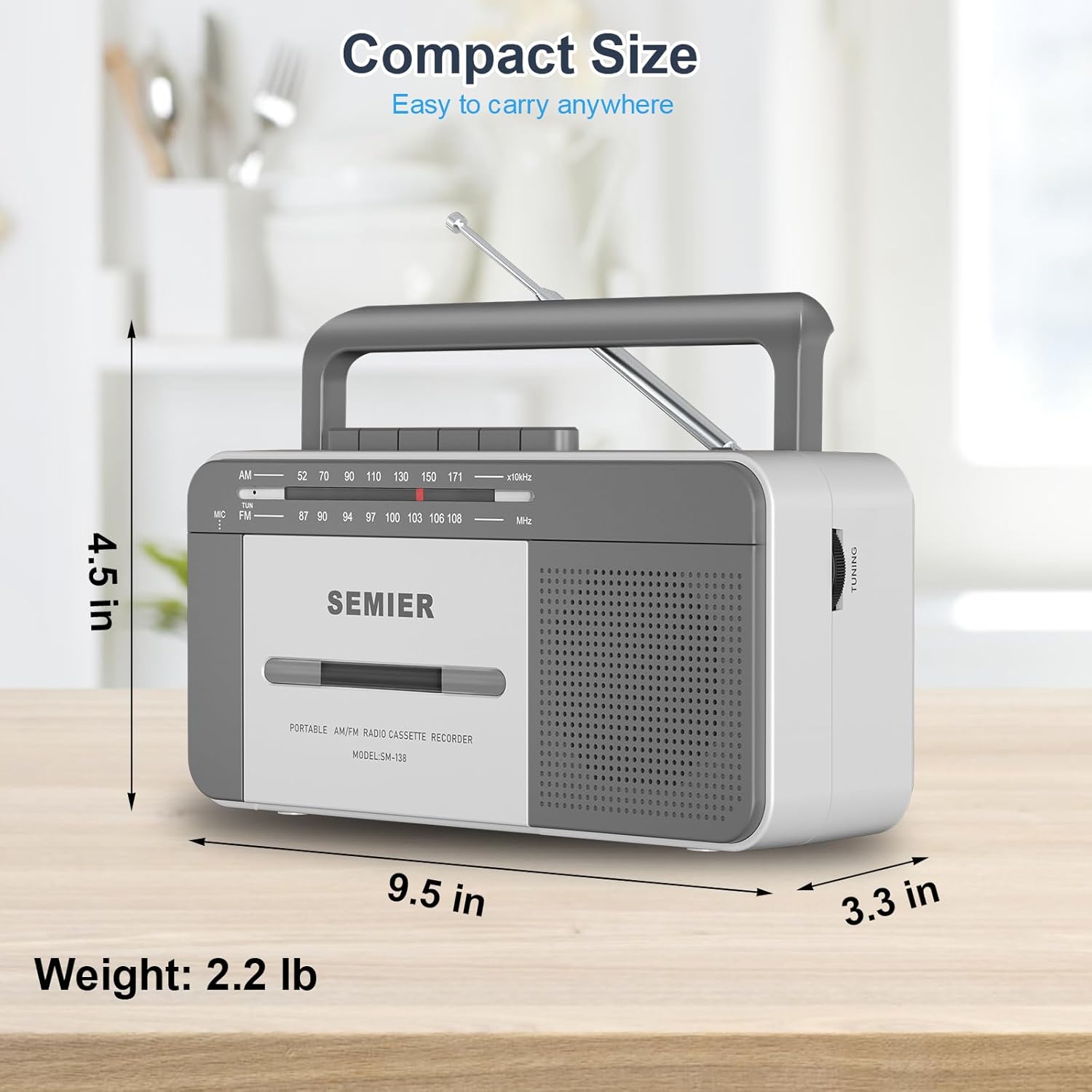
- Deseño portátil e cómodo: Compact size (9.5 x 3.3 x 4.5 inches, 2.2 lbs) with a portable handle for easy transport.
- Opcións de enerxía flexibles: Can be powered via AC plug-in (cord included) or 4 C batteries (not included).
- Construción duradeira: Made from premium ABS material with large, user-friendly control buttons.
Compoñentes e controis:
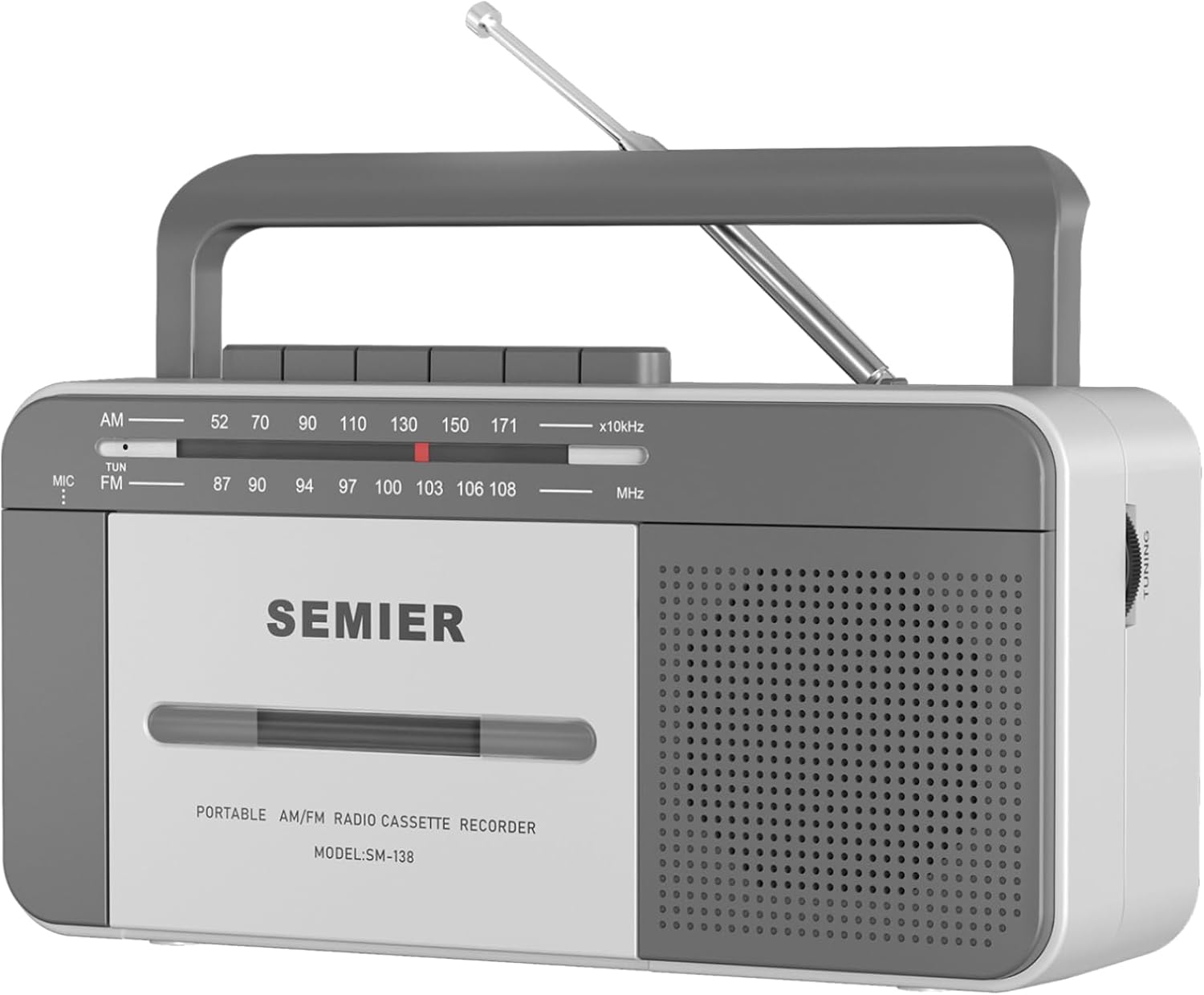
Fronte View: Shows the cassette deck, speaker grille, AM/FM tuning dial, and main control buttons (Play, Stop/Eject, Fast Forward, Rewind, Record, Pause).

Lado View with Earphone Jack: Illustrates the 3.5mm earphone jack for private listening, located on the side of the unit.

Antena: The telescopic antenna extends for improved AM/FM radio reception.
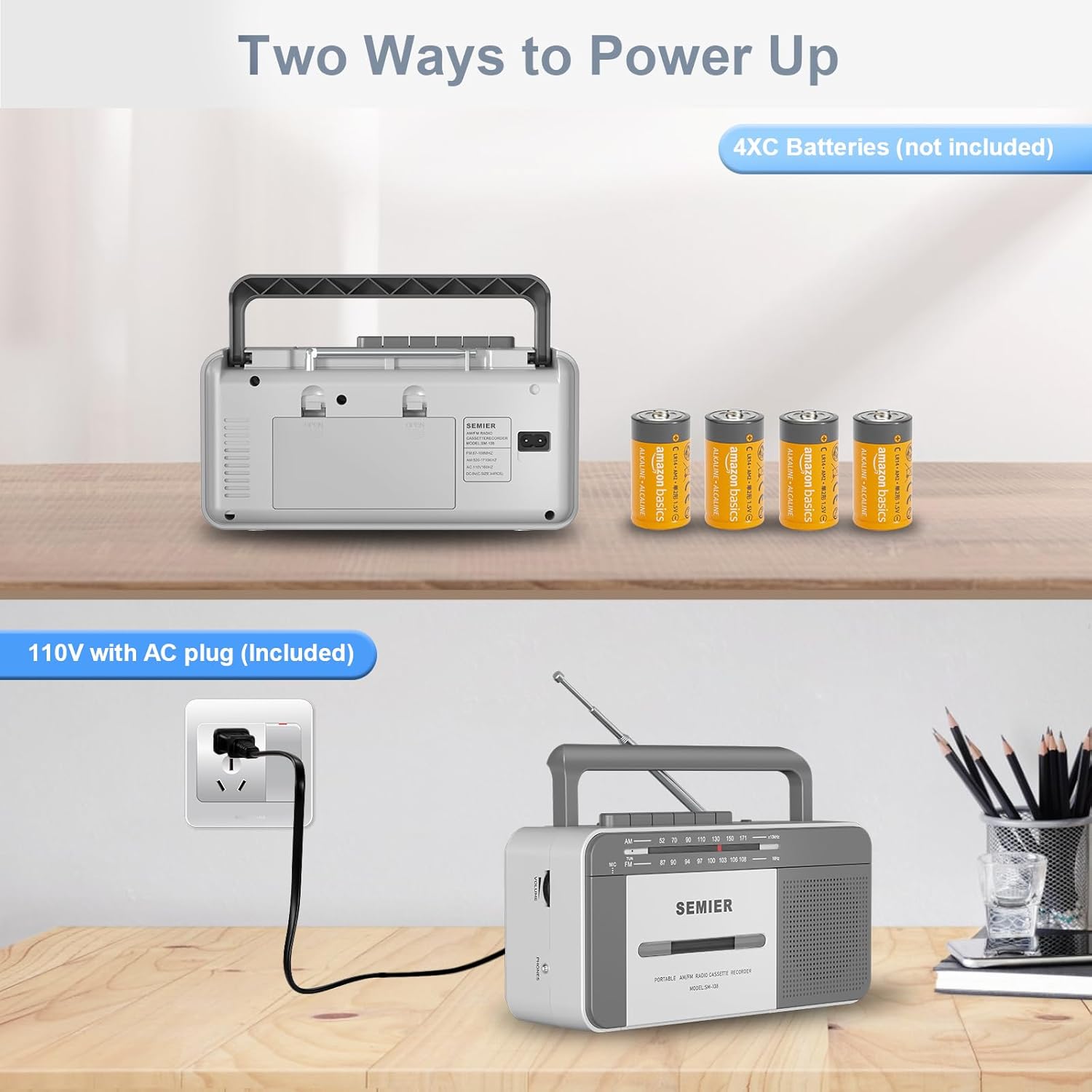
Opcións de enerxía: Traseira view showing the AC power input and the battery compartment for 4 C batteries.
Configuración
Alimentando o teu dispositivo:
Your boombox offers two power options:
- Potencia CA:
- Locate the included AC power cord.
- Insert one end of the cord into the AC input jack on the back of the boombox.
- Plug the other end into a standard 110V AC wall outlet.

Connect the AC cord to the boombox and a wall outlet for continuous power.
- Potencia da batería:
- Abra a tapa do compartimento das baterías na parte traseira da unidade.
- Insert 4 "C" size batteries (not included), ensuring correct polarity (+/-) as indicated inside the compartment.
- Pecha a tapa do compartimento da batería de forma segura.
Insert 4 C batteries into the designated compartment for portable use.
Note: When using AC power, batteries are automatically disconnected. Remove batteries if the unit will not be used for an extended period to prevent leakage.
Instrucións de funcionamento
Reproducción de casete:
- Preme o PARAR/EXPULSIÓN botón para abrir a porta do compartimento da casete.
- Insert a cassette tape with the open edge facing upwards and the side you wish to play facing you. Gently push the tape until it clicks into place.
- Peche a porta do compartimento da casete.
- Configure o interruptor de función en Cinta.
- Preme o XOGAR botón para iniciar a reprodución.
- Axustar o VOLUME botón ao nivel de escoita desexado.
- Para avanzar rapidamente, prema o botón F.FWD button. To rewind, press the REW botón. Prema XOGAR to resume playback or PARAR/EXPULSIÓN parar.
- Para pausar a reprodución, prema o PAUSA botón. Próbeo de novo para continuar.
- Para deter a reprodución, prema o botón PARAR/EXPULSIÓN botón.
The large, clearly labeled buttons make operation simple and intuitive.
Cassette Recording:
You can record audio from the built-in microphone or from the AM/FM radio.
- Insira unha cinta de casete en branco no compartimento.
- To record from the built-in microphone:
- Configure o interruptor de función en Cinta.
- Preme o RECORDAR button (this will also engage the PLAY button).
- Speak clearly into the built-in microphone located on the front of the unit.

Record external audio directly to cassette using the integrated microphone.
- To record from AM/FM Radio:
- Configure o interruptor de función en RADIO.
- Tune to your desired AM or FM radio station (see Radio Operation below).
- Preme o RECORDAR button (this will also engage the PLAY button). The radio broadcast will now be recorded onto the cassette.
- Para deixar de gravar, prema o botón PARAR/EXPULSIÓN botón.
Operación de radio:
- Estenda a antena telescópica para unha recepción óptima.
- Configure o interruptor de función en RADIO.
- Seleccione calquera AM or FM band using the band selector switch.
- Xire o TUNING knob to find your desired radio station. The tuning dial will indicate the frequency.
- Axustar o VOLUME botón ao nivel de escoita preferido.
- For best FM reception, adjust the position and length of the telescopic antenna. For AM reception, rotate the unit itself for optimal signal.

The long antenna ensures superior AM/FM reception for clear audio.
Usando a toma de auriculares:
- Plug any standard 3.5mm stereo headphones (not included) into the JACK AURICULAR situado no lateral da unidade.
- The built-in speaker will automatically mute when headphones are connected, allowing for private listening.
Enjoy private listening by connecting your headphones to the 3.5mm earphone jack.
Mantemento
- Limpeza da unidade: Use a soft, dry cloth to clean the exterior of the boombox. Do not use abrasive cleaners or solvents.
- Limpeza da cabeza do casete: Periodically clean the tape head, pinch roller, and capstan using a cotton swab lightly dampened with isopropyl alcohol. This helps maintain sound quality and prevents tape damage.
- Coidado da batería: If the unit will not be used for an extended period, remove the batteries to prevent corrosion and leakage.
- Almacenamento: Garde a unidade nun lugar fresco e seco, lonxe da luz solar directa e de temperaturas extremas.
Resolución de problemas
| Problema | Causa posible | Solución |
|---|---|---|
| Sen poder | AC cord not properly connected; Batteries are dead or inserted incorrectly. | Ensure AC cord is securely plugged in. Replace batteries with new ones, checking polarity. |
| Non hai son do altofalante | Volume too low; Headphones plugged in; Function switch set incorrectly. | Increase volume. Disconnect headphones. Set function switch to TAPE or RADIO. |
| Mala recepción de radio | Antena non estendida ou colocada correctamente; Zona de sinal débil. | Fully extend and adjust the telescopic antenna. For AM, rotate the unit. Try moving to a different location. |
| Cassette tape not playing or "eating" tape | Tape head/pinch roller dirty; Old or damaged tape; Tape not inserted correctly. | Clean tape head and pinch roller with isopropyl alcohol. Try a different tape. Ensure tape is fully inserted and compartment is closed. For old tapes, fast forward and rewind completely before playing to loosen the tape. |
| A gravación non funciona | Tape is write-protected; Microphone blocked; Function switch not set to TAPE or RADIO. | Check the write-protect tab on the cassette. Ensure microphone is clear. Set function switch correctly. |
Especificacións
- Modelo: SM-138
- Marca: SEMIER
- Dimensións do produto: 9.5 x 3.3 x 4.5 polgadas (L x W x H)
- Peso do artigo: 2.2 libras
- Saída do altofalante: 6W
- Frecuencias de radio: AM 520-1710 kHz, FM 87-108 MHz
- Conectividade: 3.5mm Earphone Jack, Auxiliary
- Fonte de enerxía: AC 110V (cord included) or 4 x "C" Batteries (not included)
- Material: Premium ABS
- Cor: Branco, Gris
Deseño compacto e lixeiro para unha fácil portabilidade.
Garantía e Soporte
SEMIER is committed to providing high-quality products and excellent customer service. While specific warranty terms are not detailed in this manual, we offer peace of mind with our dedicated customer support.
- For any questions, technical assistance, or support needs, please contact SEMIER customer service.
- Conserve o recibo de compra como proba de compra para calquera reclamación de garantía.
Ask a question about this manual
Ask about setup, troubleshooting, compatibility, parts, safety, or missing instructions. Manuals+ will review the question and use this page’s manual context to help answer it.