
Introdución
Thank you for choosing the MEDION E11909 (MD 20059) 19-inch HD TV. This television features an integrated DVD player, a 12V car adapter for mobile use, and a triple tuner for receiving cable, satellite, or DVB-T2 HD signals. This manual provides essential information for the safe and efficient use of your new device. Please read it thoroughly before operation and keep it for future reference.
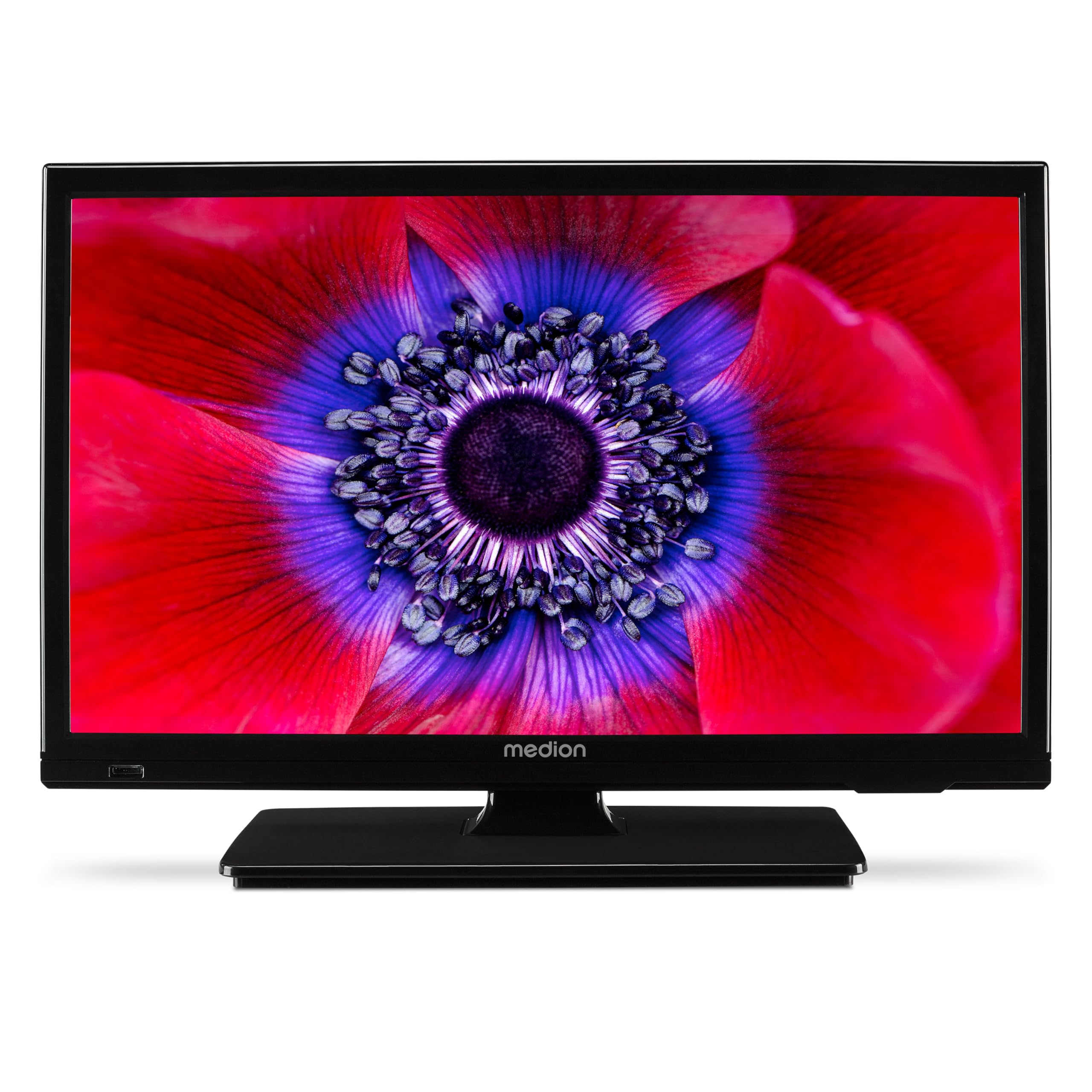
Figura 1: MEDION E11909 19-inch HD TV. This image shows the front view of the television, highlighting its compact design suitable for various environments.
Información de seguridade
Please observe the following safety instructions to prevent damage to the device or injury to yourself:
- Non expoña o televisor á choiva nin á humidade.
- Asegúrese de que haxa unha ventilación axeitada; non obstrua as aberturas de ventilación.
- Use só o adaptador de alimentación que se proporciona co dispositivo.
- Non abras a televisión casing; encomende todo o mantemento a persoal cualificado.
- Manteña o televisor lonxe de fontes de calor e da luz solar directa.
- When using the 12V car adapter, ensure the vehicle's power outlet is clean and provides stable power.
Contido do paquete
Comprobe que todos os elementos estean presentes no paquete:
- MEDION E11909 MD20059 LCD TV
- Mando a distancia con pilas (AAA)
- Adaptador de alimentación externo
- Car adapter (12V)
- Antena DVB-T
- Adaptador AV
- Soporte con parafusos
- Manual de usuario
- Folleto de garantía
Configuración
1. Colocación do soporte
- Carefully place the TV screen-down on a soft, clean surface.
- Aliñe o soporte cos orificios de montaxe na parte inferior do televisor.
- Fixe o soporte cos parafusos proporcionados.
2. Potencia de conexión
- Para uso doméstico: Connect the external power adapter to the TV's DC IN port and then plug it into a standard wall outlet.
- For Mobile Use (Car/Caravan): Connect the 12V car adapter to the TV's DC IN port and then plug it into your vehicle's 12V DC power socket.
3. Connecting Antennas and External Devices
Refer to the connection diagram below for port locations.

Figura 2: Rear panel connections. This image illustrates the various input and output ports on the back of the television, including HDMI, USB, SCART, VGA, AV In, YPbPr, PC Audio In, Headphone Jack, Digital Audio Out, and the 12V DC power input.
- Antena/Cable: Connect your DVB-T antenna (included), cable, or satellite dish to the appropriate RF IN port.
- Dispositivos HDMI: Connect devices like Blu-ray players or game consoles to the HDMI ports.
- Dispositivos USB: Insert USB drives for media playback into the USB port.
- Older Devices: Use the SCART, VGA, or AV IN ports for older equipment.
4. Configuración inicial
After connecting power and turning on the TV for the first time, an initial setup wizard will guide you through language selection, country, and channel scanning. Follow the on-screen instructions.
En funcionamento
1. Acendido/apagado
Preme o POTENCIA botón do mando a distancia ou do televisor para acender ou apagar a unidade.
2. Funcións de control remoto
The remote control allows you to navigate menus, change channels, adjust volume, and select input sources. Refer to the remote control diagram in your separate warranty booklet for specific button functions.
3. Channel Selection and Volume
- Usa o CH +/- botóns para cambiar de canle.
- Usa o VOL +/- botóns para axustar o volume.
4. Selección da fonte de entrada
Preme o FONTE button on the remote control to cycle through available input sources (TV, HDMI1, HDMI2, AV, USB, DVD).
5. Using the Integrated DVD Player
- Insert a DVD disc into the disc slot on the side of the TV.
- The TV should automatically switch to DVD mode. If not, press the FONTE button and select DVD.
- Use os botóns de reprodución do mando a distancia (PLAY, PAUSE, STOP, FF, REW) to control DVD playback.

Figura 3: TV with integrated DVD player. This image shows the television screen displaying high-definition content, with a DVD disc partially visible, indicating the integrated DVD player functionality.
6. Using the Media Player (USB)
- Insira un dispositivo de almacenamento USB no porto USB.
- Preme o FONTE button and select USB.
- Navega polo teu files (photos, music, videos) using the remote control and press OK para xogar.

Figura 4: Easy playback of photos, videos, and more. This image highlights the USB port on the TV's side and icons representing music, photos, and video files, indicating the TV's multimedia playback capabilities.
Mantemento
1. Limpeza da pantalla
Limpe a pantalla con suavidade cun pano suave e sen pelusa. Para marcas difíciles, d lixeiramenteampEnxágüe o pano con auga ou cun limpador de pantallas especializado. Non pulverice líquido directamente sobre a pantalla.
2. Limpeza da unidade
Limpar a televisión casinLimpe cun pano suave e seco. Evite o uso de produtos de limpeza abrasivos ou solventes.
3. Almacenamento
If storing the TV for an extended period, disconnect it from power, remove batteries from the remote, and store it in a cool, dry place, preferably in its original packaging.
Resolución de problemas
If you encounter problems with your TV, please refer to the following common issues and solutions:
- Sen enerxía:
- Check if the power adapter is securely connected to both the TV and the power outlet.
- Asegúrate de que a toma de corrente funcione. - Sen imaxe/son:
- Verify that the correct input source is selected (e.g., HDMI1, TV, DVD).
- Check all cable connections (antenna, HDMI, AV).
- Perform a channel scan if using TV mode. - DVD Not Playing:
- Ensure the disc is inserted correctly with the label facing up.
- Check if the disc is clean and free from scratches.
- Try a different DVD to rule out disc issues. - O control remoto non funciona:
- Replace the batteries (AAA).
- Asegúrate de que non haxa obstrucións entre o mando a distancia e o sensor de infravermellos do televisor.
Se o problema persiste despois de probar estas solucións, póñase en contacto co servizo de atención ao cliente.
Especificacións
- Marca: MEDION
- Modelo: E11909 (MD 20059)
- Tamaño da pantalla: 18.5 polgadas (47 cm)
- Tecnoloxía de visualización: LCD LED
- Resolución: 768p (HD)
- Frecuencia de actualización: 60 Hz
- Relación de aspecto: 1.77:1
- Tecnoloxía de conectividade: HDMI, USB
- Características especiais: Built-in DVD player, 12V Car Adapter, Triple Tuner for HD reception (Cable, Satellite, DVB-T2)
- Compoñentes incluídos: LCD TV (MD 20059)
- Dimensións do produto: 16P x 44L x 31A cm
- Saída de audio: 2 x 3 W RMS Stereo Speakers
Garantía e Soporte
Your MEDION E11909 (MD 20059) TV comes with a manufacturer's warranty. Please refer to the included warranty booklet for detailed terms and conditions, including the warranty period and coverage.
Para asistencia técnica, servizo ou outras consultas, visite o sitio web oficial de MEDION website or contact their customer service department. Contact information can typically be found in your warranty booklet or on the MEDION support page.