
Xiaomi BHR4357GL
Xiaomi Mi Smart Watch Lite User Manual
Marca: Xiaomi
Modelo: BHR4357GL
1. Introdución e finalview
The Xiaomi Mi Smart Watch Lite is a versatile wearable device designed to enhance your daily life by providing smart notifications, comprehensive fitness tracking, and convenient health monitoring. Featuring a vibrant 1.4-inch TFT color touch display, this smartwatch is built for both functionality and comfort.
It offers a range of features including multiple workout modes, precise GPS tracking, continuous heart rate monitoring, and 5 ATM water resistance, making it suitable for various activities and environments. This manual provides detailed instructions on how to set up, operate, and maintain your Mi Smart Watch Lite to ensure optimal performance and longevity.
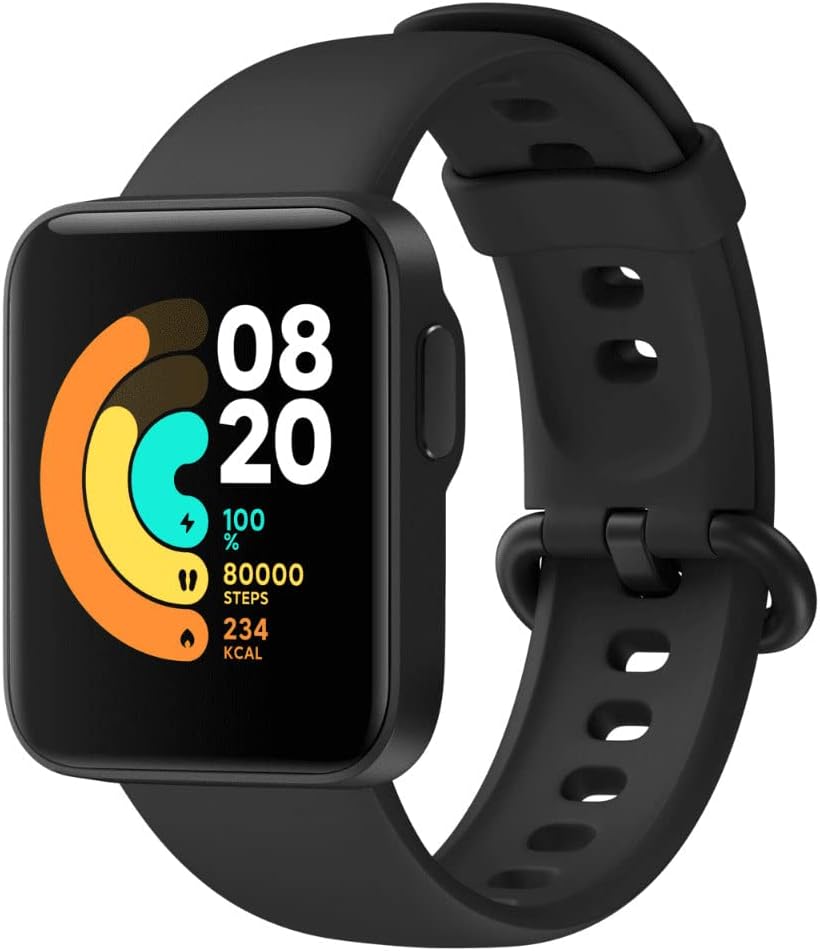
Imaxe: Fronte view of the Xiaomi Mi Smart Watch Lite, showcasing its rectangular display with activity rings, time, and step count. The watch has a black strap and body.
2. Que hai na caixa
Ao abrir o paquete, comprobe que estean presentes todos os seguintes compoñentes e que estean en bo estado:
- Watch body ×1
- Watch strap ×1
- Dedicated charging dock ×1
- Manual de usuario × 1

Image: The Xiaomi Mi Smart Watch Lite displayed alongside its packaging, indicating it is an official product.
3. Guía de configuración
3.1 Carga inicial
Before first use, fully charge your Mi Smart Watch Lite. Connect the dedicated charging dock to a USB power source and place the watch onto the magnetic contacts. The watch display will indicate charging status. A full charge typically takes approximately 1 hour.
3.2 Instalación e emparellamento da aplicación
- Descarga o Xiaomi Wear app (or Xiaomi Wear Lite, depending on your region) from your smartphone's app store (Google Play Store for Android, Apple App Store for iOS).
- Abre a aplicación e crea ou inicia sesión na túa conta de Xiaomi.
- Follow the on-screen instructions in the app to add a new device. Select "Mi Smart Watch Lite" from the list of available devices.
- The app will search for your watch via Bluetooth. Ensure Bluetooth is enabled on your smartphone and the watch is powered on and near your phone.
- Once found, a pairing request will appear on both your phone and the watch. Confirm the pairing on both devices.
- After successful pairing, the watch will synchronize with your phone, and you can customize settings, watch faces, and notification preferences through the app.
4. Instrucións de funcionamento
4.1 Navegación básica
The Mi Smart Watch Lite features a touch screen and a single physical button on the right side for navigation.
- Pantalla táctil: Swipe up, down, left, or right to navigate through menus, notifications, and widgets. Tap to select an item.
- Botón lateral: Press to wake the screen, return to the watch face, or open the app list from the watch face. A long press may activate specific functions or power options depending on context.
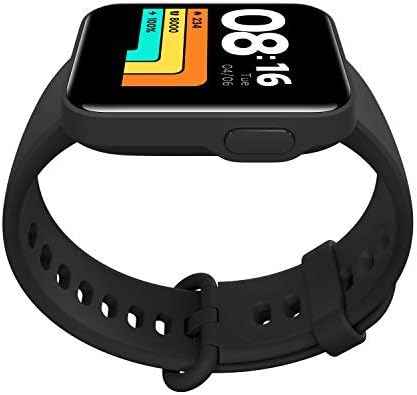
Image: A close-up of the Xiaomi Mi Smart Watch Lite display, showing the current time and date, with the prominent side button on the right edge of the watch body.
4.2 Funcións clave
- Notificacións: Desliza o dedo cara abaixo desde a esfera do reloxo ata view chamadas entrantes, mensaxes e notificacións de aplicacións.
- Configuración rápida: Swipe up from the watch face to access quick settings like Do Not Disturb, flashlight, and screen brightness.
- Widgets: Swipe left or right from the watch face to cycle through various widgets such as heart rate, activity summary, weather, and music control.
- Modos de adestramento: Access the workout menu from the app list. Select from 11 different modes including outdoor running, treadmill, cycling, swimming, and more. The watch will track relevant metrics for each activity.
- Monitorización da frecuencia cardíaca: The watch continuously monitors your heart rate. You can view real-time data on the watch or detailed historical data in the Xiaomi Wear app.
- Seguimento GPS: For outdoor activities, the built-in precise dual satellite positioning system (GPS) tracks your route, distance, and pace without needing your phone.
- Seguimento do sono: Wear the watch to bed for automatic sleep analysis, including deep sleep, light sleep, and awake times.
- Exercicios de respiración: Utilize the guided breathing exercises feature to alleviate stress.
- Buscar teléfono: If your phone is within Bluetooth range, use the "Find Phone" feature on your watch to make your phone ring, even if it's on silent.
- Control de música: Controla a reprodución de música no teu teléfono intelixente conectado directamente desde o reloxo.

Image: A person wearing the Xiaomi Mi Smart Watch Lite on their wrist, interacting with a laptop, demonstrating connectivity and smart features.
Image: A person wearing the Xiaomi Mi Smart Watch Lite and wireless earbuds, suggesting the watch's capability to control audio playback.
5. Funcións máisview
The Xiaomi Mi Smart Watch Lite is equipped with a comprehensive set of features to support your active lifestyle and daily needs:
- Visualización: 1.4-inch TFT color touch display, offering clear visuals and easy interaction.
- Resistencia á auga: 5 ATM water resistance, suitable for swimming and showering (up to 50m depth). Avoid hot water or steam.
- Modos de adestramento: Supports 11 professional workout modes, including Outdoor Running, Treadmill, Outdoor Cycling, Indoor Cycling, Freestyle, Walking, Trekking, Trail Run, Pool Swimming, Open Water Swimming, and Cricket.
- Vixilancia da saúde:
- 24-hour Heart Rate Monitoring: Tracks your heart rate continuously, providing alerts for abnormally high heart rates.
- Sleep Monitoring: Analyzes your sleep quality by recording complete sleep data such as deep sleep, light sleep, and awake periods.
- Guided Breathing: Offers guided breathing exercises to help you relax and manage stress.
- Posicionamento: Built-in GPS/A-GPS/GLONASS for precise and independent outdoor activity tracking.
- Sensores: Equipped with an accelerometer, gyroscope, optical heart rate sensor, and barometer.
- Funcións intelixentes: Call & Message Notification, Music Control, Weather, Alarm, Timer, Stopwatch, Flashlight, Find Phone.

Imaxe: A parte traseira view of the Xiaomi Mi Smart Watch Lite, highlighting the optical heart rate sensor and the magnetic charging pins.
6. Mantemento
6.1 Limpeza e coidado
- Limpa regularmente a carcasa e a correa do reloxo cun pano suave eamp pano. Evite o uso de produtos químicos agresivos ou materiais abrasivos.
- Ensure the charging contacts on the watch and the charging dock are clean and dry before charging to prevent corrosion.
- After swimming or exposure to saltwater, rinse the watch with fresh water and dry it thoroughly.
- Avoid exposing the watch to extreme temperatures (hot or cold) or direct sunlight for prolonged periods.
6.2 Optimización da duración da batería
- Reduce screen brightness or use automatic brightness.
- Limit the number of apps sending notifications to your watch.
- Disable continuous heart rate monitoring if not needed 24/7.
- Turn off GPS when not actively tracking an outdoor workout.
- Ensure the watch firmware and app are updated to the latest versions for optimal performance and battery efficiency.
7 Solución de problemas
If you encounter issues with your Xiaomi Mi Smart Watch Lite, refer to the following common problems and solutions:
| Problema | Posible Solución |
|---|---|
| O reloxo non se acende nin non carga | Ensure the charging contacts on both the watch and the dock are clean and properly aligned. Try a different USB power adapter or port. Allow the watch to charge for at least 10 minutes before attempting to power it on. |
| Non se pode emparellar co teléfono intelixente | Make sure Bluetooth is enabled on your phone and the watch. Restart both the watch and your phone. Forget the device in your phone's Bluetooth settings and try pairing again through the Xiaomi Wear app. Ensure the app has necessary permissions. |
| Non aparecen notificacións | Check notification settings in the Xiaomi Wear app. Ensure the app is running in the background and has permission to send notifications. Disable Do Not Disturb mode on both the watch and phone. For Android, check battery optimization settings for the app. |
| Inaccurate heart rate or activity tracking | Ensure the watch is worn snugly on your wrist, about one finger's width above the wrist bone. Clean the sensor on the back of the watch. Update the watch firmware via the app. |
| Batería de curta duración | Refer to the "Battery Life Optimization" section (6.2). Reduce screen brightness, limit notifications, and disable continuous monitoring features if not required. |
| Moisture inside the screen | While the watch is water-resistant, extreme temperature changes or prolonged exposure to steam (e.g., hot showers) can cause condensation. Place the watch in a dry, well-ventilated area. If the issue persists, contact customer support. |
8. Especificacións
| Característica | Detalle |
|---|---|
| Número de modelo | BHR4357GL |
| Mostrar | 1.4-inch TFT Color Touch Screen |
| Dimensións | 4.1 x 3.5 x 1.1 cm |
| Peso | 35 g (with strap) |
| Resistencia á auga | 5 ATM (ata 50 metros) |
| Sensores | Accelerometer, Gyroscope, Optical Heart Rate Sensor, Barometer, Compass |
| Posicionamento | GPS/A-GPS/GLONASS |
| Capacidade da batería | 230 mAh (aprox.) |
| Conectividade | Bluetooth |
| OS compatible | Android, iOS (via Xiaomi Wear app) |
| Compoñentes incluídos | Watch body, Watch strap, Dedicated charging dock, User manual |
9. Garantía e soporte
Your Xiaomi Mi Smart Watch Lite comes with a standard manufacturer's warranty. Please refer to the warranty card included in your product packaging for specific terms and conditions, including warranty period and coverage details. Keep your proof of purchase for warranty claims.
For technical support, frequently asked questions, or to find authorized service centers, please visit the official Xiaomi website or contact Xiaomi customer service in your region. You can often find additional resources and updated information on their support pages.
Importante: Calquera desmontaxe ou modificación non autorizada do dispositivo anulará a garantía.
Ask a question about this manual
Ask about setup, troubleshooting, compatibility, parts, safety, or missing instructions. Manuals+ will review the question and use this page’s manual context to help answer it.