
Introdución
This manual provides essential instructions for the safe and efficient operation, installation, and maintenance of your Candy Smart Inverter CBDO485TWME/1-S integrated front-load washer dryer. Please read all instructions carefully before using the appliance and retain this manual for future reference.

Figura 1: Fronte view of the Candy Smart Inverter CBDO485TWME/1-S integrated washer dryer. This image displays the appliance's overall design, including the control panel, detergent drawer, and main door.
Información de seguridade
Siga sempre as precaucións de seguridade básicas ao usar electrodomésticos para reducir o risco de incendio, descarga eléctrica e lesións ás persoas.
- Asegúrese de que o aparello estea correctamente conectado a terra.
- Non faga funcionar o aparello se está danado.
- Manteña os nenos e as mascotas lonxe do aparello durante o seu funcionamento.
- Non toque o aparello coas mans molladas.
- Desenchufe o aparello antes de realizar calquera mantemento ou limpeza.
- Empregue só deterxentes e aditivos axeitados para lavadoras automáticas.
Configuración e instalación
1. Desembalaxe
Carefully remove all packaging materials. The appliance weighs approximately 66 kilograms, so it is recommended to have assistance during unpacking and positioning to prevent injury. Inspect the appliance for any damage incurred during transit.
2 Colocación
This is an integrated front-load washer dryer designed to fit into cabinetry. Ensure the installation area is level, stable, and has adequate ventilation. Do not install the appliance in areas where the temperature may fall below freezing.

Figura 2: The washer dryer shown integrated within a kitchen or utility room cabinet. This illustrates the appliance's intended installation as a built-in unit.
3. Conexións de auga e sumidoiros
- Conecta a mangueira de entrada de auga a unha billa de auga fría. Asegúrate de que as conexións estean ben axustadas para evitar fugas.
- Position the drain hose into a standpipe or secure it over a sink, ensuring it is not kinked.
4. Conexión eléctrica
Connect the power cord to a properly grounded 220 Volt electrical outlet. Do not use extension cords or adapters.
5. Initial Check-up
Before the first wash, it is recommended to run a short cycle without laundry and detergent to clean the drum and check for proper operation.
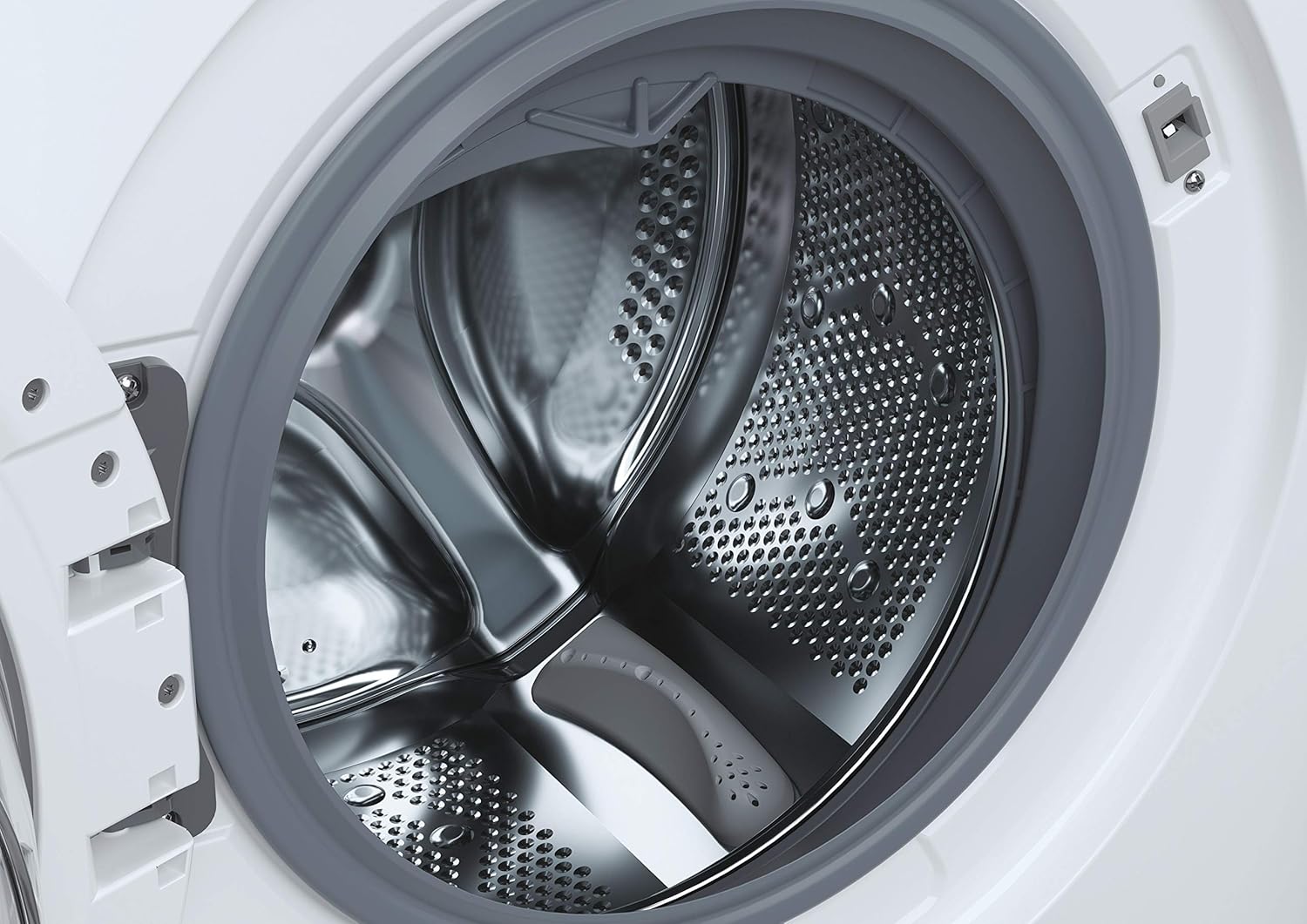
Figura 3: Un detallado view of the stainless steel drum inside the washer dryer. This shows the internal structure where laundry is placed for washing and drying.
6. Smart Fi+ Connectivity
The Candy Smart Inverter CBDO485TWME/1-S features Smart Fi+ for remote control and monitoring via the Simply-Fi app. Download the app from your device's app store.
- Para dispositivos Android: Follow the in-app instructions for pairing.
- For iOS (iPhone) devices: During the setup process, if the washing machine's Wi-Fi network does not appear, ensure that AirDrop is enabled in your iPhone's Control Center. This is crucial for the app to detect and connect to the appliance's network. Once connected, you can complete the registration and use the Smart Fi features.
Instrucións de funcionamento
1. Panel de control rematadoview

Figura 4: Un detallado view of the control panel, showing the program selection dial, digital display, and various option buttons. This panel allows users to select wash and dry cycles and customize settings.
The control panel consists of a program selection dial, a digital display, and several push buttons for additional options.
- Marcación do programa: Used to select the desired wash or dry program.
- Pantalla dixital: Mostra a duración do programa, os códigos de erro e as opcións seleccionadas.
- Botóns de opción: Allow customization of temperature, spin speed, delay start, and other functions.
2. Cargar a roupa
Open the door and load laundry into the drum. Do not overload the machine; the maximum capacity for washing is 8 kilograms. For drying, refer to the specific program guidelines as drying capacity may differ.

Figura 5: The integrated washer dryer with its door open, revealing laundry inside the drum. This image demonstrates the loading process for the appliance.
3. Engadindo deterxente
Pull out the detergent drawer located on the top left of the control panel. Add appropriate amounts of detergent and fabric softener to the designated compartments.
4. Selección dun programa
Turn the program dial to select your desired wash or dry cycle. Available options include:
- Eco 40-60: Energy-efficient program for normally soiled cotton or mixed items.
- Quick Programs: Options like 14', 30', 44', 59' for lightly soiled items requiring a fast wash.
- Ciclos especiais: Specific programs for different fabric types (e.g., cotton, synthetics, delicates).
- Programas de secado: Includes Sensor Dry for automatic drying based on moisture levels, and Active Steam for refreshing clothes.
5. Personalización da configuración
After selecting a program, use the option buttons to adjust settings such as wash temperature, spin speed (up to 1200 RPM), and delay start, if available for the chosen program.
6. Comezando o Ciclo
Press the Start/Pause button to begin the cycle. The display will show the remaining time.
Mantemento
1. Limpeza do caixón do deterxente
Regularly remove and clean the detergent drawer to prevent residue buildup. Rinse it under running water and ensure all compartments are clear before reinserting.
2. Limpeza do tambor
Run a maintenance wash cycle (e.g., a hot wash without laundry) periodically to clean the drum and remove any odors or residue.
3. Limpeza do filtro
The appliance has a filter located at the bottom front (visible in Figure 1). Regularly clean this filter to ensure proper drainage and prevent blockages. Refer to the detailed instructions in the full manual for safe removal and cleaning.
4. Limpeza exterior
Limpe as superficies exteriores cun suave, damp pano. Non use produtos de limpeza ou disolventes abrasivos.
Resolución de problemas
If you encounter issues with your washer dryer, consult the following common problems and solutions before contacting service.
| Problema | Causa posible | Solución |
|---|---|---|
| O aparello non se inicia | Sen subministración eléctrica; porta non pechada correctamente; programa non seleccionado. | Comprobe a conexión eléctrica; asegúrese de que a porta estea ben pechada; seleccione un programa e prema Inicio. |
| Auga que non enche | Billa de auga pechada; mangueira de entrada dobrada; presión da auga demasiado baixa. | Abrir a billa da auga; endereitar a mangueira; comprobar a presión da auga da casa. |
| A auga non drena | Drain hose kinked or blocked; filter blocked. | Straighten/clear drain hose; clean the drain filter. |
| Código de erro E13 | Indicates an electrical issue, potentially with the control board. | Unplug the appliance for a few minutes, then plug it back in. If the error persists, contact authorized service. |
| Vibración / ruído excesivos | Appliance not level; transport bolts not removed; unbalanced load. | Adjust leveling feet; ensure transport bolts are removed (if applicable); redistribute laundry inside the drum. |
Especificacións
- Modelo: CBDO485TWME/1-S
- Marca: Doce
- Tipo: Integrated Front-Load Washer Dryer
- Capacidade de lavado: 8 quilogramos
- Cor: Branco
- Característica especial: Motor inversor
- Opcións de ciclo: Eco, Sensor Dry, Active Steam, various quick wash programs
- Voltage: 220 voltios
- Tipo de control: Push button and Rotary Dial
- Peso do artigo: 66 quilogramos
- Compoñentes incluídos: 1 package (appliance)
Garantía e Soporte
Your Candy Smart Inverter CBDO485TWME/1-S washer dryer is covered by a manufacturer's warranty. The terms and duration of the warranty may vary by region. Please retain your proof of purchase for warranty claims.
For technical assistance, warranty service, or to locate an authorized service center, please contact Candy customer support. It is advisable to verify the availability of local service centers in your area before purchase or if you require assistance.
You can typically find contact information for Candy support on their official websitio: www.candy-group.com