
HP Pavilion 15
HP Pavilion 15 15.6" FHD Touchscreen Laptop User Manual
Model: Pavilion 15
1. Introdución
Welcome to the user manual for your new HP Pavilion 15 15.6" FHD Touchscreen Laptop. This document provides essential information for setting up, operating, and maintaining your device. Your HP Pavilion 15 is equipped with an 11th Gen Intel Core i7-1165G7 processor, 16GB of RAM, a 512GB PCIe SSD, and runs on Windows 10, offering a powerful and responsive computing experience.
Please read this manual thoroughly to ensure proper use and to maximize the performance and longevity of your laptop.
2. Configuración inicial
2.1 Unboxing and Connecting Power
- Retire con coidado o portátil e todos os accesorios da embalaxe.
- Connect the power adapter to the laptop's power port and then plug it into a wall outlet.
- Allow the battery to charge for a few minutes before initial use.
2.2 Primeiro acendido e configuración de Windows
- Open the laptop lid and press the power button, typically located on the top right of the keyboard or side.
- Follow the on-screen instructions to complete the Windows 10 setup process. This includes selecting your region, language, connecting to a Wi-Fi network, and creating a user account.
- Register your product with HP for warranty and support purposes.
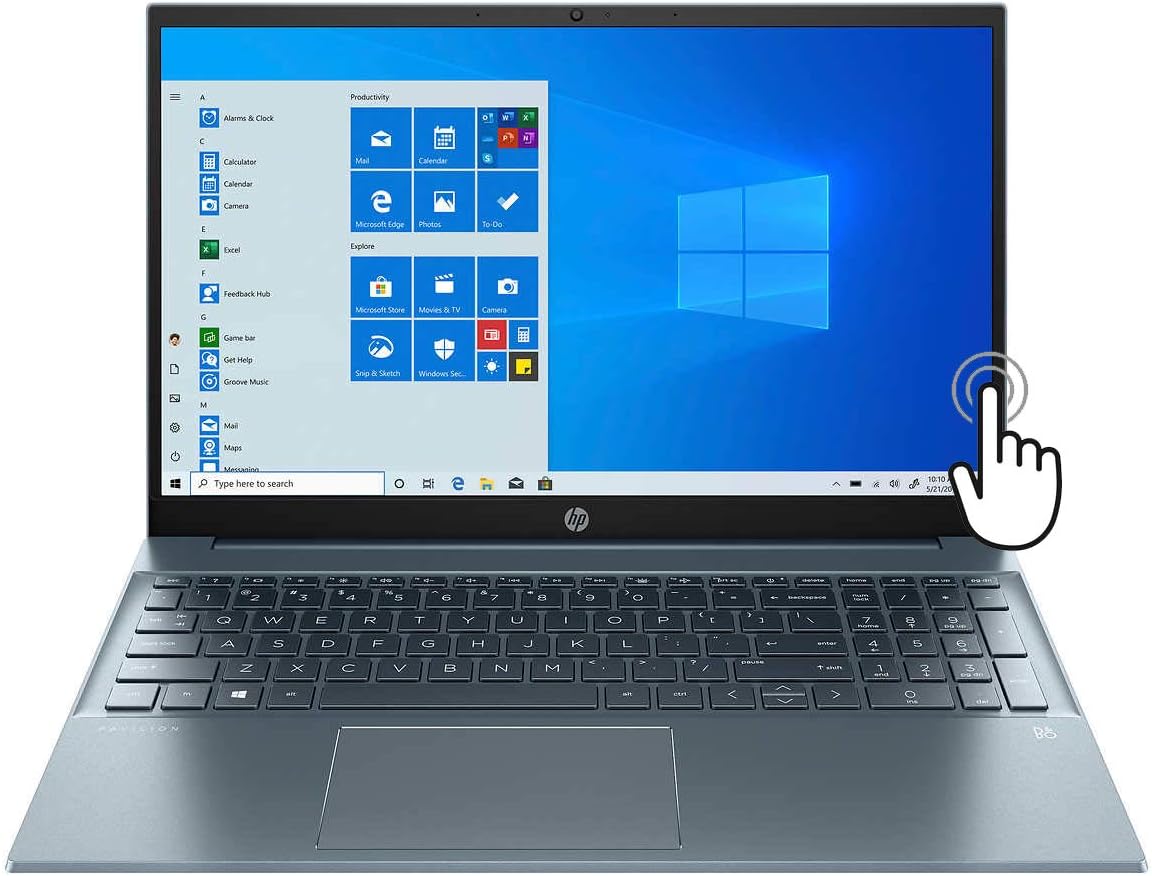
Figure 1: HP Pavilion 15 Laptop with Windows 10 interface displayed.
3. Compoñentes Overview
Familiarize yourself with the various ports and features of your HP Pavilion 15 laptop.
3.1 Left Side Ports
- Porto HDMI: Connects to external displays like monitors or TVs.
- USB-C Port (Thunderbolt 4 compatible): Supports data transfer, power delivery, and DisplayPort 1.4.
- Porto USB-A: Connects to standard USB devices.
- Lector de tarxetas SD: Para ler e escribir en tarxetas de memoria SD.
- Toma combinada de auriculares/micrófono: Connects to headphones or headsets with a 3.5mm jack.

Figura 2: View of the left side of the HP Pavilion 15, showing HDMI, USB-C, USB-A, SD card slot, and audio jack.
3.2 Right Side Ports
- Porto USB-A: Connects to standard USB devices.
- Conector de alimentación: Connects the AC adapter for charging.

Figura 3: View of the right side of the HP Pavilion 15, showing a USB-A port and the power connector.
4. Manexo do portátil
4.1 Acendido/apagado e modo de repouso
- Encendido: Preme o botón de acendido.
- Apagar: Click the Windows Start button, then Power > Shut down.
- Modo de suspensión: Close the lid or click the Windows Start button, then Power > Sleep.
4.2 Uso da pantalla táctil
Your HP Pavilion 15 features a 15.6" Full HD touchscreen. You can interact with Windows 10 and applications directly on the screen using touch gestures. Common gestures include tapping to select, pinching to zoom, and swiping to scroll.
Teclado retroiluminado 4.3
The integrated backlit keyboard allows for comfortable typing in low-light conditions. To adjust the backlight, use the dedicated function keys (usually Fn + F5 or F4, refer to your keyboard's icons).
Conectividade Wi-Fi 6 de 4.4
Your laptop supports Wi-Fi 6 (802.11ax) for faster and more reliable wireless internet connections. To connect to a Wi-Fi network:
- Fai clic na icona Wi-Fi da barra de tarefas.
- Seleccione a rede desexada da lista.
- Enter the network password if prompted and click Connect.
4.5 Son e Webleva
The laptop features audio by Bang & Olufsen with dual speakers for enhanced sound quality. The HP Wide Vision HD Camera includes a privacy shutter for security. Slide the shutter to cover the camera lens when not in use.
5. Mantemento
5.1 Limpeza do portátil
- Pantalla: Use un pano suave e sen pelusa dampLavar con auga ou cun limpador de pantallas. Evitar produtos químicos agresivos.
- Teclado e chasis: Usa un pano suave e seco. Para a sucidade persistente, un pano lixeiramente seco.amp cloth can be used. Ensure no liquid enters the device.
- Portos: Use aire comprimido para limpar con coidado o po dos portos.
5.2 Coidado coa batería
To prolong battery life (up to 11 hours), avoid extreme temperatures and fully discharging the battery frequently. For long-term storage, charge the battery to about 50%.
5.3 Actualizacións de software
Regularly check for and install Windows updates and HP driver updates to ensure optimal performance and security. Access Windows updates via Settings > Update & Security > Windows Update.
6 Solución de problemas
Esta sección aborda problemas comúns cos que podes atoparte.
O portátil 6.1 non se acende
- Asegúrate de que o adaptador de corrente estea conectado correctamente tanto ao portátil como a unha toma de corrente que funcione.
- Verifica que a toma de corrente funcione conectando outro dispositivo.
- Se a batería está completamente descargada, déixea cargar durante polo menos 30 minutos antes de tentar acender.
6.2 Problemas de visualización
- If the screen is blank, try pressing the brightness up key (usually F3 or F4) or connecting an external monitor to check if the display output works.
- Asegúrate de que os controladores de pantalla estean actualizados.
6.3 Problemas de conectividade Wi-Fi
- Comproba se o Wi-Fi está activado na configuración de Windows.
- Reinicia o teu enrutador e o módem.
- Asegúrate de estar dentro do alcance da rede Wi-Fi.
- Verifica que o contrasinal da wifi sexa correcto.
6.4 Rendemento lento
- Pecha as aplicacións innecesarias que se executan en segundo plano.
- Comprobe se hai malware ou virus usando un software antivirus.
- Asegúrate de que o teu sistema operativo e os controladores estean actualizados.
- Consider freeing up disk space on your 512GB PCIe SSD.
7. Especificacións
Below are the key technical specifications for your HP Pavilion 15 laptop:
| Nome do modelo | HP Pavilion 15 |
| Mostrar | 15.6 Inches Full HD (1920 x 1080) Touchscreen |
| Procesador | Intel Core i7-1165G7 de 11.ª xeración (ata 4.7 GHz) |
| RAM | 16 GB DDR4 |
| Almacenamento | 512 GB PCIe NVMe SSD |
| Gráficos | Gráficos Intel Iris Xe (integrados) |
| Sistema Operativo | Windows 10 |
| Conectividade sen fíos | Wi-Fi 6 (802.11ax) |
| Portos | HDMI, USB-C (Thunderbolt 4), USB-A, SD Media Card Reader, Headphone/Microphone Combo Jack |
| Duración da batería | Ata 11 horas |
| Dimensións (LxWxH) | 14.18 x 9.21 x 0.7 polgadas |
| Peso | Aproximadamente 5 libras |
| Cor | Fog Blue |
8. Garantía e soporte
8.1 Garantía do produto
Your HP Pavilion 15 laptop comes with a standard manufacturer's warranty. For detailed information regarding warranty terms, conditions, and duration, please refer to the warranty documentation included with your product or visit the official HP support website. Note that upgraded components, such as the SSD, may carry a separate 1-year warranty from the upgrade provider.
8.2 Soporte técnico
Para obter asistencia técnica, descargas de controladores ou máis soporte, visite o sitio web oficial de soporte de HP websitio:
You will need your product's serial number, typically found on a label on the bottom of the laptop or in the system information within Windows.
Ask a question about this manual
Ask about setup, troubleshooting, compatibility, parts, safety, or missing instructions. Manuals+ will review the question and use this page’s manual context to help answer it.