
1. Rematadoview
The XElectron C9 Miracast Airplay WiFi Projector is designed to deliver a high-quality visual experience with Full HD 1080p native resolution and support for 4K content. Featuring Miracast and Airplay capabilities, it allows for seamless screen mirroring from compatible devices. With 12600 lumens (550 ANSI) brightness and a 10000:1 dynamic contrast ratio, it projects clear and vibrant images up to 250 inches. This manual provides essential information for setting up, operating, maintaining, and troubleshooting your projector.
2. Que hai na caixa
Comprobe o contido do seu paquete para asegurarse de que estean presentes todos os elementos:
- XElectron C9 Projector
- Cable de alimentación
- Control remoto
- Manual de usuario
- Cable HDMI

Image: Contents of the XElectron C9 Projector package.
3. Product Diagram & Components
Familiarize yourself with the main parts of your projector:
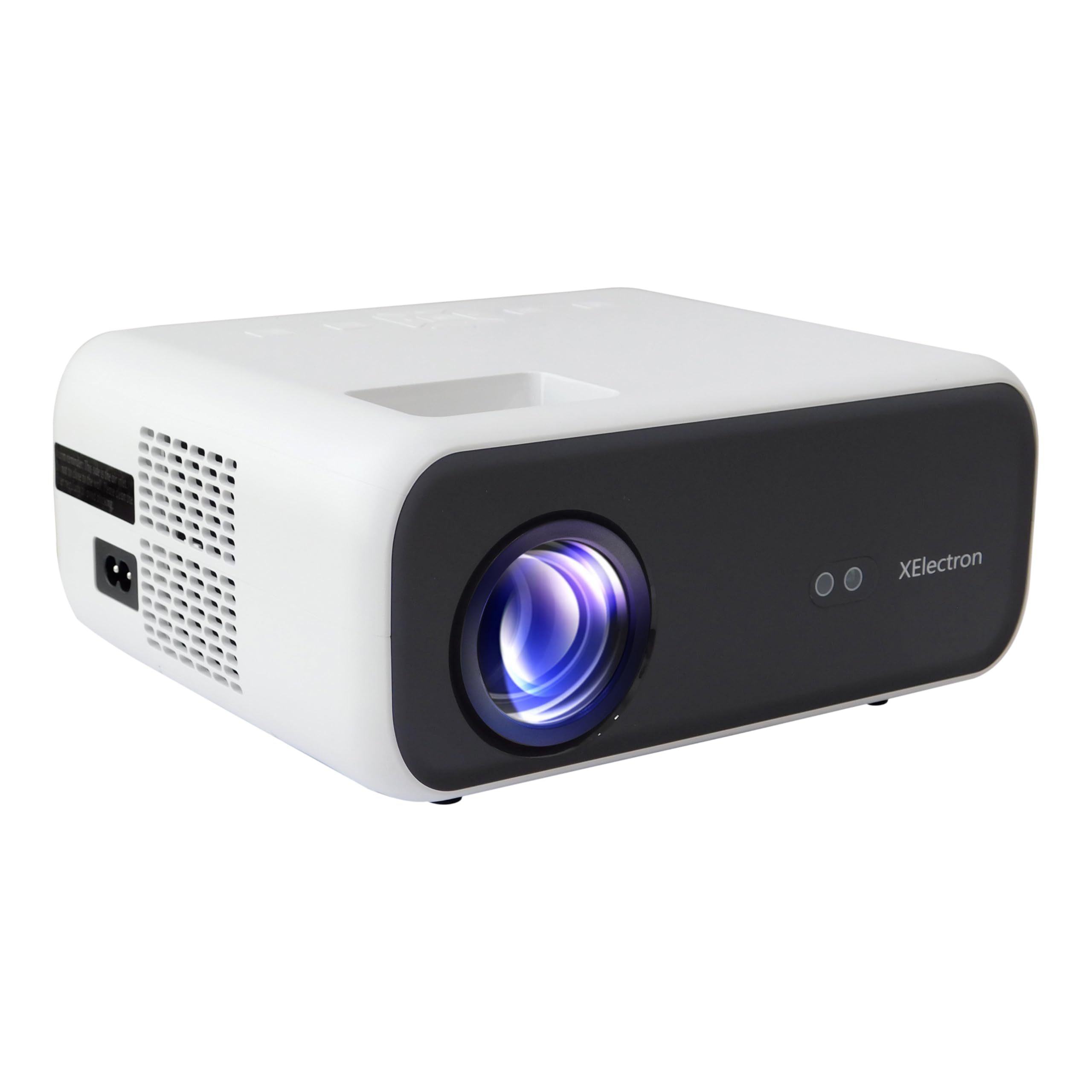
Imaxe: Fronte view of the XElectron C9 Projector.

Imaxe: Lateral view of the XElectron C9 Projector highlighting connectivity ports.
- Lente de proxección: Emite a imaxe na pantalla.
- Anel de enfoque: Axusta a claridade da imaxe.
- Dial de corrección trapezoidal: Corrects trapezoidal image distortion.
- Panel de control: Botóns para a navegación e a configuración básicas.
- Portos HDMI: Para conectar fontes de vídeo externas.
- Portos USB: Para conectar dispositivos de almacenamento USB.
- Porto de saída de audio: Para conectar altofalantes externos ou auriculares.
- Entrada de enerxía: Para conectar o cable de alimentación.
4. Configuración
4.1 Colocación
Position the projector on a stable, flat surface. Ensure there are no obstructions blocking the lens or ventilation openings. For optimal viewing, place the projector directly in front of the screen or wall.
- Tamaño da proxección: The projector can display images from 50 inches up to a maximum of 250 inches.
- Distancia de proxección: For a 250-inch display, a distance of approximately 17 feet is recommended.

Image: Recommended projection distances for different screen sizes.
4.2 Conexión de alimentación
Connect the provided power cord to the projector's power input port and then plug it into a power outlet.
4.3 Encendido inicial
Prema o botón de acendido do proxector ou do control remoto para acender o dispositivo. O proxector iniciarase e mostrará a interface principal.
4.4 Focus & Keystone Correction
If the projected image appears blurry or distorted (trapezoidal), adjust the focus ring and keystone correction dial until the image is clear and rectangular. The C9 features vertical keystone correction for perfect screen alignment.
5. Instrucións de funcionamento
5.1 Configuración da pantalla
The XElectron C9 Projector offers a superior visual experience:
- Resolución nativa: Full HD 1080p (1920 x 1080 píxeles)
- Soporte 4K: Compatible with 4K content for enhanced detail.
- Brillo: 12600 Lumens (550 ANSI) for bright and clear images.
- Relación de contraste dinámico: 10000:1 para negros profundos e brancos brillantes.
- Relación de aspecto: Supports both 16:9 and 4:3.

Image: Visual comparison of XElectron C9's brightness and resolution.

Image: Demonstrating enhanced visual clarity and detail.
5.2 Conectividade
O proxector ofrece varias opcións de conectividade:
- Portos HDMI (x2): Connect devices such as TV set-top boxes, Fire TV Sticks, PCs/Laptops, DVD players, and gaming consoles.
- Portos USB (x2): Connect hard drives, USB flash drives, and other USB devices for media playback.
- Saída de son (conector de 3.5 mm): Conecte altofalantes ou auriculares externos para mellorar o audio.
- Conectividade sen fíos: Built-in 5G+2.4G WiFi and Bluetooth 5.1 for seamless wireless connections.

Image: Various devices compatible with the projector's connectivity options.
5.3 Son
Experience clear audio with the projector's integrated sound system:
- Altavoz incorporado: Features a 10 Watt stereo speaker.
- Bluetooth 5.1: Connect wireless speakers or headphones for a personalized audio experience.

Image: Demonstrating Bluetooth connectivity for external audio devices.

Image: Illustrating immersive sound experience with the projector.
5.4 Screen Mirroring (Miracast & Airplay)
Wirelessly project content from your smartphone or tablet using Miracast for Android devices or Airplay for iOS devices. The dual-band 5G+2.4G WiFi ensures faster, smoother streaming with lower latency.

Image: Screen mirroring from a smartphone to the projector via 5G+2.4G WiFi.

Image: Seamless screen mirroring functionality.
5.5 Zoom dixital
Adjust the display size without moving the projector using the digital zoom function, accessible via the remote control.
6. Mantemento
Un mantemento axeitado garante a lonxevidade e o rendemento óptimo do seu proxector:
- Limpeza de lentes: Use a soft, lint-free cloth and lens cleaning solution to gently wipe the projection lens. Avoid abrasive materials.
- Ventilación: Ensure the projector's ventilation openings are clear of dust and debris to prevent overheating. Do not block the vents during operation.
- Lamp Vida: O proxector lamp has an estimated life of 50,000 hours.
- Almacenamento: Cando non o use, garde o proxector nun lugar fresco e seco, lonxe da luz solar directa e de temperaturas extremas.
7 Solución de problemas
Se tes problemas co teu proxector, consulta os seguintes problemas e solucións comúns:
| Problema | Causa posible | Solución |
|---|---|---|
| Non se mostra ningunha imaxe | Alimentación non conectada, fonte de entrada incorrecta, tapa da lente posta. | Comprobe a conexión de alimentación, seleccione a fonte de entrada correcta (HDMI, USB) e retire a tapa da lente. |
| A imaxe está borrosa | Desenfocado, distancia de proxección incorrecta. | Adjust the focus ring. Ensure the projector is within the recommended projection distance. |
| A imaxe é trapezoidal | Configuración incorrecta da distorsión trapezoidal. | Adjust the keystone correction dial until the image is rectangular. |
| Sen son | Volume too low, external audio device not connected properly, incorrect audio output selected. | Increase volume. Check connections of external speakers/headphones. Ensure correct audio output is selected in settings. |
| Problemas de duplicación de pantalla | WiFi connection unstable, device incompatibility. | Ensure strong WiFi signal. Restart both projector and source device. Check device compatibility with Miracast/Airplay. |
8. Especificacións
Detailed technical specifications for the XElectron C9 Projector:
- Marca: XElectron
- Número de modelo: C9W
- Resolución nativa: 1920 x 1080 píxeles (Full HD)
- Soporte 4K: Si
- Brillo: 12600 lúmenes (550 ANSI)
- Relación de contraste dinámico: 10000:1
- Relación de aspecto: 16:9 e 4:3
- Lamp Vida: 50,000 horas
- Tecnoloxía de conectividade: 3.5mm Jack, Bluetooth 5.1, HDMI (x2), USB (x2), Wi-Fi (5G+2.4G), Airplay, Miracast
- Altavoz incorporado: 10 Watt Stereo Speaker
- Factor de forma: Portátil
- Dimensións do produto: 12.9 x 21.6 x 30.7 cm
- Peso do artigo: 1.35 kg
- Fonte de enerxía: AC
- Wattage: 90 W
- Características especiais: Digital Zoom, Vertical Keystone, Built-In Media Player, 100% NTSE & PAL Decoding
9. Garantía e soporte
Your XElectron C9 Projector comes with a 1 ano de garantía do fabricante desde a data de compra.
For any technical assistance, warranty claims, or support, please contact XElectron Customer Care:
- Teléfono: 0120-4134583, 8527312304
- Manufacturer/Packer/Importer Address: Xelectron Technologies Pvt. Ltd. UG-SR1B, Ansal Plaza, Vaishali, Ghaziabad, India.