
Introdución
The VOX VFS3 is a dedicated 3-button footswitch designed to enhance the functionality and control of your VOX Mini Go series amplifier. This footswitch allows for hands-free operation of various amplifier features, such as program switching, effect on/off, or looper control, depending on your specific Mini Go amplifier model. This manual provides essential information for the proper setup, operation, and maintenance of your VFS3 footswitch.
Información de seguridade
- Non expoña a unidade á choiva nin á humidade.
- Evite colocar a unidade preto de fontes de calor ou baixo a luz solar directa.
- Non intente desmontar nin modificar a unidade. Encargue calquera mantemento a persoal cualificado.
- Use only with compatible VOX Mini Go amplevantadores.
- Manter fóra do alcance dos nenos.
Contido do paquete
- VOX VFS3 3-Button Footswitch (with integrated cable)
- Manual de usuario (este documento)
Produto rematadoview
The VFS3 footswitch features three robust buttons, each with an associated LED indicator, and an integrated cable for connection to your ampmáis vivo.
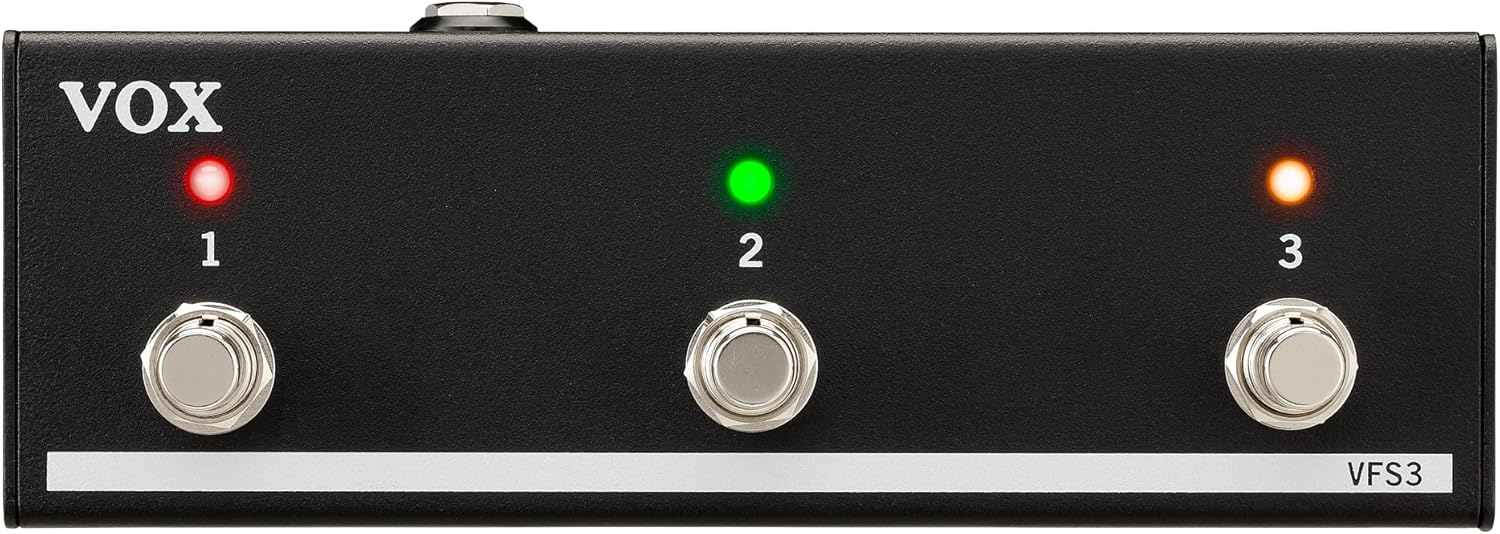
Fronte view of the VOX VFS3 3-Button Footswitch. It features three silver footswitches labeled 1, 2, and 3, each with a corresponding LED indicator above it. The VOX logo is on the left, and 'VFS3' is on the bottom right.
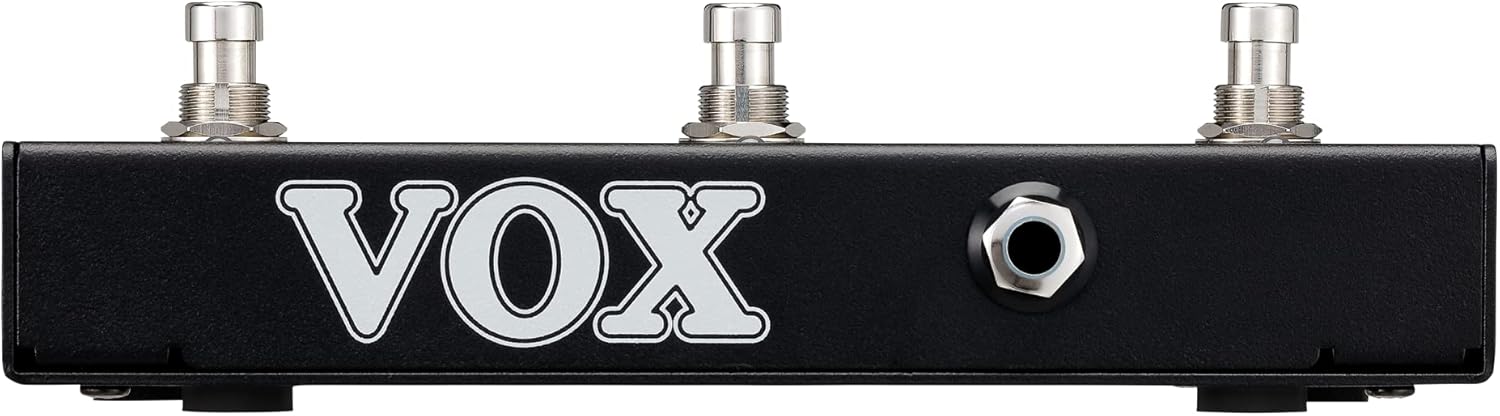
Lado view of the VOX VFS3 footswitch, highlighting its compact and durable metal casing.

De volta view of the VOX VFS3 footswitch, displaying the integrated cable that connects to the amplifier. The VOX logo is prominently featured.
Configuración
- Connect the Footswitch: Locate the footswitch input jack on your VOX Mini Go amplifier. This is typically a 3.5mm (1/8-inch) stereo jack.
- Inserir o cable: Firmly insert the integrated 3.5mm cable from the VFS3 footswitch into the footswitch input jack on your Mini Go ampmáis vivo.
- Encendido: Turn on your VOX Mini Go amplifier. The footswitch is powered by the amplifier, so no external power supply is needed for the VFS3.
- Verificar a conexión: O amplifier should recognize the footswitch. Refer to your Mini Go amplifier's manual for specific indications or settings related to footswitch connection.

The VOX VFS3 footswitch connected to a VOX Mini Go amplifier, illustrating the proper connection of the cable to the amptoma de entrada do lificador.
Instrucións de funcionamento
The specific functions controlled by the VFS3 footswitch buttons (1, 2, and 3) are determined by the connected VOX Mini Go amplifier model and its current settings. Please consult the user manual for your specific VOX Mini Go amplifier for detailed information on footswitch assignments and configuration.
Common Functions (May Vary by Amplifier Model):
- Program/Preset Switching: Buttons may be assigned to switch between amplifier programs or presets (e.g., Clean, Overdrive, Distortion).
- Effect On/Off: Control individual effects (e.g., Reverb, Delay, Chorus) by toggling them on or off.
- Control do bucle: For Mini Go models with a built-in looper, the buttons often control looper functions such as:
- Botón 1: Gravar/Xogar
- Botón 2: Pare
- Botón 3: Clear/Undo
- Tap Tempo: Algúns amplifiers may allow one of the buttons to be used for tap tempo functionality for time-based effects.
The LEDs above each button indicate the status of the assigned function (e.g., effect on/off, selected program). Refer to your amplifier's manual for the meaning of specific LED colors or states.
Mantemento
- Limpeza: Limpe a unidade cun pano suave e seco. Non empregue produtos de limpeza abrasivos, ceras nin disolventes.
- Almacenamento: When not in use for extended periods, store the footswitch in a clean, dry environment away from extreme temperatures.
- Coidado do cable: Avoid sharp bends or kinks in the integrated cable to prevent damage.
Resolución de problemas
| Problema | Causa posible | Solución |
|---|---|---|
| O interruptor de pedal non responde | Cable not fully inserted; Amplifier not powered on; Incorrect ampconfiguración do lifier. | Ensure the 3.5mm cable is securely connected to the amplifier. Verify the amplifier is powered on. Check your Mini Go amplifier's settings to ensure footswitch control is enabled and configured correctly. |
| Os LEDs non se iluminan | No power from amplifier; Faulty connection. | Confirme o amplifier is on and the cable is properly connected. The footswitch draws power from the ampmáis vivo. |
| Buttons perform unexpected functions | Footswitch assignments are incorrect on the ampmáis vivo. | Refer to your VOX Mini Go amplifier's manual to reconfigure the footswitch button assignments. |
Especificacións
- Modelo: VFS3
- Dispositivos compatibles: VOX Mini Go Amplevantadores
- Tipo de conector: 3.5mm Jack (integrated cable)
- Material: Chasis metálico
- Dimensións (L x W x H): Aproximadamente 7.9 x 3 x 2.5 polgadas (20.1 x 7.6 x 6.4 cm)
- Peso: Aproximadamente 1.1 libras (0.5 kg)
- Fonte de enerxía: Powered by connected ampmáis vivo
Garantía e Soporte
For warranty information and technical support, please refer to the documentation provided with your VOX Mini Go amplifier or visit the official VOX websitio. Garde o recibo da compra como xustificante da mesma.