
Introdución
The Sharkoon Skiller SGK30 is a mechanical gaming keyboard designed for performance and durability. It features customizable RGB lighting, N-Key rollover, and a 1000Hz polling rate for responsive gameplay and typing. This manual provides essential information for setting up, operating, and maintaining your keyboard.

Image: Sharkoon Skiller SGK30 Mechanical Gaming Keyboard banner displaying the product name and type.
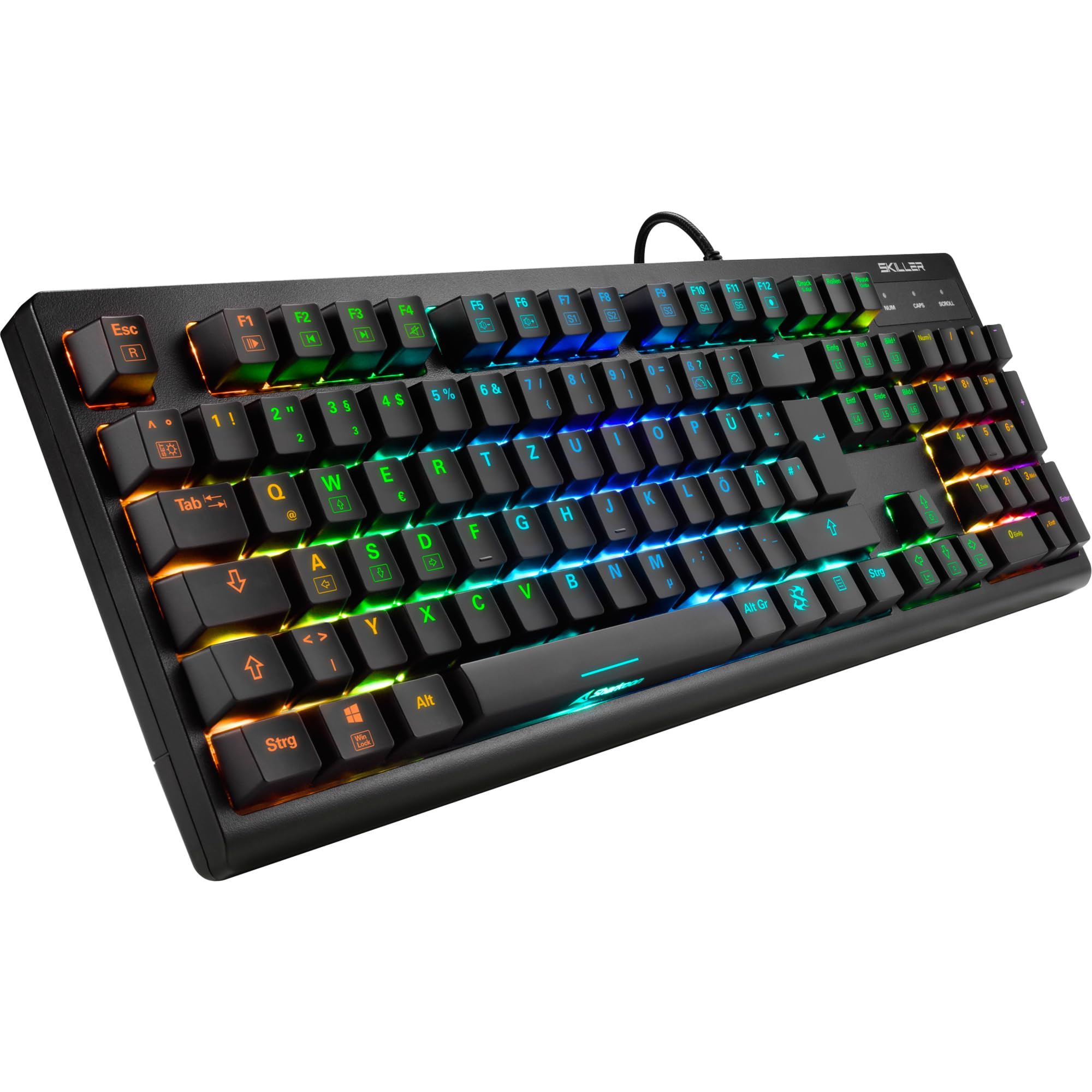
Imaxe: De arriba abaixo view of the Sharkoon Skiller SGK30 mechanical gaming keyboard, showcasing o seu deseño completo e a súa vibrante retroiluminación RGB.
Produto rematadoview Vídeo
Vídeo: Un produto oficial rematadoview of the Sharkoon Skiller SGK30 Mechanical Gaming Keyboard, demonstrating its features, RGB lighting effects, and mechanical switches.
Configuración
Follow these steps to set up your Sharkoon Skiller SGK30 keyboard:
- Descomprimir o teclado: Carefully remove the keyboard and the included USB cable from its packaging.
- Conectar ao ordenador: Plug the Micro USB end of the cable into the keyboard's port and the standard USB-A end into an available USB port on your computer.
- Instalación de controladores: The keyboard is plug-and-play. Your operating system (Windows 10 or later recommended) should automatically detect and install the necessary drivers.
- Instalación de software (opcional): For advanced customization of RGB lighting and key assignments, download the official Sharkoon software from the manufacturer's websitio.

Image: The Sharkoon Skiller SGK30 keyboard positioned on a desk, ready for connection.
Instrucións de funcionamento
Funcións básicas das teclas
The Sharkoon Skiller SGK30 features a standard layout with additional function keys accessible via the FN chave.
- FN + F1-F12: Access multimedia controls (e.g., play/pause, volume up/down, mute).
- Tecla FN + Windows: Bloquea/desbloquea a tecla Windows para evitar pulsacións accidentais durante o xogo.
- Rollover de tecla N: All keys are registered simultaneously, ensuring every keystroke is detected, even during rapid input.
Control de iluminación RGB
The keyboard offers extensive RGB lighting customization. Use the following combinations to adjust lighting effects:
- FN + Insert/Home/Page Up/Delete/End/Page Down: Cycle through various pre-programmed lighting effects.
- FN + Arrow Keys (Up/Down): Adjust brightness levels of the lighting.
- FN + Arrow Keys (Left/Right): Axusta a velocidade dos efectos de iluminación dinámica.
- Custom Illumination: Use the dedicated software for advanced per-key lighting customization.

Imaxe: Primeiro plano view of the keyboard keys highlighting the adjustable RGB illumination capabilities.
Personalización de software
For advanced settings, macro programming, and detailed RGB customization, download and install the Sharkoon Skiller SGK30 software from the official Sharkoon websitio. O software permíteche:
- Create and save custom lighting profiles.
- Program macros for specific keys.
- Remapear as funcións das teclas.

Image: A screenshot showing the graphical user interface of the Sharkoon Skiller SGK30 customization software, illustrating various options for lighting and key remapping.
Mantemento
Un mantemento axeitado garante a lonxevidade e o rendemento do teu teclado:
- Limpeza: Usa un pano suave e seco para limpar a superficie do teclado. Para unha limpeza máis profunda, usa aire comprimido para eliminar o po e os residuos de entre as tapas das teclas.
- Eliminación da tapa das teclas: If necessary, keycaps can be carefully removed using a keycap puller (not included) for thorough cleaning of the switches. Reinstall keycaps by pressing them firmly onto the switch stems.
- Evitar líquidos: Non expoñas o teclado a líquidos. En caso de derramamentos, desconecta inmediatamente o teclado e déixao secar completamente antes de volvelo conectar.
- Almacenamento: Garda o teclado nun lugar fresco e seco, lonxe da luz solar directa e de temperaturas extremas.

Imaxe: Primeiro plano view of the mechanical switches on the Sharkoon Skiller SGK30 keyboard, illustrating their design for durability and ease of maintenance. Note: This model is available with Red switches, while the image shows Blue switches.
Resolución de problemas
If you encounter issues with your Sharkoon Skiller SGK30 keyboard, refer to the following common solutions:
| Problema | Causa posible | Solución |
|---|---|---|
| O teclado non responde | Conexión USB solta, porto USB defectuoso, problema co controlador. |
|
| A iluminación RGB non funciona ou é incorrecta | Lighting settings incorrect, software conflict. |
|
| As chaves non se rexistran | Po/residuos debaixo da tapa da tecla, interruptor avariado. |
|
Especificacións
| Característica | Detalle |
|---|---|
| Marca | Sharkoon |
| Número de modelo | 4044951030026 |
| Tipo de teclado | Teclado mecánico para xogos |
| Tipo de cambio | Red Switch (Blue switches are also available for this model series) |
| Conectividade | Micro USB |
| Taxa de votación | 1000 Hz |
| Rollover de tecla N | Soportado |
| Iluminación RGB | Customizable RGB |
| Sistema Operativo | Windows 10 (and compatible with other Windows versions) |
| Dimensións (LxWxH) | 44 x 14.4 x 3.5 cm |
| Peso | 867 g |
O que hai na caixa
The Sharkoon Skiller SGK30 package includes:
- Sharkoon Skiller SGK30 Mechanical Gaming Keyboard
- Cable USB
Garantía e Soporte
Para obter información sobre a garantía e asistencia técnica, consulte a páxina oficial de Sharkoon websitio web ou póñase en contacto co seu distribuidor local. Garde o comprobante de compra para reclamacións de garantía.
Nota: As especificacións e as características do produto están suxeitas a cambios sen previo aviso.