
Hoco HC4
User Manual for Hoco HC4 Wireless Bluetooth Sports Speaker
Model: HC4 | Brand: Hoco
Introdución
Thank you for choosing the Hoco HC4 Wireless Bluetooth Sports Speaker. This manual provides comprehensive instructions to help you understand, set up, operate, and maintain your speaker. Please read this manual carefully before use and keep it for future reference.
Información de seguridade
- Non expoñas o altofalante a temperaturas extremas, luz solar directa ou humidade elevada.
- Evite deixar caer ou someter o altofalante a fortes impactos.
- Do not disassemble, repair, or modify the speaker yourself. Contact qualified service personnel for assistance.
- Keep the speaker away from water and other liquids, especially during charging.
- Use só o cable de carga e o adaptador especificados.
Contido do paquete
Comprobe o contido do paquete ao desembalar:
- Hoco HC4 Wireless Bluetooth Sports Speaker
- Cable de carga USB
- Manual de usuario
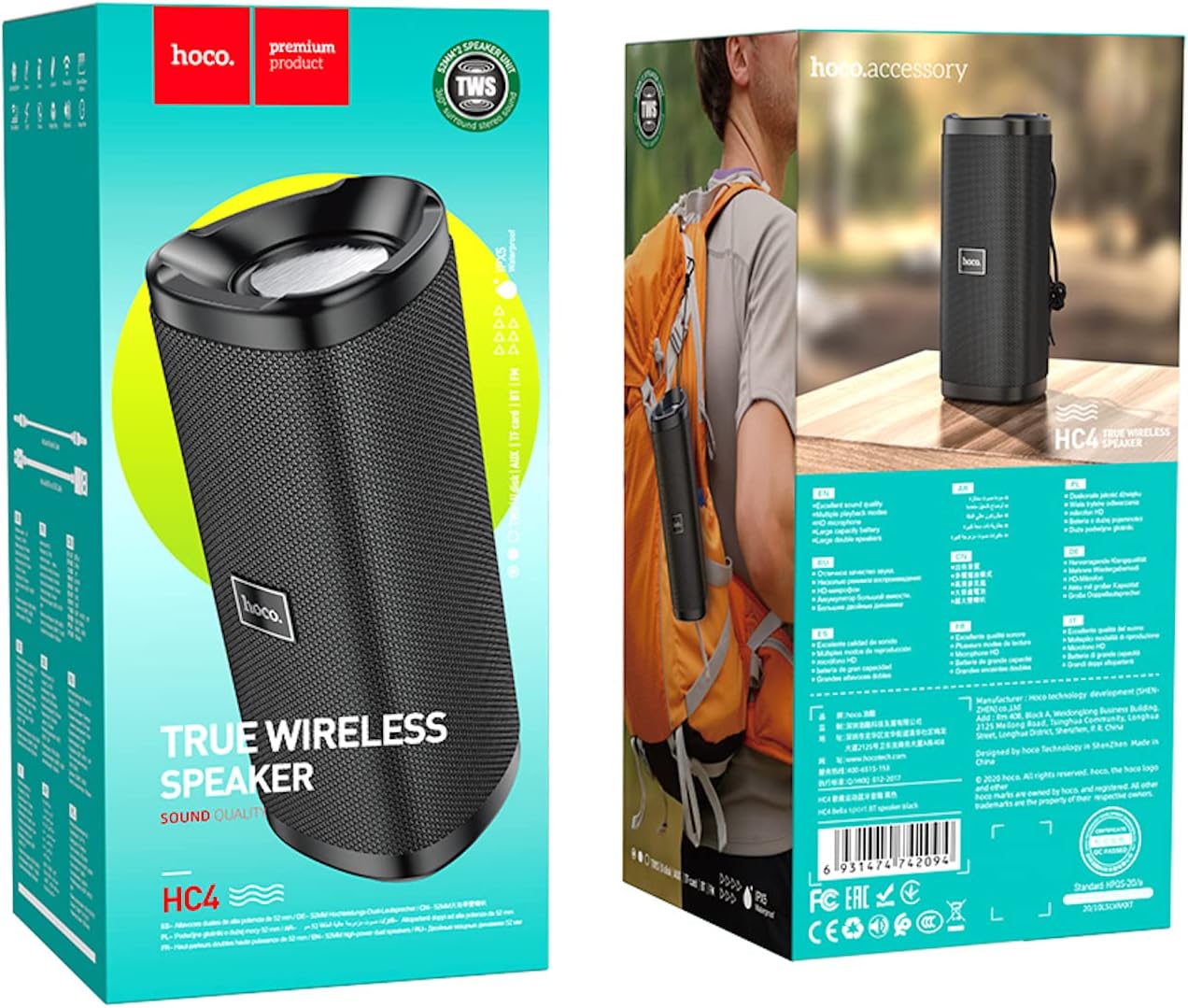
Image: The retail packaging of the Hoco HC4 speaker, showing the speaker and its box.
Produto rematadoview
Familiarize yourself with the components and controls of your Hoco HC4 speaker.

Imaxe: Fronte view of the Hoco HC4 wireless Bluetooth speaker, showcasing its cylindrical design and mesh grille with the 'hoco.' logo.

Imaxe: Lateral view of the Hoco HC4 speaker, showing the control buttons (power, mode, volume/track skip) and the speaker grille.

Imaxe: Primeiro plano view of the Hoco HC4 speaker's input ports, including AUX, DC-5V charging, USB, and TF card slot, protected by a rubber flap.
Configuración
1. Cargando o altofalante
Before first use, fully charge the speaker. Connect the provided USB charging cable to the DC-5V port on the speaker and the other end to a USB power adapter (not included) or a computer USB port.
- A luz indicadora de carga acenderase durante a carga.
- The light will turn off or change color when charging is complete.
- O tempo de carga é de aproximadamente 2-3 horas.
2. Acendido/apagado
- Para acender: Manteña premido o botón de acendido (⏻) for 2-3 seconds until you hear a power-on prompt.
- Para apagar: Manteña premido o botón de acendido (⏻) for 2-3 seconds until you hear a power-off prompt.
3. Emparellamento Bluetooth
- Asegúrate de que o altofalante estea acendido e en modo de emparellamento Bluetooth (indicado por un LED azul intermitente).
- No teu dispositivo móbil (teléfono intelixente, tableta, etc.), activa o Bluetooth.
- Busca available Bluetooth devices. You should see "HC4" in the list.
- Select "HC4" to connect. Once paired, the LED indicator will stop flashing and remain solid blue, and you will hear a confirmation sound.
- O altofalante volverá conectarse automaticamente co último dispositivo emparellado ao acendelo, se o dispositivo está dentro do alcance e o Bluetooth está activado.
4. Connecting via AUX/USB/TF Card
- Modo AUX: Insert a 3.5mm audio cable into the AUX port on the speaker and the other end into your audio source. The speaker will automatically switch to AUX mode.
- Modo de unidade USB: Insira unha unidade flash USB no porto USB. O altofalante detectará e reproducirá audio automaticamente. files da unidade.
- Modo de tarxeta TF: Insert a TF (microSD) card into the TF card slot. The speaker will automatically detect and play audio files da tarxeta.
- Use the Mode button (M) to switch between Bluetooth, AUX, USB, TF Card, and FM Radio modes.
5. Emparellamento TWS (estéreo sen fíos verdadeiro) (opcional)
If you have two Hoco HC4 speakers, you can pair them together for a true wireless stereo experience.
- Ensure both HC4 speakers are powered on and not connected to any Bluetooth device.
- Nun altofalante (este será o altofalante principal), prema dúas veces o botón Modo (M). You will hear a prompt indicating TWS pairing mode.
- Os dous altofalantes buscaranse e conectaranse automaticamente entre si. Unha vez conectados, escoitarás un son de confirmación.
- Now, connect your mobile device to the primary speaker via Bluetooth as described in step 3. Audio will play through both speakers in stereo.
Instrucións de funcionamento
1. Reprodución de música
- Reproducir/Pausa: Prema brevemente o botón Reproducir/Pausa (▶‖).
- Próxima pista: Prema e manteña prema o botón para subir o volume (+).
- Pista anterior: Prema e manteña prema o botón para baixar o volume (-).
2. Control de volume
- Subir volume: Short press the Volume Up button (+).
- Baixar volume: Short press the Volume Down button (-).
3. Call Functions (Bluetooth Mode)
- Responder chamada: Prema brevemente o botón Reproducir/Pausa (▶‖) cando soa unha chamada entrante.
- Finalizar a chamada: Prema brevemente o botón Reproducir/Pausa (▶‖) durante unha chamada.
- Rexeitar a chamada: Prema e manteña premido o botón Reproducir/Pausa (▶‖) cando soa unha chamada entrante.
- Volver a marcar o último número: Prema dúas veces o botón Reproducir/Pausa (▶‖).
4. Modo de radio FM
- Prema o botón Modo (M) para cambiar ao modo de radio FM.
- Prema brevemente o botón Reproducir/Pausa (▶‖) to automatically scan and save available FM stations.
- Short press the Volume Up (+) ou baixar de volume (-) buttons to switch between saved stations.
Mantemento
- Limpeza: Usa un pano suave e seco para limpar o altofalante. Non empregues produtos de limpeza abrasivos nin solventes.
- Almacenamento: Garde o altofalante nun lugar fresco e seco, lonxe da luz solar directa e de temperaturas extremas.
- Coidado da batería: Para prolongar a duración da batería, cárguea polo menos unha vez cada tres meses se non a usa regularmente. Evite descargar completamente a batería con frecuencia.
Resolución de problemas
| Problema | Causa posible | Solución |
|---|---|---|
| O altofalante non se acende. | Batería baixa. | Cargue o altofalante completamente. |
| Non se pode emparellar por Bluetooth. | O altofalante non está en modo de emparellamento; o Bluetooth do dispositivo está desactivado; está demasiado lonxe do dispositivo. | Ensure speaker is in pairing mode (flashing blue LED). Turn on Bluetooth on your device. Move speaker closer to device (within 10 meters). |
| Sen son. | Volume demasiado baixo; modo incorrecto; dispositivo non conectado. | Increase speaker and device volume. Ensure correct mode (Bluetooth, AUX, etc.). Reconnect device. |
| Mala recepción de radio FM. | Debil sinal. | Move to an open area or adjust speaker position. |
Especificacións
| Característica | Detalle |
|---|---|
| Marca | Hoco |
| Nome do modelo | HC4 |
| Tecnoloxía de conectividade | Bluetooth, FM, TF card, U disk, AUX, TWS |
| Versión Bluetooth | 5.0 |
| Potencia máxima de saída do altofalante | 10 Watts |
| Capacidade da batería | 1500 mAh |
| Tempo de funcionamento | 3 horas |
| Dimensións do produto | 20 x 8.1 x 8.8 cm |
| Peso do elemento | 540 gramos |
| Modo de saída de audio | Envolvente |
| Tipo de montaxe | Mesa |
| Tipo de altofalante | Ao aire libre |
| Características especiais | Support Bluetooth, FM, TF card, U disk, AUX, TWS |
| Usos recomendados | For Surround Sound Systems, For Smartphones or Tablets, For Music Players |
| Dispositivos compatibles | Múltiples |
| Fabricante | Hoco |
| Primeira data dispoñible | 22 de marzo de 2021 |

Image: Diagram showing the dimensions of the Hoco HC4 speaker: 20cm length, 8.1cm width, and 8.8cm height.

Image: Lifestyle image of the Hoco HC4 speaker attached to a bicycle handlebar, illustrating its use for outdoor activities with text highlighting "Outdoor Riding" and "Long-lasting Battery Life (1500mAh)".
Garantía e Soporte
Hoco products are designed and manufactured to the highest quality standards. For warranty information and technical support, please refer to the warranty card included in your package or visit the official Hoco websitio. Garde o recibo da compra como xustificante de compra para reclamacións de garantía.
For further assistance, please contact Hoco customer service.
Ask a question about this manual
Ask about setup, troubleshooting, compatibility, parts, safety, or missing instructions. Manuals+ will review the question and use this page’s manual context to help answer it.