
Introdución
Grazas pola compraasing the Hoco HC4 5.0 Wireless Bluetooth Sport Speaker. This manual provides detailed instructions for the proper setup, operation, and maintenance of your device. Please read this manual thoroughly before use to ensure optimal performance and to prevent damage.
Produto rematadoview
The Hoco HC4 is a portable wireless speaker designed for outdoor and sport use, featuring Bluetooth 5.0 connectivity, multiple playback options, and a robust design.
Contido do paquete:
- Hoco HC4 Wireless Bluetooth Speaker
- Cable de carga USB
- Manual de usuario
Controis e portos:
Familiarízate cos botóns e os portos de conexión do altofalante:

Imaxe: Close-up of the Hoco HC4 speaker showing the AUX port, DC-5V charging port, USB port, TF card slot, and control buttons.
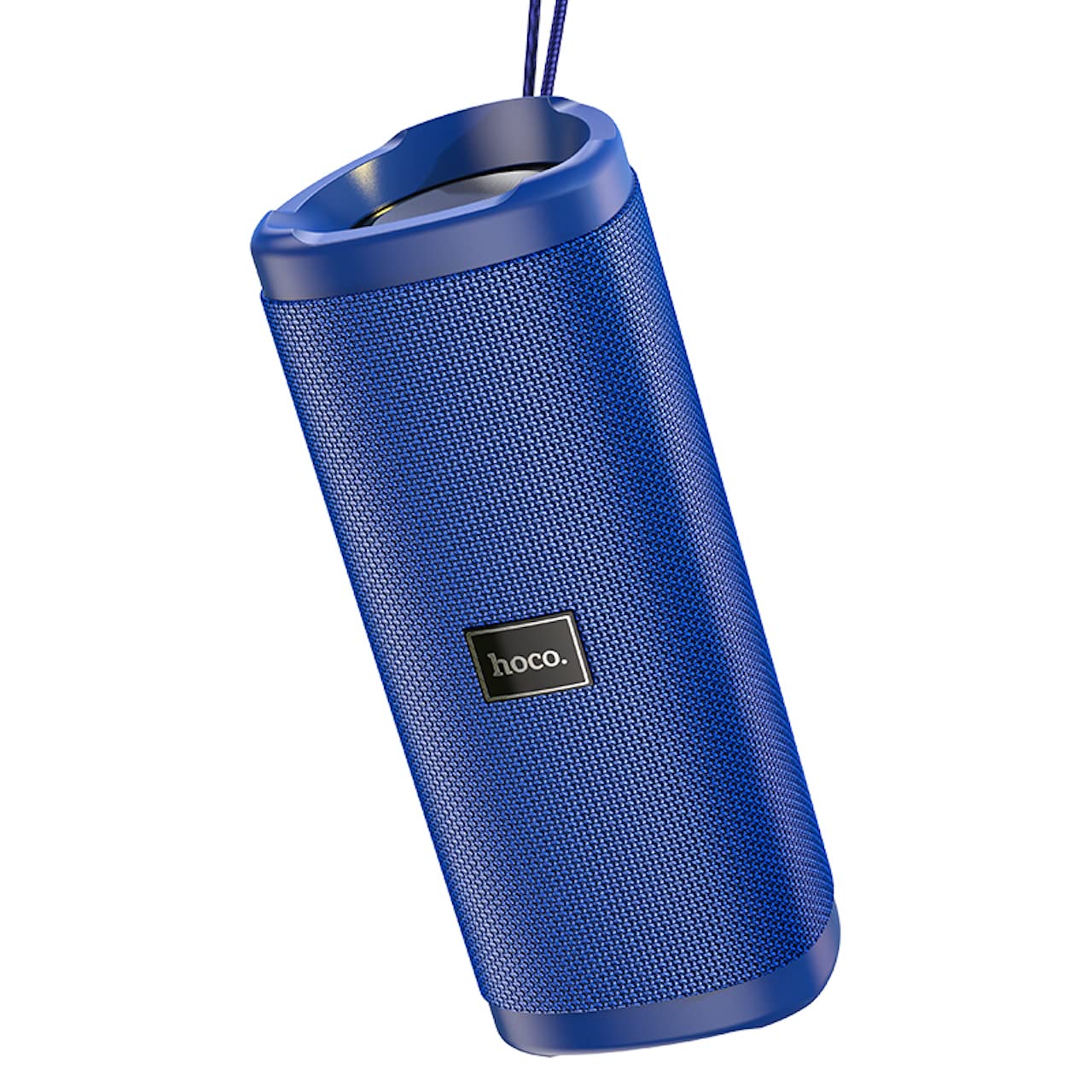
Imaxe: Un ángulo view of the Hoco HC4 blue wireless speaker, highlighting its cylindrical design and fabric mesh.
- Botón de encendido: Manter premido para acender/apagar. Premer brevemente para reproducir/pausar.
- Botón de modo (M): Short press to switch between Bluetooth, FM Radio, TF Card, USB, and AUX modes.
- Botón para baixar o volume / pista anterior (-): Prema curta para a pista anterior, prema longa para baixar o volume.
- Botón para subir volume / seguinte canción (+): Prema curta para a seguinte pista, prema longa para aumentar o volume.
- Porto AUX: Para a conexión de audio con cable mediante un cable de audio de 3.5 mm.
- DC-5V Port: For charging the speaker using the provided USB cable.
- Porto USB: Para reproducir audio desde unha unidade flash USB.
- Ranura para tarxetas TF: Para reproducir audio desde unha tarxeta TF (MicroSD).
Configuración
Carga inicial:
- Antes do primeiro uso, cargue completamente o altofalante.
- Connect the small end of the USB charging cable to the DC-5V port on the speaker.
- Connect the larger end of the USB cable to a USB power adapter (5V/1A recommended) or a computer's USB port.
- A luz indicadora de carga acenderase durante a carga e apagarase cando estea completamente cargada.
Instrucións de funcionamento
Encendido/apagado:
- Para acender: Press and hold the Power button for approximately 3 seconds. You will hear an audible prompt.
- Para apagar: Press and hold the Power button for approximately 3 seconds. You will hear an audible prompt.
Emparellamento Bluetooth:
- Ensure the speaker is powered on and in Bluetooth mode (indicated by a flashing blue LED and an audible prompt). If not, short press the 'M' (Mode) button to switch to Bluetooth mode.
- Activa o Bluetooth no teu dispositivo móbil (teléfono intelixente, tableta, etc.).
- Busca available Bluetooth devices. Select "HC4" from the list.
- Once paired, the blue LED will stop flashing and remain solid, and you will hear a confirmation sound.
- Agora podes reproducir audio desde o teu dispositivo a través do altofalante.
Modo de radio FM:
- Short press the 'M' (Mode) button until you hear the FM radio prompt.
- To auto-scan and save available stations, short press the Power button. The speaker will scan and store stations automatically.
- Use the '-' and '+' buttons to navigate between saved stations.
TF Card / USB Playback:
- Insert a TF (MicroSD) card or USB flash drive into the respective slot.
- The speaker will automatically switch to TF card or USB mode and begin playing audio files. If not, short press the 'M' (Mode) button to select the correct mode.
- Use the Power button to play/pause, and the '-' and '+' buttons for track navigation and volume control.
Modo AUX:
- Conecta un extremo dun cable de audio de 3.5 mm (non incluído) ao porto AUX do altofalante.
- Connect the other end to the audio output of your device (e.g., laptop, MP3 player).
- Short press the 'M' (Mode) button to switch to AUX mode.
- Audio will now play through the speaker. Volume can be controlled via the speaker or your connected device.
Función True Wireless Stereo (TWS):
The TWS function allows you to pair two Hoco HC4 speakers together for a stereo sound experience.
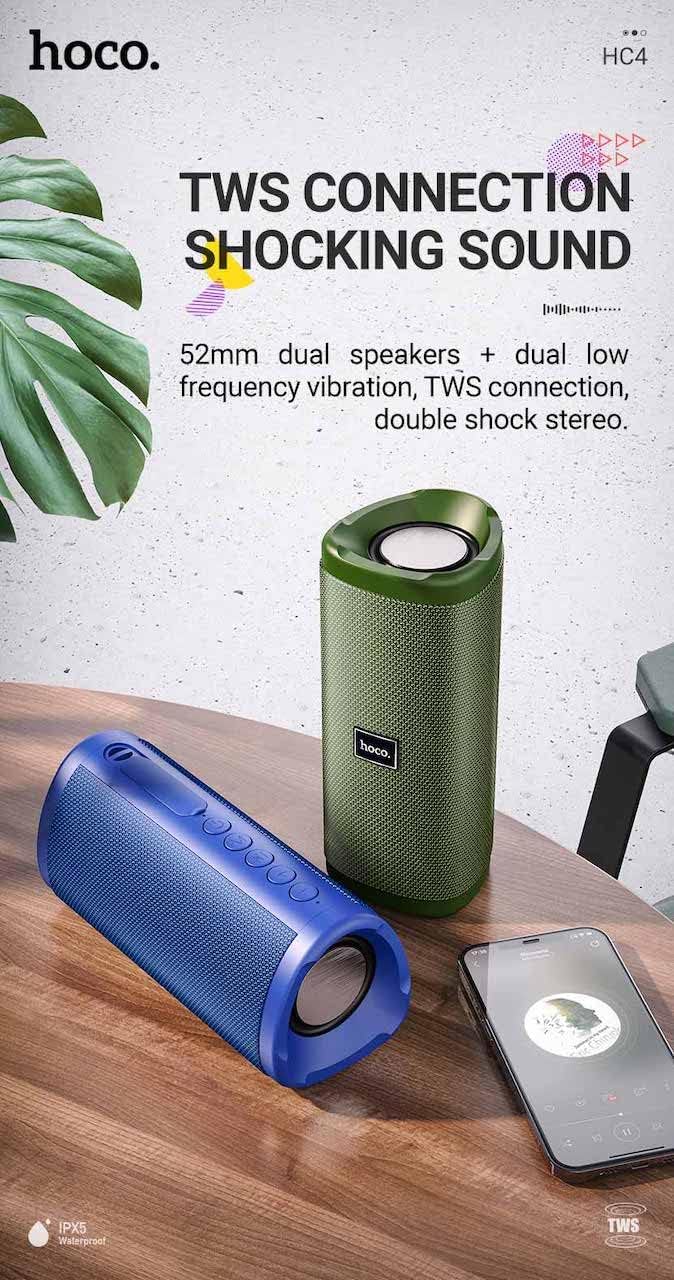
Imaxe: A promotional image showing two Hoco HC4 speakers (blue and green) connected via TWS, with a smartphone playing music. The image also highlights 'IPX5 Waterproof'.
- Ensure both HC4 speakers are powered on and in Bluetooth pairing mode (flashing blue LED).
- On one of the speakers (this will be the primary speaker), double-press the Power button. You will hear a tone indicating it is searching for another speaker.
- The two speakers will automatically connect to each other. Once connected, you will hear a confirmation sound, and the LED on the primary speaker will flash, while the secondary speaker's LED will be solid.
- Now, connect your mobile device to the primary speaker via Bluetooth as described in the "Bluetooth Pairing" section.
- O son reproducirase agora en estéreo a través dos dous altofalantes.
Cargando
When the battery is low, the speaker will emit an audible warning. Connect the speaker to a power source using the provided USB cable to recharge. A full charge takes approximately 2-3 hours. The speaker provides up to 3 hours of playtime on a full charge, depending on volume level and usage.
Mantemento
Limpeza:
Limpe o altofalante cun pano suave e seco. Non empregue produtos de limpeza abrasivos, alcol nin outros disolventes químicos, xa que poden danar a superficie.
Almacenamento:
Store the speaker in a cool, dry place away from direct sunlight and extreme temperatures. If storing for an extended period, charge the battery at least once every three months to prolong its lifespan.
Resistencia á auga (IPX5):
The Hoco HC4 speaker features an IPX5 water resistance rating, meaning it is protected against low-pressure water jets from any direction. This makes it suitable for outdoor use and resistant to splashes and light rain. Non mergullo o altofalante na auga. Ensure the port cover is securely closed to maintain water resistance.
Resolución de problemas
| Problema | Causa posible | Solución |
|---|---|---|
| O altofalante non se acende | Batería baixa; o botón de acendido non foi premido o tempo suficiente | Cargar o altofalante; premer e manter premido o botón de acendido durante 3 segundos |
| Sen son | Volume demasiado baixo; Modo incorrecto; Dispositivo non conectado | Increase volume; Switch to correct mode (Bluetooth, AUX, etc.); Ensure device is paired/connected |
| O emparejamento por Bluetooth falla | O altofalante non está en modo de emparellamento; Bluetooth do dispositivo desactivado; Demasiado lonxe do altofalante | Ensure speaker is in Bluetooth mode (flashing LED); Turn on device Bluetooth; Move device closer (within 10m) |
| Fallou o emparellamento TWS | Speakers not in TWS pairing mode; Too far apart | Ensure both speakers are in Bluetooth mode, then double-press Power button on one; Keep speakers close during TWS pairing |
Especificacións

Imaxe: The Hoco HC4 speaker with its dimensions clearly marked: 20 cm in length, 8.8 cm in height, and 8.1 cm in width.
- Marca: Hoco
- Modelo: HC4
- Versión Bluetooth: 5.0
- Potencia de saída: 10 W
- Tamaño do altofalante: 52 mm
- Capacidade da batería: 1500 mAh
- Tempo de xogo: Approximately 3 hours (at 80% volume)
- Tempo de carga: Aproximadamente 2-3 horas
- Dimensións: 200 x 88 x 81 mm (Length x Height x Width)
- Peso: 540 gramos
- Opcións de conectividade: Bluetooth, FM Radio, TF Card, USB, AUX
- Resistencia á auga: IPX5 (a proba de salpicaduras)
- Tipo de control: Botón
Información de seguridade
- Non expoña o altofalante a temperaturas extremas nin á luz solar directa durante períodos prolongados.
- Evite deixar caer ou someter o altofalante a fortes impactos.
- Keep the speaker away from water and liquids, especially when ports are open.
- Non intente desmontar, reparar nin modificar o altofalante vostede mesmo. Isto anulará a garantía e pode causar danos.
- Use só o volume de carga especificadotage (DC 5V) and the provided charging cable.
- Manter fóra do alcance dos nenos.
Garantía e Soporte
This product is covered by a standard manufacturer's warranty. For specific warranty terms and conditions, please refer to the warranty card included with your purchase or contact your local retailer. For technical support or service inquiries, please contact Hoco customer service or the authorized distributor in your region.