
1. Introdución
Thank you for choosing the Bluenin HWS-918 Bluetooth 5.0 Neckband Wireless Headphones. This manual provides essential information for setting up, operating, and maintaining your device. Please read it carefully to ensure optimal performance and longevity of your headphones.
The Bluenin HWS-918 features Bluetooth 5.0 connectivity, retractable earbuds, CVC 8.0 noise-cancelling microphone, and a comfortable neckband design, making it suitable for various activities including sports and daily use.
2. Produto rematadoview
2.1 Contido do paquete
- Bluenin HWS-918 Neckband Wireless Headphones
- Cable de carga USB
- Almofadas para os oídos (tamaños S, M, L)
- Manual de usuario
2.2 Compoñentes dos auriculares
Familiarize yourself with the main components and controls of your Bluenin HWS-918 headphones.

Imaxe: Máis deview of the Bluenin HWS-918 neckband headphones, showing the general design and location of controls.
- Banda para o pescozo: Houses battery, control buttons, and electronics.
- Auriculares retráctiles: In-ear design with automatic retraction.
- Botóns de control: Power, Volume Up/Down, Play/Pause/Multi-function, Retract.
- Micrófono: Built-in CVC 8.0 noise-cancelling microphone for calls.
- Porto de carga USB: Para recargar a batería interna.
- Indicador LED: Mostra o estado de enerxía, emparellamento e carga.
3. Configuración
3.1 Carga dos auriculares
Before first use, fully charge the headphones. Connect the USB charging cable to the headphone's charging port and to a USB power source (e.g., computer, wall adapter). The LED indicator will show charging status.
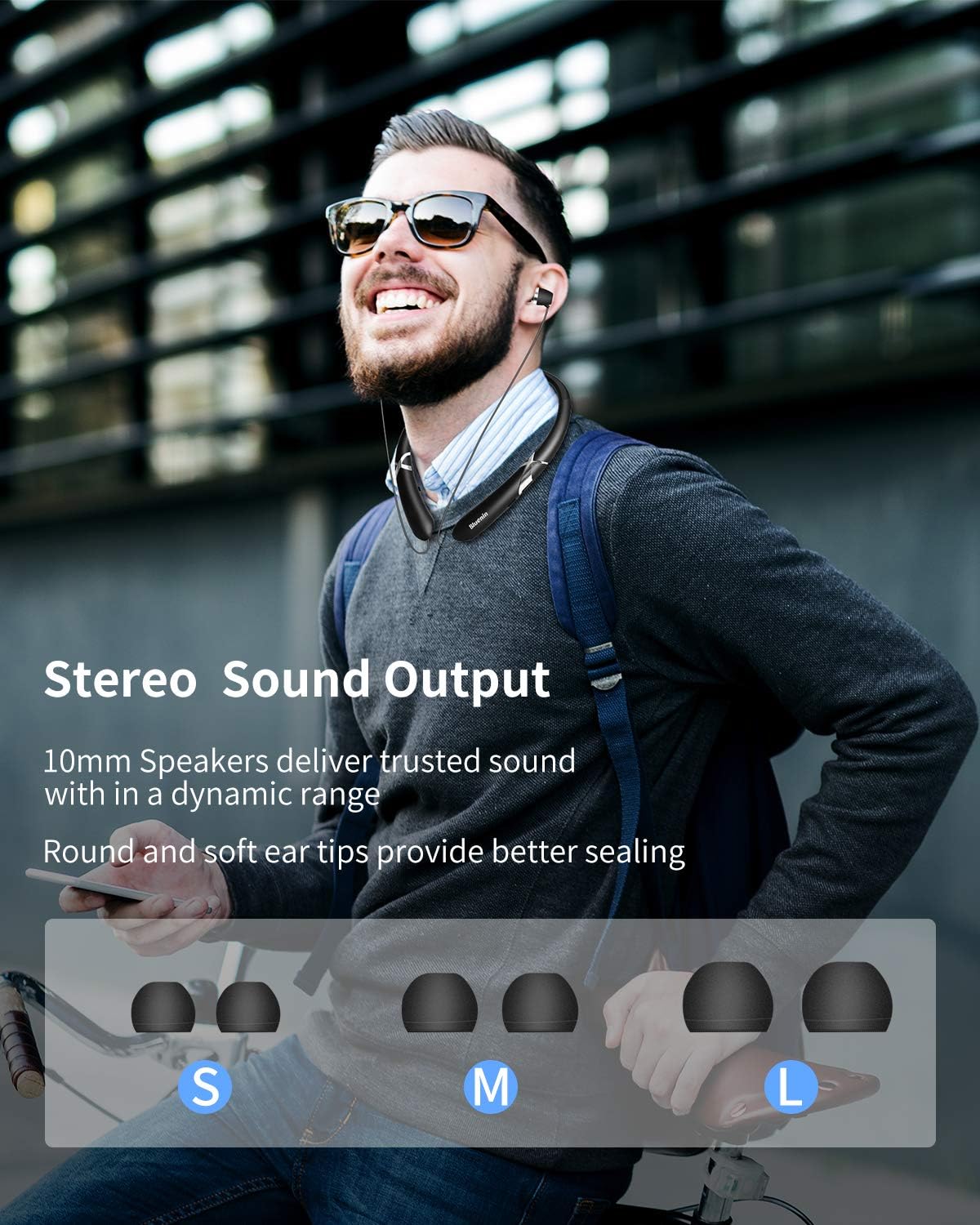
Image: The Bluenin HWS-918 headphones with an overlay showing a battery icon and text indicating 15 hours of playing time and 500 hours of standby time from a 180mAh battery.
- A full charge provides approximately 14 hours of music playback or 16 hours of talk time.
- Standby time is up to 500 hours.
- O estado da batería pode ser viewed on your connected Bluetooth device (if supported).
3.2 Emparejamento Bluetooth
Para conectar os auriculares a un dispositivo:

Image: The Bluenin HWS-918 headphones with graphics emphasizing Bluetooth 5.0, an integrated Qualcomm CSR chip, a wireless range of up to 33 feet, and the capability to connect to two devices simultaneously.
- Asegúrese de que os auriculares estean cargados e apagados.
- Press and hold the Power button until the LED indicator flashes red and blue alternately, indicating pairing mode.
- No teu dispositivo (teléfono intelixente, tableta, ordenador), activa o Bluetooth e busca os dispositivos dispoñibles.
- Select "Bluenin HWS-918" from the list of found devices.
- Unha vez conectado, o indicador LED parpadeará azul lentamente.
- The headphones can connect to two devices simultaneously.
4. Instrucións de funcionamento
4.1 Encendido/apagado
- Encendido: Press and hold the Power button for 3 seconds. The LED will flash blue.
- Apagado: Press and hold the Power button for 3 seconds. The LED will flash red and then turn off.
4.2 Reprodución de música
- Reproducir/Pausa: Prema o botón multifunción unha vez.
- Subir volume: Prema o botón "+".
- Baixar volume: Prema o botón "-".
- Próxima pista: Manteña premido o botón "+".
- Pista anterior: Manteña premido o botón "-".
4.3 Funcións de chamada

Image: The Bluenin HWS-918 headphones are depicted with a smartphone displaying an incoming call interface. An icon illustrates the vibrating reminder feature, and a separate image shows a mute button, indicating the ability to easily cut off the microphone.
- Responder/Finalizar chamada: Prema o botón multifunción unha vez.
- Rexeitar a chamada: Manteña premido o botón multifunción durante 2 segundos.
- Volver a marcar o último número: Prema dúas veces o botón multifunción.
- Silenciar micrófono: Press the dedicated Mute button during a call.
- Call Vibration Alert: The headphones will vibrate to notify you of an incoming call.
4.4 Retractable Earbuds
The Bluenin HWS-918 features automatic retractable earbuds for tangle-free storage.

Image: The Bluenin HWS-918 neckband headphones are shown with hands demonstrating the automatic retraction of the earbud wires. Arrows indicate the movement of the wires, highlighting the one-button control for tangle-free storage.
- To extend the earbuds, gently pull them out to the desired length.
- To retract, press the dedicated Retract button on the neckband. The earbuds will automatically retract into the neckband.
- Avoid forcing the earbuds or wires, as this may cause damage. The wires are designed for over 5000 retractions.
4.5 Como usar os auriculares
The ergonomic neckband design ensures comfortable wear throughout the day.

Image: A person wearing the Bluenin HWS-918 headphones, demonstrating the stereo sound output from 10mm speakers. Below, different sizes of ear tips (Small, Medium, Large) are displayed, indicating options for a better seal and comfort.
- Place the neckband around your neck, ensuring a comfortable fit.
- Select the appropriate ear tip size (S, M, L) for a secure and comfortable fit that also optimizes sound quality.
- The headphones are sweatproof, making them suitable for sports and exercise.
5. Mantemento
5.1 Limpeza
- Limpe os auriculares cun pano suave e seco.
- For ear tips, remove them and clean with a mild soap solution, then rinse and dry thoroughly before reattaching.
- Do not use abrasive cleaners or immerse the headphones in water.
5.2 Almacenamento
- Garde os auriculares nun lugar fresco e seco, lonxe da luz solar directa e de temperaturas extremas.
- Ensure earbuds are fully retracted before storing to prevent wire damage.
5.3 Resistencia á auga
The headphones are water resistant, suitable for sweat and light splashes. They are not designed for submersion in water.
6 Solución de problemas
| Problema | Causa posible | Solución |
|---|---|---|
| Os auriculares non se acenden | Batería baixa | Cargue os auriculares completamente. |
| Non se pode emparellar co dispositivo | Os auriculares non están en modo de emparellamento; Bluetooth desactivado no dispositivo; Dispositivo demasiado lonxe | Ensure headphones are in pairing mode (flashing red/blue). Turn on Bluetooth on your device. Move device closer to headphones (within 33ft). |
| Sen son | Volume demasiado baixo; Non conectado; Saída de audio incorrecta seleccionada | Increase volume on headphones and device. Ensure headphones are connected. Check device's audio output settings. |
| Mala calidade das chamadas | Weak signal; Microphone obstructed | Move closer to your connected device. Ensure microphone is not covered. |
| Earbuds do not retract | Mechanism jammed; Retract button not pressed | Ensure no obstruction. Press the retract button firmly. Do not force the wires. |
7. Especificacións
| Característica | Especificación |
|---|---|
| Nome do modelo | HWS-918 |
| Marca | Bluenin |
| Tecnoloxía de conectividade | Sen fíos (Bluetooth 5.0) |
| Chip Bluetooth | CSR8645 |
| Factor de forma | In Ear (Retractable) |
| Micrófono | CVC 8.0 Noise-Cancelling |
| Duración da batería (Música) | Ata 14 horas |
| Duración da batería (Conversa) | Ata 16 horas |
| Tempo de espera | Ata 500 horas |
| Porto de carga | USB |
| Nivel de resistencia á auga | Resistente á auga (á suor) |
| Material | Plástico |
| Cor | Negro Mate |
| Dispositivos compatibles | Smartphones, Laptops, Tablets, Computers |
| Método de control | Touch / Buttons |
8. Garantía e soporte
Every Bluenin product includes a 45-day money-back guarantee and a one-year warranty from the date of purchase.
For technical support, warranty claims, or further assistance, please refer to the contact information provided with your purchase or visit the official Bluenin websitio.