
DELTACO GAMING GAM-080
DELTACO GAMING Chair User Manual
Model: GAM-080
Introdución
Grazas pola compraasing the DELTACO GAMING Chair, Model GAM-080. This ergonomic gaming chair is designed to provide comfort and support during long gaming sessions, featuring adjustable components and integrated RGB lighting. Please read this manual carefully before assembly and use to ensure proper operation and longevity of your chair.
Información de seguridade
- Asegúrese de que todos os compoñentes estean ben fixados antes do uso.
- Non te pares na cadeira.
- Do not use the chair if any parts are damaged or missing.
- Manteña as mans e os dedos lonxe das pezas móbiles durante o axuste.
- This chair is designed for a maximum weight of 120 kg (264 lbs). Exceeding this limit may cause damage or injury.
- The RGB lighting requires a USB power source. Ensure the cable is not pinched or damaged.
Contido do paquete
Antes de comezar a montaxe, comproba que todas as pezas estean presentes e sen danos. Se falta algunha peza ou está danada, ponte en contacto co servizo de atención ao cliente.
- Respaldo
- Base do asento
- Reposabrazos (2)
- Base de estrelas
- Rodízios (5)
- Cilindro de elevación de gas
- Tapa elevadora de gas
- Placa de mecanismo
- Coxín lumbar
- Almofada para reposacabezas
- Ferraxes de montaxe (parafusos, arandelas, chave Allen)
- Control remoto RGB
- USB Power Cable for RGB
Configuración e montaxe
Please follow these steps carefully for proper assembly. It is recommended to assemble the chair on a soft, clean surface to prevent damage.
- Fixar as rodas á base en forma de estrela: Insira cada unha das cinco rodas nos buratos do extremo da base en estrela ata que encaixen firmemente no seu lugar.
- Inserir elevador de gas: Coloque o cilindro elevador de gas no orificio central da base en forma de estrela. Cóbrao coa tapa do elevador de gas.
- Fixar a placa do mecanismo á base do asento: Align the mechanism plate with the pre-drilled holes on the underside of the seat base. Ensure the front of the mechanism plate faces the front of the seat. Secure with screws.
- Fixar os repousabrazos á base do asento: Secure the armrests to the sides of the seat base using the provided screws. Ensure they are firmly attached.
- Fixar o respaldo á base do asento: Aliña o respaldo cos soportes de montaxe da base do asento. Fíxao con parafusos.
- Conectar o asento ao elevador de gas: Coloque con coidado o asento e o respaldo montados no cilindro elevador de gas, asegurándose de que estea centrado e estable.
- Attach Headrest and Lumbar Cushions: Secure the headrest pillow and lumbar cushion to the chair using their respective straps.

Image: The DELTACO GAMING Chair fully assembled, showcasing its ergonomic design and RGB lighting strips along the edges.
Instrucións de funcionamento
Axuste de altura
To adjust the chair's height, pull the lever located on the right side of the seat upwards. While seated, lift your weight off the chair to raise it, or remain seated to lower it. Release the lever to lock the height.
Reclinación do respaldo
The backrest can be reclined between 90 and 180 degrees. Pull the recline lever, typically located on the right side of the chair, and lean back or forward to achieve your desired angle. Release the lever to lock the backrest in position.

Image: An illustration demonstrating the chair's ability to recline from an upright position to a nearly flat position, indicated by an orange arrow.
RGB Lighting Operation
The chair features integrated RGB lighting with 332 LED modes. To activate the lighting, connect the chair's USB cable to a 5V USB power source (e.g., a power bank, computer USB port, or USB wall adapter). Use the included remote control to change colors, modes, and brightness.
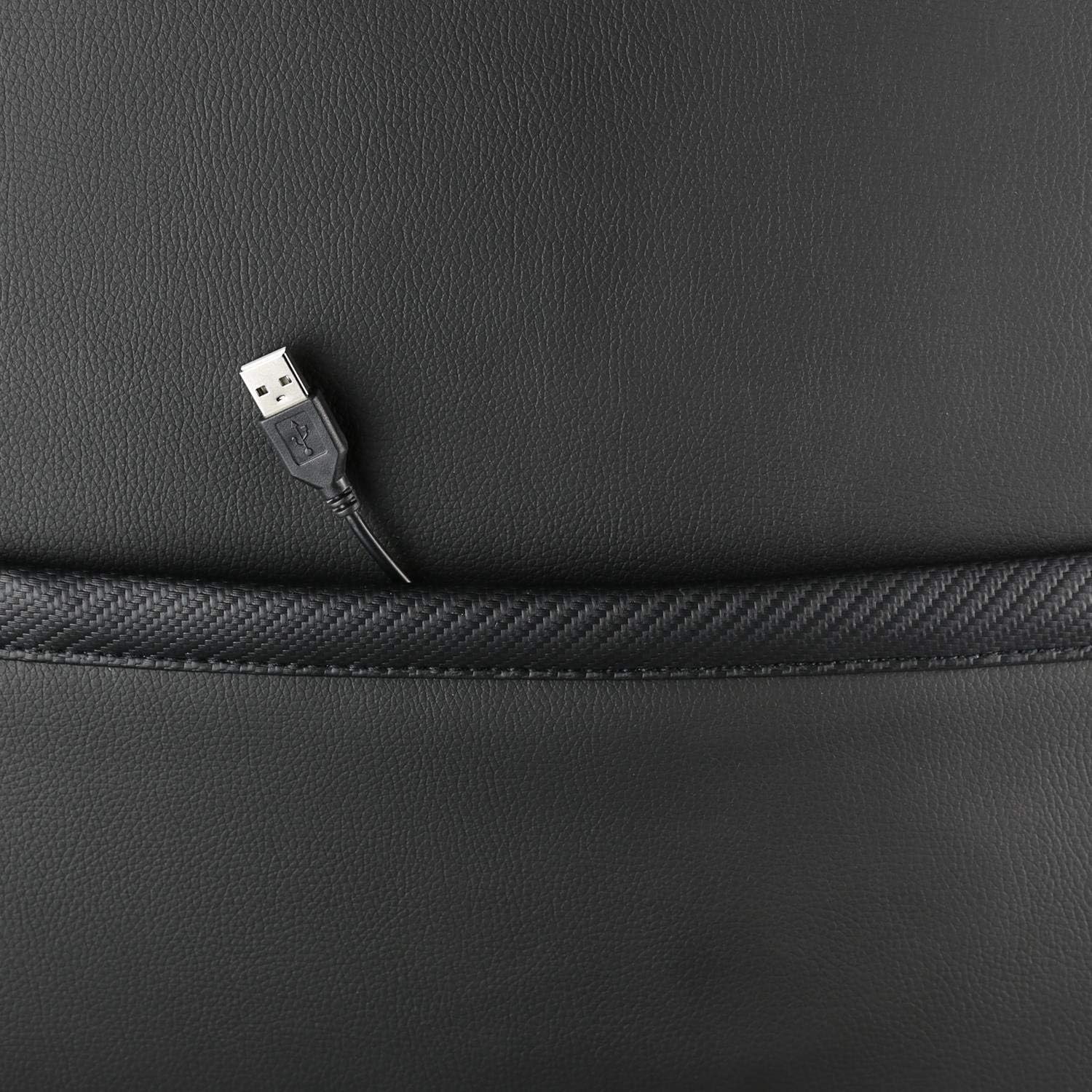
Imaxe: Primeiro plano view showing the USB power cable emerging from a pocket on the chair, used to power the RGB lighting.

Imaxe: Unha vez máisview image of the DELTACO GAMING RGB Gaming Chair highlighting features such as remote control for RGB lights, adjustable headrest, included lumbar cushion, and adjustable backrest from 90-180 degrees, along with 332 LED modes.
Mantemento e coidados
- Limpeza: Limpa co anuncioamp cloth. Do not use harsh chemicals or abrasive cleaners, as this may damage the faux leather.
- Inspección: Comprobe periodicamente todos os parafusos e bulóns para asegurarse de que estean ben axustados. Volva a apertalos se é necesario.
- Almacenamento: Store the chair in a cool, dry place away from direct sunlight to prevent material degradation.
- Cable USB: Ensure the USB power cable for the RGB lighting is not kinked or damaged.
Resolución de problemas
| Problema | Causa posible | Solución |
|---|---|---|
| A cadeira non se axusta á altura. | Avaría do cilindro elevador de gas ou panca non activada. | Asegúrate de que a panca de axuste de altura estea completamente tirada. Se o problema persiste, pode ser necesario substituír o elevador de gas. |
| O respaldo non se reclina nin se bloquea. | Mecanismo de reclinación atascado ou panca non activada. | Check for obstructions around the recline mechanism. Ensure the recline lever is fully engaged. |
| A iluminación RGB non funciona. | USB power not connected, cable damaged, or remote control battery low. | Verify the USB cable is securely connected to a working 5V power source. Check the cable for damage. Replace remote control battery if necessary. |
| Chair is wobbly. | Loose screws or casters not fully inserted. | Tighten all assembly screws. Ensure all casters are fully inserted into the star base. |
Especificacións
| Característica | Detalle |
|---|---|
| Nome do modelo | GAM-080 |
| Marca | DELTACO GAMING |
| Cor | Negro |
| Material | Faux leather, Foam |
| Recomendación de peso máximo | 120 quilogramos (264 libras) |
| Dimensións do produto (L x W x H) | 22.44 x 26.77 x 57.87 polgadas |
| Peso do elemento | 46.2 libras |
| Características especiais | RGB Lighting, Adjustable Backrest (90-180°), Adjustable Height, Lumbar Cushion, Headrest Pillow |
| Power Source for RGB | USB 5V |
Garantía e Soporte
This DELTACO GAMING Chair (Model GAM-080) comes with a 1-year spare part availability duration within the EU, as per manufacturer specifications.
For technical support, warranty claims, or inquiries regarding spare parts, please contact DELTACO GAMING customer support. Refer to your purchase documentation for specific contact details or visit the official DELTACO GAMING websitio.
Note: Proof of purchase may be required for warranty services.
Ask a question about this manual
Ask about setup, troubleshooting, compatibility, parts, safety, or missing instructions. Manuals+ will review the question and use this page’s manual context to help answer it.