
1. Produto rematadoview
The TEKMAGIC W60-OUS-WT is a robust digital watch designed for various activities, including swimming, snorkeling, and scuba diving, with a water resistance rating of 10 ATM (up to 100 meters). It features a clear digital display and multiple functions to assist with daily timekeeping and sports activities.
Key features include precise time, date, and day display, a chronograph (stopwatch), countdown timer, dual time zone functionality, alarm clock, hourly chime, and an electro luminescent backlight for visibility in low light conditions. The watch is also shock resistant and comes with a comfortable TPU band.

Imaxe 1.1: Fronte view of the TEKMAGIC W60-OUS-WT digital watch, showcasing its robust design and digital display with water splashes, indicating its water-resistant nature.
2. Funcións dos botóns
Familiarize yourself with the watch buttons to operate its various functions:
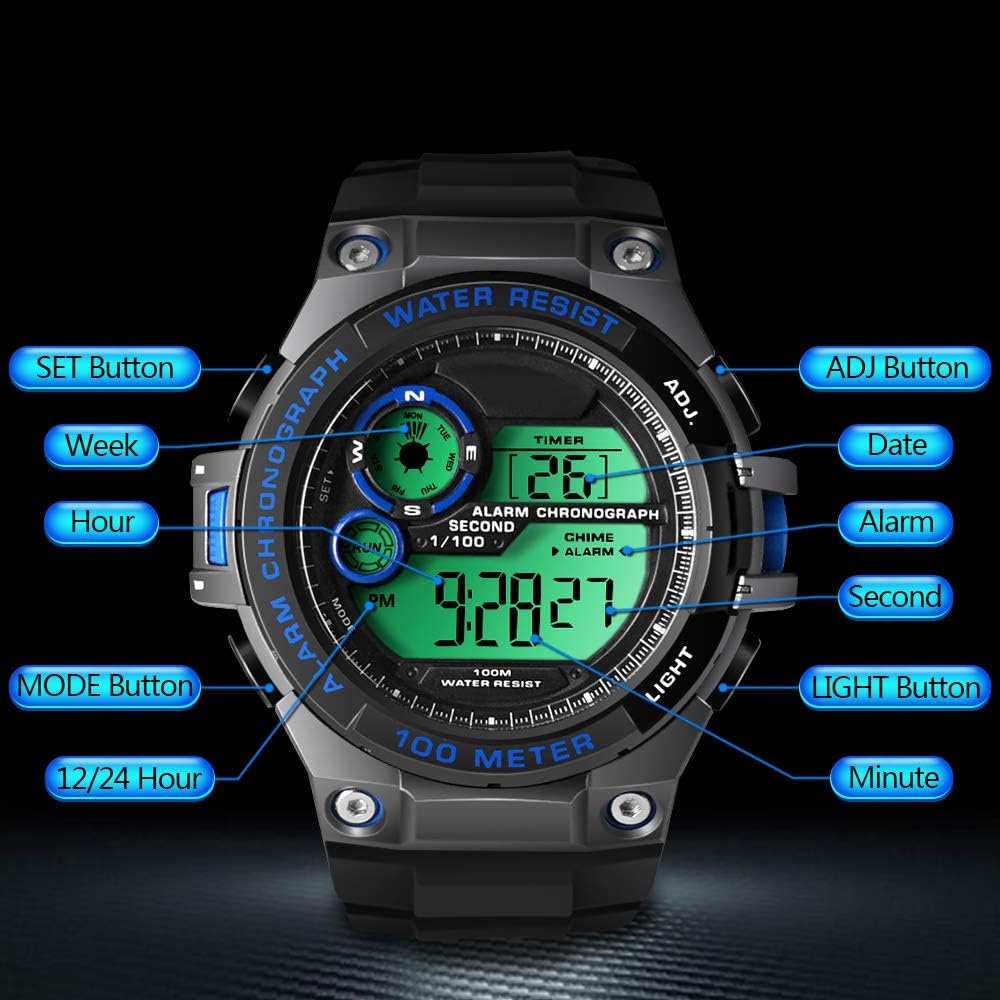
Image 2.1: Diagram illustrating the button layout and their respective functions on the TEKMAGIC W60-OUS-WT watch. Buttons include SET, MODE, 12/24 Hour, ADJ, Date, Alarm, Second, Light, and Minute.
- Botón SET: Used to enter setting modes and confirm selections.
- Botón ADJ: Used to adjust values during setting modes.
- Botón MODE: Cycles through different operational modes (Time, Chronograph, Countdown, Alarm, Dual Time).
- Botón LUZ: Activates the electro luminescent backlight.
- 12/24 Hour Button: Alterna entre os formatos de hora de 12 horas e 24 horas.
3. Configuración inicial
3.1 Axuste da hora e da data
- No modo de hora normal, manteña premido o botón SET botón ata que os segundos comecen a parpadear. Isto indica que estás no modo de configuración.
- Preme o MODO button to cycle through the setting options: Seconds → Hours → Minutes → Year → Month → Day.
- Usa o ADJ button to increase the flashing value. For seconds, pressing ADJ restableceráos a 00.
- Unha vez axustados todos os axustes, prema o botón SET botón de novo para saír do modo de configuración.
Formato 3.2 12/24 horas
No modo de hora normal, prema a tecla 12/24 Hora para alternar entre os formatos de 12 horas (co indicador AM/PM) e 24 horas.
4. Funcións operativas
4.1 Modo de cronometraxe
This is the default mode, displaying the current time (hour, minute, second), date, and day of the week.
4.2 Modo de cronógrafo (cronómetro)
Para usar a función de cronómetro:
- Preme o MODO button repeatedly until 'CHRONO' or 'STW' appears on the display.
- Preme o ADJ botón para iniciar o cronómetro.
- Preme o ADJ botón de novo para pausar/continuar.
- To reset the stopwatch, ensure it is paused, then press the SET botón.

Image 4.1: The TEKMAGIC watch displaying the stopwatch function, with a runner in the background, illustrating its use for timing sports activities.
4.3 Modo de temporizador de conta atrás
To set and use the countdown timer:
- Preme o MODO button repeatedly until 'TIMER' or 'CD' appears.
- Manteña premido o SET botón ata que as horas comecen a parpadear.
- Usa o MODO botón para seleccionar horas, minutos ou segundos e o ADJ botón para axustar os valores.
- Preme SET para confirmar o tempo da conta atrás.
- Preme ADJ para iniciar ou pausar a conta atrás.
- Cando a conta atrás chegue a cero, soará unha alarma.
4.4 Alarm Clock and Hourle Chime
Para configurar a alarma:
- Preme o MODO button repeatedly until 'ALARM' appears.
- Manteña premido o SET botón ata que os díxitos das horas parpadeen.
- Usa o ADJ botón para axustar a hora e, a seguir, prema MODO to select minutes and use ADJ to set them.
- Preme SET para confirmar a hora da alarma.
- Preme o ADJ button in Alarm Mode to toggle the alarm ON/OFF. An alarm icon will appear when activated.
Para activar/desactivar o hourly chime, press the SET button in Alarm Mode. A chime icon will appear when activated.

Image 4.2: The TEKMAGIC watch displaying its alarm and calendar functions, with visual cues for waking up and checking dates.
4.5 Dual Time Zone
The watch allows you to set a second time zone:
- Preme o MODO button repeatedly until 'DUAL TIME' or 'DT' appears.
- Manteña premido o SET botón ata que os díxitos das horas parpadeen.
- Usa o ADJ botón para axustar a hora e, a seguir, prema MODO to select minutes and use ADJ to set them.
- Preme SET to confirm the dual time zone setting.
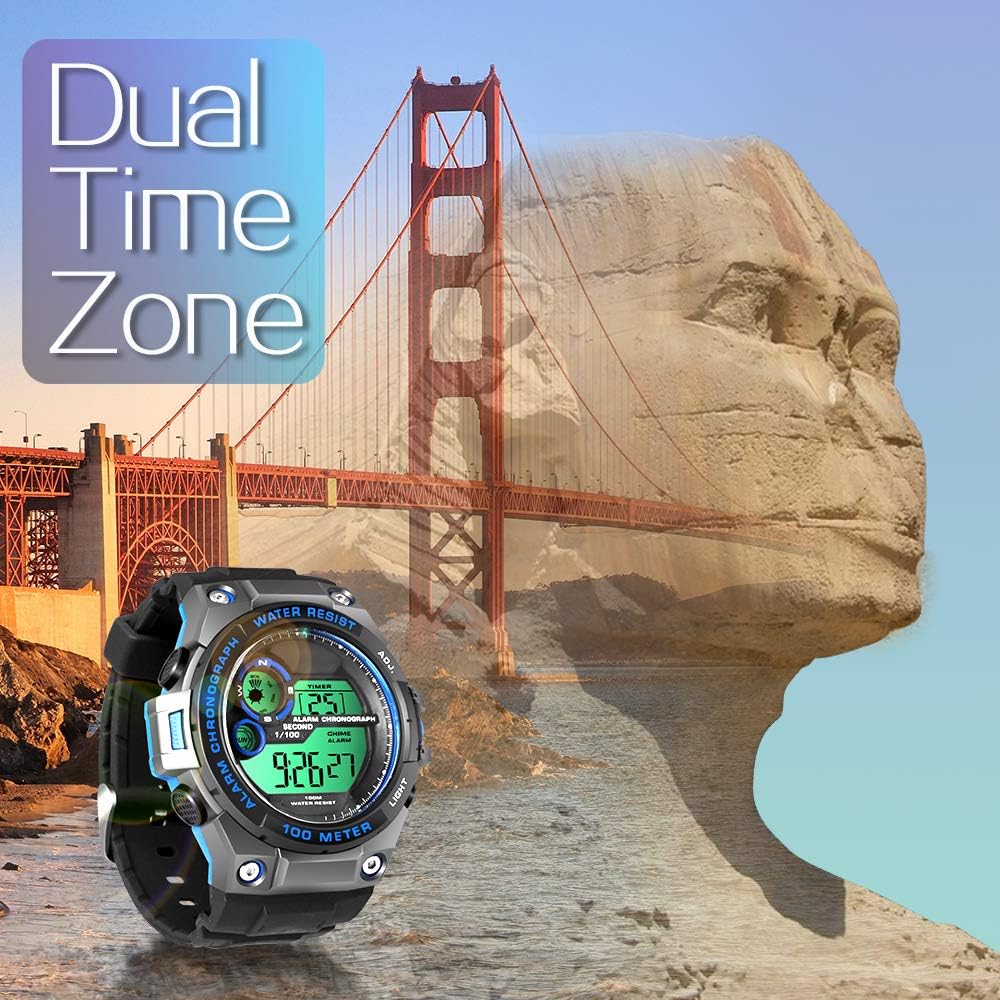
Image 4.3: The TEKMAGIC watch displaying its dual time zone feature, superimposed over an image of a bridge and a rock formation, suggesting travel and global timekeeping.
4.6 Retroiluminación
Preme o LUZ button to illuminate the display for a few seconds, enhancing visibility in dark environments.

Image 4.4: The TEKMAGIC watch with its backlight activated, shown in a dimly lit setting, highlighting its visibility feature.
4.7 Water Resistance (100m / 10 ATM)
This watch is designed to withstand water pressure up to 100 meters (10 ATM), making it suitable for swimming, snorkeling, and recreational scuba diving. It is important to note the following:
- Non accione os botóns baixo a auga. Operating buttons while submerged can compromise the watch's water resistance.
- Avoid exposing the watch to hot water, steam, or extreme temperature changes, as this can damage the seals.
- Rinse the watch with fresh water after exposure to saltwater to prevent corrosion.

Image 4.5: The TEKMAGIC watch displayed in an underwater scuba diving scene, emphasizing its suitability for deep-water activities.
Video 4.1: A demonstration of the TEKMAGIC watch being submerged in water, showcasing its water resistance capabilities. The watch remains functional and readable while wet.
5. Mantemento
5.1 Limpeza
Limpa o reloxo regularmente cun pano suave eamp cloth. For stubborn dirt, use a mild soap solution and rinse thoroughly with fresh water. Ensure the watch is completely dry before storage.
5.2 Substitución da batería
The watch uses a CR2025 battery, which typically lasts 1.5 to 2 years. When the display becomes dim or functions become erratic, it may be time to replace the battery. Battery replacement should ideally be performed by a qualified watch technician to ensure proper sealing and maintain water resistance.
5.3 Almacenamento
Store the watch in a cool, dry place away from direct sunlight and extreme temperatures. Avoid exposing it to strong magnetic fields.
6 Solución de problemas
- A pantalla está en branco ou escura: Check the battery. If the battery is low, replace it.
- Os botóns non responden: Ensure the watch is not in a locked mode (if applicable, though this model does not specify one). Try a soft reset by allowing the battery to drain completely and then replacing it, or consult a technician.
- Auga dentro do reloxo: Leva o reloxo inmediatamente a un profesional para que o inspeccione e o repare e evite danos adicionais. Non intentes secalo ti mesmo.
- Data/hora incorrecta: Re-enter the time and date settings as described in Section 3.1.
7. Especificacións

Image 7.1: Visual representation of the TEKMAGIC watch's dimensions, including case diameter (55mm), case thickness (18mm), band width (22mm), total length (258mm), and wrist circumference range (160mm-215mm).
| Característica | Especificación |
|---|---|
| Número de modelo | W60-OUS-WT |
| Profundidade de resistencia á auga | 100 m (10 caixeiros automáticos) |
| Movemento | Dixital |
| Precisión horaria | ± 30 segundos por mes |
| Código de batería | CR2025 |
| Duración da batería en funcionamento | 1.5 a 2 anos |
| Material da fiestra do disco | High Transparency Resin |
| Material da caixa do reloxo | Plástico ABS |
| Cor do dial | Black + Gray + Blue |
| Diámetro da caixa | 55 mm |
| Espesor da caixa | 18 mm |
| Material da correa do reloxo | TPU Band |
| Cor da banda | Negro |
| Tipo de broche | Fibela de argolla |
| Ancho de banda | 22 mm |
| Maximum Wrist Circumference | 215 mm |
| Minimum Wrist Circumference | 160 mm |
| Peso do produto | 62 g |
8. Garantía e soporte
For warranty information, technical support, or service inquiries, please refer to the documentation included with your purchase or contact TEKMAGIC customer service directly. Keep your proof of purchase for warranty claims.