
1. Introdución
Grazas pola compraasing the QFX PBX-8080 Portable Bluetooth Speaker. This manual provides important information regarding the setup, operation, and maintenance of your device. Please read it thoroughly before use and retain it for future reference.
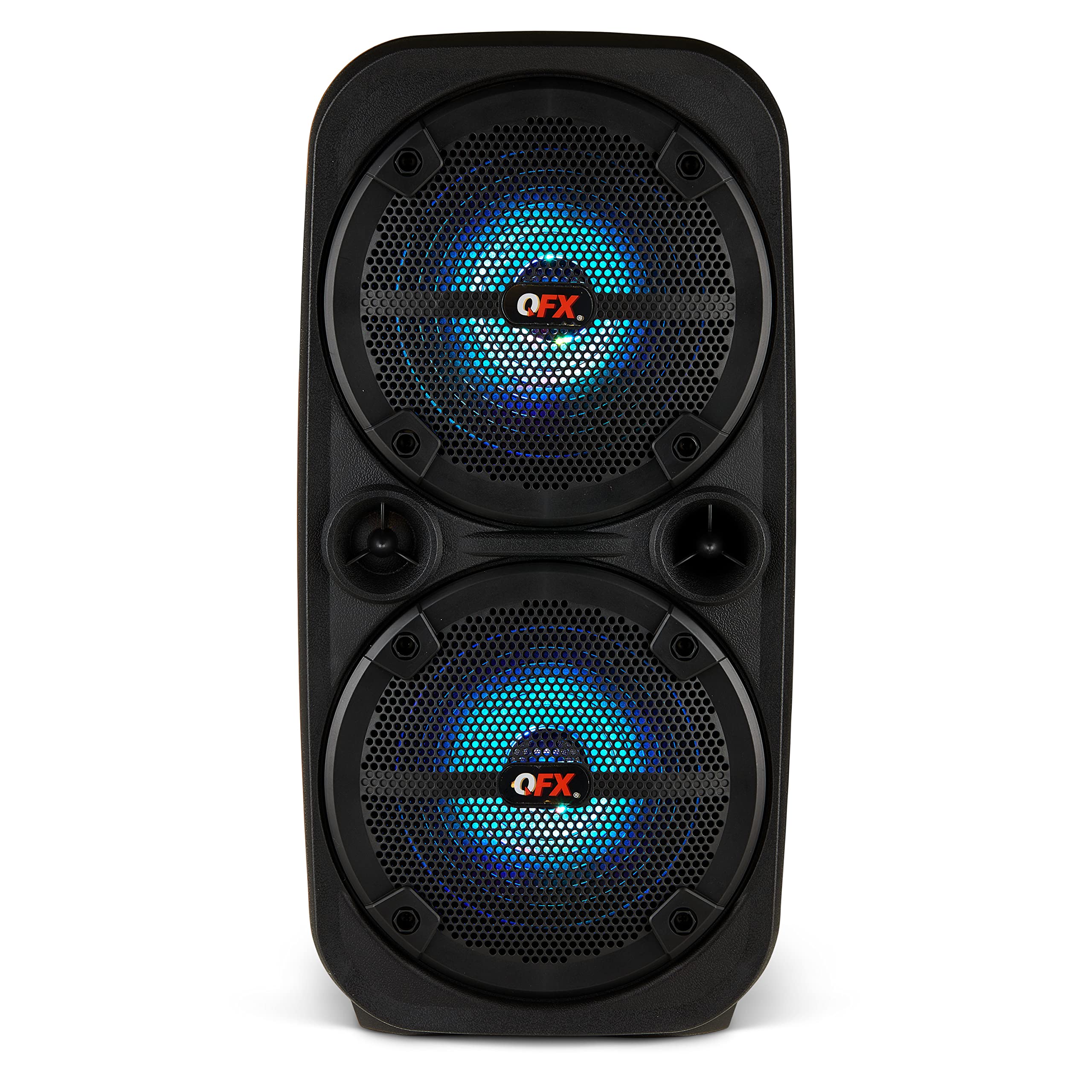
Imaxe 1.1: Fronte view of the QFX PBX-8080 Portable Bluetooth Speaker. This image displays the speaker's robust design, featuring two 8-inch woofers, a central control panel, and illuminated LED party lights, indicating its readiness for use.
2. Instrucións de seguridade
- Ler as instrucións: Read all safety and operating instructions before using the product.
- Instrucións para conservar: Conserve as instrucións de seguridade e funcionamento para futuras consultas.
- Atención ás advertencias: Cumpre todas as advertencias do produto e das instrucións de funcionamento.
- Siga as instrucións: Siga todas as instrucións de funcionamento e uso.
- Auga e humidade: Non use este aparello preto da auga.
- Limpeza: Limpar só cun pano seco.
- Ventilación: Non bloquee ningunha abertura de ventilación. Instáleo segundo as instrucións do fabricante.
- Calor: Non instale preto de fontes de calor como radiadores, rexistros de calor, cociñas ou outros aparellos (incluíndo amplificadores) que producen calor.
- Protección do cable de alimentación: Protexa o cable de alimentación para evitar que se pise ou se pinche, especialmente nos enchufes, tomas de corrente e no punto de saída do aparello.
- Anexos: Use só accesorios/accesorios especificados polo fabricante.
- Lóstrego: Desenchufe este aparello durante tormentas eléctricas ou cando non se use durante longos períodos de tempo.
- Servizo: Encargue toda a reparación a persoal de servizo cualificado. O mantemento é necesario cando o aparello resultou danado dalgún xeito, como o cable de alimentación ou o enchufe está danado, se derrama líquido ou caen obxectos no aparello, o aparello estivo exposto á choiva ou á humidade, non funciona normalmente. , ou foi abandonado.
3. Contido do paquete
Marque a caixa para os seguintes elementos:
- QFX PBX-8080 Portable Bluetooth Speaker
- Cable de carga USB
- Manual de instrucións (este documento)
4. Produto rematadoview
The QFX PBX-8080 is a versatile portable speaker designed for powerful audio output and various connectivity options. It features dual 8-inch woofers, LED party lights, and multiple input methods.
Compoñentes clave:
- Dous woofers de 8 polgadas: Para graves potentes e audio nítido.
- Panel de control: Located on the top or front, featuring buttons for power, mode selection, volume, playback control, and LED light control.
- Luces LED de festa: Integrated lights that synchronize with music or can be set to various patterns.
- Portos de entrada: USB, Aux-in (3.5mm), Microphone input.
- Porto de carga: Para conectar o cable de carga USB.
- Asas: Para unha fácil portabilidade.
5. Configuración
5.1 Carga do altofalante
- Localiza o porto de carga do altofalante.
- Connect the supplied USB charging cable to the speaker's charging port.
- Conecta o outro extremo do cable USB a un adaptador de corrente USB compatible (non incluído) ou a un porto USB con alimentación.
- The charging indicator light (if present) will illuminate, typically red, during charging.
- Once fully charged, the indicator light may change color (e.g., turn off or turn green). A full charge typically takes several hours.
- The speaker supports "Charge & Play," allowing you to use it while it is charging.
5.2 Acendido/Apagado
- To power on the speaker, press and hold the Power button (usually marked with ⏻ or "POWER") for a few seconds until you hear an audible prompt or see the display/LEDs light up.
- Para apagar, manteña premido o botón de acendido/apagado de novo ata que o altofalante se apague.
6. Instrucións de funcionamento
6.1 Emparejamento Bluetooth
- Ensure the speaker is powered on and in Bluetooth mode. If not, press the "MODE" button until "Bluetooth" or "BT" is displayed/announced. The Bluetooth indicator will typically flash, indicating it's in pairing mode.
- No teu dispositivo móbil (teléfono intelixente, tableta, etc.), activa o Bluetooth e busca os dispositivos dispoñibles.
- Select "QFX PBX-8080" from the list of found devices.
- Unha vez emparellado, o altofalante emitirá unha confirmación audible e a luz indicadora de Bluetooth deixará de parpadear e permanecerá fixa.
- Agora podes reproducir audio desde o teu dispositivo a través do altofalante.
Función estéreo sen fíos verdadeiro 6.2 (TWS)
The TWS function allows you to connect two PBX-8080 speakers wirelessly for a stereo sound experience.
- Ensure both PBX-8080 speakers are powered on and in Bluetooth mode, but non connected to any device.
- On one of the speakers, press and hold the "TWS" button (or a similar button, refer to speaker markings) for a few seconds.
- The speakers will attempt to connect to each other. Once connected, you will hear a confirmation tone.
- Now, connect your mobile device to one of the paired PBX-8080 speakers via Bluetooth (as described in section 6.1). Both speakers will play audio in stereo.
Luces de festa LED 6.3
The PBX-8080 features dynamic LED party lights. Use the "LIGHT" button (or similar) on the control panel to cycle through different light modes or to turn the lights off.
6.4 Entrada de micrófono
- Connect a wired microphone (not included) to the "MIC IN" jack on the speaker.
- Adjust the microphone volume using the dedicated "MIC VOL" knob or buttons on the control panel.
- You can use the microphone while playing music from other sources.
6.5 Entrada Aux
- Connect an external audio device (e.g., MP3 player, laptop) to the "AUX IN" jack using a 3.5mm audio cable (not included).
- Press the "MODE" button on the speaker until "AUX" mode is selected.
- Control playback and volume from your connected device or the speaker's main volume control.
6.6 Entrada USB
- Insira unha unidade flash USB (que conteña son MP3 files) into the "USB" port.
- The speaker will automatically switch to USB mode and begin playing music from the drive. If not, press the "MODE" button to select "USB" mode.
- Use the playback controls (Play/Pause, Next/Previous Track) on the speaker to manage your music.
6.7 Radio FM
- Press the "MODE" button until "FM" radio mode is selected.
- Press the "PLAY/PAUSE" button (or a dedicated scan button) to automatically scan and save available FM radio stations.
- Use the "NEXT/PREVIOUS" buttons to navigate between saved stations.
- For better reception, ensure the speaker is in an open area.
7. Mantemento
- Limpeza: Usa un pano suave e seco para limpar o exterior do altofalante. Non empregues produtos de limpeza abrasivos, ceras nin disolventes.
- Almacenamento: Cando non o use durante períodos prolongados, garde o altofalante nun lugar fresco e seco, lonxe da luz solar directa e de temperaturas extremas.
- Coidado da batería: Para prolongar a duración da batería, evite descargala completamente con frecuencia. Cargue o altofalante regularmente, mesmo se non o está a usar, para manter a batería en bo estado.
- Evitar auga: This speaker is not waterproof. Keep it away from water and moisture to prevent damage.
8 Solución de problemas
| Problema | Posible Solución |
|---|---|
| O altofalante non se acende. |
|
| Non hai son do altofalante. |
|
| Falla o emparellamento Bluetooth. |
|
| A recepción da radio FM é deficiente. |
|
9. Especificacións
| Característica | Detalle |
|---|---|
| Nome do modelo | PBX-8080 |
| Marca | QFX |
| Tipo de altofalante | Woofer (2 x 8-inch) |
| Tecnoloxía de conectividade | Bluetooth |
| Características especiais | Bluetooth, True Wireless Stereo (TWS), LED Party Lights, Microphone Input, Aux Input, USB Input, FM Radio, Rechargeable, Handles |
| Modo de saída de audio | Estéreo |
| Fonte de enerxía | Corded Electric (for charging), Rechargeable Battery |
| Peso do elemento | 5.73 libras (2.6 kg) |
| Dimensións da unidade (WxDxH) | 9.65 x 7.36 x 19.69 polgadas (aprox.) |
| UPC | 606540039670 |
10. Garantía e soporte
QFX products are designed and manufactured to the highest quality standards. For specific warranty information, please refer to the warranty card included with your purchase or visit the official QFX website. If you encounter any issues or require technical assistance, please contact QFX customer support.
Atención ao cliente de QFX:
- Para obter a información de soporte máis actualizada, visite a QFX Store on Amazon or the official QFX websitio.