
CANDY CSW485TE180
Candy Smart Pro CSW485TE180 Washer Dryer
Manual de instrucións
Model: CSW485TE180 | Brand: CANDY
1. Introdución
This manual provides essential information for the safe and efficient operation of your Candy Smart Pro CSW485TE180 Freestanding Washer Dryer. Please read these instructions carefully before using the appliance and keep them for future reference.
The Candy Smart Pro CSW485TE180 is a versatile appliance designed to handle both washing and drying tasks, featuring an 8kg wash capacity and a 5kg dry capacity, with a maximum spin speed of 1400 RPM. It also includes WIFI connectivity for enhanced control and smart features.

Figura 1.1: Fronte view of the Candy Smart Pro CSW485TE180 Washer Dryer, showcasinpolo seu acabado branco e o seu panel de control.
2. Información de seguridade
Siga sempre as precaucións de seguridade básicas ao usar electrodomésticos para reducir o risco de incendio, descarga eléctrica e lesións ás persoas.
- Asegúrese de que o aparello estea correctamente conectado a terra e conectado a unha fonte de alimentación adecuada.
- Non permita que os nenos xoguen co aparello.
- Nunca force a porta para abrir durante o funcionamento.
- Desconecte o aparello antes de limpalo ou realizar calquera mantemento.
- Non instale o aparello nun anuncioamp ambiente ou onde poida estar exposto á auga.
- Refer to the installation section for proper ventilation requirements.
3. Produto rematadoview
Familiarize yourself with the main components of your washer dryer.
3.1. Compoñentes principais
- Panel de control: Located at the top front, featuring a digital display and touch controls.
- Caixón dispensador de deterxente: For adding detergent and fabric softener.
- Door/Porthole: Front-loading access to the drum.
- Tambor: Stainless steel interior for washing and drying.
- Filter Access Panel: Located at the bottom front for maintenance.
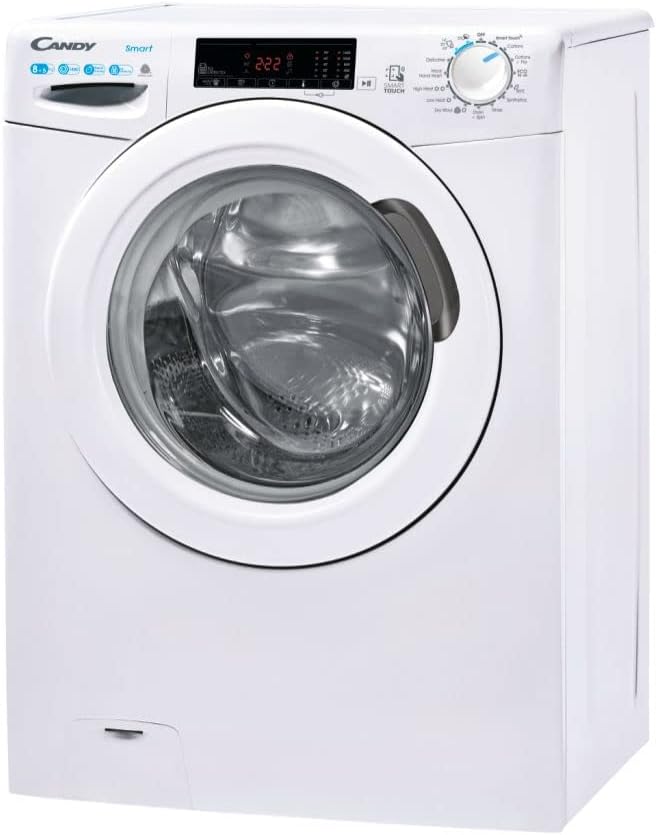
Figura 3.1: En ángulo view highlighting the control panel and detergent drawer.
3.2. Panel de control
The control panel features intuitive touch controls and a digital display for program selection, cycle status, and special functions. Refer to the detailed diagram in the included Instruction Manual for specific button functions.
4. Instalación
Unha instalación axeitada é crucial para o rendemento e a lonxevidade do teu electrodoméstico.
4.1. Desembalaxe
Carefully remove all packaging materials. Ensure that all included components, such as the instruction manual and registration pack, are present. Remove any transit bolts from the rear of the machine before use. Failure to do so can cause severe damage.
4.2 Colocación
The Candy Smart Pro CSW485TE180 is a freestanding appliance. Place it on a firm, level surface. Ensure there is adequate space around the machine for ventilation and ease of access. The product dimensions are 56 x 65 x 89 cm (Depth x Width x Height).

Figura 4.1: Example of the washer dryer installed in a suitable environment.
4.3. Conexións de auga e sumidoiros
Connect the water inlet hose to a cold water tap. Ensure the drain hose is properly secured to a standpipe or sink, allowing for proper drainage without kinks or blockages.
4.4. Conexión eléctrica
Conecte o cable de alimentación a unha toma de corrente con toma de terra. O aparello funciona a 220 voltios. Non empregue cables de extensión nin adaptadores.
5. Instrucións de funcionamento
Follow these steps for effective washing and drying.
5.1. Cargar a roupa
Open the door and load laundry into the drum. Do not overload the machine. The maximum wash capacity is 8kg, and the maximum dry capacity is 5kg. For best drying results, ensure the load is appropriate for the drying capacity.
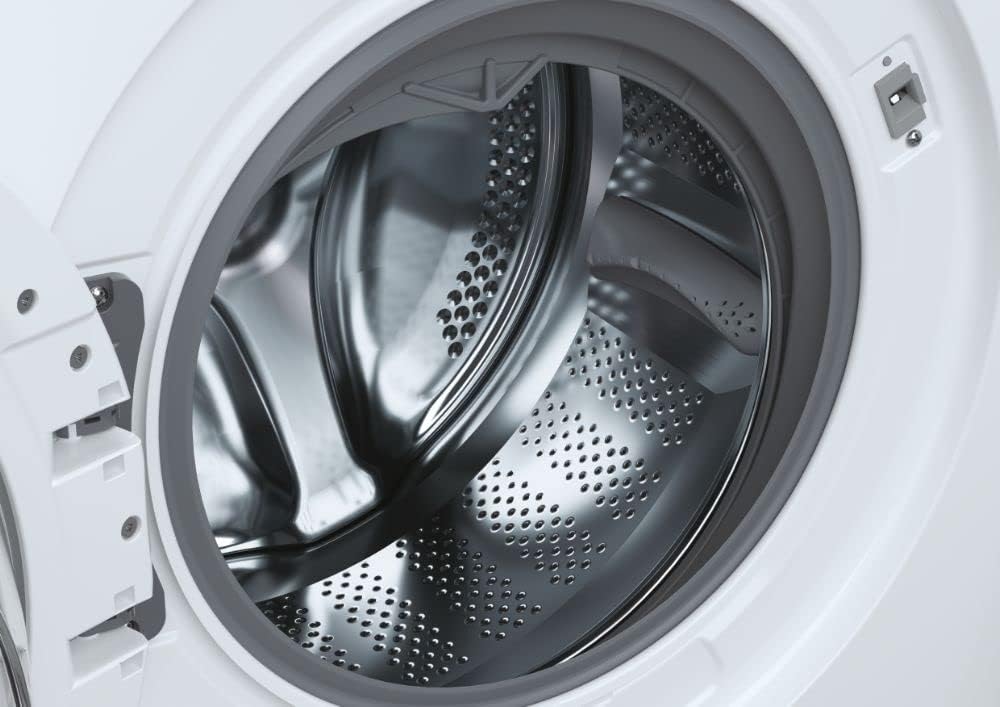
Figure 5.1: Close-up of the stainless steel drum, ready for loading.
5.2. Engadindo deterxente e suavizante
Pull out the detergent dispenser drawer. Add appropriate amounts of detergent to the main wash compartment and fabric softener to its designated compartment. The dispenser is dual-compartment for convenience.
5.3. Selección do programa
Turn the program selector dial or use the touch controls to choose your desired wash or dry program. The machine offers 4 washing cycles and 3 drying cycles, including options like Quick Wash, Intensive, and Eco.
5.4. Características especiais
- Temporizador de demora: Programme the start of the washing cycle with a maximum delay of 24 hours.
- WIFI Connectivity (Smart Touch): Connect your Android smartphone (with NFC) to the appliance for additional functions, tips, and troubleshooting guidance via the Candy Smart Touch app.
- Smart Check-up: The app provides a simplified management for longer efficiency, monitoring the health status of your appliance and helping identify solutions for errors or malfunctions.
- Compatibilidade con Alexa: The appliance is compatible with Alexa for voice control of certain functions.
6. Mantemento
Regular maintenance ensures optimal performance and extends the lifespan of your washer dryer.
6.1. Limpeza do exterior
Limpe as superficies exteriores cun suave, damp pano. Evite produtos de limpeza abrasivos ou solventes.
6.2. Limpeza do dispensador de deterxente
Retire e limpe periodicamente o caixón dosificador de deterxente con auga corrente para evitar a acumulación de residuos.
6.3. Limpeza do filtro de pelusa
For drying efficiency, regularly clean the lint filter located behind the access panel at the bottom front of the machine. Pull out the filter, remove accumulated lint, and rinse if necessary before reinserting.

Figura 6.1: Extracción do filtro de pelusa para limpalo.
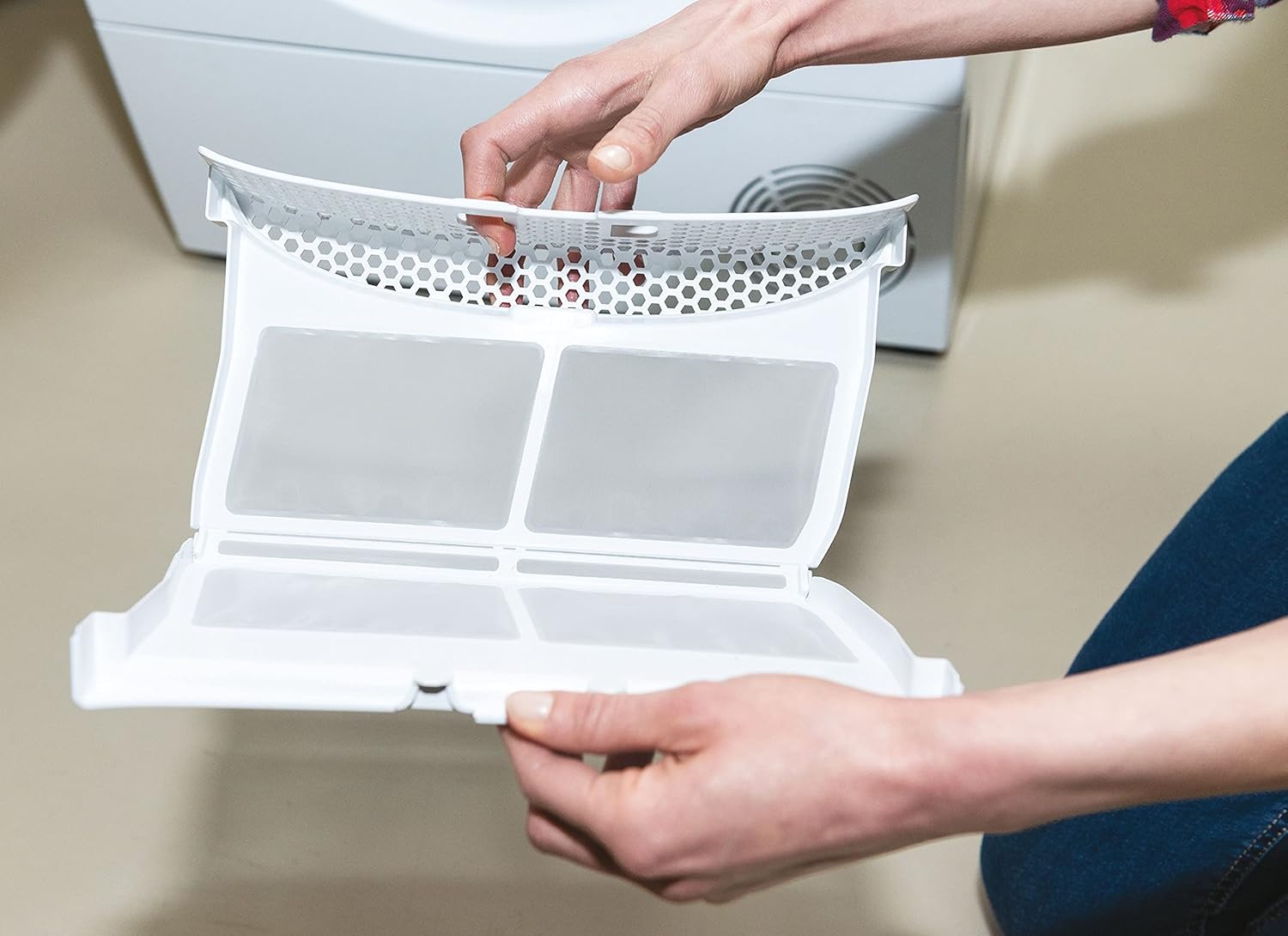
Figure 6.2: The lint filter after removal and cleaning.
6.4. Limpeza do tambor
Run a maintenance wash cycle periodically (e.g., a hot wash with no laundry and a descaling agent) to clean the drum and internal components.
7 Solución de problemas
Before contacting customer support, try these common troubleshooting steps.
| Problema | Causa posible | Solución |
|---|---|---|
| O aparello non se inicia | No power, door not closed properly, program not selected. | Comprobe a fonte de alimentación, asegúrese de que a porta estea pechada, seleccione un programa e prema iniciar. |
| Vibración / ruído excesivos | Transit bolts not removed, appliance not level, uneven load. | Remove transit bolts, adjust leveling feet, redistribute laundry. |
| A auga non drena | Drain hose kinked/blocked, pump filter blocked. | Check drain hose, clean pump filter (refer to full manual). |
| A roupa non seca correctamente | Lint filter blocked, overloaded, incorrect program. | Clean lint filter, reduce load size, select appropriate drying program. |
For more detailed troubleshooting and error codes, utilize the Smart Check-up function via the Candy Smart Touch app or consult the comprehensive manual provided with your appliance.
8. Especificacións técnicas
Key technical details of the Candy Smart Pro CSW485TE180 Washer Dryer.
| Especificación | Valor |
|---|---|
| Número de modelo | CSW 485TE/1-80 (31010935) |
| Capacidade de lavado | 8 quilogramos |
| Capacidade seca | 5 quilogramos |
| Velocidade de rotación máxima | 1400 RPM |
| Clase de eficiencia enerxética (lavado) | E |
| Consumo anual de enerxía (lavado) | 326 quilovatios-hora |
| Nivel de ruído (xiración) | 79 dB |
| Dimensións do produto (P x A x A) | 56 x 65 x 89 cm |
| Peso do elemento | 64 kg |
| Tipo de instalación | Autónomo |
| Tipo de control | Toca |
| Características especiais | Delay Timer, Eco, Intensive, Quick Wash, WIFI |
| Dispositivos compatibles | Alexa |
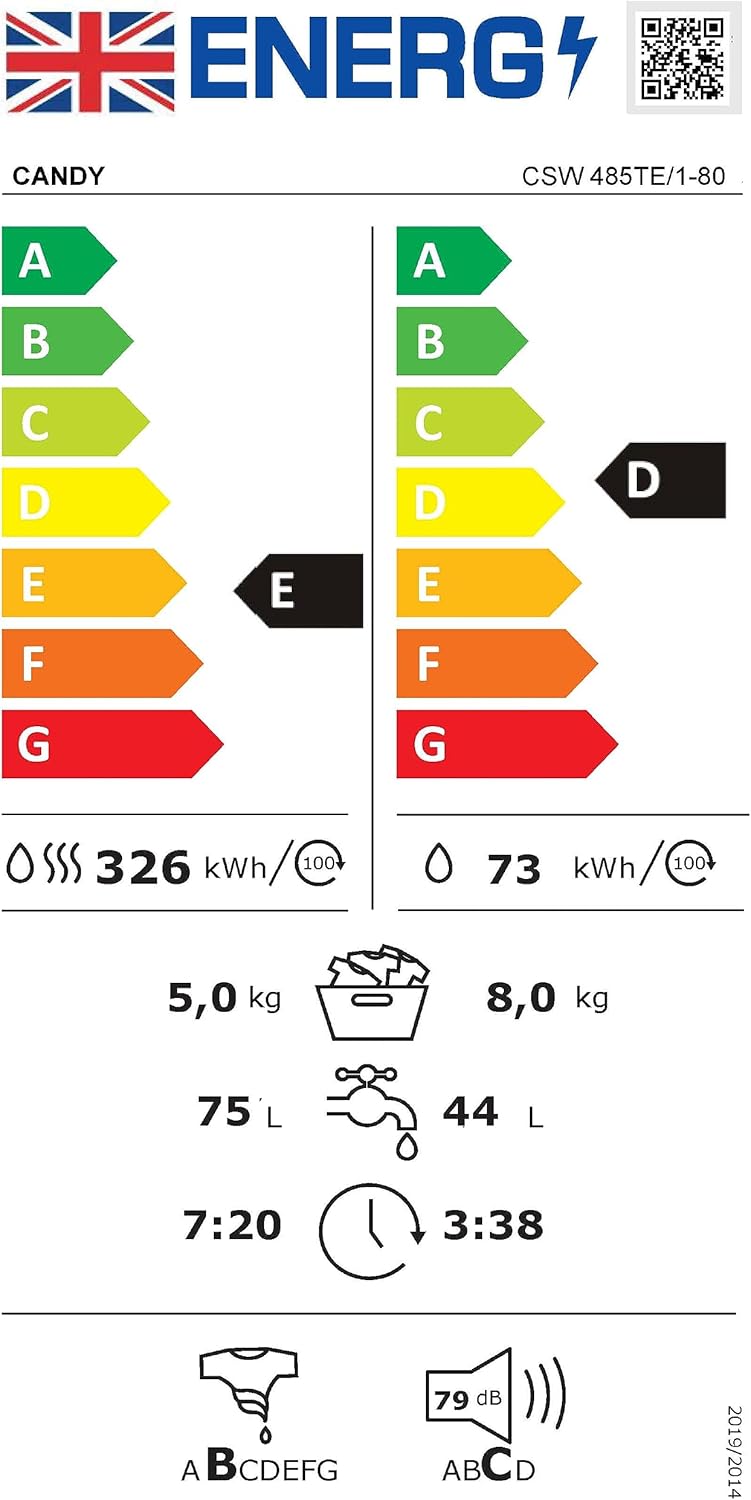
Figure 8.1: Energy label providing detailed consumption and performance data. For more information, visit etiqueta-enerxética.ec.europa.eu.
9. Garantía e atención ao cliente
Your Candy Smart Pro CSW485TE180 Washer Dryer comes with a manufacturer's warranty.
9.1. Información da garantía
The minimum duration of the guarantee offered by the supplier is 12 months. Please retain your proof of purchase for warranty claims. For full terms and conditions, refer to the warranty information included in your registration pack or visit the manufacturer's official websitio.
9.2. Atención ao cliente
For technical assistance, spare parts, or to report a fault, please contact Candy customer support. You can find contact details on the Candy website or in your product documentation. When contacting support, please have your model number (CSW485TE180) and serial number ready.
Additional information regarding the appliance and its features can be found on the supplier's websitio: corporate.haier-europe.com/gl/.
Ask a question about this manual
Ask about setup, troubleshooting, compatibility, parts, safety, or missing instructions. Manuals+ will review the question and use this page’s manual context to help answer it.