
1. Introdución
This manual provides comprehensive instructions for the Samsung Galaxy Tab S7 (Model SM-T878UZKAATT). It covers essential information regarding device setup, operation, features, maintenance, and troubleshooting to ensure optimal use of your tablet.
The Samsung Galaxy Tab S7 is a 5G-enabled tablet designed for enhanced productivity and entertainment. This renewed product has been professionally inspected and tested to function and appear like new, ensuring a reliable user experience.
2. Configuración inicial
2.1. Unboxing and First Power On
Carefully remove the tablet and included accessories from the packaging. Press and hold the power button located on the side of the device to turn it on. Follow the on-screen prompts to select your language, connect to a Wi-Fi network, and set up your Google account.
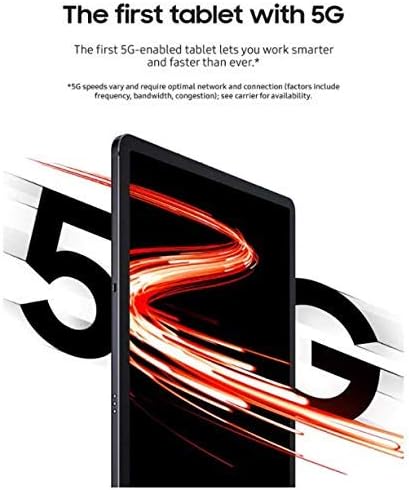
Imaxe: Fronte view of the Samsung Galaxy Tab S7 tablet.
2.2. S Pen Setup
The S Pen is included with your Galaxy Tab S7. To pair and charge the S Pen, attach it magnetically to the designated strip on the back of the tablet, near the camera module. The S Pen will automatically connect and begin charging.
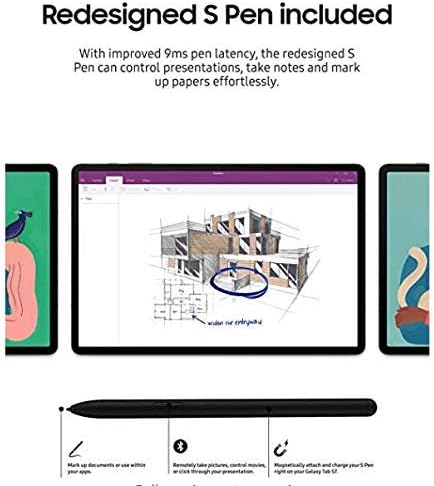
Image: The S Pen magnetically attached to the back of the Samsung Galaxy Tab S7.
2.3. Conectividade de rede
This tablet supports 5G LTE/WiFi connectivity (AT&T Network Only). To set up cellular data, insert your AT&T SIM card into the SIM tray. For Wi-Fi, navigate to Settings > Connections > Wi-Fi and select your desired network.
3. Instrucións de funcionamento
3.1. Navegación pola interface
The Galaxy Tab S7 runs on Android 10 with Samsung's One UI. Swipe down from the top of the screen to access the Quick Panel for settings and notifications. Swipe up from the bottom to access the app drawer. Utilize the S Pen for precise navigation and input.
3.2. Modo Samsung DeX
Transform your tablet into a PC-like experience with Samsung DeX. Access DeX mode from the Quick Panel or by connecting an external keyboard and mouse. DeX mode allows for a multi-window interface, enhancing productivity for tasks such as document editing and web browsing. The tablet supports video output to external monitors via a compatible USB-C to HDMI adapter.

Image: Samsung Galaxy Tab S7 connected to an external keyboard, demonstrating DeX mode for a PC-like experience.
3.3. Funcionalidade do S Pen
The redesigned S Pen offers improved 9ms latency for a natural writing and drawing experience. Use it to take notes, mark up documents, control presentations remotely, and navigate the tablet with precision. Air Actions allow for gesture controls without touching the screen.
3.4. Entertainment and Gaming
Experience cinematic viewing on the 11-inch display with a 120Hz refresh rate and quad speakers tuned by AKG with Dolby Atmos surround sound. The tablet's powerful processor supports smooth gaming. Connect a Bluetooth-enabled controller for an enhanced gaming experience.
Vídeo: Unha review of the Samsung Galaxy Tab S7, highlighting its features and performance. This video is provided by a Seller.
4. Características clave
- Conectividade 5G: Supports AT&T Network for high-speed mobile data.
- PC Performance with DeX Mode: Transform your tablet into a PC experience with DeX mode and optional keyboard (sold separately).
- Entretemento mellorado: 11-inch edge-to-edge display, sAMOLED™ screen, and quad speakers tuned by AKG with Dolby Atmos surround sound.
- Redesigned S Pen: Improved 9ms pen latency for precise control, note-taking, and document markup.
- Optimización de xogos: Immersive screen and Bluetooth-enabled controller support for console-like gaming (controller sold separately).
- Carga rápida: Supports 45W fast charging via USB-C port.
- Almacenamento ampliable: Up to 512GB built-in memory, expandable up to 1TB with a microSD card (sold separately).
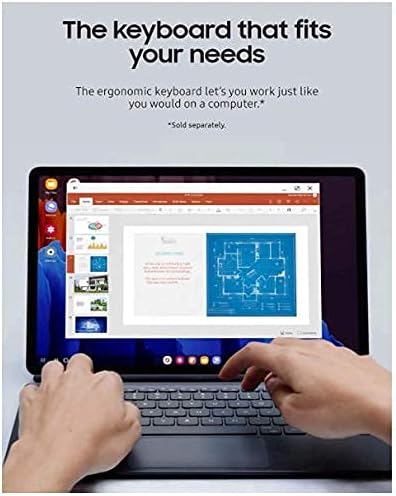
Image: The Samsung Galaxy Tab S7 charging via its USB-C port, highlighting its fast-charging capability and battery life.
5. Especificacións
| Característica | Detalle |
|---|---|
| Marca | Samsung |
| Nome do modelo | Tab S7 |
| Número de modelo | SM-T878UZKAATT |
| Capacidade de almacenamento da memoria | 128 GB |
| Tamaño da RAM | 6 GB |
| Tamaño da pantalla | 11 polgadas |
| Resolución de visualización máxima | 2560 x 1600 píxeles |
| Tipo de visualización | AMOLED |
| Velocidade do procesador | 3.09 GHz |
| Descrición do procesador | Qualcomm SDM865 Pro |
| Sistema Operativo | Android 10 |
| Tecnoloxía Celular | 5G (AT&T) |
| Cámara traseira | 13 MP |
| Cámara frontal | 8 MP |
| Duración media da batería | 15 horas |
| Medios incorporados | S Pen |
6. Mantemento
6.1. Limpeza da tableta
Use a soft, lint-free cloth to clean the screen and body of your tablet. Avoid using abrasive cleaners or solvents that may damage the finish. For stubborn smudges, lightly dampLimpar o pano con auga ou unha solución de limpeza apta para pantallas.
6.2. Actualizacións de software
Regularly check for and install software updates to ensure your tablet has the latest features, security patches, and performance improvements. Navigate to Settings > Software update > Download and install.
6.3. Coidado da batería
To prolong battery life, avoid exposing the tablet to extreme temperatures. For optimal performance, keep the battery charge between 20% and 80% when possible. Use the provided charger or a compatible 45W fast charger.
7 Solución de problemas
7.1. O dispositivo non se acende
- Asegúrate de que a batería estea cargada. Conecta a tableta ao cargador e agarda uns minutos antes de tentar acenderla de novo.
- Press and hold the Power button for at least 10 seconds to perform a forced restart.
7.2. S Pen Not Responding
- Ensure the S Pen is properly attached to the charging strip on the back of the tablet to ensure it is charged and paired.
- Reinicie a tableta.
7.3. Problemas de conectividade wifi
- Reinicia o teu enrutador Wi-Fi e a tableta.
- Forget the network in your tablet's Wi-Fi settings and reconnect.
- Asegúrate de estar dentro do alcance do sinal Wi-Fi.
8. Garantía e soporte
8.1. Garantía do produto
This renewed product comes with a 90 días de garantía limitada. Please refer to the warranty documentation provided with your purchase for specific terms and conditions.
8.2. Atención ao cliente
For further assistance, technical support, or warranty claims, please contact Samsung customer service or the retailer from whom you purchased the renewed product. Keep your proof of purchase and model number (SM-T878UZKAATT) readily available.


