
1. Produto rematadoview e contido do paquete
This manual provides instructions for the NADAMOO Bur3400 Thermal Label Printer. This printer is designed for high-speed, direct thermal printing of labels up to 4x6 inches, compatible with various shipping platforms and operating systems.
Contido do paquete

Image: Contents of the NADAMOO Thermal Label Printer package, showing the printer, power adapter, cables, USB flash drive, and user manual.
- Impresora térmica: The main printing unit.
- Caixa de embalaxe: Original product packaging.
- Adaptador de alimentación: For connecting the printer to a power source.
- Cable de alimentación: Connects the power adapter to the electrical outlet.
- Cable USB: Para conectar a impresora ao teu ordenador.
- USB Flash Driver: Contains necessary drivers and software.
- Manual de usuario: Esta guía de instrucións.
2. Guía de configuración
2.1 Conexión física
- Conectar enerxía: Plug the power adapter into the printer's power port, then connect the power cable to the adapter and a wall outlet.
- Conectar ao ordenador: Use the provided USB cable to connect the printer to your computer.

Image: The NADAMOO Thermal Label Printer connected to a laptop via USB cable, illustrating compatibility with Windows and Mac OS.
The printer supports Windows e Mac OS. It is not compatible with Google Chrome OS, Surface Tablets, Smartphones, or iPads for direct connection.
2.2 Cargar etiquetas
The printer supports both stack labels and roll labels. Ensure the label holder (sold separately) is used for roll labels if needed.
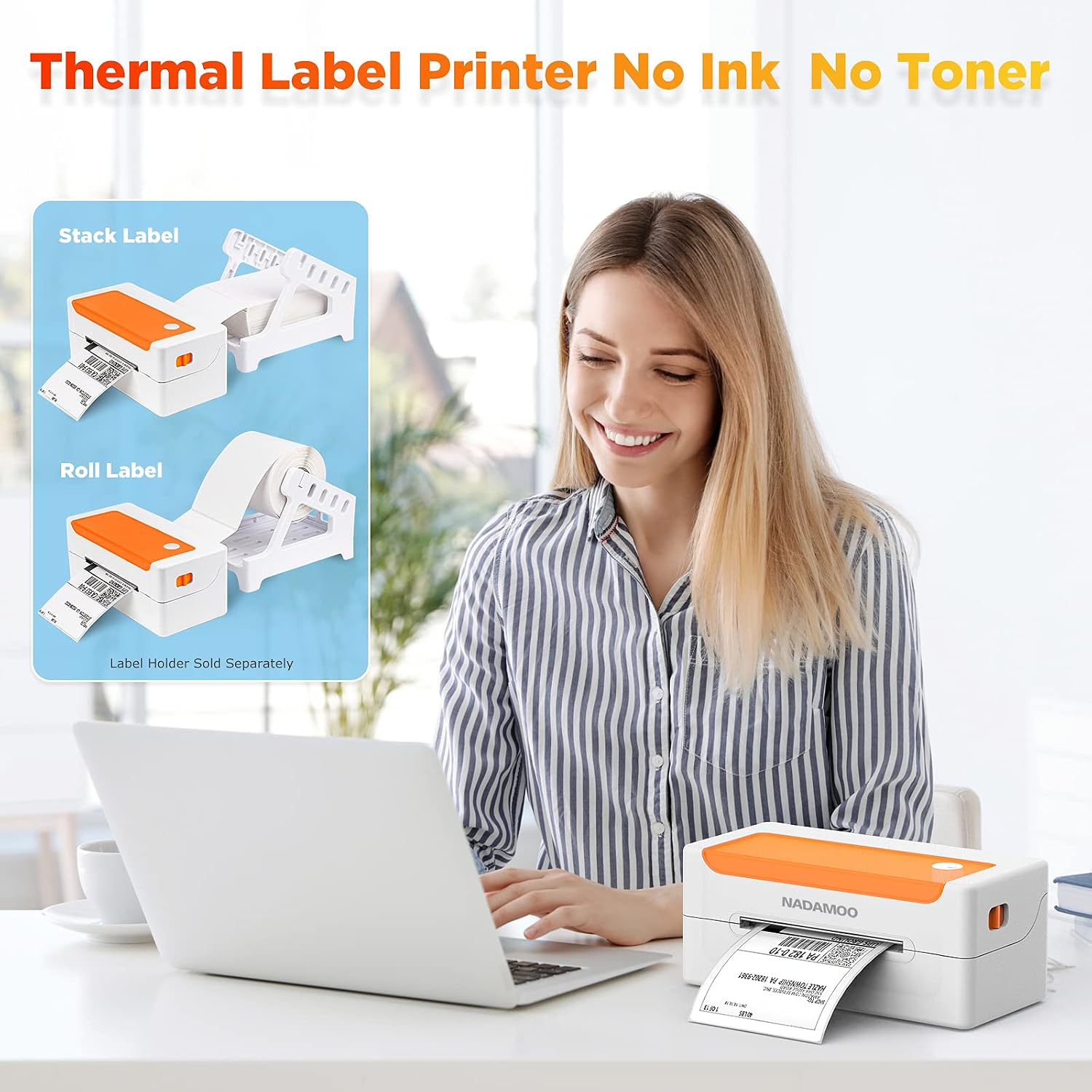
Image: Diagrams illustrating how to load both stack labels and roll labels into the thermal printer. A label holder is shown for roll labels, noted as sold separately.
- Abra a tapa superior da impresora.
- Insert the labels into the feed slot, ensuring the print side is facing up.
- Adjust the label guides to fit the width of your labels snugly, without being too tight. The printer supports label widths between 1.5 inches and 4.4 inches.
- Pecha a tapa superior.

Imaxe: Unha imaxe aberta view of the NADAMOO Thermal Label Printer, highlighting the internal components and the adjustable label guides for widths between 1.5 and 4.4 inches.
2.3 Instalación do controlador
- Insert the provided USB Flash Driver into your computer.
- Locate and run the appropriate driver installer for your operating system (Windows or Mac).
- Siga as instrucións en pantalla para completar a instalación do controlador.
- Despois da instalación, reinicie o computador se se lle solicita.
3. Instrucións de funcionamento
3.1 Impresión de etiquetas
The NADAMOO Bur3400 printer is designed for high-speed printing of 4x6 inch shipping labels and other label types.

Image: The NADAMOO Thermal Label Printer actively printing a label, highlighting its 150mm/s high-speed capability, capable of printing approximately 60 labels per minute.
- Asegúrate de que a impresora estea acendida e conectada ao teu ordenador.
- Open the document or application from which you wish to print (e.g., Shopify, eBay, Amazon, USPS, UPS, FedEx).
- Go to the print settings or dialog box.
- Select the "NADAMOO Bur3400" printer from the list of available printers.
- In the printer preferences or page setup, ensure the paper size is set to 4 x 6 polgadas. This is crucial for correct label output.
- Adjust any other necessary settings (e.g., orientation, darkness) as required by your label type or platform.
- Initiate the print command. The printer will begin printing at a speed of up to 150mm/s.
4. Mantemento
4.1 Cleaning the Print Head and Rollers
Regular cleaning helps maintain print quality and extends the life of your printer. It is recommended to clean the print head and rubber roller weekly or as needed.
- Apague a impresora e desconéctea da fonte de alimentación.
- Abra a tapa superior da impresora.
- Gently wipe the print head (the dark strip inside the top cover) with an alcohol swab or a soft, lint-free cloth lightly dampcon alcohol isopropílico.
- Clean the rubber roller (visible inside the printer, below the print head) using the same method.
- Allow all components to dry completely before closing the cover and reconnecting power.
4.2 Coidados xerais
- Manteña a impresora nun ambiente limpo e libre de po.
- Avoid exposing the printer to direct sunlight, high temperatures, or excessive humidity.
- Use only high-quality thermal labels to prevent damage to the print head.
- Do not attempt to disassemble the printer beyond routine cleaning.
5 Solución de problemas
If you encounter issues with your NADAMOO Thermal Label Printer, refer to the following common troubleshooting steps:
- Sen enerxía: Ensure the power adapter and cable are securely connected to both the printer and a working electrical outlet.
- No Print/Faded Print:
- Check if the labels are loaded correctly with the print side facing up.
- Limpe o cabezal de impresión e o rodillo de goma como se describe na sección Mantemento.
- Verify that the label type is thermal and not requiring ink or toner.
- Adjust print darkness settings in your printer preferences.
- Atasco de papel:
- Turn off the printer and carefully open the top cover.
- Gently remove any jammed labels. Avoid tearing them inside the printer.
- Ensure label guides are properly adjusted to the label width.
- Incorrect Label Size/Layout:
- In your computer's print dialog or application settings, confirm that the paper size is set to 4 x 6 polgadas.
- Ensure the label orientation (portrait/landscape) matches your print job.
- Problemas do controlador: Reinstall the printer drivers from the provided USB Flash Driver or the manufacturer's websitio.
For further assistance, please refer to the detailed troubleshooting section in the full user manual or contact customer support.
6. Especificacións
| Marca | NADAMOO |
| Nome do modelo | Bur3400 |
| Tecnoloxía de impresión | Térmica |
| Tecnoloxía de conectividade | Bluetooth, USB |
| Características especiais | Preparado para a rede |
| Cor | Laranxa |
| Saída da impresora | Monocromo |
| Velocidade máxima de impresión (monocromo) | 150 mm/s (approx. 60 labels/minute) |
| Dimensións do produto (P x A x A) | 10.4 D x 21.8 W x 9.4 H centímetros |
| Tipo de controlador | Windows |
| Medios impresos | Etiquetas |
| Dispositivos compatibles | PC |
| Método de control | App (via Bluetooth) |
| Tamaño máximo do soporte | 4x6 polgadas |
| Capacidade máxima de follas | 100 |
| Interface de hardware | USB |
| Total de portos USB | 1 |
| Maximum Copy Resolution (B&W) | 203 ppp |
| Usos específicos do produto | Office Label Printing |
7. Garantía e soporte
NADAMOO products are manufactured to high-quality standards. This product comes with a standard manufacturer's warranty. Please refer to the warranty card included in your package for specific terms and conditions, including the warranty period and coverage details.
For technical support, troubleshooting assistance, or warranty claims, please contact NADAMOO customer service through the contact information provided in your product packaging or on the official NADAMOO website. When contacting support, please have your product model number (Bur3400) and purchase information ready.