Introdución
Welcome to the Altec Lansing NanoBuds True Wireless Earbuds instruction manual. This guide provides essential information for setting up, operating, maintaining, and troubleshooting your new earbuds. Please read this manual thoroughly to ensure optimal performance and longevity of your device.

Image: The Altec Lansing NanoBuds True Wireless Earbuds shown with their charging case.
O que hai na caixa
Your Altec Lansing NanoBuds package includes the following items:
- Altec Lansing NanoBuds True Wireless Earbuds (Left and Right)
- Estuche de carga sen fíos
- Cable de carga USB
- Multiple sizes of ear tips for a customized fit
- Guía de inicio rápido

Image: The NanoBuds earbuds displayed alongside their charging case.
Configuración
1. Carga dos auriculares e da funda
Before first use, fully charge your NanoBuds and their charging case. Place the earbuds into the charging case. Connect the USB charging cable to the charging port on the case and plug the other end into a USB power source. The indicator lights on the case will show the charging status.

Image: NanoBuds seated in the charging case, with blue indicator lights illuminated, signifying charging status.
2. Emparellamento Bluetooth
- Asegúrate de que os auriculares estean cargados.
- Open the charging case. The earbuds will automatically enter pairing mode, indicated by flashing lights.
- No teu dispositivo (teléfono intelixente, tableta, etc.), vai á configuración de Bluetooth e activa Bluetooth.
- Select "Altec NanoBuds" from the list of available devices.
- Unha vez conectado, unha mensaxe de voz confirmará o emparellamento correcto.
3. Conseguir un axuste seguro
For optimal sound quality and comfort, select the ear tips that best fit your ears. The NanoBuds feature Altec Lansing Helix wings for a secure fit, especially during active use. Gently insert each earbud into your ear canal and twist slightly to lock the Helix wing into place.

Imaxe: Primeiro plano view of the NanoBuds, highlighting the integrated Helix wings designed for a stable and secure fit in the ear.
Funcionamento dos auriculares
Controis táctiles
The NanoBuds feature intuitive touch controls on each earbud for managing audio playback and calls.
| Acción | Función |
|---|---|
| Toque único (esquerda/dereita) | Reproducir/Pausar música, Responder/Finalizar chamada |
| Dobre toque (dereita) | Próxima pista |
| Dobre toque (esquerda) | Pista anterior |
| Toque triplo (esquerda/dereita) | Activa o asistente de voz |
| Mantén premido (2 segundos) | Rexeitar a chamada |
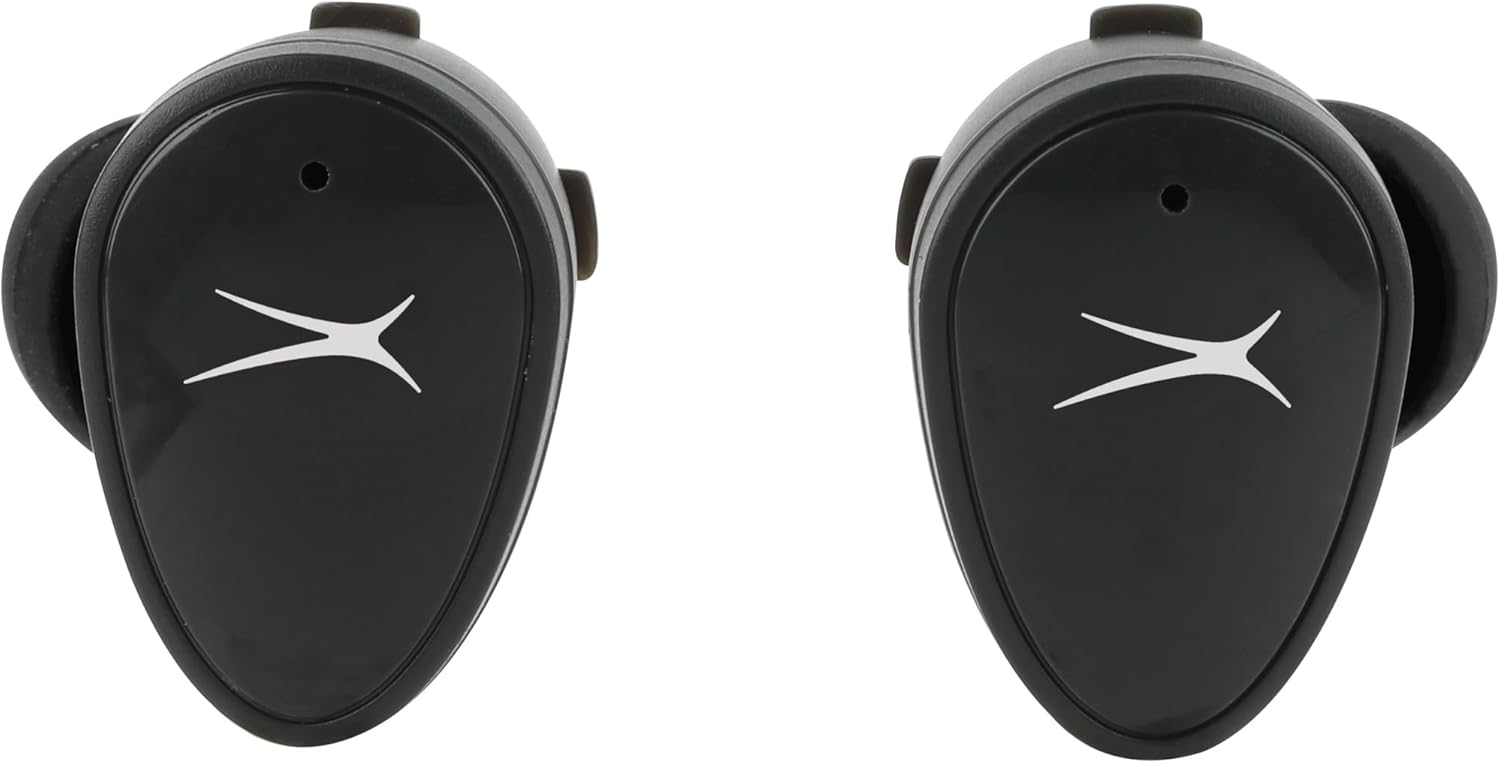
Imaxe: Fronte view of the NanoBuds, indicating the touch-sensitive surface for controls.
Encendido/apagado
- Encendido: Os auriculares acéndense automaticamente ao retiralos da caixa de carga.
- Apagado: Volva colocar os auriculares na caixa de carga para que se apaguen automaticamente e comecen a cargar.
Realización e recepción de chamadas
The NanoBuds feature dual microphones for clear calling. Use the touch controls as described above to manage your calls.
Mantemento
Limpeza
Regularly clean your earbuds and charging case to maintain performance. Use a soft, dry, lint-free cloth. Do not use harsh chemicals or abrasive materials. Ensure charging contacts are free of debris.
Resistencia á auga (IPX4)
The NanoBuds are rated IPX4 water-resistant, meaning they are protected from splashing water from any direction. This makes them suitable for workouts and light rain. They are not designed for submersion in water.
Resolución de problemas
If you encounter issues with your NanoBuds, try the following steps:
- Sen enerxía: Asegúrate de que os auriculares e a caixa de carga estean completamente cargados.
- Problemas de emparellamento: Make sure Bluetooth is enabled on your device and the earbuds are in pairing mode. Try forgetting the device in your phone's Bluetooth settings and re-pairing.
- Un auricular non funciona: Volva colocar os dous auriculares na caixa de carga, peche a tapa, agarde uns segundos e logo ábraa e inténteo de novo. Asegúrese de que os dous auriculares estean cargados.
- Mala calidade de son: Check the ear tip fit. Ensure there is no obstruction in the earbud's speaker mesh.
- No Audio During Calls: Confirm the NanoBuds are selected as the audio output device on your phone during a call.
- Restablecer: For persistent issues, consult the Altec Lansing support websitio para obter instrucións específicas de restablecemento para o teu modelo.
Especificacións
| Característica | Especificación |
|---|---|
| Nome do modelo | NanoBuds Sport |
| Número de modelo | MZX5200 |
| Tecnoloxía de conectividade | Sen fíos (Bluetooth 5.0) |
| Alcance Bluetooth | Ata 15.24 metros (50 pés) |
| Nivel de resistencia á auga | IPX4 (resistente á auga) |
| Duración da batería (auriculares) | Ata 5 horas por carga |
| Tempo de reprodución total (con estuche) | Up to 30 hours (4 additional charges from case) |
| Tempo de carga | Approximately 5 hours (for full system charge) |
| Control de ruído | Cancelación de ruído pasiva |
| Método de control | Toca |
| Rango de frecuencias | 20 Hz - 20,000 Hz |
| Peso | 5.3 onzas |
Información da garantía
Altec Lansing products are designed and manufactured to the highest quality standards. For detailed warranty information, including terms, conditions, and registration, please refer to the warranty card included with your product or visit the official Altec Lansing websitio. Garda o comprobante de compra para reclamacións de garantía.
Atención ao cliente
If you require further assistance or have questions not covered in this manual, please contact Altec Lansing customer support. You can find contact information, FAQs, and additional resources on the official Altec Lansing websitio: www.alteclansing.com.