
1. Introdución
Grazas pola compraasing the Heayzoki K605 Portable Digital Tuning Radio Receiver. This device combines a multi-band radio with an MP3 player, offering versatility and portability. Please read this manual carefully to ensure proper use and to maximize your enjoyment of the product.

Image: The Heayzoki K605 portable radio, highlighting its compact and lightweight design.
Características principais:
- Deseño compacto e portátil para un fácil transporte.
- MP3 playback mode supporting WAV and MP3 formats.
- Memory card support for audio playback.
- FM stereo reception for improved sound clarity.
- High sensitivity and good selectivity for clear reception.
- Simple and intuitive operation, suitable for all ages.
2. Información de seguridade
Para evitar danos e garantir un funcionamento seguro, observe as seguintes precaucións:
- Non expoñas o dispositivo a temperaturas extremas, luz solar directa nin humidade elevada.
- Evite deixar caer ou someter o dispositivo a fortes impactos.
- Non desmontes nin intentes reparar o dispositivo ti mesmo. Encarga todo o mantemento a persoal cualificado.
- Manteña o dispositivo lonxe da auga e doutros líquidos.
- Empregue só a batería e os accesorios de carga especificados.
- When using earphones, keep the volume at a moderate level to prevent hearing damage.
3. Contido do paquete
Verifica que todos os elementos estean presentes no paquete:
- Heayzoki K605 Portable Radio Receiver
- Batería recargable (preinstalada ou separada)
- Cable de carga USB
- Auriculares
- Manual do propietario (este documento)
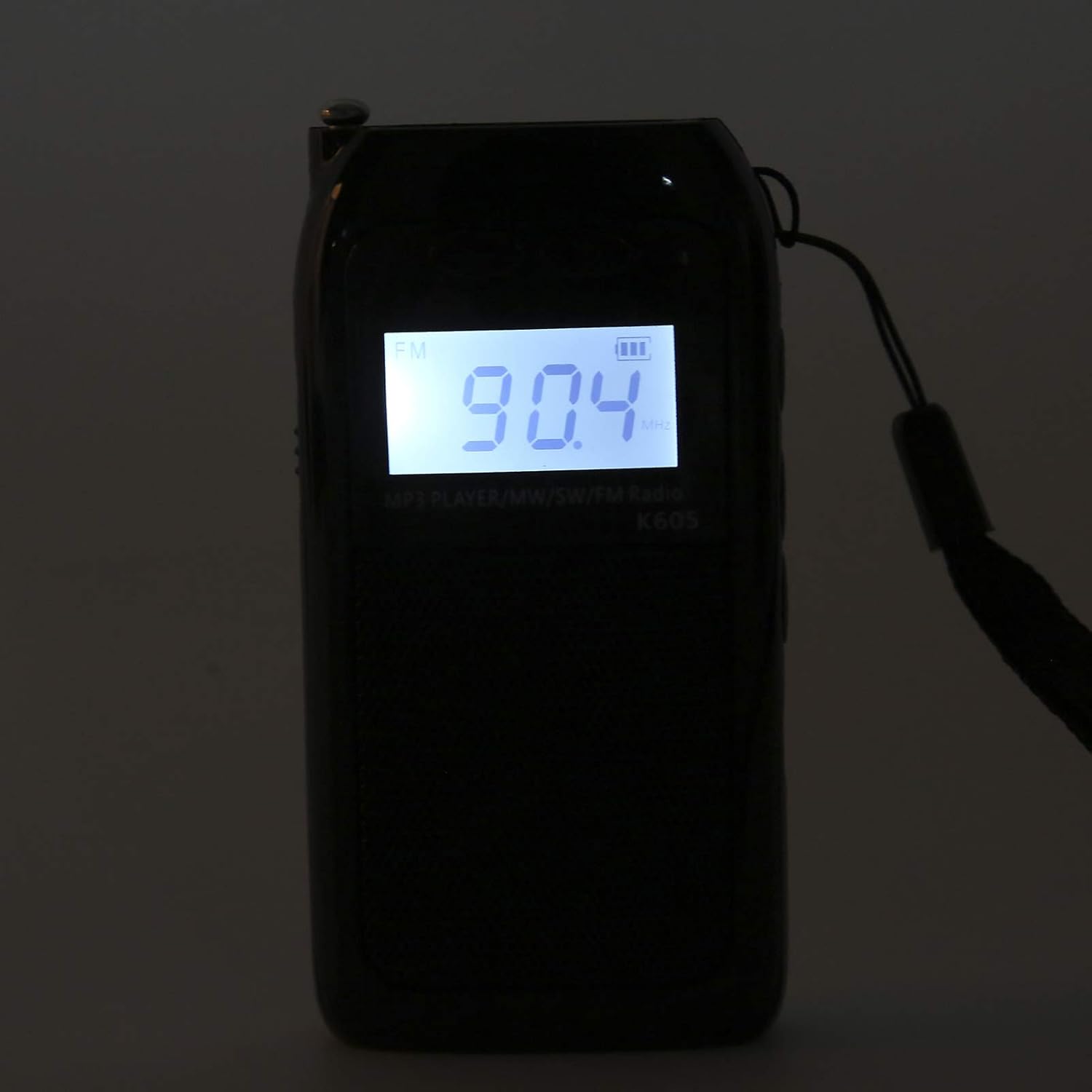
Image: The Heayzoki K605 radio displayed with its accessories, including earphones and a charging cable.
4. Produto rematadoview
Familiarize yourself with the buttons and ports of your K605 radio.

Imaxe: Fronte view of the K605 radio, highlighting the LCD screen and speaker.

Imaxe: Lateral view of the K605 radio, illustrating the control buttons for tuning and volume.

Imaxe: Traseira view of the K605 radio, showing the battery compartment and additional ports.
Controis e portos:
- Pantalla LCD: Shows frequency, time, battery status, and MP3 track information.
- Botón de encendido: Acende/apaga o dispositivo.
- Botón de modo: Switches between FM, SW, MW radio, and MP3 player modes.
- Botóns de volume +/-: Axusta o volume de audio.
- Tuning +/- Buttons: Scans or manually tunes radio frequencies; navigates MP3 tracks.
- Botón Reproducir/Pausa: Controls MP3 playback.
- Antena: Antena extensible para unha mellor recepción de radio.
- Earphone Jack (3.5mm): Para escoita privada.
- Porto micro USB: Para cargar o dispositivo.
- Ranura para tarxetas de memoria: For inserting a microSD card with MP3/WAV files.
5. Configuración
5.1. Cargando a batería
- Connect the small end of the USB charging cable to the Micro USB port on the radio.
- Conecta o extremo máis grande do cable de carga USB a un adaptador de corrente USB (non incluído) ou ao porto USB dun ordenador.
- O indicador da batería na pantalla LCD mostrará o estado de carga.
- Unha vez cargado por completo, desconecte o cable de carga.
5.2. Inserting a Memory Card (for MP3 Playback)
- Locate the memory card slot on the side or back of the radio.
- Gently insert a microSD card (up to 32GB, not included) with the metal contacts facing down until it clicks into place.
- To remove, push the card in slightly until it clicks out.
6. Instrucións de funcionamento
6.1. Acendido/apagado
Manteña premido o Poder botón para acender ou apagar a radio.
6.2. Selección de modos
Preme o Modo button repeatedly to cycle through the available modes: FM Radio, SW Radio, MW Radio, and MP3 Player.
6.3. Radio Operation (FM/SW/MW)
- Estender a antena: For optimal reception, fully extend the telescopic antenna.
- Seleccionar banda: Preme o Modo button until the desired band (FM, SW, or MW) is displayed.
- Sintonización automática: Manteña premido o Afinación +/- botóns para buscar automaticamente a seguinte emisora dispoñible.
- Sintonización manual: Prema brevemente o Afinación +/- botóns para axustar a frecuencia paso a paso.
- Axuste de volume: Usa o Volume +/- botóns para axustar o nivel do son.

Image: The K605 radio with its antenna extended, ready for radio reception.
6.4. MP3 Player Operation
Ensure a memory card with MP3 or WAV fileInsírese s.
- Select MP3 Mode: Preme o Modo button until "MP3" or similar is displayed.
- Reproducir/Pausa: Preme o Reproducir/Pausa botón para iniciar ou pausar a reprodución.
- Seguimento / Seguimento anterior: Usa o Afinación +/- botóns para saltar á pista seguinte ou anterior.
- Axuste de volume: Usa o Volume +/- botóns para axustar o nivel do son.

Image: The K605 radio in MP3 playback mode, showing the MP3 indicator on the display.
6.5. Using Earphones
Plug your 3.5mm earphones into the earphone jack for private listening. The internal speaker will automatically mute.
7. Mantemento
7.1. Limpeza
- Limpa o dispositivo cun pano suave e seco.
- Non empregue produtos de limpeza abrasivos, solventes nin produtos químicos fortes.
7.2. Almacenamento
- Garde a radio nun lugar fresco e seco, lonxe da luz solar directa e de temperaturas extremas.
- If storing for an extended period, ensure the battery is partially charged and recharge it periodically to maintain battery health.
8 Solución de problemas
| Problema | Causa posible | Solución |
|---|---|---|
| Sen poder | A batería está esgotada. | Cargue a batería co cable USB proporcionado. |
| Mala recepción de radio | Antena non estendida; sinal débil; interferencias. | Fully extend the antenna. Try repositioning the radio. Move away from electronic devices causing interference. |
| MP3 filenon está xogando | Memory card not inserted correctly; unsupported file formato; corrompido files. | Ensure the memory card is properly inserted. Verify files are in WAV or MP3 format. Try another memory card or re-format the current one. |
| No sound from speaker/earphones | Volume is too low; earphones not fully plugged in; faulty earphones. | Increase the volume. Ensure earphones are fully inserted. Test with another pair of earphones. |
9. Especificacións
| Característica | Detalle |
|---|---|
| Modelo | K605 |
| Marca | Heayzoki |
| Bandas de radio admitidas | FM, SW, MW (3-Band) |
| Rango de frecuencia FM | 76-108 MHz |
| MW Frequency Range | 522-1620 KHz (9KHz) / 520-1710 KHz (10KHz) |
| Rango de frecuencia SW | 4.75-21.85 MHz |
| Formatos de audio compatibles | WAV, MP3 |
| Tecnoloxía de conectividade | Audio de 3.5 mm |
| Tipo de visualización | LCD |
| Fonte de enerxía | Battery Powered (500mA 3.7V Lithium battery) |
| Potencia de saída máxima do altofalante | 2 vatios |
| Material | Acrilonitrilo Butadieno Estireno (ABS) |
| Dimensións do produto | 1 x 1 x 1 cm |
| Peso do elemento | 156 gramos |
10. Información da garantía
Heayzoki products are designed and manufactured to the highest quality standards. This product is covered by a limited warranty against defects in materials and workmanship for a period specified by your retailer or local laws from the original date of purchase. Please retain your proof of purchase for warranty claims. The warranty does not cover damage caused by misuse, accident, unauthorized modification, or normal wear and tear.
11. Atención ao cliente
If you encounter any issues or have questions regarding your Heayzoki K605 Portable Digital Tuning Radio Receiver that are not addressed in this manual, please contact your retailer or the Heayzoki customer support team for assistance. Please have your model number and purchase details ready when contacting support.
Para obter máis información, pode visitar o Heayzoki Store on Amazon.