
Introdución
Welcome to the user manual for your Azumi V5+ 4G LTE Android Smartphone. This guide provides essential information on setting up, operating, maintaining, and troubleshooting your device. Please read this manual carefully to ensure optimal performance and longevity of your smartphone.
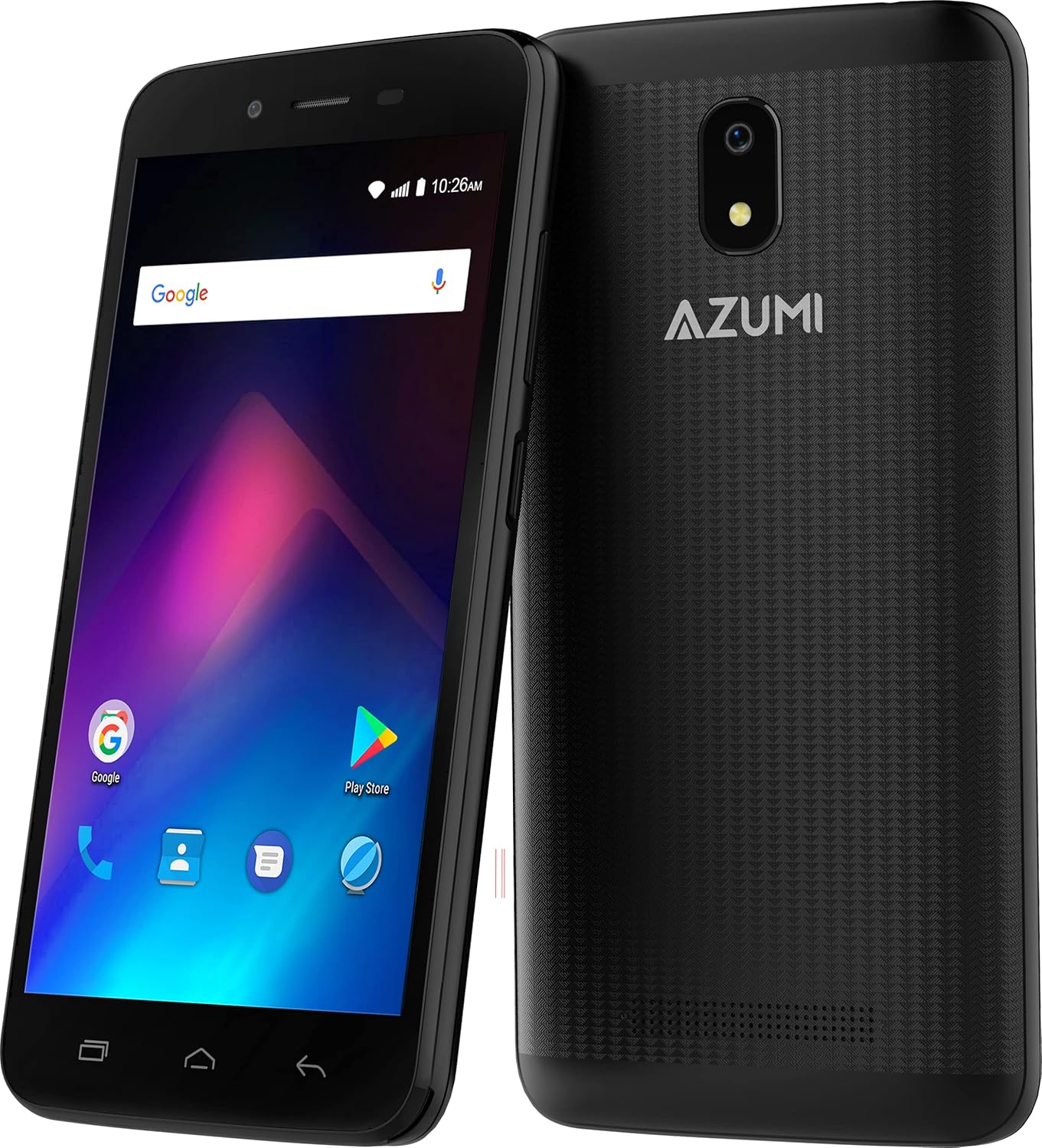
Imaxe: Anverso e reverso view of the Azumi V5+ smartphone, showcasing its 5.0-inch screen and rear camera module.
1. Configuración
1.1 Contido do paquete
Antes de continuar, asegúrate de que todos os elementos estean presentes no paquete:
- Azumi V5+ Smartphone
- Battery (if removable)
- Cargador
- Cable USB
- Guía de inicio rápido (se se inclúe)
1.2 Inserción da tarxeta SIM e da batería
- Apague o dispositivo completamente.
- Retire con coidado a tapa traseira do teléfono.
- If the battery is removable, insert the battery into its compartment, ensuring the contacts align.
- Locate the SIM card slot(s). Insert your SIM card(s) with the gold contacts facing down, following the diagram near the slot.
- Coloque a tapa posterior de forma segura.

Imaxe: Múltiple views of the Azumi V5+ smartphone, illustrating its sides, top, and bottom, useful for identifying button and port locations.
1.3 Carga da batería
Before first use, fully charge the smartphone battery.
- Conecta o cable USB ao adaptador do cargador.
- Conecta o adaptador do cargador a unha toma de corrente.
- Connect the micro USB end of the cable to the charging port on your phone.
- O indicador de carga aparecerá na pantalla.
1.4 Acendido e configuración iniciais
- Manteña premido o botón de acendido ata que a pantalla se ilumine.
- Segue as instrucións na pantalla para seleccionar o teu idioma, conectarte á wifi e configurar a túa conta de Google.
2. Uso do teléfono intelixente
2.1 Navegación básica
- Pantalla táctil: Toca para seleccionar, desliza para desprazarte, belisca para ampliar.
- Botón de encendido: Press to turn the screen on/off, press and hold to power off or restart.
- Botóns de volume: Axusta o volume multimedia, o volume das chamadas ou o volume do ton de chamada.
2.2 Facer chamadas e enviar mensaxes
- Chamadas: Abre a aplicación Teléfono, marca o número e toca a icona de chamada.
- Mensaxes: Abre a aplicación Mensaxes, toca a icona de nova mensaxe, introduce o destinatario e a túa mensaxe.
2.3 Uso da cámara
Your Azumi V5+ features an 8 MP main camera and a 5 MP front camera with LED flash.
- Abre a aplicación Cámara.
- Enmarca a túa foto.
- Toca o botón do obturador para sacar unha foto.
- Cambia entre as cámaras dianteira e traseira usando a icona de cambio de cámara.
2.4 Conectividade a Internet
- Wi-Fi: Go to Settings > Network & internet > Wi-Fi, turn Wi-Fi on, and select your network.
- Datos móbiles (4G LTE): Go to Settings > Network & internet > Mobile network, and ensure Mobile data is enabled.
2.5 App Management (Android Go)
The Azumi V5+ runs on Android Go, an optimized version of Android for entry-level devices.
- Descarga de aplicacións: Use the Google Play Store to download and install applications.
- Desinstalación de aplicacións: Press and hold an app icon on the home screen or app drawer, then drag it to "Uninstall". Alternatively, go to Settings > Apps & notifications.
3. Mantemento
3.1 Limpeza do dispositivo
Usa un pano suave e sen pelusa para limpar a pantalla e a carcasa do teléfono. Evita o uso de produtos químicos agresivos ou materiais abrasivos.
3.2 Coidado coa batería
- Evita temperaturas extremas.
- Non sobrecargues a batería durante períodos prolongados.
- For optimal battery life, try to keep the charge between 20% and 80%.
- The Azumi V5+ has a 2000 mAh Lithium Ion battery.
3.3 Actualizacións de software
Periodically check for software updates to ensure your device has the latest features and security patches. Go to Settings > System > System update.
3.4 Xestión do almacenamento
Your device comes with 32 GB of internal storage. To manage storage:
- Eliminar aplicacións innecesarias e files.
- Move photos and videos to cloud storage or a computer.
- Clear cache data for apps regularly (Settings > Apps & notifications > [App Name] > Storage & cache > Clear cache).
4 Solución de problemas
4.1 Problemas comúns e solucións
| Problema | Solución |
|---|---|
| O dispositivo non se acende | Asegúrate de que a batería estea cargada. Mantén premido o botón de acendido/apagado durante polo menos 10-15 segundos. |
| Sen sinal de rede | Check if the SIM card is correctly inserted. Restart the phone. Verify mobile data is enabled in settings. |
| As aplicacións fallan ou conxélanse | Clear the app's cache (Settings > Apps & notifications > [App Name] > Storage & cache). Restart the device. |
| Rendemento lento | Close unused apps. Clear cache. Check available storage. Restart the phone. |
4.2 Restablecemento de fábrica
Se os problemas persisten, pode ser necesario restablecer os valores de fábrica. Aviso: Isto borrará todos os datos do teu teléfono. Fai unha copia de seguridade dos datos importantes antes de continuar.
- Vaia a Configuración > Sistema > Restablecer opcións.
- Selecciona "Borrar todos os datos (restablecemento de fábrica)".
- Confirme a súa elección.
5. Especificacións
| Característica | Detalle |
|---|---|
| Marca | Azumi |
| Nome do modelo | V5+ |
| Sistema Operativo | Android Go |
| Tamaño da pantalla | 5.0 polgadas (13 cm) |
| Procesador | Quadcore 1.3 GHz (Snapdragon) |
| RAM | 1 GB |
| Almacenamento interno | 32 GB |
| Cámara traseira | 8 MP with LED Flash |
| Cámara frontal | 5 MP |
| Capacidade da batería | 2000 mAh de iones de litio |
| Tecnoloxía Celular | 4G LTE |
| Conectividade | Bluetooth, WiFi |
| Factor de forma | Teléfono intelixente |
| Dimensións | 15.7 x 9.7 x 5.3 cm |
| Peso | 301 g |
6. Garantía e soporte
Your Azumi V5+ smartphone is covered by a limited warranty. For detailed warranty information, terms, and conditions, please refer to the warranty card included in your product packaging or visit the official Azumi websitio.
For technical support, frequently asked questions, or service inquiries, please visit the Azumi support page or contact their customer service.


