
1. Configuración
1.1 Desembalaxe e carga inicial
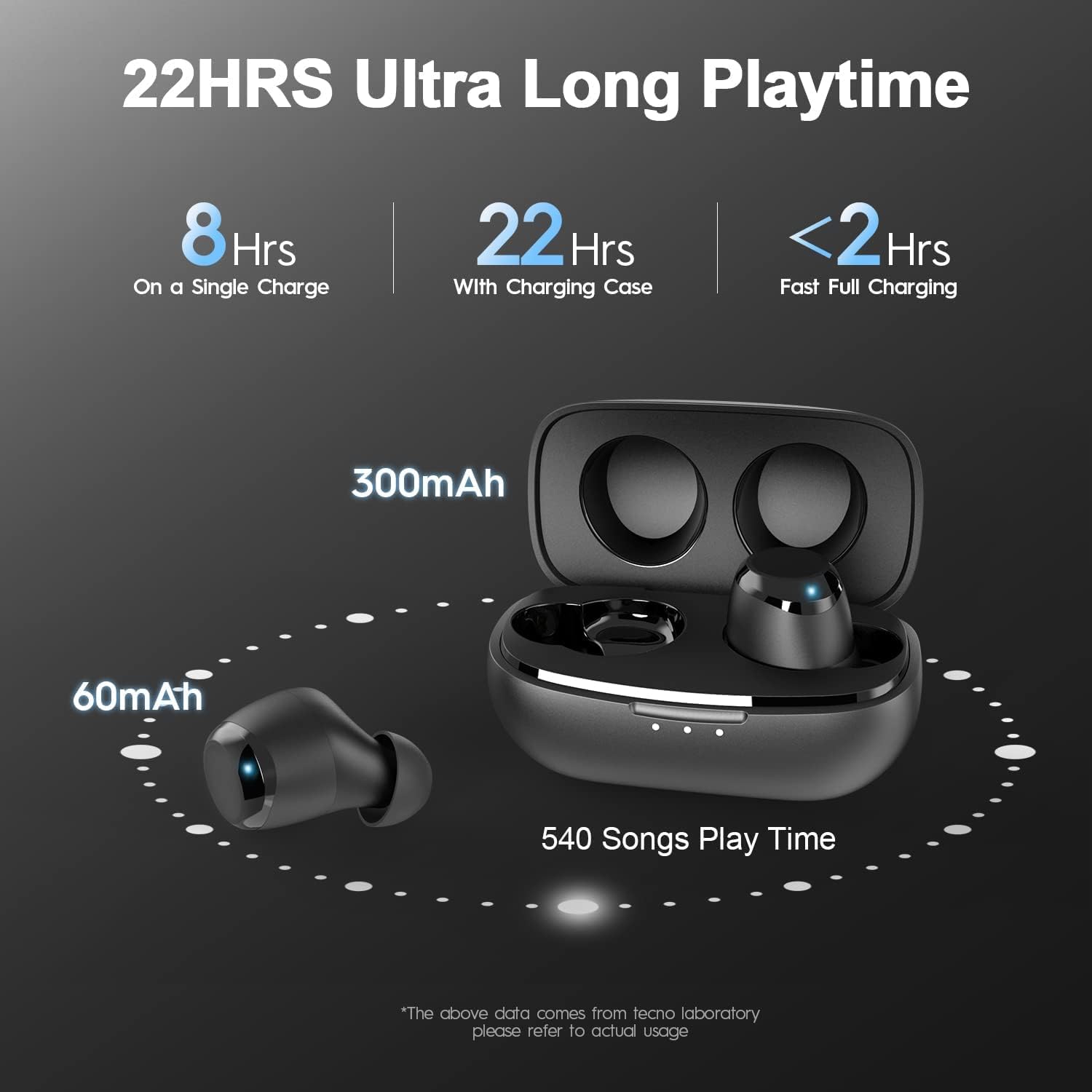
Upon receiving your Tecno BDE01 earbuds, locate the ear-tips and USB-C charging cable within the inner box. Before first use, ensure to remove any insulating film from both earbuds. Fully charge both the earbuds and the charging case using a specified 5V/1A USB adapter.

Imaxe 1.1: Tecno BDE01 Earbuds resting in their charging case, indicating charge status with LED lights.
1.2 Selecting Ear-Tips
The earbuds come with three sizes of ear-tips (Small, Medium, Large) to ensure a secure and comfortable fit. Experiment with different sizes to find the best fit for your ears, which is crucial for optimal sound quality and noise isolation.

Imaxe 1.2: A selection of silicone ear-tips in different sizes to customize fit.
1.3 Emparellamento co teu dispositivo
To pair the earbuds with your device, first take them out of the charging case. They will automatically enter pairing mode. On your device, go to Bluetooth settings and select "TECNO-BDE01" for stereo mode or left earbud mono mode. If you wish to use only the right earbud in mono mode, select "TECNO-BDE01-R".
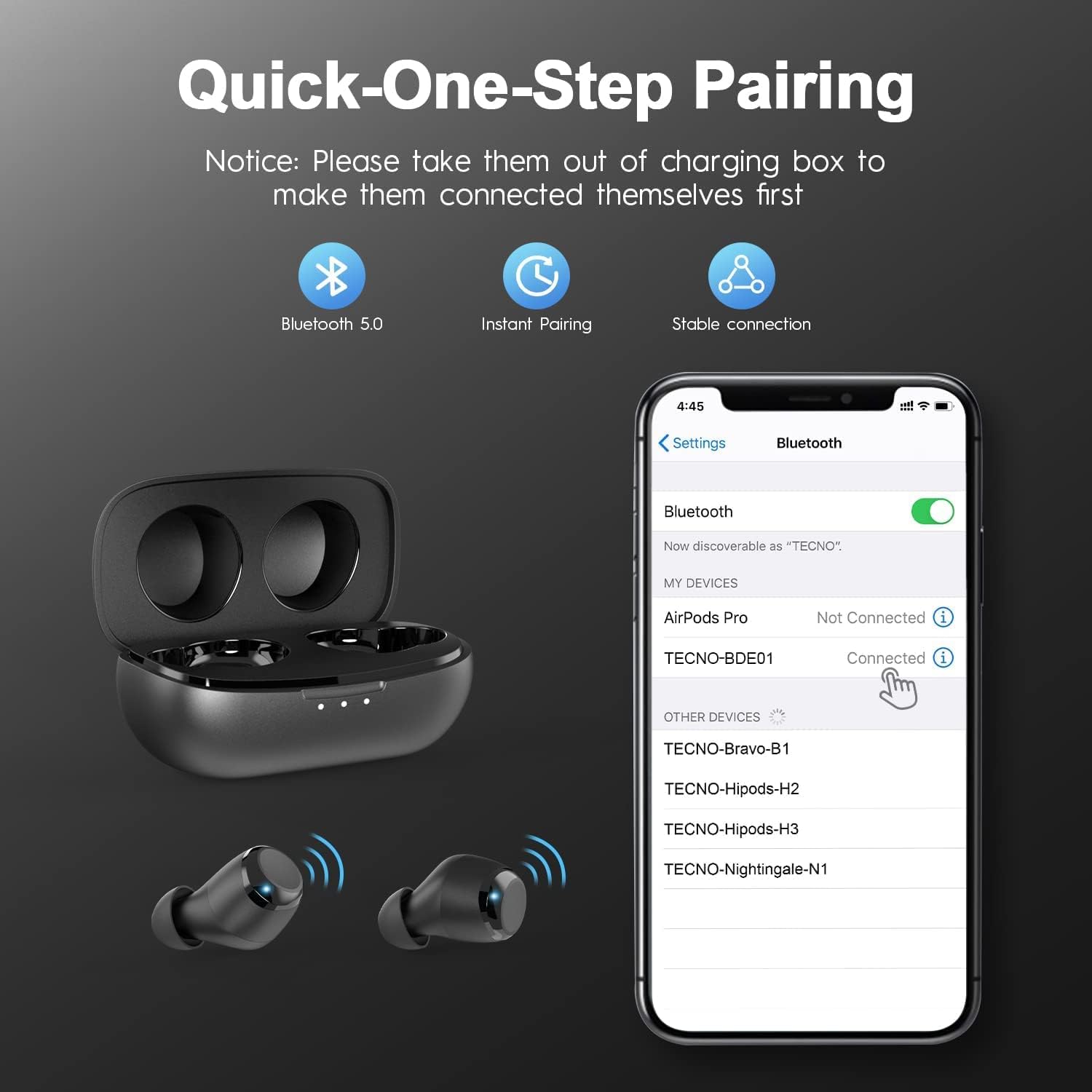
Imaxe 1.3: A smartphone displaying the Bluetooth pairing menu, with TECNO-BDE01 highlighted as an available device.
1.4 Video Guide: TECNO BDE01 Earbuds Overview
Vídeo 1.1: An official video from Tecno-Mobile-Official demonstrating the features and basic setup of the TECNO BDE01 True Wireless Earbuds.
2. Instrucións de funcionamento
The Tecno BDE01 earbuds feature intuitive touch controls for various functions. Below is a guide to their operation:

Imaxe 2.1: Visual representation of the touch controls for music, calls, and voice assistant functions.
2.1 Reprodución de música
- Reproducir/Pausa: Tap the touch panel of either the Left (L) or Right (R) earbud twice.
- Previous Track (Twin Mode Only): Manteña premido o auricular esquerdo (E) durante 2 segundos.
- Next Track (Twin Mode Only): Hold the Right (R) earbud for 2 seconds.
2.2 Chamadas telefónicas
- Responder/Finalizar chamada: Single tap the touch panel of either the Left (L) or Right (R) earbud.
- Rexeitar a chamada: Long press the touch panel of either earbud for 2 seconds.
2.3 Asistente de voz
- Activate Voice Assistant (Twin Mode Only): Tap the touch panel of the Left (L) earbud twice.
2.4 Control de volume
The Tecno BDE01 wireless earbuds do not have a built-in volume control function. Please adjust the volume directly from your connected device.
2.5 Modo mono e dobre
Both earbuds support Mono Mode, allowing either earbud to function independently. Seamlessly swap between Left & Right earbuds. If you power on the left earbud while using the right earbud individually, the right earbud will disconnect, and both will automatically reconnect to enter Twin Mode. If you power on the right earbud while using the left individually, they will automatically reconnect and enter Twin Mode, with the left earbud continuing to work throughout this process.

Imaxe 2.2: Demonstrates the flexibility of using earbuds individually (Mono Mode) or together (Twin Mode).
3. Mantemento
3.1 Limpeza
Regularly clean your earbuds and charging case to maintain optimal performance and hygiene. Use a soft, dry, lint-free cloth. Do not use harsh chemicals or abrasive materials. For ear-tips, remove them from the earbuds and clean with mild soap and water, then dry thoroughly before reattaching.
3.2 Carga
Charge the earbuds by placing them back into their charging case. The case itself is charged via the provided USB-C cable. The LED indicators on the case show the charging status and battery level.

Imaxe 3.1: Earbuds in their charging case, connected via USB-C for recharging.
3.3 Resistencia á auga
The earbuds are IPX5 water-resistant, protecting against rain and sweat. However, do not submerge the earbuds directly in water, and avoid wearing them while swimming or surfing.
Imaxe 3.2: User demonstrating the IPX5 water resistance during a workout.
4 Solución de problemas
4.1 Problemas de emparellamento
If the earbuds fail to pair or connect successfully, try the following steps:
- Asegúrate de que os dous auriculares estean completamente cargados.
- Place both earbuds back into the charging case, close the lid, and wait for 5 seconds.
- Open the lid and remove the earbuds. They should automatically enter pairing mode.
- On your device, forget or delete the "TECNO-BDE01" and "TECNO-BDE01-R" entries from your Bluetooth list.
- Reinicia o dispositivo e intenta o proceso de emparellamento de novo.
4.2 Restablecemento de fábrica
If pairing issues persist, a factory reset may resolve the problem:
- Coloque os dous auriculares no estoxo de carga.
- Press and hold the multi-function button on both earbuds simultaneously for approximately 10-15 seconds until the LED indicators flash red and white, then release.
- Close the charging case lid and wait for a few seconds.
- Open the lid and remove the earbuds. They should now be reset to factory settings.
- Repeat the pairing process as described in Section 1.3.
5. Especificacións
| Característica | Detalle |
|---|---|
| Marca | Tecno |
| Número de modelo | TECNO BDE01 |
| Tecnoloxía de conectividade | Sen fíos (Bluetooth) |
| Versión Bluetooth | 5.0 |
| Alcance Bluetooth | 10 metros |
| Duración da batería (auriculares) | Ata 8 horas cunha soa carga |
| Tempo de reprodución total (co estoxo de carga) | Ata 22 horas |
| Control de ruído | CVC 8.0 Cancelación de ruído ambiental |
| Nivel de resistencia á auga | IPX5 (Impermeable) |
| Tipo de controlador de audio | Driver dinámico |
| Método de control | Control táctil |
6. Garantía e soporte
6.1 Información da garantía
For detailed warranty information regarding your Tecno BDE01 True Wireless Bluetooth Earbuds, please refer to the warranty card included in your product packaging or visit the official Tecno websitio.
6.2 Atención ao cliente
If you encounter any issues or have questions about your Tecno BDE01 earbuds, please contact customer support at: service@tecnomobile.com


