
1. Introdución
Grazas pola compraasing the GOWIN Colossus Mini 8-inch Bluetooth Speaker. This manual provides essential information for the safe and efficient operation of your device. Please read it thoroughly before use and retain it for future reference.
2. Información de seguridade
Precaucións xerais de seguridade
- Non expoñas o altofalante á auga, á humidade nin a temperaturas extremas.
- Evite deixar caer ou someter o altofalante a fortes impactos.
- Non intente desmontar nin reparar o altofalante vostede mesmo. Póñase en contacto co persoal de servizo cualificado.
- Manteña o altofalante lonxe de fontes de calor e da luz solar directa.
- Garantir unha ventilación adecuada para evitar o sobrequecemento.
Seguridade da batería
- Use só o cable de carga proporcionado.
- Do not dispose of the battery in fire or expose it to high temperatures.
- If the battery leaks, avoid contact with skin and eyes. Seek medical attention if contact occurs.
- Non cortocircuite os terminais da batería.
3. Contido do paquete
Verifica que todos os elementos estean presentes no paquete:
- GOWIN Colossus Mini 8-inch Bluetooth Speaker
- Cable auxiliar de 3.5 mm
- Cable de alimentación
- Control remoto
- Manual de usuario (este documento)
4. Produto rematadoview
The GOWIN Colossus Mini is a portable Bluetooth speaker designed for versatile audio playback.
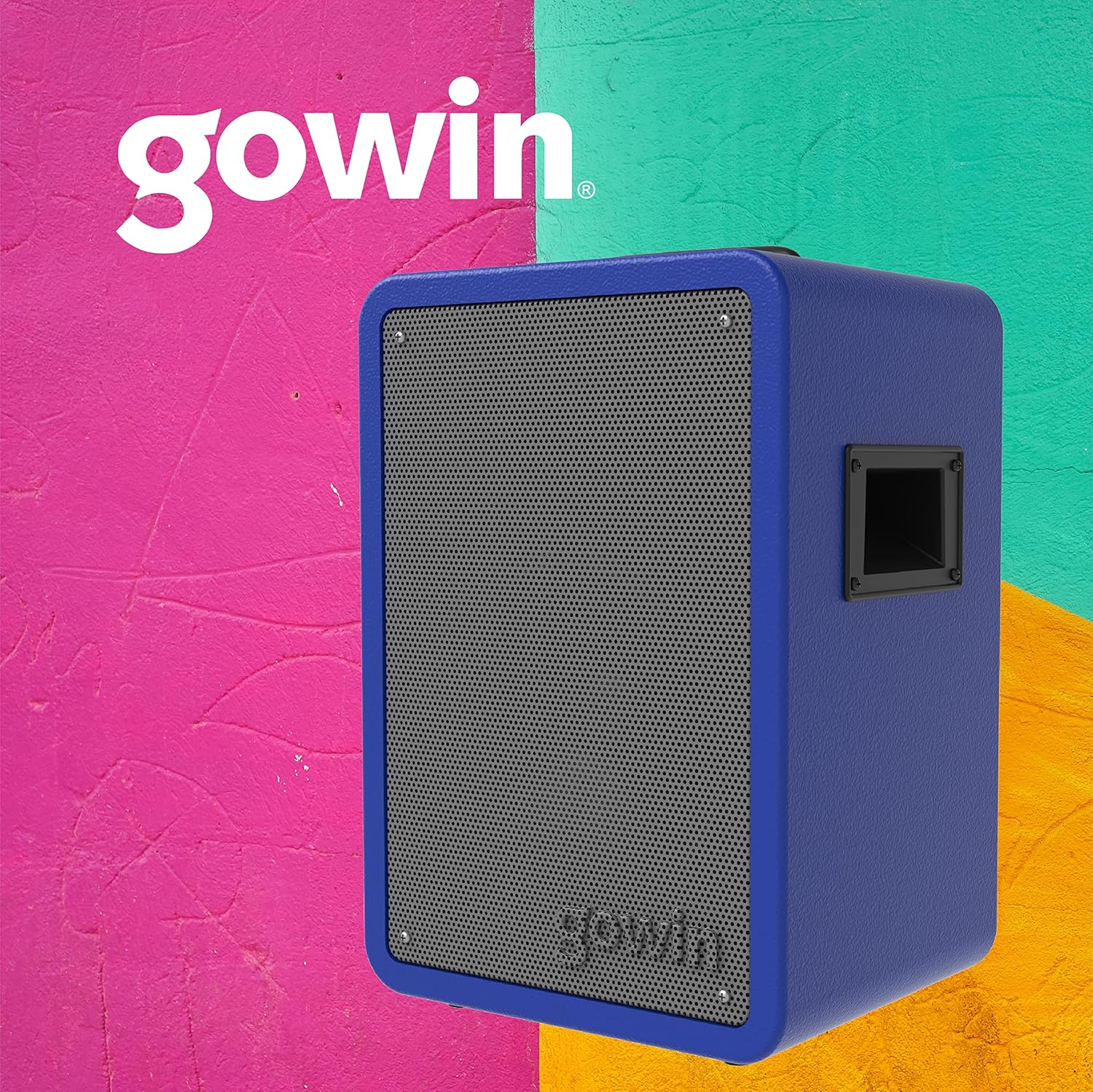
Figura 4.1: Fronte view of the GOWIN Colossus Mini Speaker.
Panel de control
The control panel is located on the rear of the speaker and provides access to various functions and inputs.

Figure 4.2: Rear control panel with USB, Micro SD, Aux, and Microphone inputs.
- Interruptor de alimentación: Activa ou desactiva o altofalante.
- Botón de modo: Switches between Bluetooth, USB, Micro SD, FM Radio, and Auxiliary input modes.
- Entrada USB: Para reproducir audio desde unidades flash USB.
- Entrada de Micro SD: Para reproducir audio desde tarxetas Micro SD.
- Entrada auxiliar (3.5 mm): Connect external audio devices using the provided 3.5mm cable.
- Entrada de micrófono: Connect a microphone for karaoke or public address functions.
- Volume/Control Knobs: Adjust master volume, microphone volume, and echo effects.
- Pantalla LED: Mostra o modo actual, a información da pista ou a frecuencia FM.
- Porto de carga: Connect the power cable for charging.
5. Configuración
Carga inicial
Before first use, fully charge the speaker for approximately 10 hours. Subsequent charging time is about 2 hours for up to 4 hours of usage.
- Connect the power cable to the speaker's charging port.
- Enchufe o outro extremo do cable de alimentación nunha toma de corrente adecuada.
- O indicador LED mostrará o estado de carga. Unha vez que estea completamente cargada, desconecte o cable.
Encendido/apagado
Locate the Power Switch on the control panel. Flip the switch to the "ON" position to power on the speaker. Flip it to "OFF" to power off.
6. Instrucións de funcionamento
Emparejamento Bluetooth
Para conectar o dispositivo mediante Bluetooth:
- Power on the speaker. The speaker will automatically enter Bluetooth pairing mode, indicated by a flashing Bluetooth icon on the LED display.
- No teu dispositivo móbil (teléfono intelixente, tableta, etc.), activa o Bluetooth e busca os dispositivos dispoñibles.
- Select "GOWIN Colossus Mini" from the list of devices.
- Once paired, the speaker will emit a confirmation sound, and the Bluetooth icon on the LED display will stop flashing.
- You can now play audio from your device through the speaker. The wireless range is up to 10 meters.
Reproducción USB/Micro SD
To play audio from a USB flash drive or Micro SD card:
- Insert a USB flash drive or Micro SD card into the corresponding slot on the control panel.
- O altofalante cambiará automaticamente ao modo USB ou Micro SD e comezará a reproducir audio. Se non, preme o botón "Modo" para seleccionar a entrada correcta.
- Use the control panel buttons or remote control to play, pause, skip tracks, and adjust volume.
Radio FM
Para usar a función de radio FM:
- Press the "Mode" button until "FM" appears on the LED display.
- Manteña premido o botón Reproducir/Pausa para buscar e gardar automaticamente as emisoras de FM dispoñibles.
- Use the Previous/Next track buttons to navigate between saved stations.
Entrada auxiliar
To connect an external audio device via the auxiliary input:
- Connect one end of the 3.5mm auxiliary cable to the speaker's "AUX IN" port.
- Conecta o outro extremo do cable á toma de auriculares ou á saída de audio do teu dispositivo externo.
- Press the "Mode" button until "AUX" appears on the LED display.
- Play audio from your external device. Adjust volume using the speaker's controls or your device's volume.
Entrada de micrófono
To use a microphone with the speaker:
- Connect a microphone (not included) to the "MIC IN" port on the control panel.
- Adjust the microphone volume and echo effect using the dedicated knobs on the control panel.
Uso do control remoto
The included remote control allows for convenient operation of the speaker from a distance. Functions include power, mode selection, volume control, track navigation, and play/pause.
7. Mantemento
Limpeza
- Apague e desconecte sempre o altofalante antes de limpalo.
- Use un pano suave e seco para limpar o exterior do altofalante.
- Non empregue produtos de limpeza abrasivos, ceras nin solventes.
Almacenamento
- Garde o altofalante nun lugar fresco e seco, lonxe da luz solar directa e de temperaturas extremas.
- Se a gardas durante un período prolongado, cárgaa periodicamente para manter a súa vida útil.
8 Solución de problemas
Se tes problemas co teu altofalante, consulta os seguintes problemas e solucións comúns:
| Problema | Causa posible | Solución |
|---|---|---|
| O altofalante non se acende. | A batería está esgotada. O cable de alimentación non está conectado. | Charge the speaker. Ensure power cable is securely connected. |
| Sen son. | Volume is too low. Incorrect mode selected. Device not paired (Bluetooth). | Increase volume. Press 'Mode' button to select correct input. Re-pair Bluetooth device. |
| O dispositivo Bluetooth non se pode emparellar. | O altofalante non está en modo de emparellamento. O dispositivo está demasiado lonxe. Interferencias. | Ensure speaker is in Bluetooth mode. Move device closer (within 10m). Avoid obstacles. |
| USB/Micro SD not playing. | Incorrecto file formatado. A tarxeta/unidade non está inserida correctamente. | Garantir o audio files are compatible (e.g., MP3). Reinsert the USB drive or Micro SD card. |
9. Especificacións
| Nome do modelo | Colossus Mini |
| Número de modelo | VERMELLO-783 |
| Marca | GOWIN |
| Tamaño do altofalante | 8 polgadas |
| Tamaño do controlador | 2 polgadas |
| Wattage (Saída máxima) | 700 vatios |
| Impedancia | 3 ohmios |
| Resposta en frecuencia | 100 Hz - 18 kHz |
| Tecnoloxía de conectividade | Bluetooth |
| distancia wireless | 10 metros |
| Tipo de batería | Rechargeable Lithium Ion (1800 mAh / 7.4 V) |
| Tempo de carga | 2 hours (initial charge 10 hours) |
| Duración media da batería | Ata 4 horas |
| Entradas | USB, Micro SD, 3.5mm Aux, Microphone |
| Material | Madeira |
| Dimensións do produto (L x W x H) | 29 x 34 x 46 cm (aprox. 11.4 x 13.4 x 18.1 polgadas) |
| Peso do produto | 7 kg (aprox. 15.4 lbs) |
| Características especiais | High-resolution audio, Bass boost, FM Radio, LED Display |
10. Garantía e soporte
Información da garantía
This GOWIN product comes with a 1 ano de garantía from the date of purchase. The warranty covers manufacturing defects and malfunctions under normal use. It does not cover damage caused by misuse, accidents, unauthorized modifications, or normal wear and tear.
Conserve o comprobante de compra para reclamacións de garantía.
Atención ao cliente
For technical assistance, warranty claims, or any questions regarding your GOWIN Colossus Mini speaker, please contact GOWIN customer support through the official GOWIN websitio ou o seu distribuidor.
Visita o GOWIN Store on Amazon.com.mx para máis información.