
1. Introdución
Thank you for choosing the Ledwood Capella Wireless Bluetooth 5.2 Stereo Earphones. This manual provides essential information for the proper setup, operation, and maintenance of your new earphones. Please read it carefully before use and retain it for future reference.
Contido do paquete:
- 1 x CAPELLA In-Ear Headphones
- 1 x estuche de carga
- 1 x cable USB-C
- 2 x Pairs of Silicone Earbuds

Image: Ledwood Capella earphones and charging case. The white earphones are shown next to their matching white charging case, which has a USB-C port visible.
2. Configuración
2.1 Carga dos auriculares e da funda
Antes do primeiro uso, asegúrate de que tanto a caixa de carga como os auriculares estean completamente cargados.
- Coloca os auriculares na caixa de carga. Asegúrate de que estean correctamente asentados para que fagan contacto cos pines de carga.
- Conecta o cable USB-C fornecido ao porto de carga da carcasa e o outro extremo a unha fonte de alimentación USB (por exemplo, un adaptador de parede, un porto USB do ordenador).
- The LED indicator on the case will show the charging status. Once fully charged, the indicator will change or turn off.
- A full charge typically takes approximately 1 hour. The case provides up to 9 hours of total battery life (3 charges of 3 hours each for the earphones).
2.2 Emparellamento cun dispositivo Bluetooth
To connect your Ledwood Capella earphones to your smartphone or other Bluetooth-enabled device:
- Asegúrese de que os auriculares estean cargados.
- Open the charging case. The earphones will automatically enter pairing mode, indicated by a flashing LED on the earphones.
- No teu dispositivo, vai á configuración de Bluetooth e activa o Bluetooth.
- Busca available devices. You should see "Ledwood Capella" or a similar name appear in the list.
- Select "Ledwood Capella" to connect. Once connected, the LED indicator on the earphones will stop flashing.
- Os auriculares volverán conectarse automaticamente co último dispositivo emparellado ao sacalos da funda, se o Bluetooth está activado no dispositivo.
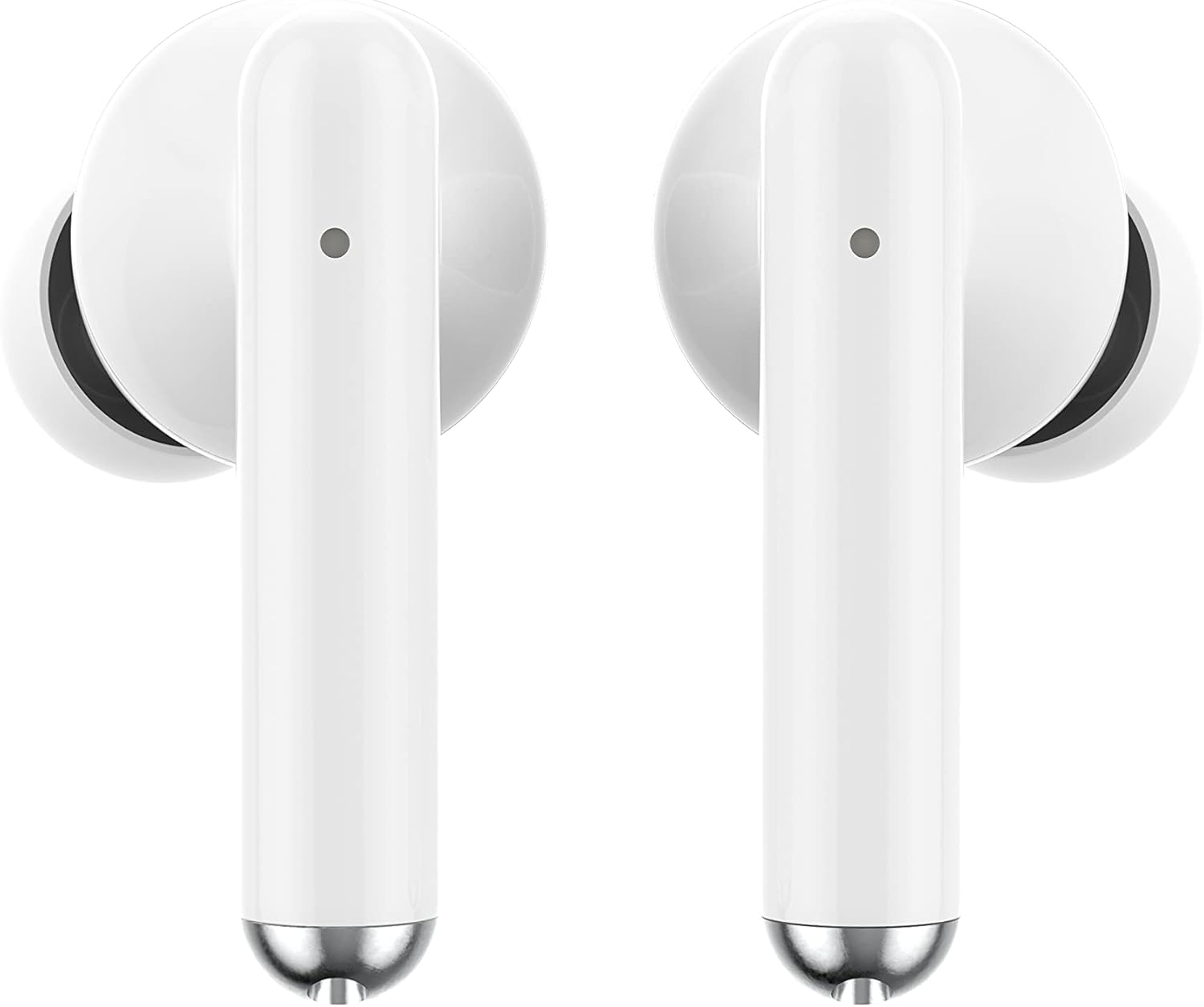
Imaxe: Primeiro plano view of the Ledwood Capella earphones. The white earbuds feature a sleek design with a small microphone hole visible on the stem.
3. Funcionamento dos auriculares
The Ledwood Capella earphones feature sensitive touch controls for easy management of your audio and calls.
3.1 Controis táctiles
The touch-sensitive area is located on the outer surface of each earphone stem. Refer to the diagram below for typical touch control functions:
- Toca simple: Reproducir/Pausar música, Responder/Finalizar chamada.
- Double Tap (Left Earphone): Pista anterior.
- Double Tap (Right Earphone): Próxima pista.
- Triple Tap (Left Earphone): Diminuír o volume.
- Triple Tap (Right Earphone): Aumentar o volume.
- Presión longa (2 segundos): Activate Voice Assistant, Reject call.
3.2 Asistente de voz
The Capella earphones are compatible with major voice assistants (e.g., Siri, Google Assistant). To activate your device's voice assistant, perform a long press (2 seconds) on either earphone's touch control area. You can then issue commands through the earphone's microphone.
3.3 Super Bass Technology
The earphones are equipped with Super Bass technology, utilizing highly flexible polymer membranes to reproduce deep and rich bass sounds for an enhanced audio experience.
4. Mantemento
4.1 Limpeza
Para manter un rendemento e unha hixiene óptimos:
- Limpa regularmente os auriculares e a caixa de carga cun pano suave, seco e sen fiapos.
- Non empregue produtos de limpeza abrasivos, alcol nin disolventes químicos.
- Retire con coidado calquera cerumen ou residuos das almofadas e da malla do altofalante cun cepillo pequeno e suave ou un hisopo de algodón.
- Ensure the charging contacts on both the earphones and case are clean and dry.
4.2 Almacenamento
When not in use, store the earphones in their charging case to protect them from dust, damage, and to keep them charged.
5 Solución de problemas
If you encounter issues with your Ledwood Capella earphones, try the following solutions:
- Auriculares sen emparellamento:
- Asegúrate de que ambos auriculares estean cargados.
- Desactiva e activa o Bluetooth do teu dispositivo.
- Forget "Ledwood Capella" from your device's Bluetooth list and attempt to pair again.
- Place earphones back in the case, close it, wait a few seconds, then open it again to re-enter pairing mode.
- Sen son ou volume baixo:
- Comproba o nivel de volume tanto no teu dispositivo como nos auriculares.
- Asegúrate de que os auriculares estean correctamente asentados nos oídos.
- Limpa calquera residuo da malla do altofalante dos auriculares.
- Problemas de carga:
- Verifica que o cable USB-C estea conectado correctamente tanto á carcasa como á fonte de alimentación.
- Proba cun cable USB-C ou adaptador de corrente diferente.
- Asegúrate de que os contactos de carga dos auriculares e da funda estean limpos.
- Earphones disconnecting frequently:
- Ensure you are within the 10-meter Bluetooth range of your device.
- Evita os obstáculos entre os auriculares e o dispositivo que poidan interferir co sinal.
- Ensure there are no other strong wireless signals nearby causing interference.
6. Especificacións
| Característica | Especificación |
|---|---|
| Nome do modelo | Capela |
| Número de modelo | LD-T06 |
| Comunicación sen fíos | Bluetooth 5.2 |
| Rango | Ata 10 metros |
| Duración da batería (auriculares) | Aprox. 3 horas por carga |
| Duración da batería (co estoxo de carga) | Up to 9 hours (3 x 3 hours) |
| Tempo de carga | Aprox. 1 hora |
| Tipo de carga | USB-C |
| Control de voz | Si |
| Tacto sensible | Si |
| Material | Silicona (puntas para os oídos) |
7. Garantía e soporte
7.1 Información da garantía
Your Ledwood Capella earphones are covered by a manufacturer's warranty against defects in materials and workmanship. Please refer to the warranty card included in your package or contact your retailer for specific warranty terms and conditions.
7.2 Atención ao cliente
For further assistance, technical support, or inquiries regarding your Ledwood Capella earphones, please contact the retailer where you purchased the product or visit the official Ledwood websitio para obter información de contacto de soporte.