
EuroFone S2 Black
EuroFone S2 Motorcycle Bluetooth Headset User Manual
Model: S2 Black
1. Introdución
The EuroFone S2 Motorcycle Bluetooth Headset is designed to provide seamless communication and entertainment for motorcycle riders. Featuring Bluetooth 5.1 technology, it offers stable connections, clear audio, and a range of functions including rider-to-rider intercom, hands-free calling, music playback, and FM radio. Its robust IP67 waterproof and dustproof design ensures reliable performance in various weather conditions.
2. Características clave
- 2-Rider Full Duplex Intercom: Communicate with a riding partner up to 800 meters away.
- IP67 a proba de auga e po: Designed to withstand rain, dust, snow, and low temperatures.
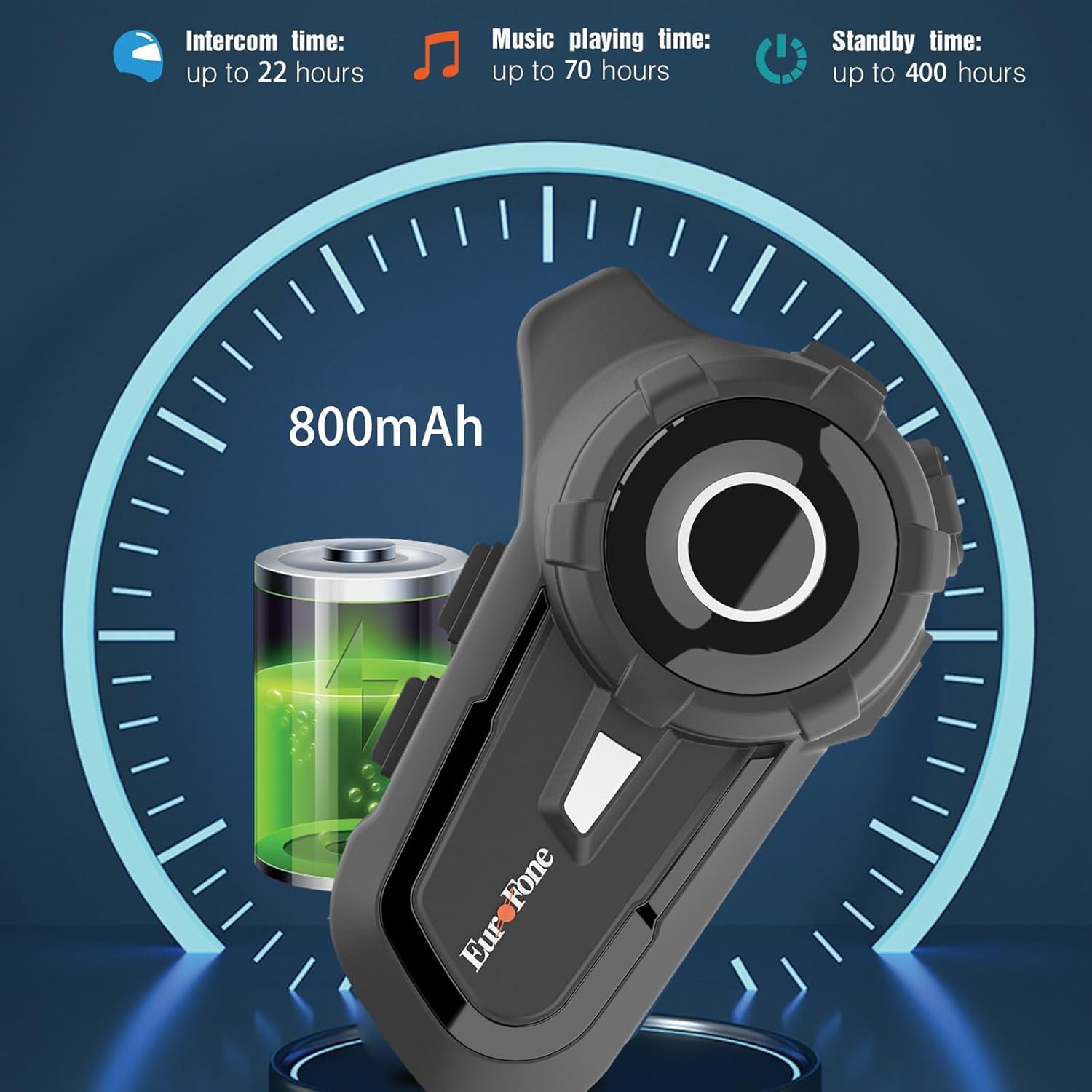
- Batería de longa duración: 800 mAh battery provides up to 20 hours of working time and 18 months standby.
- Auto Answer & Voice Control: Automatically answers calls in 10 seconds and supports voice assistant/Siri.
- Noise Reduction & Hi-Fi Stereo Sound: CVC advanced noise cancellation for clear audio and high-fidelity sound quality.
- Bluetooth 5.1: Garante unha conexión sen fíos estable e eficiente.
- Radio FM: Built-in FM radio for entertainment on the go.
- Posicionamento GPS: Can connect to GPS devices for navigation.
3. Contido do paquete
Verifica que todos os elementos estean presentes no teu paquete:
- EuroFone S2 Bluetooth Headset Unit
- Hard Microphone (Boom Mic)
- Soft Microphone (Wired Mic)
- Conxunto de altofalantes
- Cable de carga USB tipo C
- Montaxe Clamp
- Almofadas de velcro para altofalantes
- Manual de usuario

4. Configuración e instalación
4.1 Carga do dispositivo
Before first use, fully charge the EuroFone S2 headset. Connect the provided USB Type-C cable to the charging port on the unit and to a USB power source. The indicator light will show charging status. A full charge takes approximately 2.5 hours.

4.2 Installing into Helmet
Follow these steps to install the headset into your motorcycle helmet:
- Preparar o casco: Carefully remove the internal padding of your helmet to access the ear pockets and inner shell.
- Conectar altofalantes: Use the provided velcro pads to attach the speakers inside the helmet's ear pockets. Ensure they are positioned directly over your ears for optimal sound quality. Route the speaker wires neatly under the lining.
- Instalar o micrófono: Choose either the hard boom microphone (for open-face/modular helmets) or the soft wired microphone (for full-face helmets). Attach the microphone to the helmet lining near your mouth using the adhesive base. Route the microphone cable along with the speaker wires.
- Unidade principal de montaxe: Secure the main headset unit to the side of the helmet using the mounting clamp. Tighten the screws to ensure a firm attachment.
- Cables de conexión: Plug the speaker and microphone cables into the corresponding ports on the main headset unit. Ensure connections are secure.
- Volver montar o casco: Carefully reinsert the helmet's internal padding, ensuring all wires are tucked away and do not interfere with comfort or safety.

5. Instrucións de funcionamento
5.1 Controisview
The EuroFone S2 features intuitive controls for easy operation:
| Control | Función |
|---|---|
| Tecla On / Off | Encendido/apagado |
| Tecla multifunción | Play/Pause music, Answer/End calls, Activate voice assistant |
| Knob (Jog Dial) | Rotate clockwise for Volume Up, Counter-clockwise for Volume Down. Short press rotate for Next/Previous track. |
| Tecla FM | Activate/Deactivate FM Radio |
| Talkback Key (Intercom Button) | Initiate/End intercom communication |
| Charging Port & K-wire Interface | For charging and connecting external devices. |
| Jack de teléfono | For wired audio connection (if applicable). |

5.2 Bluetooth Pairing (Phone)
To pair your EuroFone S2 headset with your mobile phone:
- Asegúrese de que os auriculares están apagados.
- Simultáneamente, mantén premido o botón Botón de intercomunicador e o Botón multifunción for approximately 5 seconds until you hear a "di di" voice prompt indicating factory settings restoration. Release the buttons.
- Turn on the power button until you hear a voice prompt. The indicator light will flash blue and red, indicating pairing mode.
- No teu teléfono móbil, vai á configuración de Bluetooth e busca os dispositivos dispoñibles.
- Select "S2" from the list of Bluetooth devices.
- Once paired, the headset will confirm with a voice prompt, and the indicator light will show a steady blue light or slow flashes.
5.3 Intercom Pairing (Two Units)
To pair two EuroFone S2 units for intercom communication:
- Ensure both headsets are powered off.
- On the first headset, turn on the power button and press and hold the Botón de intercomunicador for approximately 5 seconds until the indicator flashes with a quick blue light. You will hear a "pairing mode" voice prompt.
- On the second headset, turn on the power button and press and hold the Botón de intercomunicador for approximately 5 seconds until the indicator flashes with a quick blue light. You will also hear a "pairing mode" voice prompt.
- Wait for a few seconds. The two headsets will automatically pair with each other. The indicator lights will change to a steady blue or slow flashes once connected.
5.4 Reconnecting Intercom
If the intercom connection is lost or you wish to re-establish it:
- Short click the Botón multifunción on either headset to hear the prompt "end intercom".
- Fai dobre clic no Botón de intercomunicador on any one of the headsets.
- A continuación, fai clic en Botón multifunción. You will hear the "start intercom" voice prompt again, indicating the connection is re-established.
5.5 Reprodución de música
After pairing with your phone, you can control music playback:
- Reproducir/Pausa: Fai clic en Botón multifunción para reproducir ou pausar música.
- Control de volume: Xire o Jog Dial clockwise to increase volume, counter-clockwise to decrease volume.
- Seguimento / Seguimento anterior: Short press and rotate the Jog Dial counter-clockwise to play the next song. Short press and rotate clockwise to play the previous song.
5.6 Chamadas telefónicas
Manage phone calls hands-free:
- Responder chamada: The headset will automatically answer incoming calls after 10 seconds. You can also click the Botón multifunción to answer immediately.
- Finalizar a chamada: Fai clic en Botón multifunción to end an ongoing call.
- Rexeitar a chamada: Manteña premido o Botón multifunción durante 2 segundos para rexeitar unha chamada entrante.
- Asistente de voz/Siri: Preme o Botón multifunción twice to activate your phone's voice assistant (Siri, Google Assistant, etc.).
5.7 Radio FM
Para usar a radio FM integrada:
- Activar/desactivar a FM: Fai clic en Tecla FM to activate or deactivate the FM radio.
- Scan Stations: While FM is on, press and hold the Tecla FM to automatically scan and save available stations.
- Cambio de estación: Xire o Jog Dial to switch between saved FM stations.
6. Mantemento e coidados
- Limpeza: Limpe a unidade dos auriculares cun pano suave eamp pano. Non use produtos químicos agresivos ou produtos de limpeza abrasivos.
- Exposición á auga: While IP67 waterproof, avoid prolonged submersion. Ensure charging port cover is securely closed when not charging.
- Almacenamento: Garde os auriculares nun lugar fresco e seco, lonxe da luz solar directa e de temperaturas extremas.
- Coidado da batería: Para unha duración óptima da batería, cárguea con regularidade, mesmo se non a usa con frecuencia. Evite descargar completamente a batería durante períodos prolongados.
7 Solución de problemas
| Problema | Causa posible | Solución |
|---|---|---|
| O dispositivo non se acende. | Batería baixa. | Cargue o dispositivo completamente. |
| Non se pode emparellar co teléfono. | Headset not in pairing mode; phone Bluetooth off; previously paired device interfering. | Ensure headset is in pairing mode (flashing blue/red). Turn phone Bluetooth off/on. Forget previous pairings on phone. Perform factory reset on headset. |
| Intercom not connecting. | Headsets not in intercom pairing mode; out of range. | Ensure both headsets are in intercom pairing mode. Move closer to each other. Re-initiate intercom connection as per section 5.4. |
| Sen son ou volume baixo. | Volume too low; speakers not positioned correctly; loose connections. | Increase volume using the Jog Dial. Adjust speaker position in helmet. Check all cable connections. |
| Poor sound quality/noise. | Microphone not positioned correctly; excessive wind noise; interference. | Adjust microphone position. Ensure microphone foam cover is in place. Reduce speed if wind noise is excessive. |
8. Especificacións
| Característica | Detalle |
|---|---|
| Nome do modelo | S2 Negro |
| Versión Bluetooth | 5.1 |
| Rango de intercomunicador | Up to 800 meters (2-riders) |
| Capacidade da batería | 800 mAh |
| Tempo de carga | 2.5 horas |
| Working Time (Intercom) | Ata 22 horas |
| Working Time (Music) | Ata 70 horas |
| Tempo de espera | Ata 18 meses |
| Nivel de resistencia á auga | IP67 Waterproof & Dustfree |
| Control de ruído | Active Noise Cancellation (CVC) |
| Dimensións | 3.35 x 2.17 x 0.98 polgadas |
| Peso do elemento | 12.7 onzas |
| Fabricante | Shenzhen Goldstar Electronics Co., Ltd |
9. Garantía e soporte
For warranty information and technical support, please refer to the official EuroFone websitio web ou póñase en contacto directamente co servizo de atención ao cliente. Garde o recibo da compra como proba de compra para calquera reclamación de garantía.
Podes visitar o EuroFone Store on Amazon para obter máis información sobre o produto e recursos de asistencia.
Ask a question about this manual
Ask about setup, troubleshooting, compatibility, parts, safety, or missing instructions. Manuals+ will review the question and use this page’s manual context to help answer it.