
Redzeo BH510A
Manual de instrucións dos auriculares sen fíos Redzeo MDots
Modelo: BH510A
Introdución
Thank you for choosing Redzeo MDots Wireless Earbuds. This manual provides detailed instructions on how to set up, operate, maintain, and troubleshoot your new earbuds. Please read this manual carefully before use to ensure optimal performance and longevity of your device.
Contido do paquete
- Redzeo MDots Wireless Earbuds (Left and Right)
- Estuche de carga sen fíos
- Cable de carga USB
- Varios tamaños de almofadas para os oídos (S/M/L)
- Multiple Sizes of Earwings (S/M/L)
- Manual de usuario
Configuración
1. Carga inicial
Antes do primeiro uso, carga completamente a caixa de carga e os auriculares.
- Coloca os auriculares na caixa de carga. Asegúrate de que estean correctamente asentados nos seus respectivos orificios.
- Conecta o cable de carga USB ao porto de carga da caixa e o outro extremo a unha fonte de alimentación USB (por exemplo, un ordenador ou un adaptador de parede).
- The indicator light on the charging case will show charging status. A full charge for the case takes approximately 2.0 hours. The earbuds provide 4.0 hours of playback per charge, and the case provides up to 4 full charges, totaling 20 hours of enjoyment.

Image: The Redzeo MDots earbuds and charging case, illustrating the 20 hours total playtime with the case, 4.0 hours playback per earbud charge, and 2.0 hours to fully charge the case.
2. Emparellamento co teu dispositivo
The earbuds automatically enter pairing mode when taken out of the charging case.
- Abre a caixa de carga e retira os dous auriculares. Acenderanse automaticamente e tentarán conectarse entre si.
- No teu dispositivo con Bluetooth (teléfono intelixente, tableta, etc.), vai á configuración de Bluetooth.
- Busca new devices and select "Redzeo MDots" from the list.
- Unha vez conectados, escoitarás un ton de confirmación e os auriculares estarán listos para usar.

Image: The Redzeo MDots wireless earbuds resting inside their open charging case, ready for pairing or charging.
3. Colocación dos auriculares
For optimal sound quality and comfort, choose the correct size of eartips and earwings.
- Experiment with the different sizes of eartips (S/M/L) to find the best seal for your ear canal. A good seal is crucial for bass response and noise isolation.
- Select the appropriate earwings (S/M/L) that fit snugly into your ear's concha, providing stability during movement.
- Gently insert the earbuds into your ears and twist slightly until they feel secure and comfortable.
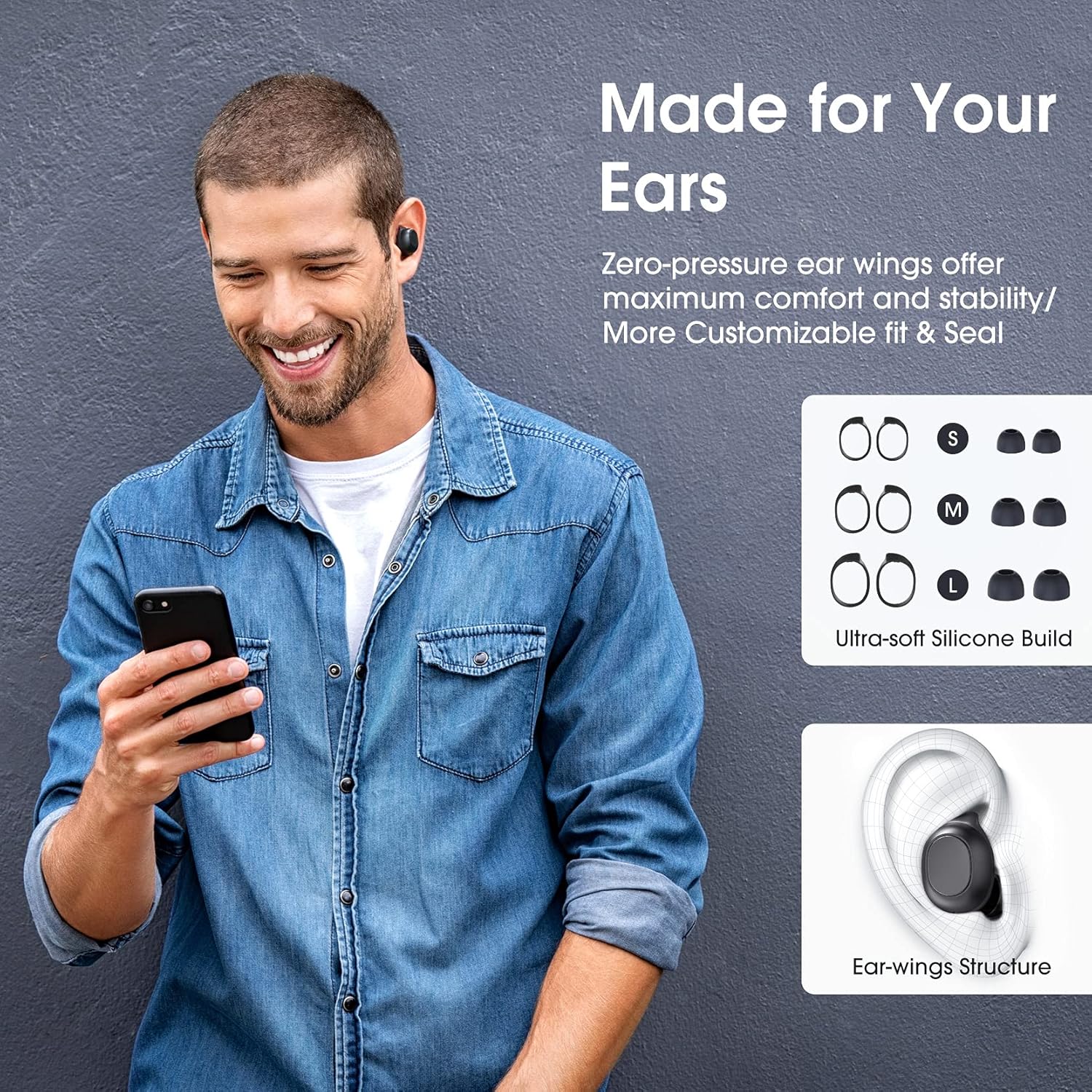
Image: A man wearing the Redzeo MDots earbuds, demonstrating their comfortable fit. The image also shows diagrams of various earwing sizes (S, M, L) and an illustration of how the earwing structure fits into the ear for maximum comfort and stability.
Instrucións de funcionamento
Controis de botón
The Redzeo MDots earbuds feature two easy-to-press buttons on each earbud for comprehensive control.
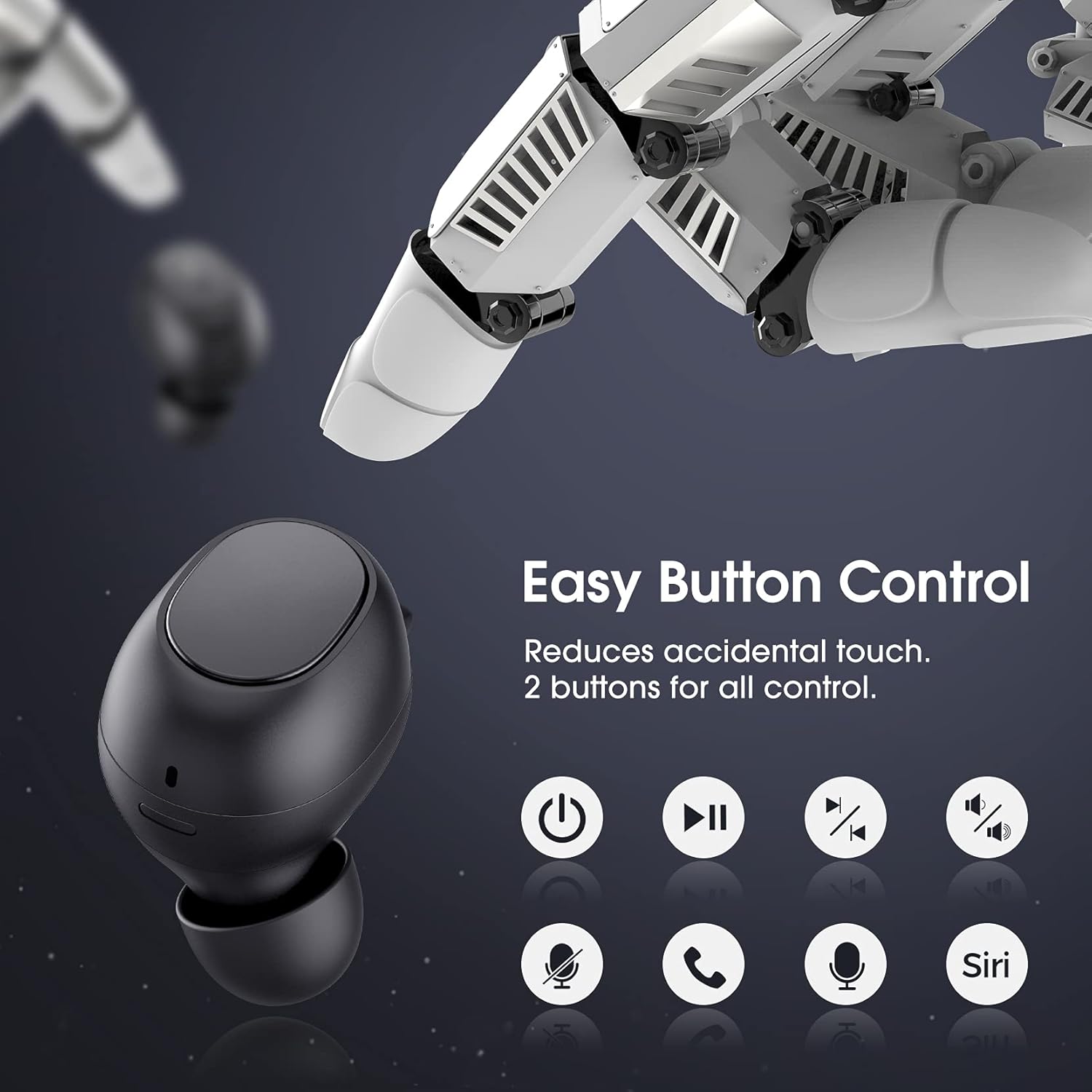
Image: A visual representation of the easy button controls on the Redzeo MDots earbuds, with icons indicating functions such as power on/off, play/pause, skip track, volume control, microphone mute, call answer/end, and voice assistant activation (Siri/Google Assistant).
| Función | Acción |
|---|---|
| Encender | Remove from charging case |
| Apagado | Place back into charging case |
| Reproducir/Pausa | Single press on either earbud |
| Próxima pista | Double press on the Right earbud |
| Pista anterior | Double press on the Left earbud |
| Subir volume | Press and hold Right earbud |
| Baixar o volume | Press and hold Left earbud |
| Responder/Finalizar chamada | Single press on either earbud |
| Rexeitar a chamada | Manteña premido calquera dos auriculares |
| Activar o asistente de voz (Siri/Asistente de Google) | Triple press on either earbud |
Mono Mode and Twin Stereo Mode
The Redzeo MDots earbuds offer flexible listening options:
- Modo Mono: Each earbud can be used independently. This allows you to leave one ear free to hear your surroundings while still enjoying audio. Simply take one earbud out of the case to use it in mono mode.
- Twin Stereo Mode: Use both earbuds simultaneously for an immersive true wireless stereo sound experience. This mode is ideal for enjoying music or blocking out surrounding noise.

Image: A visual guide demonstrating the different listening modes: Right Mono Mode (using only the right earbud), Left Mono Mode (using only the left earbud to hear ambient sound), and Twin Stereo Mode (using both earbuds for immersive sound).
Calidade de son
The MDots wireless earbuds deliver well-balanced sound with stereo bass. For the best audio experience, ensure you have selected the optimal eartips for a proper seal, which enhances bass and overall sound clarity.

Image: An exploded diagram illustrating the internal components of the Redzeo MDots earbud, highlighting the driver and acoustic structure responsible for delivering magical immersive sound with rich, high-quality audio.
Mantemento
Limpeza
Unha limpeza regular axuda a manter a calidade do son e a hixiene.
- Usa un pano suave, seco e sen fiapos para limpar os auriculares e a funda de carga.
- For eartips, remove them from the earbuds and clean with a mild soap solution if necessary, then rinse thoroughly and dry completely before reattaching.
- Gently remove any earwax or debris from the earbud mesh using a small, soft brush or cotton swab.
Almacenamento
Garda sempre os auriculares no seu estoxo de carga cando non os uses para protexelos e mantelos cargados.
Resistencia á auga (IPX6)
The Redzeo MDots earbuds feature an IPX6 waterproof nano-coating design, making them resistant to sweat, water splashes, and rain. They are suitable for strenuous exercise and all-weather conditions.

Image: The Redzeo MDots earbuds resting on a wet surface, visually representing their IPX6 waterproof capability, which provides water protection for daily use and resistance to sweat, water, and rain, making them ideal for running, yoga, and gym activities.
Nota importante: Do not use the earbuds for swimming or immerse them in heavy rain. The IPX6 rating protects against strong jets of water, but not continuous submersion.
Resolución de problemas
Problemas comúns e solucións
- Auriculares sen emparellamento co dispositivo:
- Asegúrate de que o Bluetooth estea activado no teu dispositivo.
- Asegúrate de que os auriculares estean cargados.
- Place earbuds back in the case, close it, wait a few seconds, then open and remove them to re-enter pairing mode.
- Forget/delete "Redzeo MDots" from your device's Bluetooth list and try pairing again.
- Só funciona un auricular:
- Asegúrate de que os dous auriculares estean cargados.
- Volve colocar os dous auriculares na caixa de carga, pecha a tapa e ábrea de novo. Isto debería forzalos a resincronizarse.
- Se o problema persiste, proba a reiniciar os auriculares (consulta as instrucións do fabricante) website or contact support for specific reset instructions if not detailed here).
- Sen son ou volume baixo:
- Comproba o nivel de volume tanto no dispositivo como nos auriculares.
- Asegúrate de que os auriculares estean conectados correctamente ao dispositivo.
- Clean any debris from the earbud mesh that might be obstructing sound.
- Try different eartip sizes to ensure a proper seal in your ear.
- Estuche de carga que non se carga:
- Asegúrate de que o cable de carga estea conectado correctamente tanto á carcasa como á fonte de alimentación.
- Proba cun cable USB ou adaptador de corrente diferente.
- Comprobe se hai algún residuo no porto de carga.
Especificacións
| Característica | Detalle |
|---|---|
| Número de modelo | BH510A |
| Marca | Redzeo |
| Tecnoloxía de conectividade | Sen fíos (Bluetooth 5.0) |
| Colocación do oído | En Orella |
| Factor de forma | En Orella |
| Conector para auriculares | USB |
| Cor | Negro Claro |
| Material | Plástico |
| Dimensións do produto | 6.35 x 2.49 x 1.98 cm |
| Peso do elemento | 91 g |
| Clasificación de resistencia á auga | IPX6 |
| Tempo de reprodución (auriculares) | Ata 4 horas |
| Tempo total de reprodución (co estoxo de carga) | Ata 20 horas |
| Tempo de carga (caso) | Aprox. 2 horas |
| Compoñentes incluídos | Estuche de carga sen fíos |
| Data de primeira dispoñibilidade | 31 de maio de 2021 |
Garantía e Soporte
Redzeo products are designed and manufactured to the highest quality standards. For information regarding warranty coverage, technical support, or customer service, please refer to the warranty card included in your product packaging or visit the official Redzeo websitio. Garde o comprobante de compra para calquera reclamación de garantía.
For further assistance, you may contact Redzeo customer support through the contact information provided on their official websitio.
Documentos relacionadosBH510A


Ask a question about this manual
Ask about setup, troubleshooting, compatibility, parts, safety, or missing instructions. Manuals+ will review the question and use this page’s manual context to help answer it.