
Introdución
This manual provides essential information for the setup, operation, and maintenance of your LucidSound LS15P Wireless Gaming Headset. Designed for immersive gaming experiences, the LS15P offers wireless connectivity and clear audio performance. Please read this manual thoroughly to ensure proper use and longevity of your device.
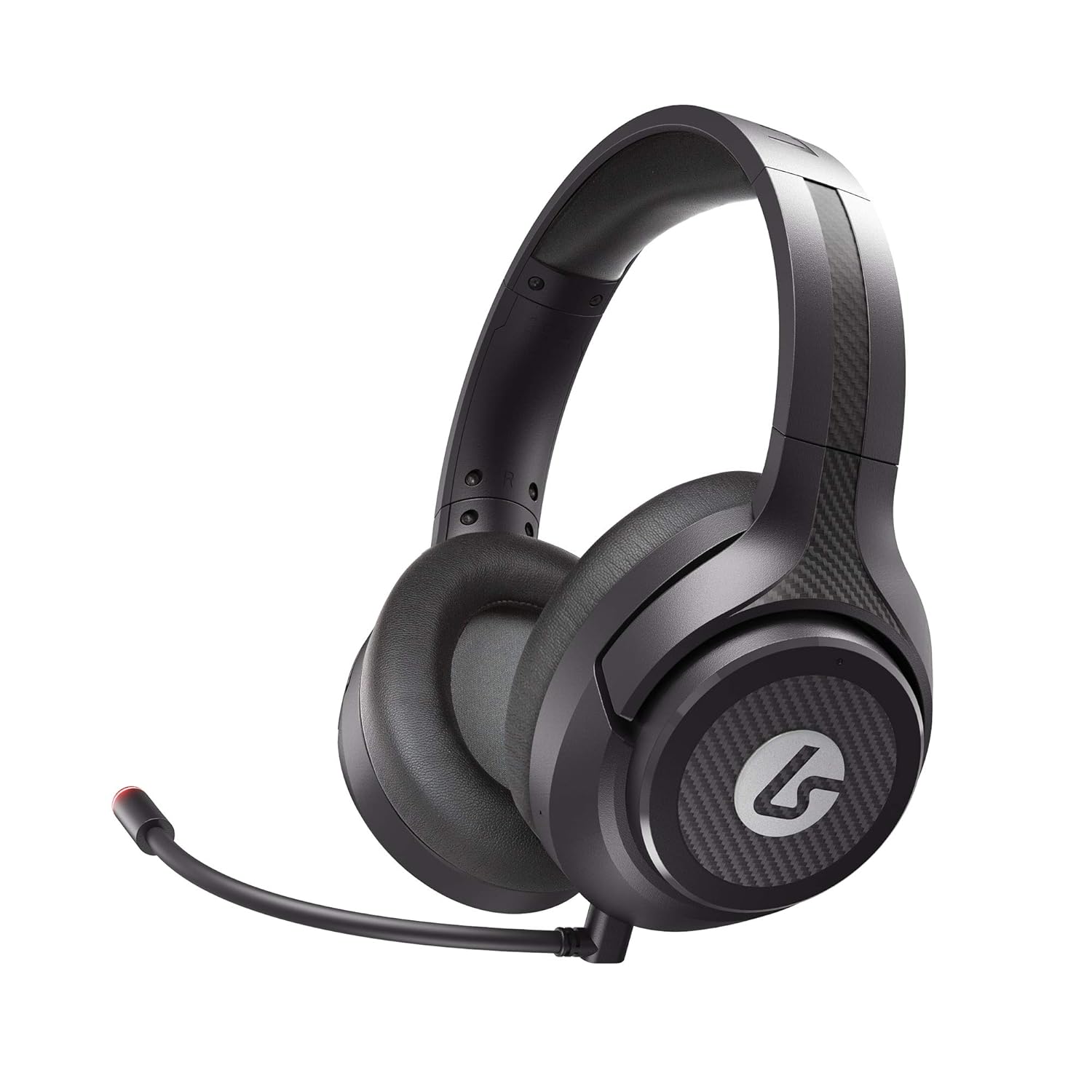
Image: The LucidSound LS15P Wireless Gaming Headset, featuring its over-ear design and a flexible boom microphone.
Contido do paquete
Antes de continuar coa configuración, asegúrate de que todos os compoñentes estean presentes no paquete:
- Auriculares inalámbricos para xogos LucidSound LS15P
- Cable de carga micro-USB
- Transmisor sen fíos USB
- Removable Boom Microphone (pre-attached or separate)

Image: Retail packaging for the LucidSound LS15P headset, highlighting key features and included accessories.
Configuración
1. Cargando os auriculares
Before first use, fully charge the headset. Connect the Micro-USB Charging Cable to the headset's charging port and the other end to a USB power source (e.g., computer USB port, USB wall adapter). The LED indicator on the headset will show charging status and turn off or change color when fully charged.
2. Connecting to Xbox Series X|S, Xbox One, or PC (Wireless)
- Insert the USB Wireless Transmitter into an available USB port on your Xbox console or PC.
- Power on the LS15P headset by pressing and holding the Power button until the LED indicator illuminates.
- Os auriculares e o transmisor deberían emparellarse automaticamente. Un LED fixo en ambos os dispositivos indica unha conexión correcta.
- Adjust audio settings on your console or PC to ensure the LS15P is selected as the default audio output and input device.
3. Connecting to Mobile (Wired)
The LS15P can be used with mobile devices via a wired connection. Connect a 3.5mm audio cable (not included) from the headset's 3.5mm port to your mobile device's audio jack. Note that wireless features and some controls may not function in wired mode.
Instrucións de funcionamento
Encendido/apagado
- To Power On: Press and hold the Power button for approximately 3 seconds.
- To Power Off: Press and hold the Power button for approximately 5 seconds until the LED indicator turns off.
Control de volume
The LS15P features intuitive on-earcup controls. Rotate the outer ring of the left earcup to adjust game volume. Rotate the outer ring of the right earcup to adjust chat volume or game/chat balance, depending on the platform.

Imaxe: De arriba abaixo view of the LS15P headset, illustrating the design of the earcups and adjustable headband.

Imaxe: Unha detallada view of the LucidSound LS15P headset's headband, featuring the embossed LucidSound logo.
Uso do micrófono
- The headset comes with a removable boom microphone. Insert it into the designated port on the left earcup.
- To Mute/Unmute: Press the center button on the left earcup. The LED on the microphone tip will indicate mute status (e.g., red for muted).
- The headset also features an integrated microphone for basic communication when the boom mic is detached.

Imaxe: Side profile of the LS15P headset, showing the adjustable boom microphone in position.
Duración da batería
The LS15P provides up to 15 hours of battery life on a full charge. Battery status can often be monitored via the headset's LED indicator or through your connected device's interface.
Mantemento
Limpeza
- Usa un pano suave e seco para limpar as superficies dos auriculares.
- Para os auriculares, limpe suavemente cun pano lixeiramente damp pano e deixar secar completamente ao aire antes de usalo.
- Non empregue produtos químicos agresivos, solventes nin produtos de limpeza abrasivos.
Almacenamento
Store the headset in a cool, dry place away from direct sunlight and extreme temperatures. Avoid placing heavy objects on the headset to prevent damage.
Coidado da batería
To prolong battery life, avoid fully discharging the headset frequently. If storing for an extended period, charge the headset to approximately 50% before storage.
Resolución de problemas
| Problema | Causa posible | Solución |
|---|---|---|
| Non hai audio dos auriculares | Auriculares non acendidos; Non emparellados; Volume demasiado baixo; Saída de audio incorrecta seleccionada. | Ensure headset is powered on and charged. Verify successful pairing with USB transmitter. Increase headset volume. Check console/PC audio settings to ensure LS15P is selected. |
| O micrófono non funciona | Microphone muted; Boom mic not fully inserted; Incorrect input device selected. | Press the mute button on the earcup to unmute. Ensure boom mic is securely inserted. Check console/PC audio input settings. |
| Os auriculares non se emparellan | Transmitter not connected; Out of range; Interference. | Ensure USB transmitter is firmly connected. Move closer to the transmitter. Try connecting to a different USB port. Restart both headset and console/PC. |
| Batería de curta duración | Battery degradation; Not fully charged. | Ensure headset is fully charged before use. Battery life may decrease over time with usage. |
Especificacións
| Característica | Detalle |
|---|---|
| Modelo | LS15P |
| Tecnoloxía de conectividade | Sen fíos |
| Comunicación sen fíos | Bluetooth (Note: Primary wireless is via USB transmitter for gaming) |
| Dispositivos compatibles | Xbox Series X|S, Xbox One, Xbox, Mobile (wired) |
| Compoñentes incluídos | Micro-USB Charging Cable, USB Wireless Transmitter |
| Tipo de control | Volume Control, Touch (on-earcup) |
| Duración da batería | Ata 15 horas |
| Tipo de controlador de audio | Driver dinámico |
| Forma do auricular | Over-ear (circumaural) |
| Fabricante | LucidSound |
| Data de primeira dispoñibilidade | 1 de xuño de 2021 |
Garantía e Soporte
Specific warranty details are not provided within this manual. For information regarding product warranty, technical support, or service, please refer to the official LucidSound websitio web ou póñase en contacto directamente co servizo de atención ao cliente. Garde o comprobante de compra para calquera reclamación de garantía.
You can visit the LucidSound Store on Amazon for more information: LucidSound Store