
Introdución
This manual provides comprehensive instructions for the Mesqool Vibrating Alarm Clock, designed for heavy sleepers, individuals with hearing impairment, and those who prefer a silent wake-up. Please read this manual thoroughly before using the device to ensure proper operation and to maximize its features.
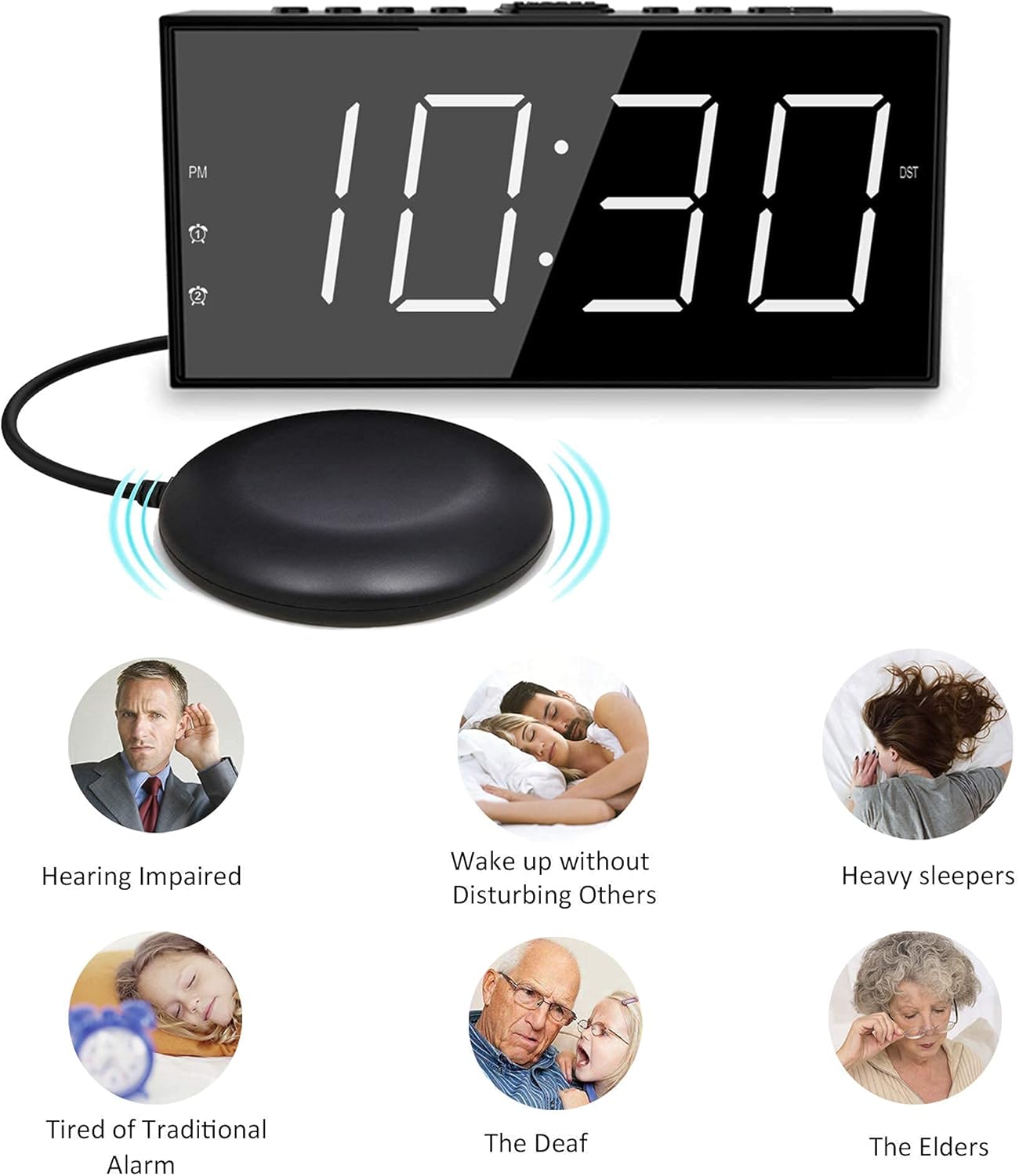
Image: The Mesqool Vibrating Alarm Clock with its bed shaker, illustrating its use for hearing impaired, heavy sleepers, and for waking without disturbing others.
Contido do paquete
Verifica que todos os elementos estean presentes no paquete:
- 1 x Mesqool Digital Alarm Clock
- 1 x US Plug Power Adapter
- 1 x Bed Shaker with 78-inch Cable
- 2 x Black Brackets (for stability)
- 1 x Manual de usuario (este documento)
Características do produto
- Múltiples modos de espertar: Choose from bed shaker only, loud buzzer only, or both.
- Adjustable Buzzer Volume: 4 levels of buzzer volume to suit individual preferences.
- Función de alarma dual: Configura dúas alarmas independentes para diferentes horarios.
- Botón grande de posposición: Provides an additional 9 minutes of sleep.
- Pantalla LED de 7 polgadas: Large, clear digits for easy readability.
- 5-Level Brightness Dimmer: Adjustable display brightness from completely dark to extra bright.
- Porto de carga USB: Conveniently charge mobile devices (5V/1A output).
- Copia de seguridade da batería: Maintains time settings and ensures alarm function during power outages (requires 2 AAA batteries, not included).
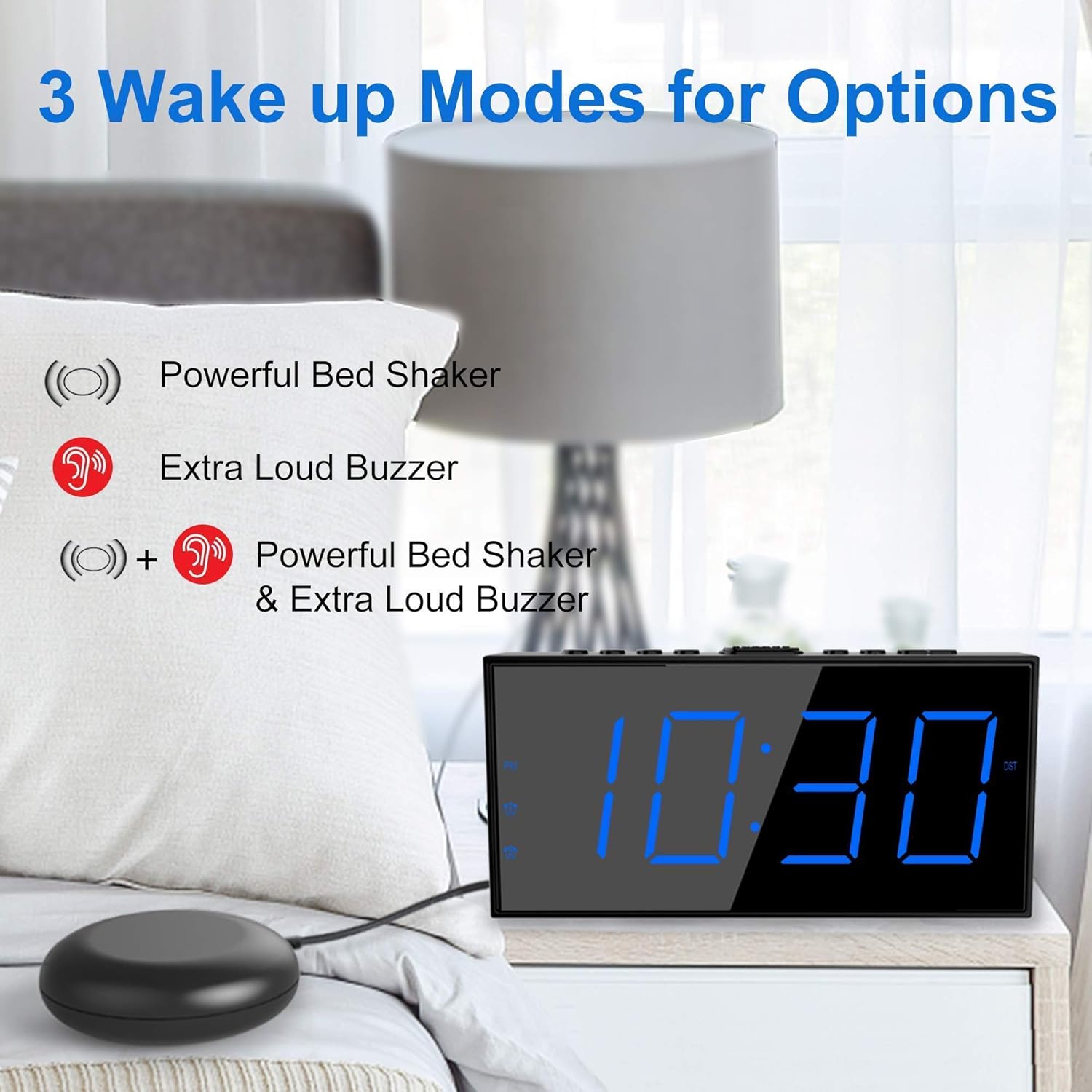
Image: The alarm clock illustrating its three wake-up modes: bed shaker, buzzer, or a combination of both.
Controis e visualización
Familiarize yourself with the buttons and display indicators:

Image: The alarm clock's large LED display, physical dimensions, and the bed shaker with its 78-inch cable.
Botóns do panel superior:
- SET TIME/HOUR: Press to enter time setting mode; use to adjust hour.
- MIN/DIMMER: Press to adjust minute; use to adjust display brightness.
- 12/24 h: Toggle between 12-hour and 24-hour time format.
- DST: Activate/deactivate Daylight Saving Time.
- ALM PAUSE: Temporarily silence the alarm.
- ALARMA 1/ALARMA 2: Set or activate/deactivate Alarm 1 or Alarm 2.
- ALM OFF: Turn off all active alarms.
- POSPRENDER/DURMIR: Large button for snooze function.
Indicadores de visualización:
- PM: Indicates PM in 12-hour format.
- Alarm 1 Icon: Ilumínase cando a alarma 1 está activa.
- Alarm 2 Icon: Ilumínase cando a alarma 2 está activa.
- DST: Lights up when Daylight Saving Time is active.
Configuración
1. Conexión de alimentación
- Connect the provided US Plug Power Adapter to the DC IN port on the back of the alarm clock.
- Conecta o adaptador a unha toma de corrente estándar. A pantalla iluminarase.

Imaxe: Traseira view of the alarm clock highlighting the USB charging port and the battery backup compartment.
2. Battery Backup Installation (Optional but Recommended)
- Open the battery compartment cover on the bottom of the clock.
- Insert 2 AAA batteries (not included) according to the polarity markings (+ and -).
- Close the battery compartment cover. These batteries will maintain time settings and alarm function during a power outage.
3. Bed Shaker Connection
- Plug the bed shaker cable into the designated port on the back of the alarm clock.
- Place the bed shaker under your mattress or pillow. Ensure the cable is not pinched or damaged.
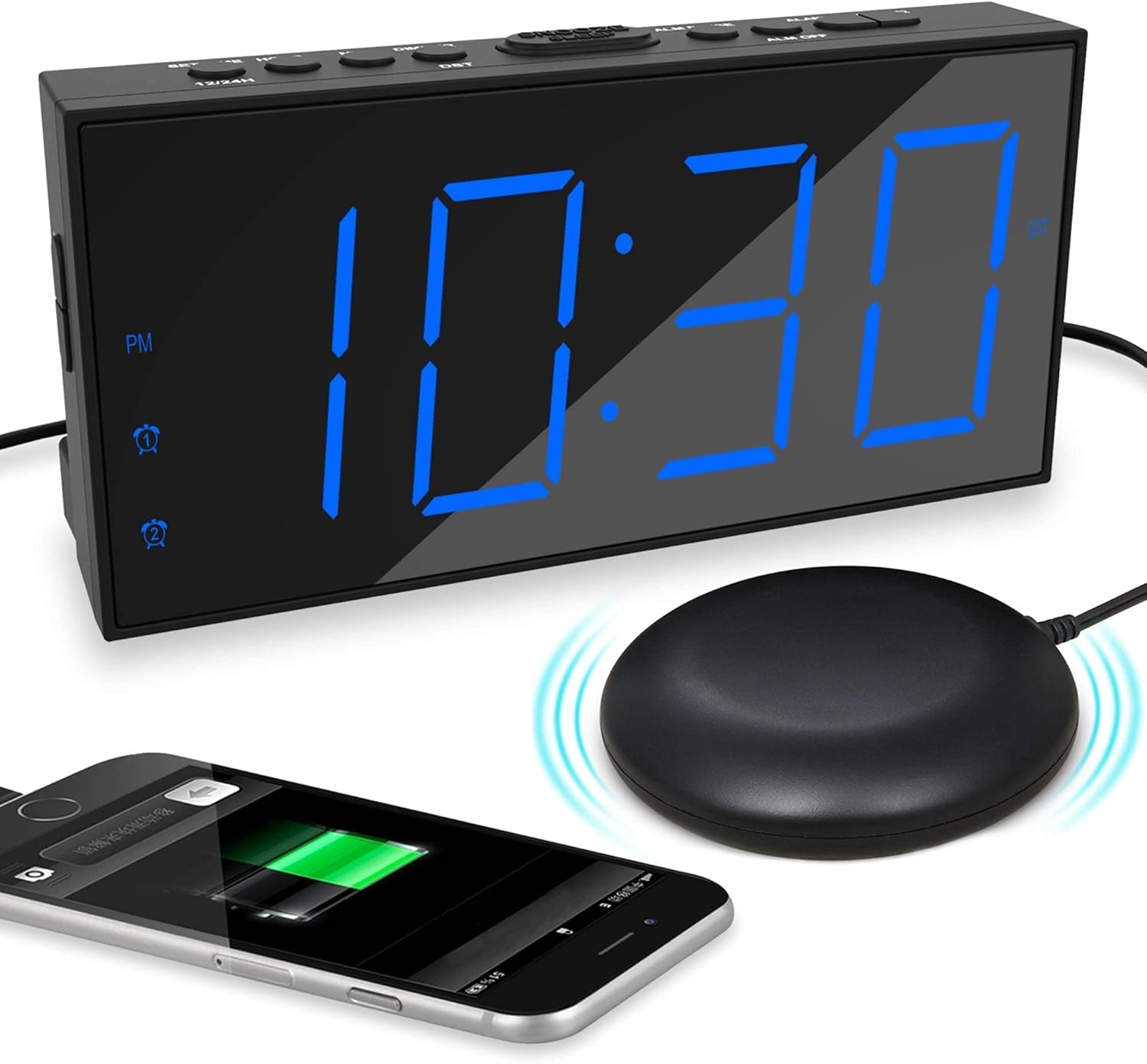
Image: The alarm clock displaying time with a blue LED, connected to a bed shaker, and a smartphone charging from its USB port.
Instrucións de funcionamento
Axuste da hora
- Manteña premido o SET TIME/HOUR botón ata que os díxitos das horas parpadeen.
- Preme SET TIME/HOUR repetidamente para axustar a hora.
- Preme o MIN/DIMMER botón repetidamente para axustar os minutos.
- Preme SET TIME/HOUR again to confirm and exit time setting mode, or wait for 5 seconds for it to exit automatically.
- Para cambiar entre o formato de 12 horas e o de 24 horas, prema o botón 12/24H botón.
- To activate/deactivate Daylight Saving Time (DST), press the DST button. The DST indicator will light up when active.
Configuración de alarmas (alarma 1 e alarma 2)
O reloxo admite dúas alarmas independentes.

Image: The alarm clock demonstrating its dual alarm capability with two distinct alarm times.
- Manteña premido o ALARMA 1 or ALARMA 2 botón ata que os díxitos da hora da alarma parpadeen.
- Prema o correspondente ALARMA button repeatedly to adjust the alarm hour.
- Preme o MIN/DIMMER botón repetidamente para axustar os minutos da alarma.
- Prema o correspondente ALARMA botón de novo para confirmar a hora.
- Next, select the wake-up mode by pressing the ALARMA botón:
- Icona do timbre: Buzzer only.
- Shaker Icon: Bed shaker only.
- Buzzer + Shaker Icons: Both buzzer and bed shaker.
- Prema o correspondente ALARMA button one more time to confirm the wake-up mode and activate the alarm. The alarm icon will light up on the display.
- Para desactivar unha alarma, prema o botón correspondente ALARMA botón ata que a icona da alarma desapareza da pantalla.
Adjusting Buzzer Volume
Cando soe a alarma, prema o botón MIN/DIMMER button to cycle through the 4 volume levels.
Función de repetición

Image: A hand pressing the large snooze button on the alarm clock.
Cando soe unha alarma, prema o botón grande APAGAR/DORME button to temporarily silence the alarm for 9 minutes. The alarm will sound again after 9 minutes. To cancel snooze and turn off the alarm, press the ALM DESACTIVADA botón.
Axuste do brillo da pantalla
Preme o MIN/DIMMER button (when not in time setting mode) to cycle through the 5 brightness levels (including OFF) for the LED display.
Porto de carga USB
The USB port on the back of the clock provides 5V/1A output for charging mobile phones or other small electronic devices. Connect your device's charging cable to this port.
Mantemento
- Limpeza: Limpa o reloxo cun pano suave e seco. Non empregues produtos de limpeza abrasivos nin disolventes.
- Colocación: Place the clock on a stable, flat surface. Avoid direct sunlight, extreme temperatures, and high humidity.
- Bed Shaker Care: Ensure the bed shaker cable is not tangled or damaged. Avoid placing heavy objects directly on the shaker.
- Substitución da batería: Substitúa as pilas de reserva AAA anualmente ou cando a función de reserva da batería xa non sexa fiable.
Resolución de problemas
| Problema | Causa posible | Solución |
|---|---|---|
| A pantalla do reloxo está apagada. | No power, or display brightness set to OFF. | Check power adapter connection. Press MIN/DIMMER para axustar o brillo. |
| A alarma non soa/vibra. | Alarm not activated, wrong wake-up mode selected, or volume too low. | Ensure alarm icon is lit. Verify correct wake-up mode (buzzer/shaker). Adjust buzzer volume. Check bed shaker connection. |
| Reinicio da configuración da hora/alarma despois dun apagadotage. | Backup batteries not installed or depleted. | Instale 2 pilas AAA novas. |
| A carga por USB non funciona. | Clock not powered, or device cable faulty. | Ensure clock is plugged into wall power. Try a different USB cable or device. |
Especificacións
- Marca: Mesqool
- Modelo: B096F79526
- Tipo de visualización: LED dixital
- Tamaño da pantalla: 7 polgadas
- Niveis de brillo: 5 (including OFF)
- Modos de alarma: Buzzer, Vibrator (Bed Shaker), Both
- Volume do zumbador: 4 niveis axustables
- Fonte de enerxía: Corded Electric (DC adapter), 2x AAA batteries (backup, not included)
- Saída de carga USB: 5 V/1 A
- Bed Shaker Cable Length: Aproximadamente 78 polgadas (6.5 pés)
- Dimensións (aproximadas): 6.77 polgadas (W) x 3.26 polgadas (H) x 1.18 polgadas (D)
- Material: Plástico
Garantía e Soporte
For warranty information or technical support, please refer to the contact details provided on the product packaging or visit the official Mesqool websitio. Conserve o recibo de compra para reclamacións de garantía.
Mesqool Official Store: Visit Mesqool Store on Amazon