
Introdución
Thank you for choosing the Portronics Mobike II Bike Phone Mount. This manual provides detailed instructions for the proper installation, operation, and maintenance of your new phone mount. Please read this manual carefully before use to ensure optimal performance and safety.
O que hai na caixa
The Portronics Mobike II package includes the following items:
- 1N Bike Phone Mount
Configuración e instalación
Follow these steps to correctly install the Portronics Mobike II Bike Phone Mount on your bicycle or motorcycle handlebar.
- Identificar a localización de montaxe: Choose a suitable section on your handlebar for mounting. Ensure it does not obstruct your view or access to controls.
- Adxunta o Clamp: Place the mount's clamp arredor do manillar.
- Asegure o Clamp: Apretar o parafuso do clamp until the mount is firmly secured to the handlebar. Ensure there is no movement or rotation.
- Axustar ViewÁngulo de ing: The mount features a 360-degree adjustable mechanism. Loosen the adjustment knob, position the phone holder to your desired vertical or horizontal viewing angle, and then tighten the knob to lock it in place.

Figure 1: Close-up of the easy-to-install clamp mechanism on the handlebar.
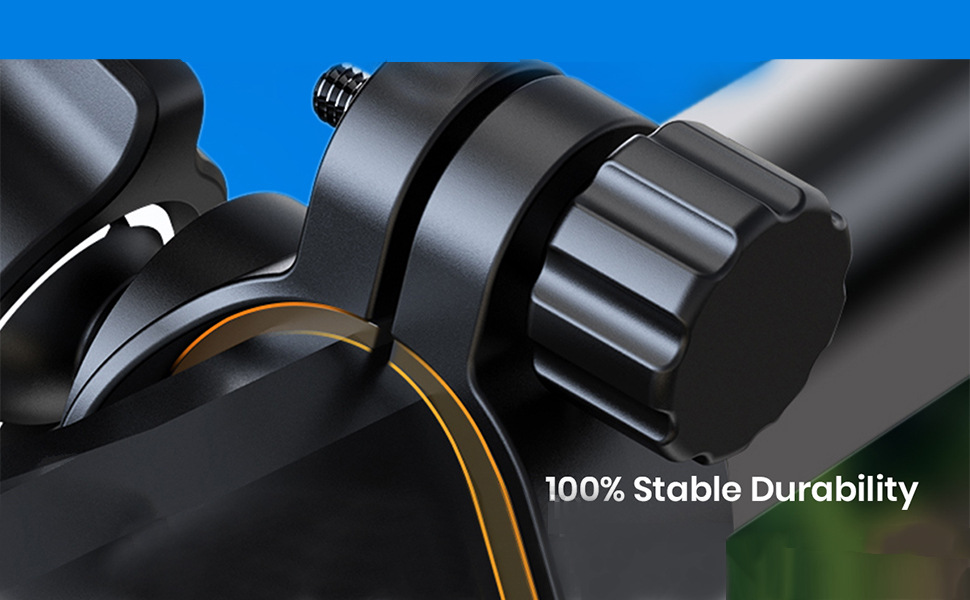
Figure 2: The mount is designed for easy installation and operation.
Instrucións de funcionamento
Once installed, the Mobike II provides a secure and accessible way to use your smartphone while riding.
- Inserir teléfono: Gently expand the phone holder arms and place your smartphone into the mount. The holder is compatible with phones between 4.7 and 7 inches.
- Secure Phone: Ensure the phone is securely gripped by the mount's arms. The mechanical lock design provides stability and prevents shaking.
- Aplicacións de acceso: The design allows full access to your phone screen, keys, and ports without obstruction, enabling easy use of navigation or other applications.
- Axustar View: If needed, adjust the phone's position to achieve the optimal visual angle by loosening and re-tightening the adjustment knob.

Figure 3: The mechanical lock ensures zero shaking and stability for your phone during rides.

Figure 4: The mount allows easy access to phone applications without obstruction.

Figure 5: The robust design provides 100% stable durability.
Mantemento
To ensure the longevity and optimal performance of your Portronics Mobike II Bike Phone Mount, follow these simple maintenance guidelines:
- Limpeza: Limpe a montura regularmente cun pano suave eamp pano para eliminar o po e a sucidade. Evite o uso de produtos químicos agresivos ou produtos de limpeza abrasivos.
- Comprobar a estanqueidade: Periodically check that all screws and adjustment knobs are securely tightened, especially after riding on rough terrain.
- Inspeccionar o desgaste: Examine the mount for any signs of wear or damage, particularly on the gripping surfaces and the handlebar clamp. Replace the unit if significant wear or damage is observed.
- Almacenamento: If not in use for extended periods, store the mount in a cool, dry place away from direct sunlight.
Resolución de problemas
If you encounter any issues with your Portronics Mobike II Bike Phone Mount, refer to the following common problems and solutions:
| Problema | Causa posible | Solución |
|---|---|---|
| Mount feels loose on the handlebar. | Clamp screw not tightened sufficiently or handlebar diameter is too small. | Asegúrese de que o clamp screw is fully tightened. If the handlebar is too narrow, consider using a rubber shim (not included) to increase the diameter for a snug fit. |
| Phone is not held securely or shakes during ride. | Phone not properly seated, or mount arms are not fully gripping the phone. | Ensure your phone is centered and the mount's arms are fully closed around it. Verify the phone size is within the 4.7-7 inch compatibility range. |
| Adjustment knob does not hold position. | Knob not tightened enough. | Tighten the adjustment knob firmly after setting the desired angle. |
| Mount appears damaged or broken after short use. | Material fatigue or manufacturing defect. | Contact Portronics customer support for warranty assistance. |
Especificacións
| Marca | Portronics |
| Nome do modelo | Mobike II |
| Número de modelo | POR-1305 |
| Dispositivos compatibles | Smartphones (4.7 - 7 inch) |
| Tipo de montaxe | Manillar |
| Características do produto | Adjustable, Rotatable (360-degree) |
| Nivel de resistencia á auga | Impermeable |
| Tipo de vehículo compatible | Bike, Bicycle, Motorcycle |
| Dimensións do artigo (L x W x H) | 12.7 x 10.6 x 6 centímetros |
| Peso do elemento | 100 gramos |
| Material do recinto | Plastic or Thermoplastic |
| Cor | Green (Other colors may be available) |
Garantía e Soporte
Garantía: The Portronics Mobike II Bike Phone Mount comes with a 1 anos de garantía do fabricante desde a data de compra. Esta garantía cobre os defectos de fabricación. Conserve o recibo de compra como proba de compra.
Atención ao cliente: For any queries, technical assistance, or warranty claims, please contact Portronics customer support:
- Teléfono: 9555-245-245
- Manufacturer/Importer Address: Portronics Digital Pvt Ltd. B-76, 1st and 2nd floor, Wazirpur Industrial Area, New Delhi-110052
Please provide your model number (POR-1305) and details of the issue when contacting support.
