
1. Introdución
Grazas pola compraasing the Ledwood Drop 400 Wireless LED Speaker. This manual provides essential information for setting up, operating, and maintaining your speaker. Please read it carefully before use to ensure proper functionality and to maximize your listening experience.
2. Información de seguridade
- Non expoñas o altofalante á auga, á humidade nin a temperaturas extremas.
- Evite deixar caer ou someter o altofalante a fortes impactos.
- Non intente desmontar nin reparar o altofalante vostede mesmo. Póñase en contacto co persoal de servizo cualificado.
- Manteña o altofalante lonxe de fontes de calor e da luz solar directa.
- Use só o adaptador de corrente fornecido para cargar.
- Limpa o altofalante cun pano suave e seco. Non empregues produtos de limpeza abrasivos.
3. Contido do paquete
Comprobe que todos os elementos estean presentes no paquete:
- 1 x Ledwood Drop 400 Wireless LED Speaker
- 1 x adaptador de alimentación
- 1 x 3.5mm AUX Input Cable
- 1 x mando a distancia
- 1 x micrófono con cable
- 1 x Manual de usuario (este documento)
4. Produto rematadoview
The Ledwood Drop 400 is a powerful wireless speaker featuring dynamic LED lighting and multiple connectivity options.
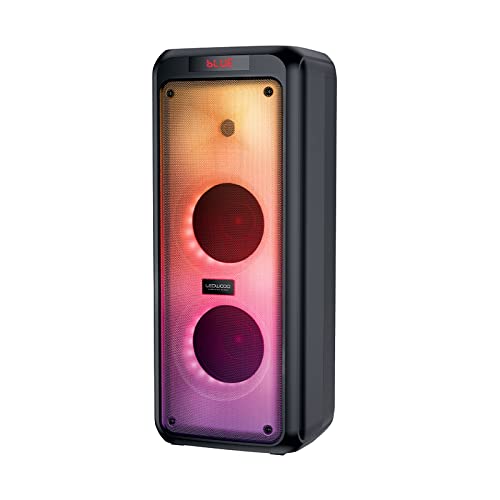
Figura 4.1: Fronte view of the Ledwood Drop 400 speaker, showcasing its LED light panel.
Panel de control e portos

Figure 4.2: Top control panel with input ports and function buttons.
The top panel includes controls for power, volume, mode selection, playback, and inputs for USB, SD card, AUX, and two microphones. A digital display indicates the current mode or status.
5. Configuración
5.1 Carga do altofalante
- Connect the provided power adapter to the DC IN port on the speaker.
- Conecte o adaptador a unha toma de parede estándar.
- The charging indicator will illuminate. The speaker is fully charged when the indicator changes color or turns off (refer to the speaker's display for specific indications).
- Unha carga completa proporciona aproximadamente 6 horas de reprodución.
5.2 Acendido/Apagado
- To power on, press and hold the Power button on the control panel or remote control.
- Para apagar, manteña premido de novo o botón de acendido/apagado.
6. Instrucións de funcionamento
6.1 Emparejamento Bluetooth
- Power on the Ledwood Drop 400 speaker. It will automatically enter Bluetooth pairing mode, indicated by a flashing 'BLUE' on the display and an audible prompt.
- Activa o Bluetooth no teu teléfono intelixente, tableta ou outro dispositivo compatible con Bluetooth.
- Busca available devices and select "Ledwood Drop 400" from the list.
- Once connected, the speaker will provide an audible confirmation, and 'BLUE' on the display will stop flashing.
- Agora podes reproducir audio desde o teu dispositivo a través do altofalante.
Reprodución de tarxetas USB/SD de 6.2
- Insert a USB flash drive or an SD card (pre-loaded with MP3 audio files) no porto correspondente do panel de control do altofalante.
- O altofalante cambiará automaticamente ao modo USB ou tarxeta SD e comezará a reproducir o audio files.
- Use the Play/Pause, Next Track, and Previous Track buttons on the speaker or remote control to manage playback.
6.3 Entrada AUX
- Connect one end of the supplied 3.5mm AUX cable to the AUX IN port on the speaker.
- Connect the other end to the headphone jack or audio output of your external audio device.
- Press the Mode button on the speaker or remote control until 'AUX' is displayed.
- Play audio from your external device. Volume can be controlled via both the speaker and the external device.
6.4 Radio FM
- Press the Mode button on the speaker or remote control until 'FM' is displayed.
- To auto-scan and save available FM stations, press and hold the Play/Pause button. The speaker will scan and store stations automatically.
- Use the Next Track and Previous Track buttons to navigate through the saved stations.
6.5 Uso do micrófono
- Connect the wired microphone (or another compatible microphone) to one of the MIC IN ports on the speaker.
- Axuste o volume do micrófono usando o botón MIC VOL específico do panel de control.
- The microphone can be used in any audio mode (Bluetooth, USB, SD, AUX, FM).
6.6 modos de luz LED
The Ledwood Drop 400 features dynamic LED lighting with 4 different modes.
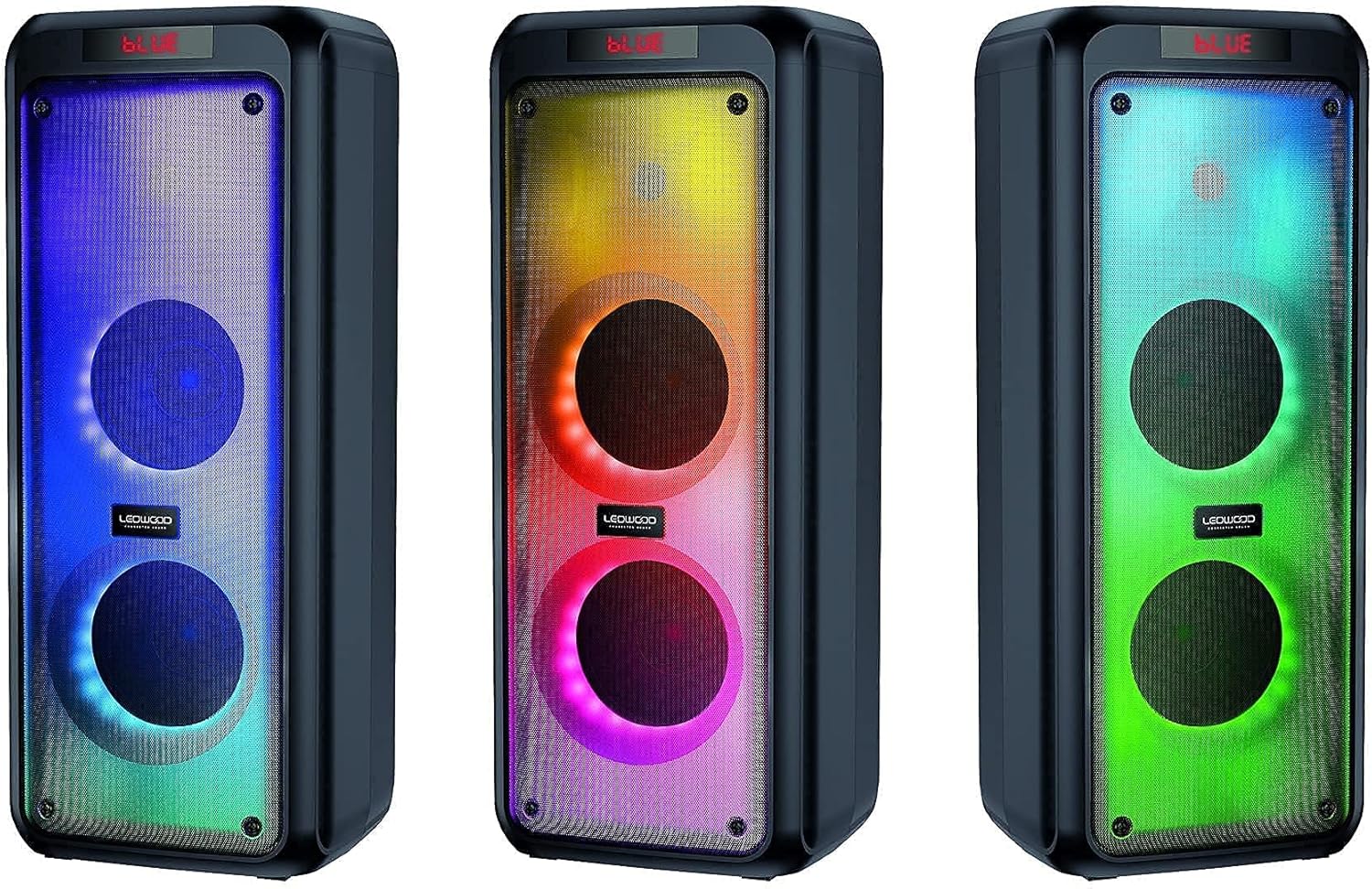
Figura 6.1: Examples of the speaker's LED light modes.
- Press the LED button on the control panel or remote control to cycle through the available light modes.
- Press the LED button again to turn off the lights.
Función estéreo sen fíos verdadeiro 6.7 (TWS)
The TWS function allows you to pair two Ledwood Drop 400 speakers together for a stereo sound experience.
- Ensure both Ledwood Drop 400 speakers are powered on and in Bluetooth mode, but not connected to any device.
- On one of the speakers (this will be the primary speaker), press and hold the TWS button (if available) or a designated pairing button (refer to specific button labels on your speaker).
- O altofalante principal buscará o altofalante secundario. Unha vez conectados, ambos altofalantes emitirán unha confirmación audible.
- Now, connect your Bluetooth device to the primary speaker as described in section 6.1. Audio will play in stereo through both speakers.
7. Mantemento
7.1 Limpeza
- Apague e desconecte sempre o altofalante antes de limpalo.
- Use un pano suave, seco e sen fiapos para limpar as superficies exteriores.
- Non empregue produtos de limpeza líquidos, aerosois nin disolventes.
7.2 Almacenamento
- Garde o altofalante nun lugar fresco e seco, lonxe da luz solar directa e de temperaturas extremas.
- Se a gardas durante un período prolongado, cárgaa periodicamente (por exemplo, cada 3 meses) para mantelo en bo estado.
8 Solución de problemas
| Problema | Causa posible | Solución |
|---|---|---|
| O altofalante non se acende. | Battery is depleted. Power adapter not connected. | Charge the speaker using the provided power adapter. Ensure the adapter is securely connected to both the speaker and a working power outlet. |
| Non se escoita son do altofalante. | Volume too low. Incorrect mode selected. Device not connected. | Increase speaker volume and source device volume. Ensure the correct input mode (Bluetooth, AUX, USB, SD, FM) is selected. Re-pair Bluetooth device or check cable connections. |
| O dispositivo Bluetooth non se pode conectar. | O altofalante non está en modo de emparellamento. O dispositivo está demasiado lonxe. Interferencias. | Ensure speaker is in Bluetooth pairing mode (flashing 'BLUE'). Move device closer to the speaker. Turn off other Bluetooth devices to reduce interference. Try restarting both devices. |
| A recepción da radio FM é deficiente. | Weak signal. Speaker position. | Reposition the speaker to improve reception. Extend any external antenna if available. |
| O micrófono non funciona. | Microphone not connected properly. MIC VOL too low. | Ensure microphone is fully inserted into the MIC IN port. Increase the MIC VOL knob. |
9. Especificacións
- Marca: Ledwood
- Modelo: Caída 400
- Tecnoloxía de conectividade: Bluetooth, USB
- Características especiais: FM Radio, LED Light Effects
- Usos recomendados: For computer, For smartphone or tablet
- Dispositivos compatibles: Portátil, Smartphone
- Cor: Negro
- Método de control: Control remoto
- Fonte de enerxía: Cable eléctrico
- Duración media da batería: 6 horas
- Potencia de saída: 400 W (40 W RMS)
- Dimensións: 24 x 25 x 64 cm (aproximadamente)
- ASIN: B0972SSC4J
10. Garantía e soporte
For warranty information or technical support, please refer to the warranty card included with your product or contact Ledwood customer service directly. Contact details can typically be found on the official Ledwood websitio web ou na embalaxe do produto.