
Introdución
The Poly DA75 is a versatile USB-A/USB-C digital adapter designed to connect Poly Quick Disconnect (QD) headsets to computers. It ensures clear audio quality for call center environments, supporting both USB-A and USB-C connections for compatibility with various systems. This adapter is engineered to work seamlessly with platforms such as Avaya, Genesys, and Cisco, providing a reliable audio solution for professionals.
As características principais inclúen:
- Conectividade universal: Equipped with both USB-A and USB-C connectors on the cable for broad compatibility with new and legacy equipment.
- Intelligent Headset Recognition: Automatically adjusts audio performance to the specific Poly Quick Disconnect headset for optimized call quality.
- Acoustic Protection: Incorporates features to manage safe volume levels, protecting user hearing.
- Integración da plataforma: Fully compatible with leading call center platforms including Avaya, Genesys, and Cisco.
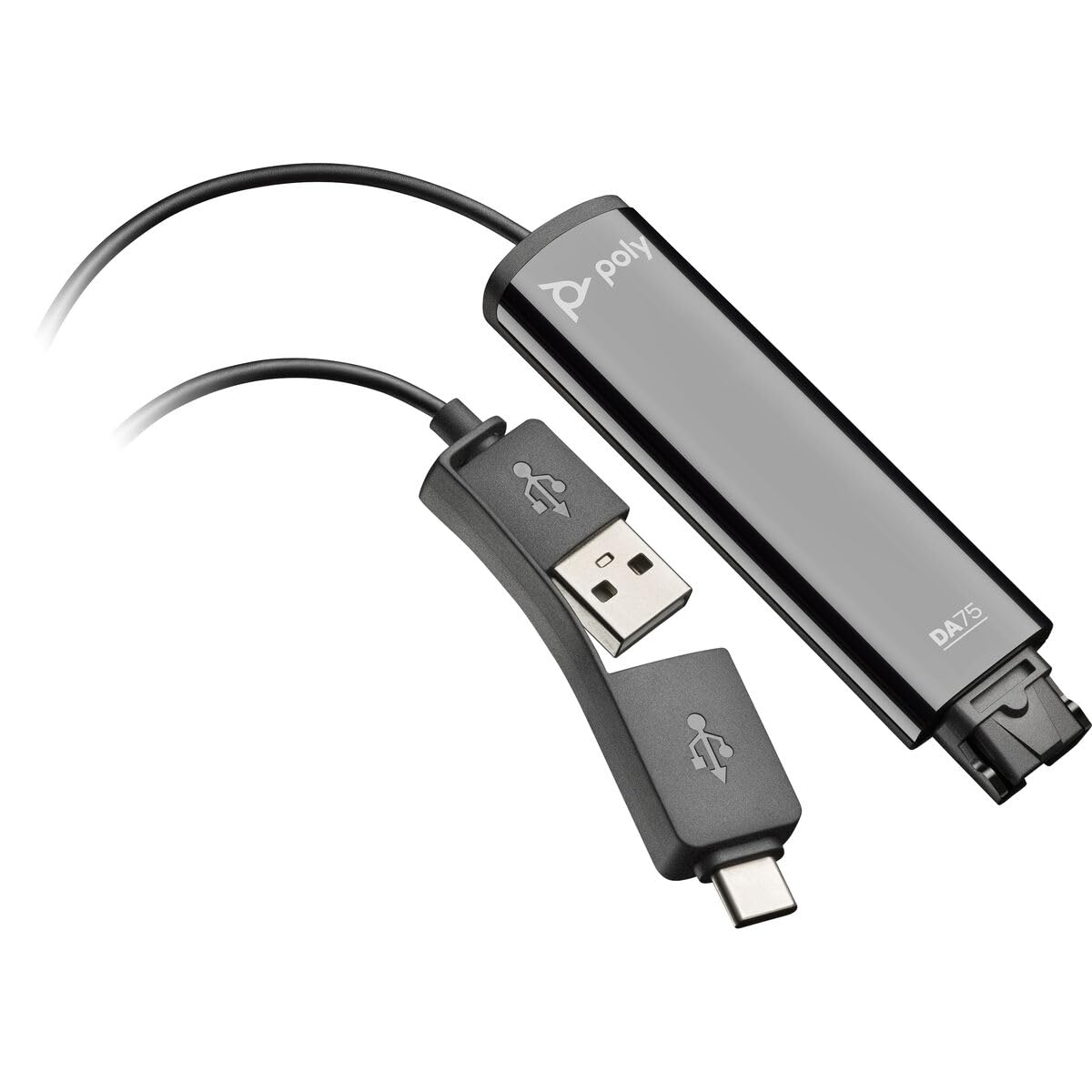
Image: The Poly DA75 USB-A/USB-C Digital Adapter, showing its dual USB-A and USB-C connectors and the Quick Disconnect port for headsets.
O que hai na caixa
The Poly DA75 package typically includes the following items:
- Poly DA75 USB-A/USB-C Digital Adapter
- Documentación (Guía de inicio rápido, Información de seguridade)
Note: Headsets are sold separately and are not included with the DA75 adapter.
Configuración
Follow these steps to set up your Poly DA75 Digital Adapter:
- Conectar auriculares: Connect your Poly Quick Disconnect (QD) headset to the QD port on the Poly DA75 adapter. Ensure the connection is secure.
- Conectar ao ordenador:
- If your computer has a USB-A port, use the USB-A connector on the DA75 cable.
- If your computer has a USB-C port, use the USB-C connector on the DA75 cable.
Plug the appropriate USB connector into an available USB port on your computer.
- Instalación de controladores: The DA75 is a plug-and-play device. Your operating system (Windows, macOS) should automatically detect the device and install the necessary drivers. This process may take a few moments.
- Verificar o recoñecemento do dispositivo:
- Windows: Ir a Configuración > Sistema > Son or Panel de control > Son. The Poly DA75 should appear as an audio input and output device.
- macOS: Ir a System Settings > Sound. The Poly DA75 should appear as an input and output device.
Select the Poly DA75 as your default communication device for both playback and recording.
- Configuración do software: If you are using communication software (e.g., Avaya, Genesys, Cisco, Microsoft Teams, Zoom), ensure that the Poly DA75 is selected as the audio device within the application's settings.
Instrucións de funcionamento
The Poly DA75 adapter facilitates audio communication through your connected Poly QD headset. Its operation is primarily managed through your computer's operating system and communication software.
- Facer/Recibir chamadas: Use your communication software to initiate or answer calls. The audio will be routed through your connected Poly QD headset via the DA75 adapter.
- Control de volume: Adjust the listening volume using your computer's system volume controls or the volume controls within your communication application.
- Silenciar o micrófono: Mute and unmute your microphone using the controls provided by your communication software.
- Audio Optimization: The DA75 automatically optimizes audio for your specific Poly QD headset. No manual adjustments are typically required for audio profiles.
Mantemento
To ensure the longevity and optimal performance of your Poly DA75 Digital Adapter, follow these maintenance guidelines:
- Limpeza: Gently wipe the adapter with a soft, dry, anti-static cloth. Do not use liquid cleaners or abrasive materials.
- Almacenamento: Garde o adaptador nun lugar fresco e seco, lonxe da luz solar directa e de temperaturas extremas.
- Manexo: Avoid bending or twisting the cable excessively, especially near the connectors, to prevent internal damage.
- Conectividade: Ensure the Quick Disconnect (QD) connection and USB connections are clean and free of debris before connecting.
Resolución de problemas
If you encounter issues with your Poly DA75 Digital Adapter, refer to the following troubleshooting steps:
| Problema | Causa posible | Solución |
|---|---|---|
| Non hai audio dos auriculares |
|
|
| O micrófono non funciona |
|
|
| Adapter not recognized by computer |
|
|
Especificacións
| Característica | Detalle |
|---|---|
| Número de modelo | 218266-01 |
| Marca | POLY |
| Tipo de conector | USB-A, USB-C (dual connector) |
| Dispositivos compatibles | Poly Quick Disconnect (QD) Headsets |
| Usos específicos | PC, Call Center Platforms (Avaya, Genesys, Cisco) |
| Cor | Negro |
| Dimensións do artigo (L x W x H) | 0.98 x 0.39 x 2.95 polgadas |
| Peso do elemento | 30 gramos |
| Número de portos | 2 (USB-A/USB-C to QD) |
| UPC | 197029650054, 017229175112 |
Garantía e Soporte
Información da garantía: The Poly DA75 Digital Adapter comes with a Garantía limitada do fabricante dun anoEsta garantía cobre defectos de materiais e fabricación en condicións normais de uso. Conserve o comprobante de compra para reclamacións de garantía.
Soporte técnico: For technical assistance, product inquiries, or warranty service, please contact Poly customer support. Visit the official Poly website for the most up-to-date support contact information, FAQs, and additional resources.
Recursos en liña: Soporte Poly Websitio