
1. Produto rematadoview
The NVX QBUS10P is a compact, amplified 10-inch ported subwoofer system designed to deliver powerful bass in spatially challenged vehicles. It features a built-in 500W peak (200W RMS) Class-D amplifier, offering robust audio performance without requiring extensive installation space. This system is engineered for ease of integration with both factory and aftermarket audio systems.
- Aforro de espazo: Integrated 10-inch subwoofer and 500W peak amplifier for compact installations.
- Filtro de paso baixo variable: Adjustable from 50-150 Hz to optimize bass output and prevent high-frequency distortion.
- Entradas flexibles: Supports both high-level (speaker wire) and low-level (RCA) inputs for broad compatibility.
- Encendido automático: Detects audio signal to automatically power on, simplifying installation by eliminating the need for a remote turn-on wire.
- Aumento de graves variable: Allows fine-tuning of low bass levels to personal preference.
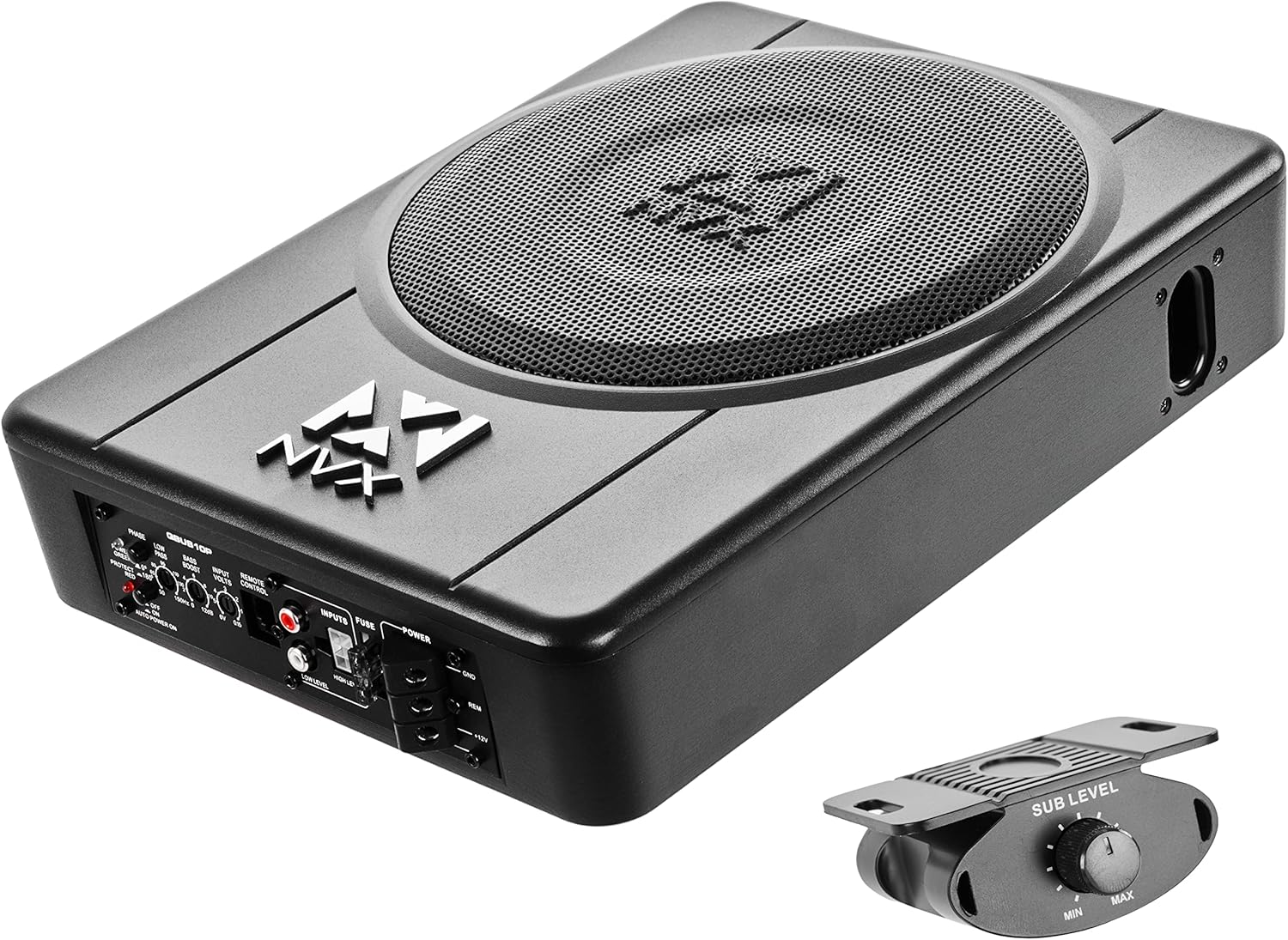
Figure 1.1: NVX QBUS10P Amplified Under Seat Subwoofer System with included remote bass knob.
2. Configuración e instalación
2.1 Contido do paquete
Antes de comezar a instalación, asegúrese de que estean presentes todos os compoñentes:
- NVX QBUS10P AmpSubwoofer iluminado
- Mando remoto para baixo con cable
- Arnés de entrada de alto nivel
- Ferraxes de montaxe (soportes, tornillos)
- Manual de usuario

Figure 2.1: Included accessories for the NVX QBUS10P, including mounting hardware and high-level input harness.
2.2 Conexións de cableado
Proper wiring is crucial for optimal performance and safety. Refer to the subwoofer's rear panel for connection points.
- Potencia (+12 V): Connect to the positive terminal of your vehicle's battery. An in-line fuse (not included, but highly recommended within 12 inches of the battery) should be used for protection. The subwoofer has a built-in 15A fuse.
- Terra (GND): Connect to a clean, unpainted metal surface on the vehicle's chassis. Ensure a solid connection for proper grounding.
- Acendido remoto (REM): This terminal is optional. The QBUS10P features an automatic turn-on circuit that senses audio input (either high-level or low-level RCA) and powers on the subwoofer. If using this feature, the REM terminal does not need to be connected. If your head unit provides a dedicated remote turn-on output, you may connect it here and disable the auto-turn-on feature via the switch on the unit.
- Input (Low-Level RCA): For head units with RCA pre-outs, connect RCA cables from the head unit's subwoofer output to the QBUS10P's Low-Level inputs.
- Input (High-Level): For factory or aftermarket head units without RCA pre-outs, use the included high-level input harness. Connect the speaker wires from your head unit's speaker outputs to the corresponding wires on the harness, then plug the harness into the High-Level input port.

Figure 2.2: Rear panel of the NVX QBUS10P, showing power, input, and control connections.
2.3 Localización de montaxe
The compact design of the QBUS10P allows for versatile mounting options, typically under a seat or in other confined spaces.
- Under Seat Mount: This is the primary intended mounting type, utilizing the available space beneath car seats. Ensure adequate clearance for air circulation and cable routing.
- Montaxe segura: Use the provided mounting brackets and screws to firmly secure the subwoofer to the vehicle's floor or a stable surface. This prevents movement and enhances bass performance.
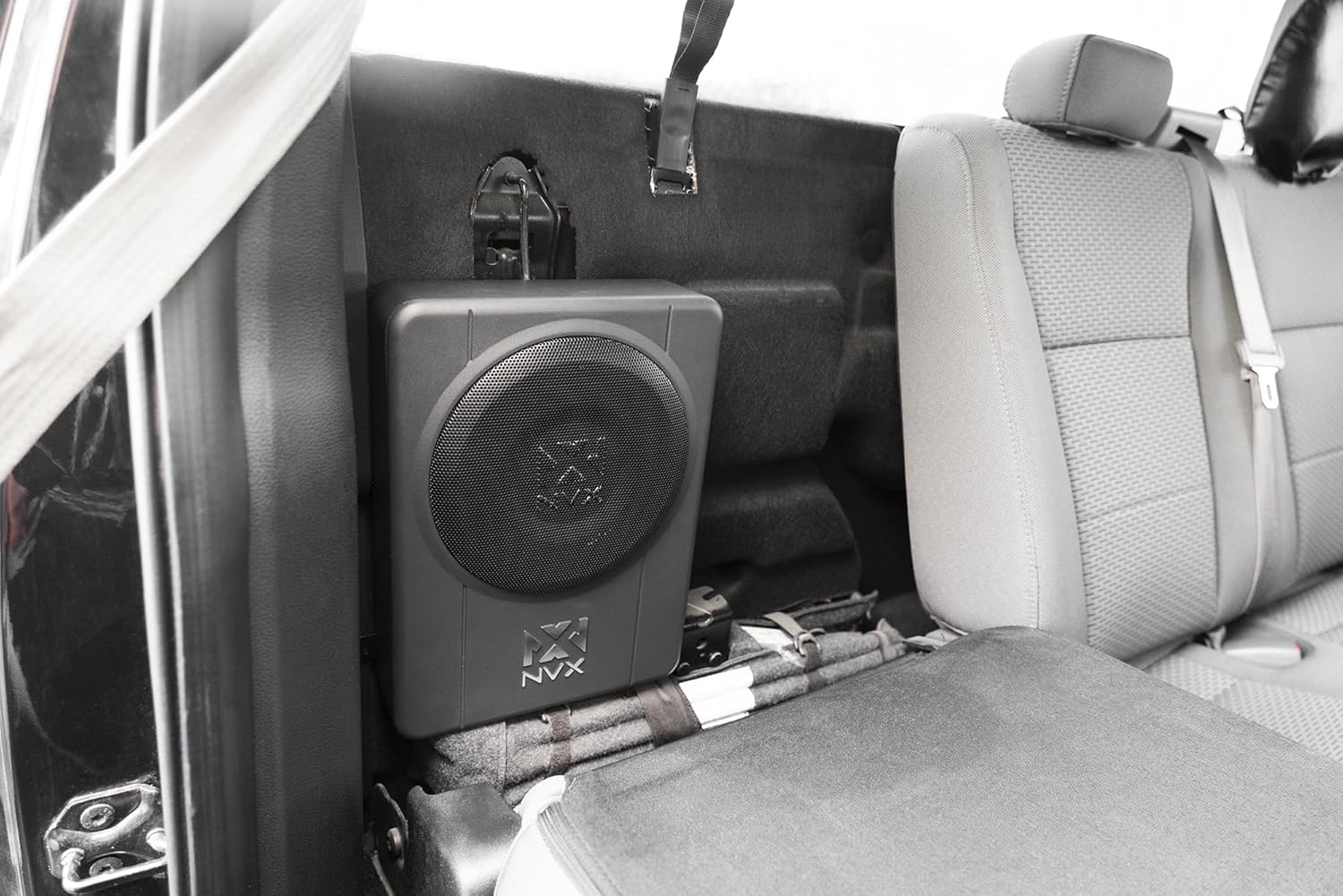
Figura 2.3: Example of the NVX QBUS10P subwoofer installed discreetly under a car seat.

Figure 2.4: The NVX QBUS10P features a durable enclosure with the NVX logo.
3. Operating Controls and Adjustments
The QBUS10P offers several controls on its rear panel to fine-tune audio output:
- Interruptor de fase (0°/180°): Adjusts the phase of the subwoofer's output relative to the main speakers. Experiment with both settings to find the one that provides the most cohesive and impactful bass.
- Low-Pass Filter (LPF) (50Hz-150Hz): Controls the upper frequency limit of the subwoofer. Set this to blend smoothly with your main speakers, typically between 80Hz and 120Hz.
- Bass Boost (0dB-12dB): Increases the output at a specific low frequency. Use sparingly to avoid distortion.
- Input Volts (0.15V-6V): Coincide co volume de saídatage of your head unit's RCA pre-outs or speaker-level outputs to the subwoofer's input sensitivity. Adjust this for optimal signal level without distortion.
- Auto Power On Switch: Toggles the automatic turn-on feature. Set to 'ON' if using high-level or low-level inputs without a remote turn-on wire. Set to 'OFF' if using a dedicated remote turn-on wire.
3.1 Botón de baixo remoto
The included remote bass knob provides convenient control over the subwoofer's output level from the driver's seat. Connect it to the 'REMOTE CONTROL' port on the subwoofer's rear panel.

Figure 3.1: The remote bass knob allows for convenient adjustment of subwoofer output level.
4. Mantemento
To ensure the longevity and optimal performance of your NVX QBUS10P subwoofer, follow these general maintenance guidelines:
- Limpeza: Use a soft, dry cloth to wipe down the exterior of the subwoofer. Avoid using harsh chemicals or abrasive cleaners.
- Ventilación: Ensure the subwoofer's vents are not obstructed to allow for proper heat dissipation.
- Comprobacións de conexión: Periodically inspect all wiring connections (power, ground, inputs) to ensure they are secure and free from corrosion.
5 Solución de problemas
If you experience issues with your QBUS10P subwoofer, consult the following table:
| Problema | Causa posible | Solución |
|---|---|---|
| Sen alimentación (LED de alimentación apagado) | Blown fuse; Loose power/ground connection; No remote turn-on signal (if auto-on is off) | Check and replace 15A fuse; Verify all power and ground connections; Ensure auto-on is enabled or remote wire is connected and receiving signal. |
| Sen son (LED de alimentación aceso) | Input signal issue; Gain/Input Volts set too low; Low-Pass Filter set too low; Phase incorrect | Check RCA/High-Level input connections; Adjust Gain/Input Volts; Adjust LPF; Experiment with Phase switch. |
| Son distorsionado | Gain/Input Volts set too high; Bass Boost too high; Poor input signal quality | Reduce Gain/Input Volts; Lower Bass Boost; Check head unit settings and input signal quality. |
| Sobrequecemento do subwoofer (LED de protección aceso) | Insufficient ventilation; Impedance mismatch; Prolonged high-volume use | Ensure proper airflow around the unit; Verify speaker impedance (4 Ohm); Reduce volume or allow unit to cool down. |
6. Especificacións
Detailed technical specifications for the NVX QBUS10P:
| Característica | Especificación |
|---|---|
| Nome do modelo | QBUS10P |
| Tipo de altofalante | Subwoofer |
| Diámetro do subwoofer | 10 polgadas |
| Potencia de saída máxima do altofalante | 500 vatios (pico) |
| Potencia RMS | 200 vatios |
| Tipo de montaxe | Soporte baixo o asento |
| Dimensións do produto (P x A x A) | 13.6" D x 10.3" W x 3.2" H |
| Peso do elemento | 11.14 libras |
| Tecnoloxía de conectividade | RCA, High-level (Speaker-level) |
| Tipo de controlador | Control remoto |
| Modo de saída de audio | Estéreo |
| Vol. De entradatage | 6 Volts (for RCA input sensitivity) |
| Compoñentes incluídos | 1 x Speaker (Subwoofer Unit) |
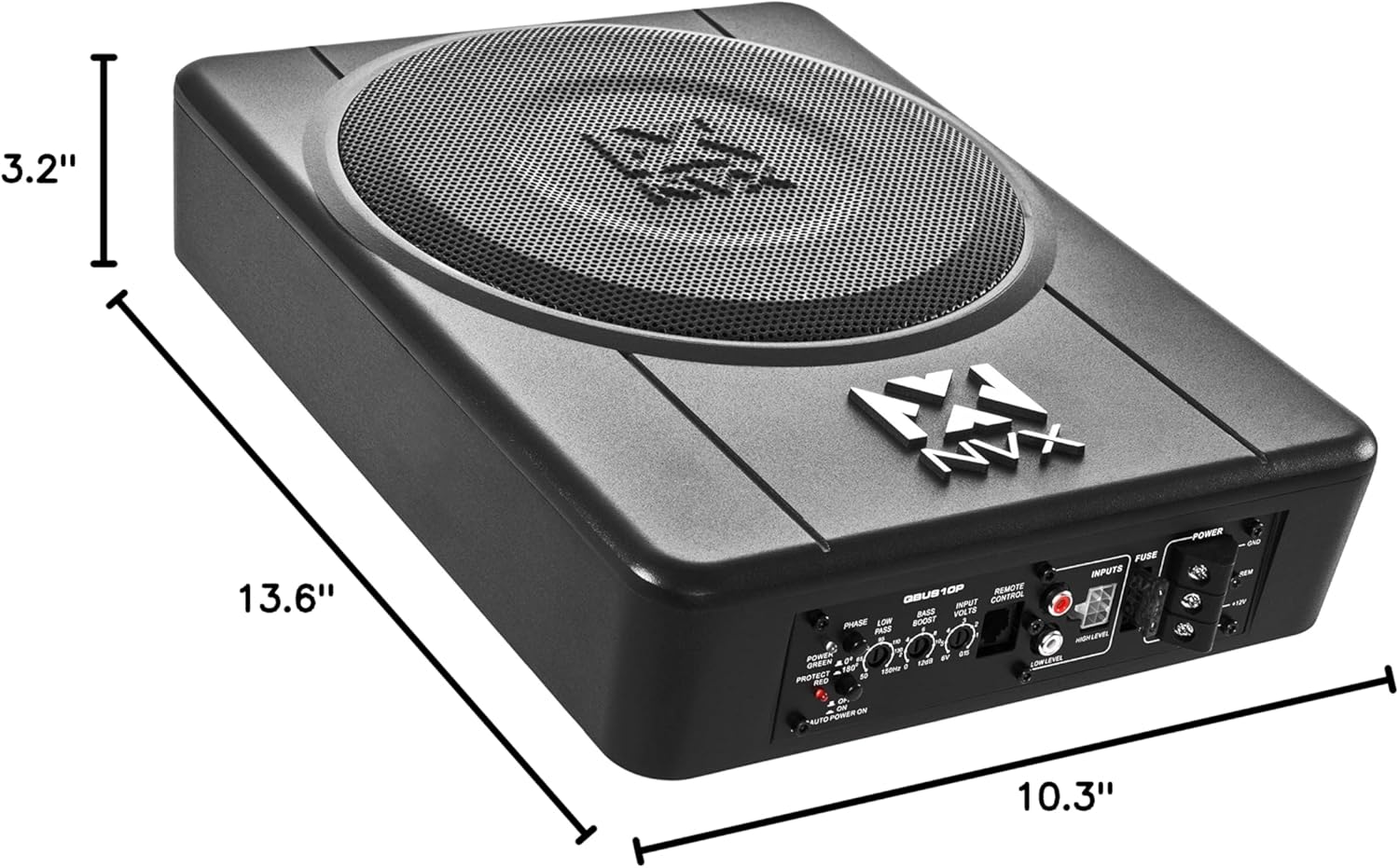
Figure 6.1: Dimensions of the NVX QBUS10P subwoofer for installation planning.
7. Garantía e soporte
The NVX QBUS10P comes with a limited warranty. For detailed warranty information, product support, or to contact customer service, please visit the official NVX store or contact their support channels.
NVX Official Store: https://www.amazon.com/stores/NVX/page/61287025-4741-48F6-876D-1B3C570566E5