
Introdución
Grazas pola compraasing the Hoco BS40 Sports Wireless Bluetooth Speaker. This manual provides detailed instructions for the proper setup, operation, and maintenance of your device. Please read this manual thoroughly before use to ensure optimal performance and longevity of your speaker.
Información de seguridade
- Non expoñas o altofalante a temperaturas extremas, luz solar directa ou humidade elevada.
- Evite deixar caer ou someter o altofalante a fortes impactos.
- Keep the speaker away from water and liquids, despite its water-resistant rating, to prevent damage.
- Non intente desmontar nin reparar o altofalante vostede mesmo. Póñase en contacto co persoal de servizo cualificado para obter axuda.
- Emprega só o cable de carga incluído ou un equivalente certificado.
- Manter fóra do alcance dos nenos.
Contido do paquete
Comprobe se o paquete contén os seguintes elementos:
- Hoco BS40 Wireless Speaker
- Cable de carga
- Manual de usuario
Produto rematadoview
Familiarízate cos compoñentes e controis do altofalante.

Image: Hoco BS40 speaker, top-down view, highlighting the control panel and overall design.

Image: Hoco BS40 speaker in an upright position, displaying the side control buttons and the Hoco branding.
Botóns e portos de control:
- Botón de encendido: Manteña premido para activar/desactivar o altofalante.
- Botón de modo (M): Press to switch between Bluetooth, FM Radio, TF Card, USB, and AUX modes.
- Botón Reproducir/Pausa: Press to play or pause audio. In call mode, press to answer/end calls.
- Subir volume (+)/Pista seguinte: Prema brevemente para subir o volume, preme longa para a seguinte pista.
- Baixar volume (-)/Pista anterior: Presión curta para baixar o volume, presión longa para a pista anterior.
- Ranura para tarxetas TF: Insira unha tarxeta TF (MicroSD) para reproducir música.
- Porto USB: Insert a USB flash drive for music playback.
- Porto AUX: Conecta dispositivos de son externos mediante un cable de son de 3.5 mm.
- Porto de carga: Connect the charging cable to power the speaker.
Configuración
Cargando o altofalante
- Conecta o cable de carga ao porto de carga do altofalante.
- Conecta o outro extremo do cable a un adaptador de corrente USB (non incluído) ou ao porto USB dun ordenador.
- A luz indicadora de carga acenderase durante a carga.
- A carga adoita tardar aproximadamente 1.5 horas. A luz indicadora cambiará ou apagarase unha vez que se cargue completamente.
Encendido/apagado
- Para acender: Press and hold the Power Button for a few seconds until you hear an audible prompt or see the indicator light.
- Para apagar: Press and hold the Power Button again for a few seconds until you hear an audible prompt or the indicator light turns off.
Instrucións de funcionamento
Emparejamento Bluetooth
- Ensure the speaker is powered on and in Bluetooth mode (indicated by a flashing blue light or an audible prompt). If not, press the 'M' (Mode) button to switch to Bluetooth mode.
- Activa o Bluetooth no teu dispositivo móbil (teléfono intelixente, tableta, etc.).
- Busca available Bluetooth devices. You should find "Hoco BS40" in the list.
- Select "Hoco BS40" to connect. Once paired, the speaker will emit an audible confirmation, and the indicator light will stop flashing.
- Agora podes reproducir audio desde o teu dispositivo a través do altofalante.
Modo de radio FM
- Prema o botón "M" (Modo) repetidamente ata entrar no modo de radio FM.
- To auto-scan for stations, press the Play/Pause button once. The speaker will scan and save available FM stations.
- Use the Volume Up (+) and Volume Down (-) buttons to navigate between saved stations.
TF Card / USB Playback
- Insert a TF (MicroSD) card or a USB flash drive containing MP3 audio files into the respective slot/port.
- The speaker should automatically switch to TF Card or USB mode and begin playback. If not, press the 'M' (Mode) button to select the correct mode.
- Use the Play/Pause, Volume Up (+), and Volume Down (-) buttons to control playback.
Modo AUX
- Conecta un extremo dun cable de audio de 3.5 mm (non incluído) ao porto AUX do altofalante.
- Connect the other end of the audio cable to the audio output jack of your external device.
- Prema o botón "M" (Modo) para cambiar ao modo AUX.
- Audio will now play from your external device through the speaker. Control playback from your external device.
Control de volume e navegación de pistas
- Subir volume: Prema brevemente o botón "+".
- Baixar volume: Prema brevemente o botón '-'.
- Próxima pista: Mantén premido o botón "+".
- Pista anterior: Mantén premido o botón '-'.

Image: Hoco BS40 speaker highlighting its versatile connectivity options including Bluetooth, FM, TF card, USB, and AUX.
Mantemento
- Limpeza: Usa un pano suave e seco para limpar a superficie do altofalante. Non empregues produtos de limpeza abrasivos nin solventes.
- Almacenamento: Garde o altofalante nun lugar fresco e seco cando non o use durante períodos prolongados.
- Coidado da batería: Para prolongar a duración da batería, cárguea completamente antes do primeiro uso e cárguea polo menos unha vez cada tres meses se non a usa con regularidade.
Resolución de problemas
| Problema | Causa posible | Solución |
|---|---|---|
| O altofalante non se acende. | A batería está esgotada. | Cargue o altofalante durante polo menos 30 minutos. |
| Non se pode emparellar por Bluetooth. | O altofalante non está en modo de emparellamento ou está demasiado lonxe do dispositivo. | Ensure speaker is in Bluetooth mode and within 10 meters of your device. Restart both devices. |
| Sen son. | Volume is too low or incorrect mode selected. | Increase volume on both speaker and connected device. Press 'M' to ensure correct input mode (Bluetooth, AUX, etc.). |
| A recepción da radio FM é deficiente. | Debil sinal. | Move the speaker to an open area or adjust its position for better reception. |
Especificacións
| Característica | Especificación |
|---|---|
| Nome do modelo | BS40 |
| Versión Bluetooth | 5.0 |
| Tipo de altofalante | Ao aire libre |
| Tecnoloxía de conectividade | Bluetooth, FM, TF, USB, AUX |
| Potencia máxima de saída do altofalante | 14 vatios |
| Potencia de saída nominal | 7 vatios |
| Capacidade da batería | 2400 mAh |
| Music Playback/Call Time | 4 horas ou máis |
| Tempo de carga | Aproximadamente 1.5 horas |
| Dimensións (L x W x H) | 230 x 98 x 94 mm (9.06 x 3.86 x 3.7 polgadas) |
| Peso do elemento | 775 gramos (1.71 libras) |
| Resistente á auga | Yes (IPX5 rating implied by image) |
| Material | Poliuretano termoplástico |
| Cor | Azul |
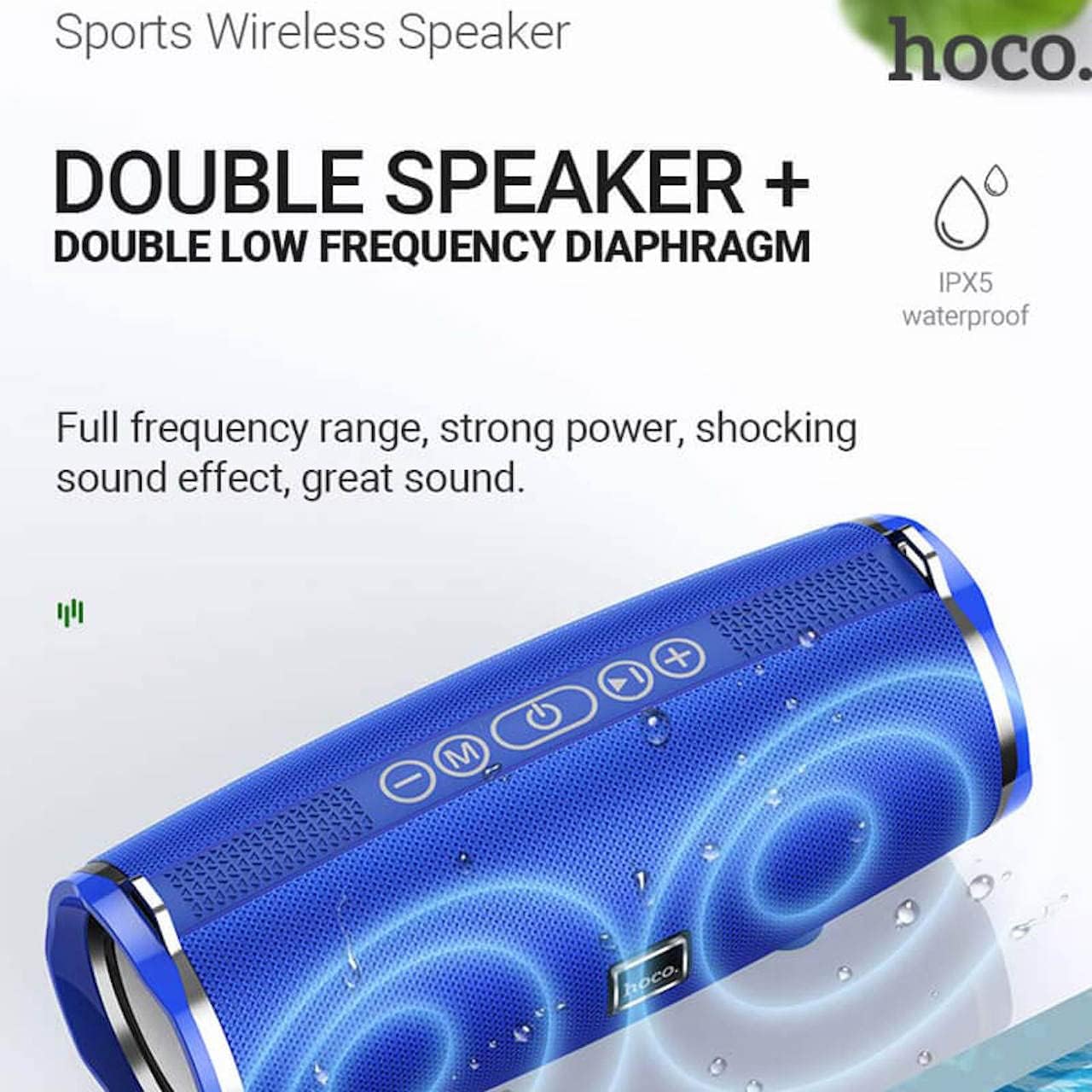
Image: Hoco BS40 speaker highlighting its IPX5 waterproof rating and dual speaker design for enhanced sound.
Garantía e Soporte
Hoco products are designed and manufactured to the highest quality standards. For warranty information and customer support, please refer to the warranty card included with your product or visit the official Hoco websitio.
Official Hoco Websitio: http://www.hocotech.com
Conserve o comprobante de compra para reclamacións de garantía.