
Introdución
The Samsung Galaxy S21 FE 5G is a factory unlocked Android smartphone designed to enhance your daily mobile experience. It features a 120Hz display, a powerful processor, a pro-grade camera system, and an all-day intelligent battery. This manual provides essential information for setting up, operating, maintaining, and troubleshooting your device.

Figura 1: Fronte view of the Samsung Galaxy S21 FE 5G smartphone.
Configuración
Configuración inicial
Upon first powering on your device, follow the on-screen prompts to select your language, connect to a Wi-Fi network, and sign in with your Google account. This process will guide you through essential configurations to get your phone ready for use.
Instalación da tarxeta SIM
The Galaxy S21 FE 5G supports Dual SIM functionality using Nano SIM cards. To install your SIM card(s):
- Localiza a bandexa da tarxeta SIM no lateral do dispositivo.
- Introduza a ferramenta de expulsión da tarxeta SIM no pequeno orificio que hai xunto á bandexa e empurre suavemente ata que a bandexa se expulse.
- Place your Nano SIM card(s) into the tray with the gold contacts facing down. Ensure they are correctly seated.
- Volva a introducir coidadosamente a bandexa no dispositivo.
Encendido/apagado
- Para acender: Manteña premida a tecla de acendido/lateral ata que apareza o logotipo de Samsung.
- Para apagar: Press and hold the Power/Side key and the Volume Down button simultaneously, then tap 'Power off' on the screen. Alternatively, swipe down from the top of the screen to open the Quick Panel, tap the Power icon, and select 'Power off'.
Operación do Dispositivo
Visualización e navegación
Experience smooth scrolling and vibrant visuals on the 6.4-inch Dynamic AMOLED 2X display with a 120Hz refresh rate and 2560 x 1440 resolution. The display offers a fast touch response for seamless interaction, even in bright sunlight.

Figure 2: The Dynamic AMOLED 2X display of the Galaxy S21 FE 5G.
Características da cámara
The Galaxy S21 FE 5G is equipped with a powerful pro-grade camera system:
- Cámara traseira: 12MP Ultra Wide, 12MP Wide-angle, and 8MP Telephoto.
- Cámara frontal: Cámara para selfis de 32 MP.
- Zoom espacial de 30x: Combines 3x Hybrid Optic Zoom and 30x digital zoom for high-resolution close-ups, with EngageZoom Lock to reduce shakiness.
- Modo nocturno: Capture crisp images in vivid color, even in low-light conditions.

Figure 3: Portrait mode capabilities of the Galaxy S21 FE 5G camera.

Figure 4: Night mode feature for enhanced low-light photography.
Xestión da batería
The device features a 4500mAh intelligent battery designed to last all day, even with 5G usage. Super Fast Charging can charge 50% of the battery in approximately 30 minutes. Average battery life for talk time is 37 hours.

Figure 5: All-day intelligent battery of the Galaxy S21 FE 5G.
Rendemento
Powered by an efficient Snapdragon processor with 6GB RAM, the Galaxy S21 FE 5G delivers reliable performance for graphic-heavy gaming and multitasking.
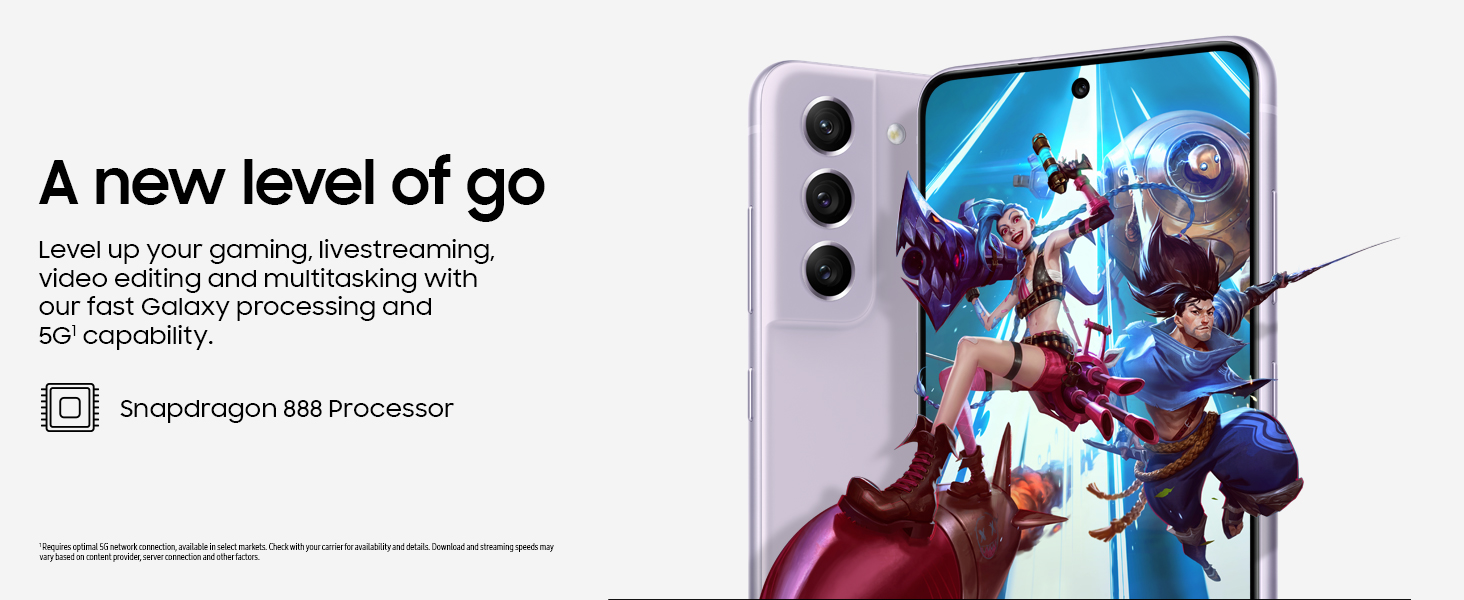
Figure 6: High-performance processor for gaming and multitasking.
Conectividade
The device supports 5G cellular technology, Wi-Fi, Bluetooth, and NFC for versatile connectivity options. It is an unlocked device, allowing flexibility with wireless carriers.
Mantemento
Limpeza
To clean your device, gently wipe the screen and body with a soft, lint-free cloth. Avoid using harsh chemicals or abrasive materials that could damage the screen or finish.
Actualizacións de software
Regularly check for and install software updates to ensure your device has the latest features, security patches, and performance improvements. You can usually find this option in the device's Settings menu under 'Software update'.
Restablecemento de fábrica
A factory reset will erase all data from your phone and restore it to its original factory settings. This can be useful for troubleshooting persistent issues or preparing the device for transfer to a new owner. Before performing a factory reset, ensure all important data is backed up to an external storage device or cloud service.
Video 1: Instructions on how to perform a factory reset on an Android phone. This process will erase all data and restore the device to its default settings.
Resolución de problemas
Se tes problemas co teu dispositivo, proba os seguintes pasos básicos para a súa resolución:
- Reinicie o dispositivo: Un simple reinicio pode resolver a miúdo pequenos erros de software.
- Comprobar se hai actualizacións de software: Asegúrate de que o teu dispositivo teña a última versión do software.
- Clear app cache/data: Se unha aplicación específica está a causar problemas, proba a borrar a súa caché ou os seus datos en Configuración > Aplicacións.
- Comprobar a conexión de rede: For connectivity issues, verify Wi-Fi or cellular data is enabled and working correctly.
- Consulte o Manual de Usuario: For more detailed solutions, refer to the comprehensive user manual available through the device settings.
Especificacións
| Característica | Especificación |
|---|---|
| Marca | Samsung |
| Nome do modelo | Galaxy S21 FE 5G |
| Sistema Operativo | Android 12.0 |
| Modelo CPU | Snapdragon |
| Tamaño da memoria RAM instalada | 6 GB |
| Capacidade de almacenamento da memoria | 256 GB |
| Tamaño da pantalla | 6.4 polgadas |
| Resolución | 2560 x 1440 |
| Taxa de actualización | 120 Hz |
| Tecnoloxía Celular | 5G |
| Tecnoloxía de redes sen fíos | Wi-Fi |
| Tecnoloxía de conectividade | Bluetooth, NFC, USB, Wi-Fi |
| Rear Facing Camera Photo Sensor Resolution | 12 MP |
| Resolución do sensor fotoeléctrico frontal | 32 MP |
| Capacidade da batería | 4500 millónsamp Horario |
| Nivel de resistencia á auga | Impermeable |
| Peso do elemento | 190 gramos |
Garantía e Soporte
The Samsung Galaxy S21 FE 5G comes with a 1-Year Manufacturer Warranty. For warranty claims or technical support, please contact Samsung customer service or visit their official support website. You can also find additional support resources and user manuals in the device's settings under 'User manual'.


