
1. Produto rematadoview

Fronte-arriba view of the SUNMI 80mm Kitchen Cloud Receipt Printer, showcasing its compact black design with orange accents and control panel.
The SUNMI 80mm Kitchen Cloud Receipt Printer (Model C04000069) is a compact and efficient thermal printer designed for various environments, particularly suited for kitchen and point-of-sale applications. It offers reliable, high-speed printing for receipts and orders.
Características principais:
- Compact 130mm square design for space-saving installation.
- High-performance Seiko thermal print head.
- Fast printing speed of 165mm/s for 80mm receipts.
- Easy internet connectivity via LAN cable.
- Supports 80mm paper format.
2. Contido do paquete
Marque a caixa para os seguintes elementos:
- SUNMI 80mm Kitchen Cloud Receipt Printer (Model C04000069)
- Adaptador de alimentación
- Thermal Paper Roll (for initial setup)
- Manual de usuario (este documento)
3. Guía de configuración
3.1 Conexión de alimentación
- Ensure the printer is placed on a stable, flat surface.
- Connect the power adapter to the printer's power input port.
- Enchufe o adaptador de alimentación nunha toma eléctrica adecuada.
- Prema o botón de acendido para acender a impresora. O indicador luminoso de acendido acenderase.
3.2 Instalación do rolo de papel

Un aberto view of the SUNMI printer's interior, revealing the paper roll compartment and the high-performance Seiko thermal print head, capable of 165mm/s printing speed.
- Abra a tapa superior da impresora premendo o pestillo de liberación.
- Insert the 80mm thermal paper roll into the compartment, ensuring the paper feeds from the bottom and the leading edge is straight.
- Tire dunha pequena cantidade de papel para sacalo do cortador.
- Peche a tapa superior firmemente ata que encaixe no seu lugar.

Two sequential images: one showing a hand inserting a receipt into the printer's output slot, and another showing a hand replacing the thermal paper roll inside the printer's open compartment.
3.3 Conexión de rede
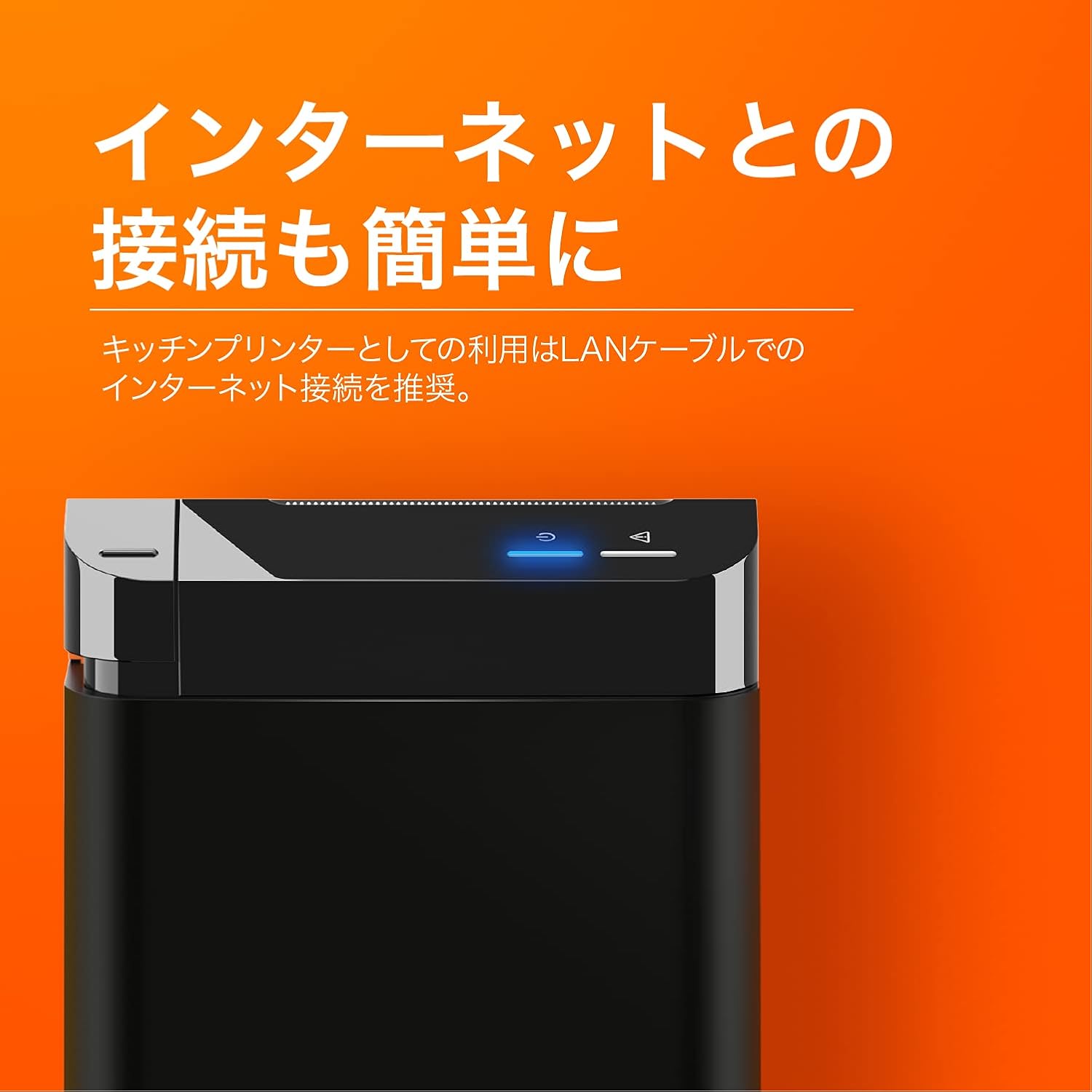
The SUNMI printer with a blue illuminated status light, highlighting its easy internet connectivity via LAN cable, recommended for kitchen printer use.
For optimal performance, especially in kitchen environments, a wired LAN connection is recommended.
- Connect one end of an Ethernet (LAN) cable to the printer's LAN port.
- Conecte o outro extremo do cable Ethernet ao seu enrutador ou conmutador de rede.
- The network indicator light on the printer will show connection status (e.g., solid blue for connected).
4. Instrucións de funcionamento
4.1 Impresión básica
Once the printer is powered on and connected to your network, it is ready to receive print commands from compatible software or systems (e.g., POS software, kitchen display systems).
- Ensure your printing application is configured to use the SUNMI 80mm Kitchen Cloud Printer.
- Initiate a print job from your application.
- The printer will automatically feed and cut the receipt after printing.

A view of two SUNMI 80mm Kitchen Cloud Printers side-by-side, with one actively printing a receipt, demonstrating its operational use.
4.2 Indicadores de estado
The printer features indicator lights on its control panel to provide status information:
- Indicador de potencia: Solid light indicates the printer is on.
- Indicador de erro: Flashing or solid light indicates an error (e.g., paper out, cover open). Refer to the Troubleshooting section.
- Indicador de rede: Indicates network connectivity status.
5. Mantemento
5.1 Limpeza da impresora
Unha limpeza regular axuda a manter a calidade de impresión e prolonga a vida útil da impresora.
- Apague e desconecte a impresora antes de limpala.
- Use un pano suave e sen pelusa lixeiramente dampened with water or isopropyl alcohol to wipe the exterior.
- Gently clean the thermal print head with a cotton swab dipped in isopropyl alcohol. Allow it to dry completely before use.
- Remove any paper dust or debris from the paper path.
5.2 Substitución do rolo de papel
When the paper roll is nearing its end, the printer may indicate a paper-low error or print faint lines. Follow the steps in Section 3.2 to replace the paper roll.
6 Solución de problemas
If you encounter issues with your SUNMI printer, refer to the table below for common problems and solutions.
| Problema | Causa posible | Solución |
|---|---|---|
| A impresora non se acende | Sen corrente, adaptador defectuoso | Check power cable connection; ensure outlet is working; try a different adapter if available. |
| No printing / Error light on | Paper out, cover open, paper jammed | Replace paper roll; ensure cover is closed properly; clear any paper jams. |
| Faint or blank prints | Incorrect paper type, dirty print head, paper loaded incorrectly | Ensure thermal paper is used; clean the print head (Section 5.1); check paper orientation. |
| Non se pode conectar á rede | Loose LAN cable, network configuration issue | Check LAN cable connection; verify network settings on your router/system. |
7. Especificacións técnicas

The SUNMI 80mm Kitchen Cloud Printer, demonstrating its compact 130mm square footprint, ideal for space-saving installations.
| Característica | Especificación |
|---|---|
| Número de modelo | C04000069 |
| Marca | SUNMI |
| Tipo de impresora | Impresora de recepción térmica |
| Velocidade de impresión | 165 mm/s |
| Ancho do papel | 80 mm |
| Tecnoloxía de conectividade | USB, LAN (Ethernet) |
| Cor | Multicolor (primarily black with orange accents) |
| Dimensións do produto | 13 x 13 x 13 cm (aprox. 5.1 x 5.1 x 5.1 polgadas) |
| Peso do elemento | 1.32 quilogramos (aprox. 2.91 libras) |
| Maximum Sheet Input Capacity | 100 sheets (referring to paper roll length equivalent) |
| Impresión dúplex | No (single-sided receipt printing) |
| Medios compatibles | Thermal Labels/Receipt Paper |
8. Garantía e soporte
This product is covered by the standard manufacturer's warranty. For specific warranty terms and conditions, please refer to the documentation provided at the time of purchase or contact your retailer.
For technical support, troubleshooting assistance beyond this manual, or service inquiries, please contact SUNMI customer support or your authorized dealer. Keep your purchase receipt and product model number (C04000069) ready when contacting support.