
1. Produto rematadoview
The HOMEASY Fabric Shaver Fuzz Remover is designed to efficiently remove lint, fuzz, and pills from various fabrics, restoring their appearance. It features a rechargeable battery, LED digital display, and multiple speed settings for versatile use.

Imaxe 1.1: Acabadoview of the HOMEASY Fabric Shaver and included accessories, including USB cables and a lint roller.
2. Contido do paquete
Comprobe o paquete para asegurarse de que conteñan todos os elementos:
- Afeitadora de tela x 1
- Replacement Blades x 2 (Total 3 blades including one pre-installed)
- Cable USB tipo C x 1
- Cepillo de limpeza x 1
- Lint Roller x 1 (integrated into handle)
- Manual de usuario x 1
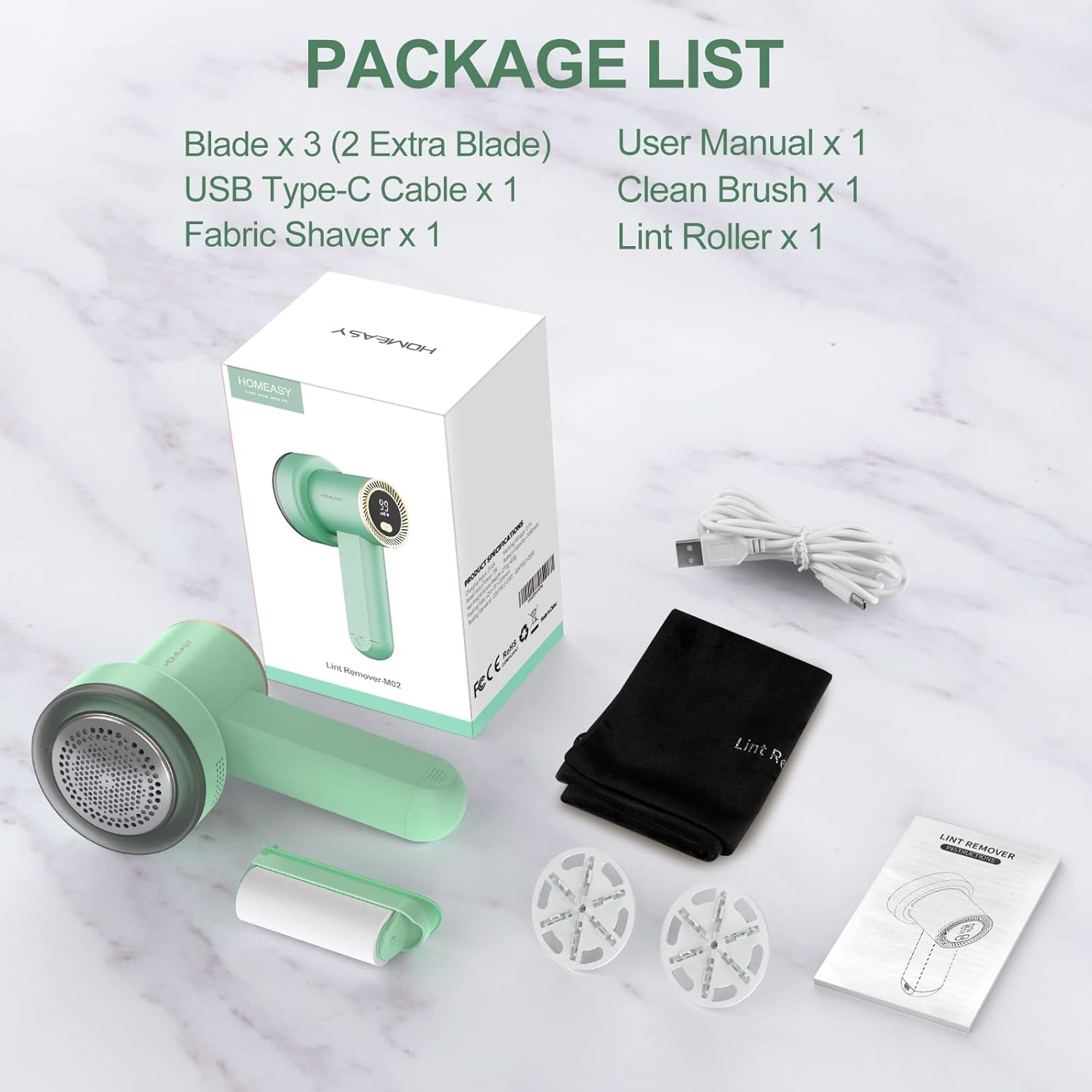
Image 2.1: Visual representation of all items included in the product package.
3. Configuración e carga
3.1 Cargo inicial
Before first use, fully charge the fabric shaver. The device features a built-in 1800mAh rechargeable battery.
- Connect the provided USB Type-C cable to the charging port on the device.
- Connect the other end of the USB cable to a compatible power source such as a USB charger (not included), power bank, or computer USB port.
- The LED digital display will show the battery level. A full charge typically takes approximately 3 hours.
- The device can operate for 3-6 hours on a full charge.

Image 3.1: The fabric shaver being charged via a USB Type-C cable connected to a power bank, showing the LED display indicating battery status.
3.2 Checking Blades
Ensure the 6-leaf blade assembly is securely in place before operation. Refer to the Maintenance section for blade replacement instructions.
4. Instrucións de funcionamento
4.1 Acendido/apagado e axustes de velocidade
The device features an LED digital display for battery level and speed gear indication.
- Para acender, manteña premido o botón de acendido.
- Press the power button repeatedly to cycle through the three speed settings: Gear I, Gear II, and Gear III.
- The LED display will show the current speed gear (I, II, or III) and the remaining battery percentage (0-100).
- Para apagar, manteña premido o botón de acendido de novo.

Image 4.1: The LED digital display on the fabric shaver indicating the selected speed gear (I, II, or III) and the remaining battery percentage.

Imaxe 4.2: Detallada view of the LED digital display, showing battery percentage and speed indicator.
4.2 Using the Fabric Shaver
The shaver is suitable for various fabrics including sweaters, wool coats, blankets, cushions, and furniture.
- Lay the fabric flat on a hard, smooth surface.
- Select the appropriate speed setting for the fabric type. Lower speeds are recommended for delicate fabrics, while higher speeds are suitable for thicker materials.
- Gently press the shaver head onto the fabric and move it in small, circular motions or back and forth. Avoid excessive pressure to prevent damage to the fabric.
- The large mesh cover with 3 sizes of holes is designed to effectively capture various sizes of fuzz balls.
- The upgraded 6-leaf blades work efficiently to remove pills.
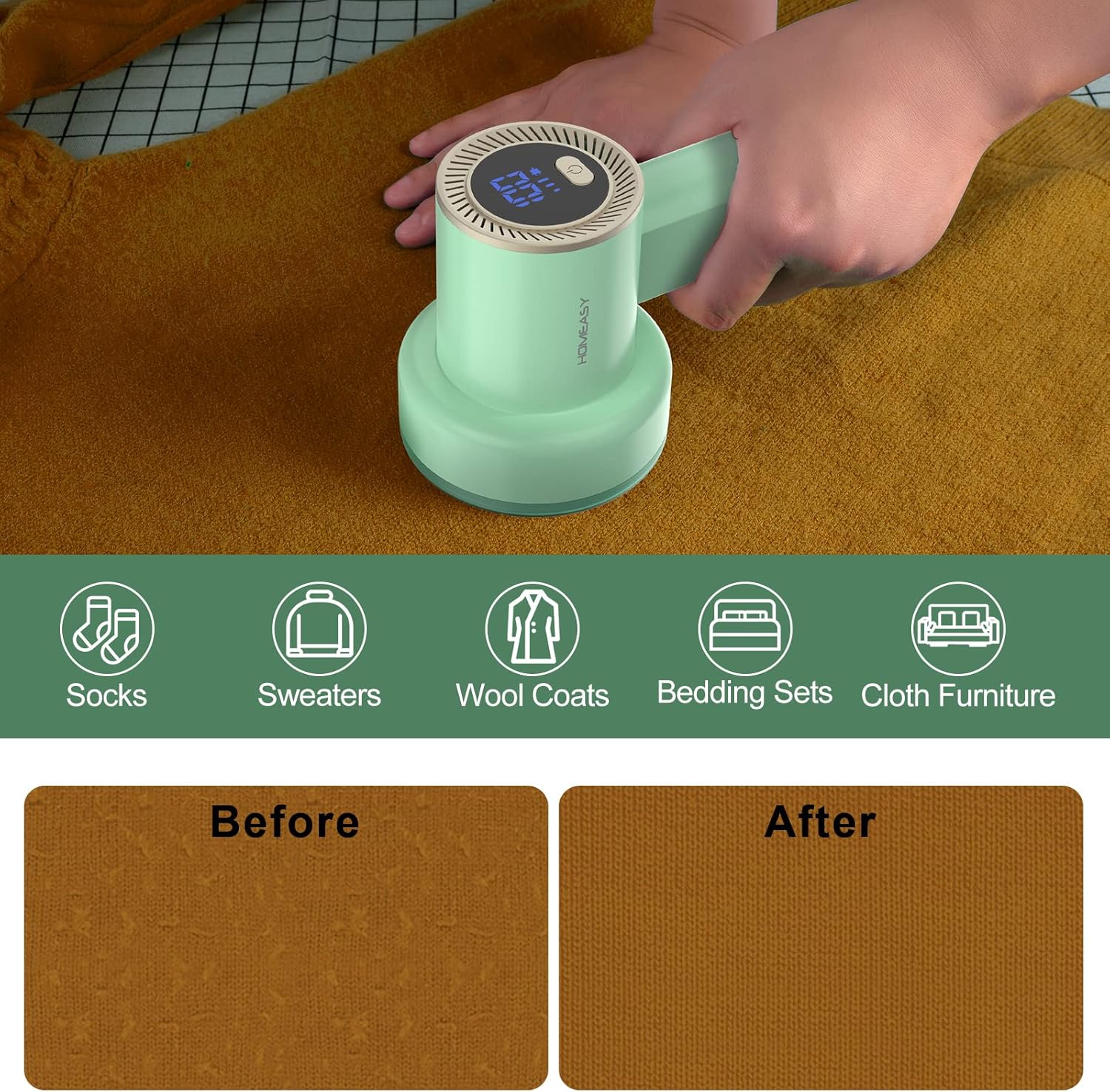
Image 4.3: A visual demonstration of the fabric shaver's effectiveness, showing a 'before' section with pills and an 'after' section that is smooth.

Image 4.4: The fabric shaver being used on a sweater, illustrating the removal of fabric pills and the resulting smooth texture.
4.3 Características de seguridade
The device is equipped with safety mechanisms to protect both the user and the fabric:
- The detachable stainless steel large mesh cover has a slight arc to maintain a safe distance between the fabric and the cutter head, preventing damage.
- If the mesh cover becomes loose or falls off during operation, the shaver will automatically stop working to prevent injury or fabric damage.

Imaxe 4.5: Unha explosión view showing the components of the fabric shaver, highlighting the large cover, 6-blade assembly, and suction device.
5. Mantemento
5.1 Limpeza do filtro de pelusa
Regularly empty the lint collection compartment to maintain optimal performance.
- Asegúrese de que o dispositivo estea apagado.
- Gently twist and remove the transparent lint collection compartment.
- Empty the collected lint and fuzz into a waste bin.
- Use the provided cleaning brush to remove any remaining lint from the compartment and around the blades.
- Reattach the lint collection compartment securely.
5.2 Cleaning and Replacing Blades
For best results, keep the blades clean and replace them when they become dull.
- With the device off and the lint compartment removed, carefully detach the blade assembly.
- Use the cleaning brush to remove any lint or debris from the blades and the inner chamber.
- To replace blades, align a new 6-leaf blade assembly onto the central spindle and press down gently until it clicks into place.
- Ensure the blades are securely fastened before reassembling the device.

Imaxe 5.1: Detallada view of the 6-blade assembly, illustrating its design for efficient lint removal.
5.3 Integrated Lint Roller
The handle of the fabric shaver contains a removable lint roller and a cleaning brush for convenience.
- To access, slide open the compartment at the base of the handle.
- The lint roller can be used for quick touch-ups or to pick up remaining lint after shaving.
- The cleaning brush is useful for detailed cleaning of the shaver's components.

Image 5.2: The fabric shaver with its handle compartment open, revealing the integrated lint roller and cleaning brush.

Imaxe 5.3: Detallada view of the handle's storage compartment, highlighting the removable lint roller and cleaning brush.
6 Solución de problemas
- O dispositivo non se acende: Ensure the device is fully charged. If the battery level is below 10% (as indicated on the LED display), it requires charging.
- Ineffective Fuzz Removal: Check if the lint collection compartment is full and needs emptying. Ensure the blades are clean and sharp; replace if dull. Verify the mesh cover is securely attached, as the device will not operate if it is loose.
- A batería non mantén a carga: If the device does not hold a charge after prolonged use (e.g., after a year), the internal battery may have reached its end of life. Contact customer support for assistance.
- Device Stops During Use: This is a safety feature. Check if the mesh cover has become loose or detached. Reattach it securely to resume operation.
- Danos no tecido: Avoid applying excessive pressure or holding the shaver in one spot for too long. Ensure the fabric is laid flat and taut. Use a lower speed setting for delicate materials.
7. Especificacións
| Característica | Detalle |
|---|---|
| Marca | CASEIRO |
| Número de modelo | Fabric Shaver-M2 |
| Material | Acrilonitrilo butadieno estireno, aceiro inoxidable |
| Dimensións do produto | 4.33" D x 3.54" W x 7.87" H |
| Material do mango | Aceiro de aliaxe |
| Modo de operación | Automático |
| Peso do elemento | 14 onzas |
| Láminas | 6-leaf (rust-proof) |
| Configuración de velocidade | 3 (Gear I/II/III) |
| Mostrar | LED Digital (Battery & Gear) |
| Capacidade da batería | 1800 mAh |
| Tempo de carga | Aprox. 3 horas |
| Tempo de traballo | 3-6 horas (completamente cargada) |
| Porto de carga | Tipo C USB |

Image 7.1: A comparative table highlighting key features and specifications of the HOMEASY Fabric Shaver against other types.
8. Garantía e soporte
For warranty information, technical support, or any inquiries regarding your HOMEASY Fabric Shaver Fuzz Remover, please refer to the contact details provided with your purchase documentation or visit the official HOMEASY websitio.