
1. Introdución e finalview
This manual provides comprehensive instructions for the installation, operation, and maintenance of your HITOSINO 5MP Full Color PoE IP Camera (Model: HS-CUT05G2-Color). This camera features 5MP resolution, 24/7 full-color night vision, human/vehicle detection, a built-in microphone, and IP67 weatherproofing, making it suitable for both indoor and outdoor surveillance.
Lea este manual detidamente antes de usar o produto para garantir unha configuración correcta e un rendemento óptimo.
2. Características do produto
- 5MP Full Color Night Vision: Provides ultra-high quality 5MP (2592 x 1944) resolution at 30FPS with enhanced 98.4ft full-color night vision and a super wide 118° viewángulo de ing.
- PoE Powered: Simplifies installation with Power over Ethernet, requiring only one Ethernet cable for both power and data (PoE Injector or Switch Required; Not Included).
- Built-in Microphone & H.265: Features a built-in microphone for real-time audio monitoring and H.265 compression to reduce file sizes and save storage space and bandwidth.
- Resistente ás inclemencias do tempo IP67: Designed with a metal housing and IP67 rating for durability in harsh natural environments, offering dustproof, weatherproof, and cold resistance.
- Detección intelixente de movemento: Includes human/vehicle detection capabilities to reduce false alarms.
- Free App and Remote Access: Easily access live viewing or recorded footage from anywhere with a network connection via the dedicated mobile application.
3. Contido do paquete
Verifica que todos os elementos estean presentes no paquete:
- Cámara
- Manual de usuario
- Cabeza de cristal
- Parafusos
4. Configuración e instalación
4.1 Instalación física
The camera supports both wall mount and ceiling mount installations. Ensure the mounting surface is strong enough to support the camera's weight.

Figure 4.1: Camera dimensions and technical specifications. The camera measures 6.1 x 6.1 x 4.92 inches and weighs 1.37 pounds.

Figure 4.2: The camera's IP67 full metal housing ensures durability against dust, weather, and cold, operating from -20°C to 60°C (-4°F to 140°F).
4.2 Métodos de conexión
There are two primary ways to connect your camera:
Method 1: Standalone Use (without NVR)
Connect the camera directly to your router and power supply for standalone operation.
Video 4.1: Demonstrates how to connect the HITOSINO Turret PoE Camera for standalone use, connecting it to a router with a network cable and to a 12V/1A power adapter.

Figure 4.3: Connection diagram for standalone camera use, showing direct connection to a router and a 12V/1A power adapter.
Method 2: Using a PoE Switch
For simplified installation, connect the camera to a PoE switch. This provides both power and data through a single Ethernet cable.
Video 4.2: Demonstrates connecting the camera to a PoE switch, which simplifies wiring by providing power and data over one cable.
Figure 4.4: Connection diagram for camera use with a PoE switch, showing the camera connected to the switch, and the switch connected to the router.
Method 3: Connecting to an NVR
The camera is compatible with most third-party NVRs, including HITOSINO/HIKV*SON NVRs. Connect the camera to the NVR's PoE ports.
Video 4.3: Illustrates the process of connecting the camera to an NVR for centralized recording and management.

Figure 4.5: Connection diagram for connecting the camera to a Hikvision/HITOSINO NVR using a single network cable.
5. Funcionamento da cámara
5.1 Visión nocturna a toda cor
The camera's F1.0 aperture and advanced technology enable 24/7 full-color night vision, providing clear and detailed images even in low-light conditions up to 98.4ft.
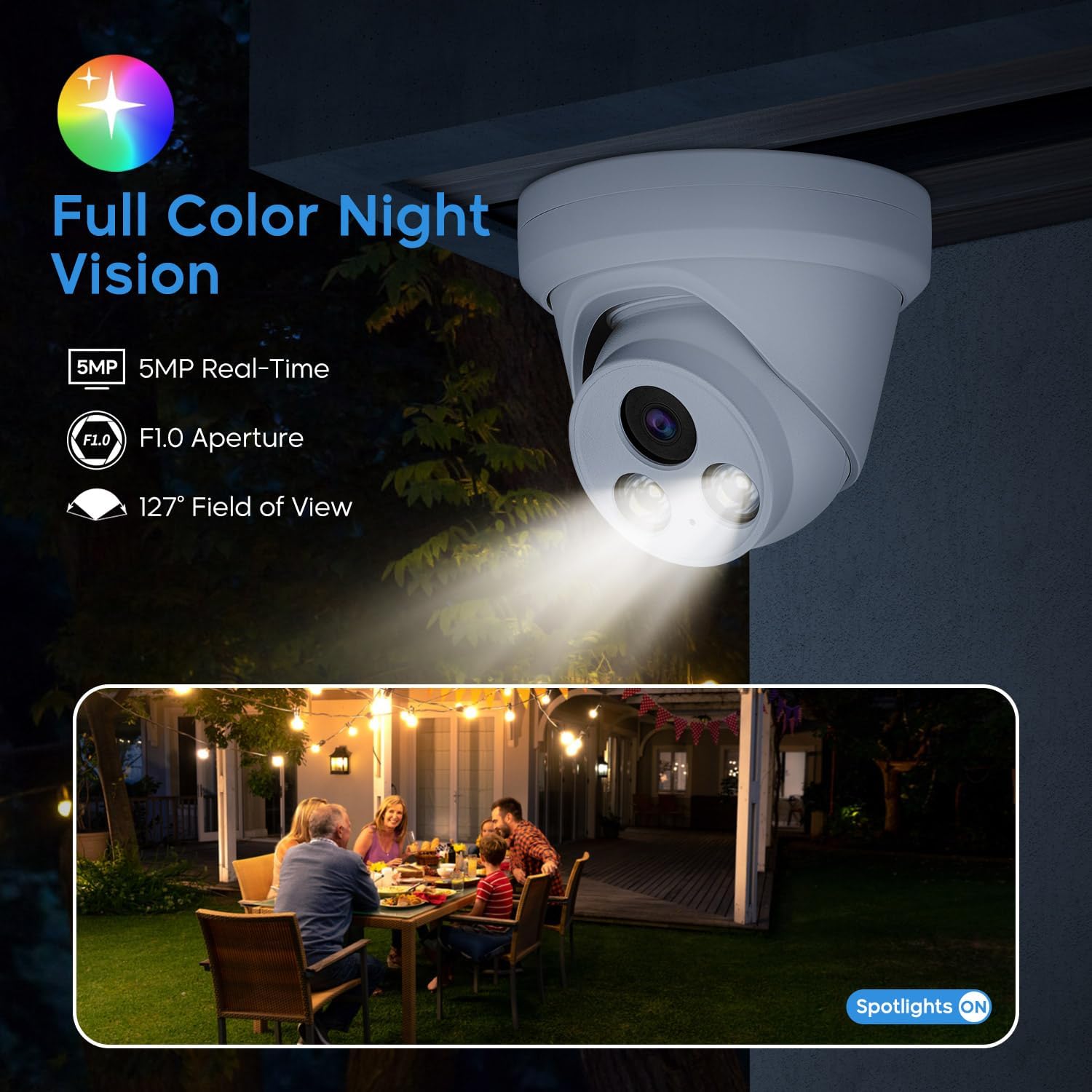
Figura 5.1: Example of full-color night vision, showing a backyard scene illuminated by the camera's spotlights.
Video 5.1: Demonstrates 4K Full Color Night Vision performance in an outdoor setting with street lighting.
Video 5.2: Shows the capabilities of the HITOSINO Color camera in various scenarios.
5.2 Detección de movemento intelixente
The camera is equipped with intelligent human and vehicle detection, minimizing false alarms and providing accurate alerts.

Figure 5.2: Illustration of smart motion detection, highlighting identified human and vehicle objects within the camera's field of view.
5.3 Micrófono incorporado
The integrated microphone allows for real-time audio monitoring, adding an extra layer of security and evidence.

Figure 5.3: Depiction of the built-in microphone's function, capturing clear audio for enhanced security monitoring.
5.4 Mobile App and Remote Access
Download the free VideoLink app to your mobile device (iOS or Android) for convenient remote access to live viewcomida gravada e inxestatage desde calquera lugar con conexión a Internet.
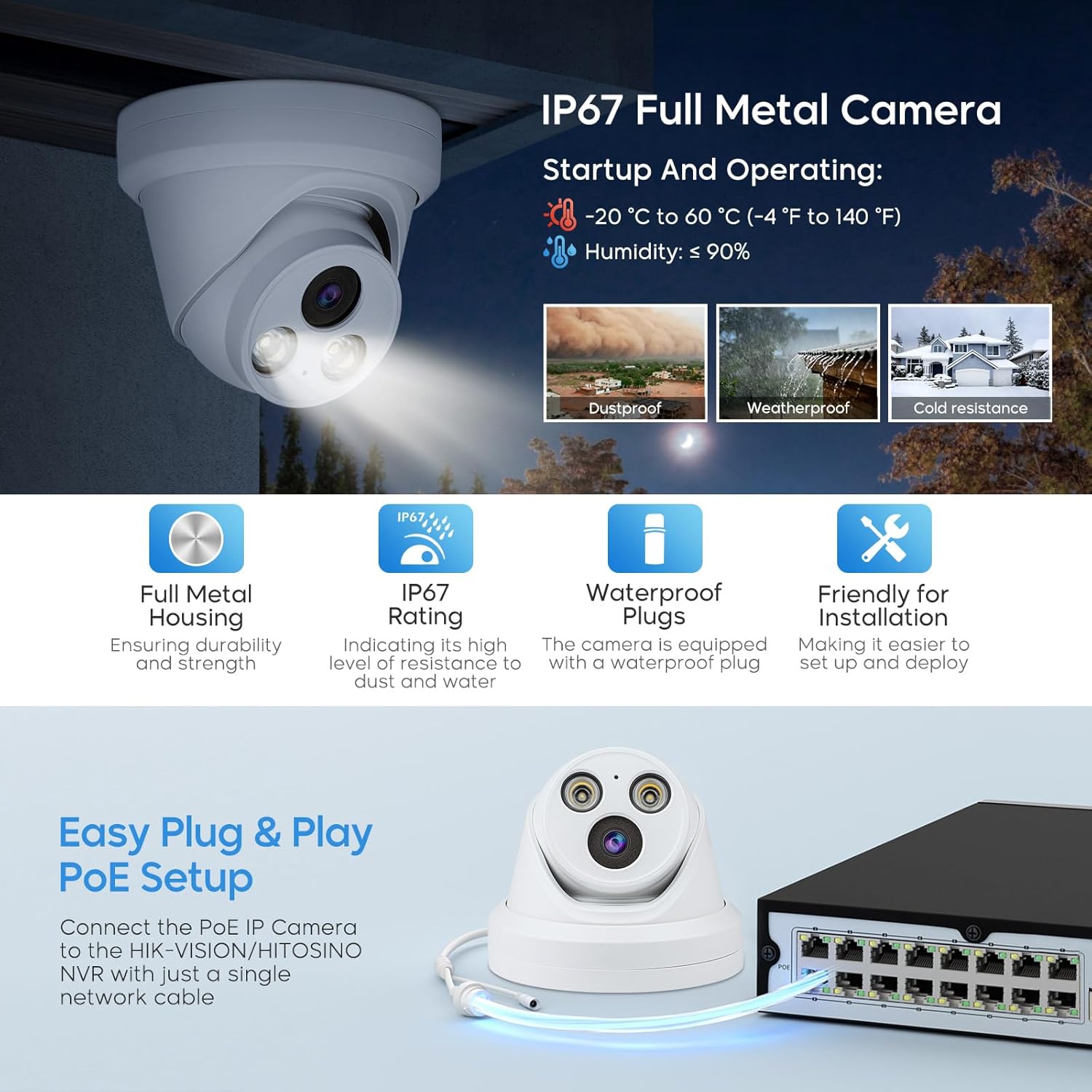
Figure 5.4: The VideoLink app interface on a smartphone, showing options for snapshot, record, audio, stream, and scale, with icons for monitoring and access.
6. Mantemento
Un mantemento regular garante a lonxevidade e o rendemento óptimo da túa cámara.
- Keep the camera lens clean from dust and smudges using a soft, dry cloth.
- Periodically check cable connections to ensure they are secure and free from damage.
- Ensure the camera's mounting is stable and secure, especially after exposure to strong winds or other environmental factors.
- For outdoor installations, regularly inspect the camera for any signs of wear or damage due to weather exposure.
7 Solución de problemas
Se tes problemas coa cámara, consulta os seguintes pasos habituais para a resolución de problemas:
- Sen fonte de vídeo:
- Check all power and network cable connections.
- Ensure the PoE switch or power adapter is functioning correctly.
- Verify network connectivity to the camera and NVR/router.
- Confirm the camera's IP address is correct and not conflicting with other devices on the network.
- Mala calidade da imaxe:
- Limpar a lente da cámara.
- Comprobe se hai obstrucións no campo de visión da cámara view.
- Asegúrate de ter iluminación suficiente para un rendemento óptimo da visión nocturna.
- Problemas de detección de movemento:
- Adjust motion detection sensitivity settings in the app or NVR interface.
- Ensure the detection area is properly configured.
- Problemas de audio:
- Verify audio settings are enabled in the camera's configuration.
- Check for any physical obstructions near the microphone.
For further assistance, please contact HITOSINO technical support.
8. Especificacións
| Característica | Especificación |
|---|---|
| Número de modelo | HS-CUT05G2-Color |
| Resolución de captura de vídeo | 5 MP (2592 x 1944) |
| Lente | 2.8mm Fixed Lens, F1.0 Aperture |
| Viewángulo ing | 118 graos |
| Range de visión nocturna | 98.4 pés (a toda cor) |
| Tecnoloxía de conectividade | Wired, Ethernet, PoE |
| Fonte de enerxía | PoE or 12V DC (Corded Electric) |
| Material | Carcasa metálica |
| Resistencia á intemperie | IP67 resistente ao lume |
| Temperatura de funcionamento | -20 °C a 60 °C (-4 °F a 140 °F) |
| Dimensións (L x W x H) | 6.1 x 6.1 x 4.92 polgadas |
| Peso do elemento | 1.37 libras |
| Codificación de vídeo | H.265 + |
| Dispositivos compatibles | Laptop, Desktop, HITOSINO/HIKV*SON NVR, Tablet, Smartphone |
9. Garantía e soporte
HITOSINO is committed to customer satisfaction and provides the following support:
- Garantía limitada de 2 ano: O produto está cuberto por unha garantía limitada de 2 anos.
- Garantía de devolución do diñeiro de 30 días e devolución gratuíta: For eligible purchases.
- Asistencia en liña 24/7: Professional technical service support is available.
For any inquiries or technical assistance, please refer to the contact information provided with your product or visit the official HITOSINO websitio.