
Tuitager 9S
Tuitager Bluetooth Headphones User Manual
Modelo: 9S
1. Introdución
Thank you for choosing Tuitager Bluetooth Headphones. These over-ear headphones are designed to provide a high-fidelity audio experience with deep bass and clear treble, featuring long battery life, multiple EQ modes, and versatile connectivity options. Please read this manual carefully before use to ensure proper operation and maintenance.

Image 1.1: Tuitager Bluetooth Headphones (Black)
2. Información de seguridade
- Non expoñas os auriculares a temperaturas extremas, humidade nin substancias corrosivas.
- Evite deixar caer os auriculares nin someterlos a impactos fortes.
- Non desmontes nin modifiques os auriculares. Isto anulará a garantía.
- Limpa os auriculares cun pano suave e seco. Non empregues produtos de limpeza líquidos.
- Escoitar música durante un tempo prolongado a niveis de volume elevados pode causar danos auditivos. Axuste o volume a un nivel seguro.
3. Configuración
3.1 Carga dos auriculares
Before first use, fully charge the headphones. Connect the provided USB-C charging cable to the Type-C charging port on the headphones and the other end to a compatible USB power source (e.g., computer USB port, wall adapter). The LED indicator will show charging status.
- Tempo de carga: Aproximadamente 2 horas para unha carga completa.
- Battery Life: Up to 60 hours of playtime on a single charge.
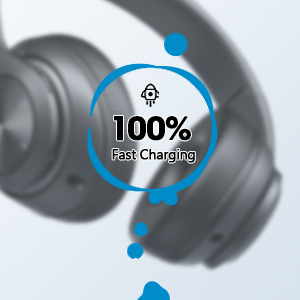
Image 3.1: Fast Charging Capability
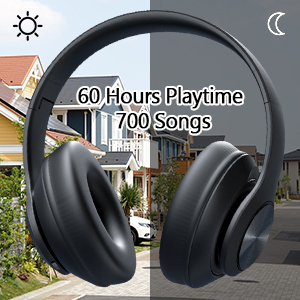
Image 3.2: Extended Playtime and Wired Option
3.2 Emparejamento Bluetooth
- Asegúrate de que os auriculares estean completamente cargados.
- Manteña premido o botón de acendido/apagado ata que o indicador LED parpadee, indicando o modo de emparellamento.
- No teu dispositivo (teléfono intelixente, tableta, portátil), activa o Bluetooth e busca os dispositivos dispoñibles.
- Select "Tuitager 9S" (or similar name) from the list of devices.
- Unha vez conectado, o indicador LED deixará de parpadear e permanecerá azul fijo.
Os auriculares tentarán reconectarse automaticamente co último dispositivo emparellado ao acenderse.
3.3 Wired Connection (3.5mm Aux)
For a wired connection, use the included 3.5mm audio cable. Plug one end into the 3.5mm Aux plug-in port on the headphones and the other end into your audio device's 3.5mm jack. The headphones will automatically switch to wired mode when the cable is connected.
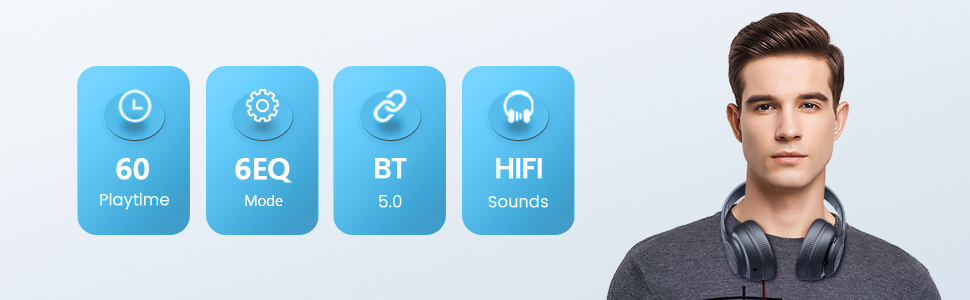
Image 3.3: Wide Compatibility and Usage (Wired & TF Card)
Uso da tarxeta TF 3.4
The headphones support TF (Micro SD) cards up to 32GB for direct music playback. Insert the TF card into the TF Card slot on the headphones. The headphones will automatically switch to TF card mode and begin playing audio files.
Note: TF card is not included.
4. Instrucións de funcionamento
4.1 Funcións dos botóns

Image 4.1: Easy Operation Button Layout
| Botón/Porto | Función |
|---|---|
| Encendido/apagado | Press and hold to power on/off. Short press to play/pause (in Bluetooth mode). |
| Reproducir / Pausar / Responder / Colgar | Short press to play/pause music or answer/end calls. Long press to reject calls. |
| Pista / baixada de volume anterior | Prema curta para a pista anterior. Prema longa para baixar o volume. |
| Seguinte seguimento / subida de volume | Prema curta para a seguinte pista. Prema longa para aumentar o volume. |
| Botón EQ | Short press to cycle through 6 EQ modes (Bass/Jazz/Voice/Rock/Pop/Classic). |
| Botón de modo (M) | Short press to switch between Bluetooth Mode and FM Mode. |
| 3.5mm Aux Plug-in Port | Para conexión de audio con cable. |
| Porto de carga tipo C | Para cargar os auriculares. |
| Ranura para tarxetas TF | For direct music playback from a TF (Micro SD) card. |
4.2 modos de ecualización
The headphones feature 6 distinct EQ modes to optimize your listening experience:
- Baixo: Enhanced low frequencies for powerful beats.
- Jazz: Profesional de son equilibradofile suitable for jazz music.
- Voz: Clearer vocals, ideal for podcasts or audiobooks.
- Rock: Dynamic sound for rock music.
- Pop: Vibrant and energetic sound for pop music.
- Clásico: Son rico e detallado para música clásica.
Press the EQ button to cycle through these modes.
4.3 Facer chamadas
With the built-in microphone, you can make and receive calls when connected via Bluetooth:
- Responder/Finalizar chamada: Prema brevemente o botón Reproducir/Pausa.
- Rexeitar a chamada: Prema e manteña premido o botón Reproducir/Pausa.
5. Mantemento
- Manteña limpos os auriculares limpándoos cun pano suave e seco.
- Garde os auriculares nun lugar fresco e seco, lonxe da luz solar directa e de temperaturas extremas.
- When not in use, fold the headphones for compact storage and to protect them from damage.

Image 5.1: Ergonomic and Foldable Design for Comfort and Portability
6 Solución de problemas
| Problema | Solución |
|---|---|
| Os auriculares non se acenderán. | Ensure the headphones are fully charged. Press and hold the Power button for a few seconds. |
| Non se pode emparellar co dispositivo. | Ensure headphones are in pairing mode (flashing LED). Turn off and on Bluetooth on your device. Move headphones closer to the device. Clear previous Bluetooth connections on your device. |
| Sen son. | Check volume levels on both headphones and connected device. Ensure headphones are properly paired or the 3.5mm cable is fully inserted. Try a different audio source. |
| Mala calidade de son. | Ensure there are no obstructions between headphones and device (in Bluetooth mode). Try a different EQ mode. Check audio source quality. |
| Conexión intermitente. | Move closer to the connected device. Avoid environments with strong Wi-Fi or other wireless interference. Ensure headphones are fully charged. |
7. Especificacións
- Nome do modelo: 9S
- Tecnoloxía de conectividade: Con cable, sen fíos (Bluetooth)
- Tecnoloxía de comunicación sen fíos: Bluetooth 5.3
- Alcance Bluetooth: Ata 32 pés (10 metros)
- Tamaño do controlador de audio: 40 milímetros
- Duración da batería: Ata 60 horas
- Tempo de carga: Aproximadamente 2 Horas
- Conector para auriculares: Jack de 3.5 mm
- Material: Plástico
- Peso do artigo: 10.2 onzas (aprox. 289 gramos)
- Tipo de control: Volume Control, Button
- Compoñentes incluídos: Headphones, USB Charging Cable, 3.5mm Audio Cable, User Manual
8. Garantía e soporte
Tuitager products come with a standard manufacturer's warranty. For detailed warranty information, please refer to the warranty card included in your product packaging or visit the official Tuitager websitio.
If you encounter any issues or have questions regarding your Tuitager Bluetooth Headphones, please contact our customer support team:
- Soporte en liña: Visit the Tuitager Store on Amazon: Tuitager Store
- Guía do usuario (PDF): Unha versión dixital da guía do usuario está dispoñible aquí: Descargar PDF
Ask a question about this manual
Ask about setup, troubleshooting, compatibility, parts, safety, or missing instructions. Manuals+ will review the question and use this page’s manual context to help answer it.