
Introdución
Thank you for choosing the DIZO Watch 2 Smartwatch. This manual provides essential information and instructions to help you get started, operate, and maintain your device effectively. Please read this manual thoroughly before using your smartwatch to ensure proper function and safety.
Contido do paquete
- DIZO Watch 2 Smartwatch
- Cable de carga
- Manual de usuario
Configuración
1. Carga do reloxo intelixente
Before initial use, fully charge your DIZO Watch 2. Connect the charging cable to the charging port on the back of the watch and plug the USB end into a power adapter (not included) or a computer's USB port. A full charge typically takes approximately 2 hours.
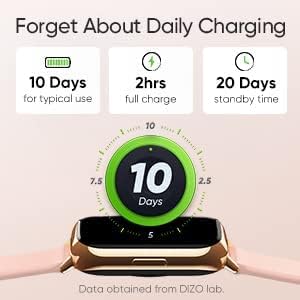
Image: The DIZO Watch 2 displaying its battery life, indicating 10 days for typical use, 2 hours for a full charge, and 20 days standby time.
2. Downloading the DIZO App
To unlock all features and synchronize data, download the official DIZO app on your Android smartphone. Busca "DIZO App" in the Google Play Store.
3. Emparellamento co teu teléfono intelixente
- Asegúrate de que o Bluetooth do teu teléfono intelixente estea activado.
- Open the DIZO app and follow the on-screen instructions to create an account or log in.
- Selecciona "Engadir dispositivo" ou unha opción similar dentro da aplicación.
- The app will search for your DIZO Watch 2. Select your watch from the list of available devices.
- Confirma a solicitude de emparellamento tanto no reloxo como no teléfono intelixente.
Instrucións de funcionamento
Navegación básica
- Pantalla táctil: Swipe up, down, left, or right to navigate through menus and notifications. Tap to select an option.
- Botón lateral: Press the side button to return to the home screen or wake up the display.

Image: A close-up of the DIZO Watch 2's 1.69-inch bright full touch screen, highlighting its sharp display.
Vixilancia da Saúde
The DIZO Watch 2 offers comprehensive health tracking features:
- Monitor de osíxeno no sangue (SpO2): Measures your blood oxygen saturation levels throughout the day and during sleep.
- Real-time Heart Rate Monitor: Continuously tracks your heart rate, providing insights into your cardiovascular health and workout intensity.
- Monitorización avanzada do sono: Analyzes your sleep patterns, including light, deep, and REM sleep stages, along with heart rate, stress, and breathing data.
- Seguimento do ciclo menstrual: Provides tracking and predictions for the menstrual cycle.
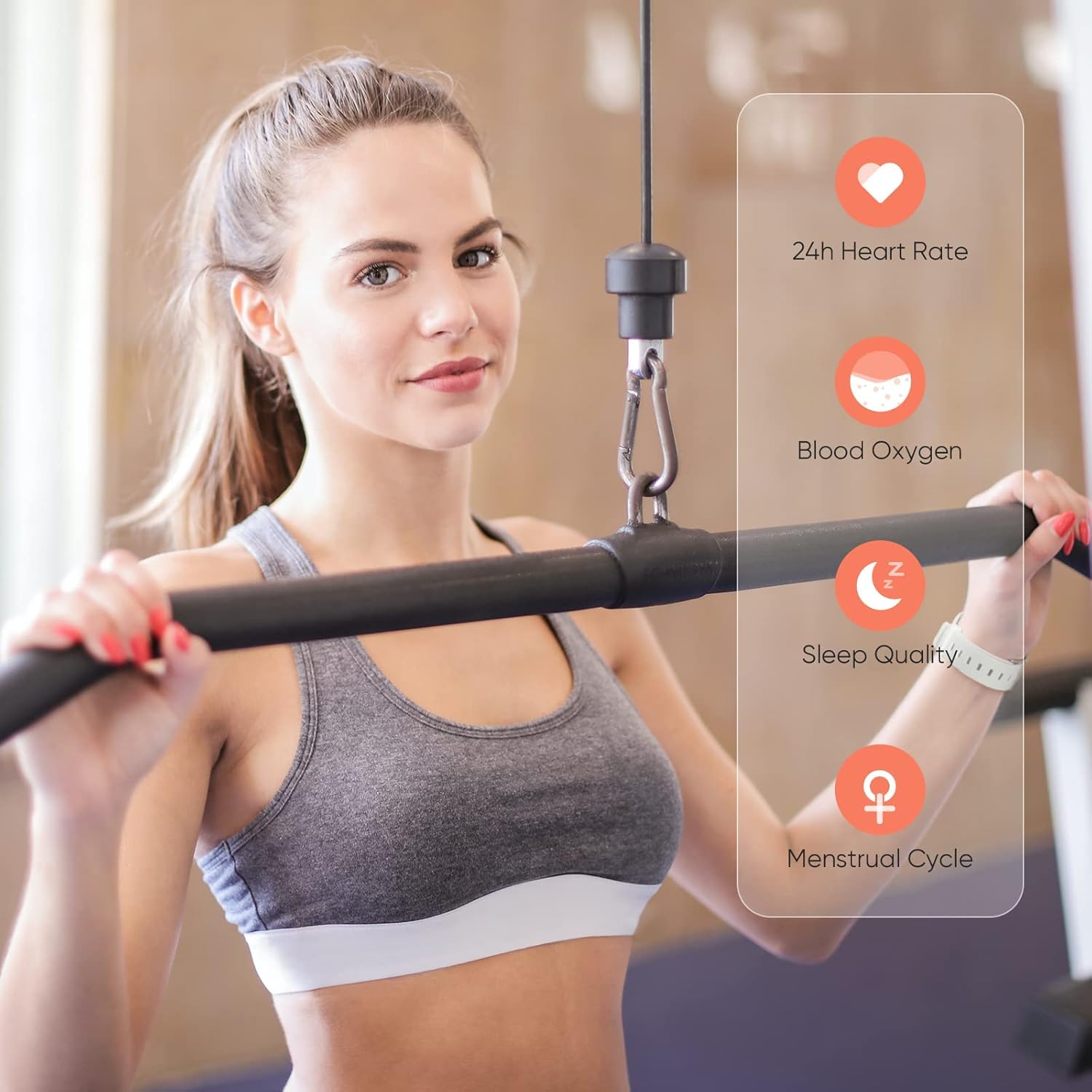
Image: A user wearing the DIZO Watch 2, with an overlay showing the watch's ability to monitor 24-hour heart rate, blood oxygen, sleep quality, and menstrual cycle.
Modos deportivos
The watch supports 15 dedicated sports modes to accurately track your workouts. Select your activity from the watch's menu to record data such as duration, calories burned, and heart rate.

Image: The DIZO Watch 2 screen showing "15 Sports Modes" with icons representing different activities like running, cycling, and swimming, surrounded by images of people engaging in these sports.
Caras de reloxo personalizables
Choose from over 100 watch faces available through the DIZO app. You can also customize a watch face using your own pictures.

Image: The DIZO Watch 2 displaying a custom watch face with a personal photo, surrounded by other available watch face designs and a smartphone screen showing customization options.
Smart Controls and Notifications
Connect your smartwatch to the DIZO app to enable smart features:
- Control de música: Controla a reprodución de música no teu teléfono intelixente directamente desde o reloxo.
- Control da cámara: Usa o reloxo como obturador remoto para a cámara do teu teléfono intelixente.
- Notificacións intelixentes: Recibe alertas de chamadas, mensaxes e notificacións de aplicacións.
- Calls Reject: Decline incoming calls from your watch.
- Steps Counter: Track your daily steps and activity.
- Alarma: Configura alarmas directamente no teu reloxo.

Image: The DIZO Watch 2 displaying icons for various smart controls, including Music Control, Camera Control, Smart Notifications, Calls Reject, Steps Counter, and Alarm.
Resistencia á auga (5 ATM)
The DIZO Watch 2 is 5ATM water resistant, meaning it can withstand pressures equivalent to a depth of 50 meters (164 feet). This allows for use during swimming, showering, or other shallow water activities. Avoid hot water, steam, or high-velocity water streams.

Image: A person swimming while wearing the DIZO Watch 2, with text indicating its 5ATM (164 ft./50 meters) waterproof rating.
Mantemento
- Limpeza: Limpa o reloxo e a correa regularmente cun pano suave e seco. Se é necesario, usa un pano lixeiramente seco.amp un pano con xabón suave e, a continuación, enxágüe e seque ben.
- Cargando: Use only the provided charging cable. Avoid exposing the charging contacts to water or sweat.
- Almacenamento: Garda o reloxo nun lugar fresco e seco cando non o uses.
- Resistencia á auga: While 5ATM water resistant, avoid prolonged submersion in saltwater or chemical liquids, which can degrade seals over time.
Resolución de problemas
- O reloxo non se acende: Asegúrate de que o reloxo estea completamente cargado. Conéctao ao cargador durante polo menos 10 minutos.
- Non se pode emparellar co teléfono: Check if Bluetooth is enabled on your phone. Ensure the watch is within range and the DIZO app is open. Try restarting both the watch and your phone.
- Datos sanitarios inexactos: Asegúrate de levar o reloxo ben axustado ao pulso, nin demasiado axustado nin demasiado solto. Limpa os sensores con regularidade.
- Notificacións non recibidas: Check app permissions on your phone to ensure the DIZO app has access to notifications. Verify notification settings within the DIZO app.
- A pantalla non responde: Try restarting the watch by pressing and holding the side button until it powers off, then power it back on.
Especificacións
| Nome do modelo | Ver 2 |
| Referencia do fabricante | DW-123 |
| Marca | DIZO |
| Mostrar | 1.69 inch (4.3cm) Bright Full Touch Screen |
| Resistencia á auga | 5ATM (up to 50 meters / 164 feet) |
| Vixilancia da Saúde | Blood Oxygen (SpO2), Heart Rate, Sleep Tracking, Menstrual Cycle |
| Modos deportivos | 15 modos |
| Duración da batería | Up to 10 days (typical use), 20 days (standby) |
| Tempo de carga | Aprox. 2 horas |
| Conectividade | Bluetooth, USB (para cargar) |
| Compatibilidade | Android |
| Dimensións | 21.49 x 2.01 x 1.22 cm |
| Peso | 191 gramos |
Garantía e Soporte
The DIZO Watch 2 Smartwatch comes with a standard manufacturer's warranty. Please refer to the warranty card included in your package for specific terms and conditions. For technical support, troubleshooting assistance, or warranty claims, please contact DIZO customer service through their official websitio web ou a información de contacto proporcionada na documentación da garantía.
